10 Best AI 3D Generators in 2026
After testing the most popular and highly rated AI 3D generation tools, we narrowed the list down to the top 10 best AI 3D generators for 2026. Get ready to redefine innovation.
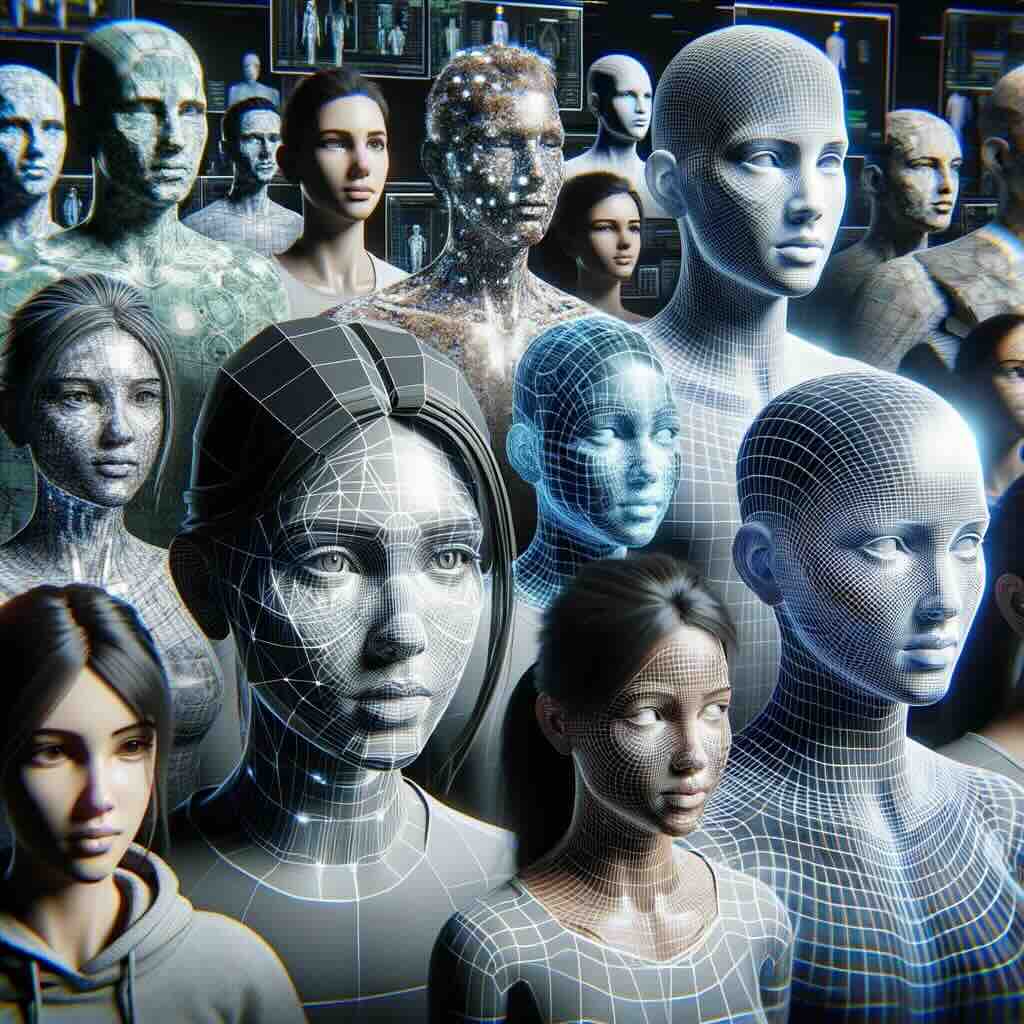
10 Best AI 3D Generators in 2026: Redefine Innovation
Welcome to the frontier of digital innovation, where artificial intelligence three-dimensional (3D) generators are not just tools but architects of imagination that redefine the boundaries of art, design, and technology.
By streamlining the process of creating 3D models, 3D generation tools are the key to unlocking vast creative domains. Adopting these tools signifies a step into a future where technology and creativity merge seamlessly to bring imaginative visions to life.
In this article:
- How 3D AI generators work ↓
- How we evaluated the best 3D generation tools ↓
- When to use AI for 3D models and animations ↓
- Top 10 best AI 3D generators in 2026 ↓
- How to pick the best AI 3D generator for you ↓
- What’s next for AI 3D generation ↓
- FAQs ↓
How 3D AI Generators Work
To create 3D models with AI, or generative AI, the generators leverage complex algorithms and neural networks to transform text prompts or two-dimensional (2D) data into three-dimensional models, such as images, sketches, or concept art.
These algorithms analyze patterns, textures, structures, and various features within images, videos, or real-world objects by scouring vast datasets to comprehend how to interpret your text or 2D input information and convert it into realistic 3D representations.
How We Evaluated the Best 3D Generation Tools
Our AI experts, each with extensive experience in the field, spend an outrageous amount of time researching and reviewing the 300+ AI tools showcased on our website.
Collectively, our team holds not only a deep, up-to-date understanding of the AI landscape but also a commitment to unbiased analyses. By methodically exploring each tool and basing our endorsements solely on our honest assessment, we are confident that our recommendations will help you find the best tool/s for your needs.
When determining these top 10 standout AI 3D generation tools, the factors we evaluated include:
- Quality of results, such as output resolution, realism, and detail
- Ease of use
- Versatility and customization capabilities
- Diversity across styles and effects
- Prompt translation accuracy
- Speed of results
- Community feedback, such as user reviews
…as well as a variety of other considerations.
When to Use AI for 3D Models and Animations
AI-driven 3D generators are opening up new possibilities across various industries, making it easier to create immersive experiences, streamline workflows, and enhance creative outputs. Whether you're in marketing, education, or architecture, these tools can revolutionize how you approach 3D modeling and animation. Here are some key applications where AI can make a significant impact:
3D Art, Animation, Game Development, and Virtual Reality
AI can help you craft hyper-realistic 3D avatars, animate characters with lifelike movements, and design complex gaming environments or fully immersive virtual worlds. It’s a game-changer for creating rich, interactive experiences that capture attention and push creative boundaries.
Marketing and Design
For businesses, AI-generated 3D models can elevate marketing campaigns by adding a layer of realism. Whether you’re developing product visuals or conceptual art, these tools can make your designs stand out, engaging your audience in ways traditional methods can't.
Education and Historical Reconstruction
In education, AI tools can transform lessons into interactive 3D adventures, making learning more engaging for students. Historians and archaeologists can also benefit from AI by reconstructing ancient sites or artifacts in 3D, offering a dynamic way to visualize the past.
Architecture and Interior Design
Bring your architectural visions to life by visualizing spaces with real-world accuracy. AI can generate 3D models that showcase different materials, finishes, and layouts, helping architects and designers create more compelling presentations for clients.
Choreography and Physical Therapy
AI’s ability to simulate movement makes it a powerful tool for choreographers and physical therapists. From digitally designing dance routines to analyzing patient movements, AI can provide valuable insights and improvements in both creative and medical fields.
Digital Retail and E-Commerce
For retail, AI-powered 3D models can enable virtual try-ons and detailed product visualizations, offering customers a more interactive and personalized online shopping experience. This can enhance engagement and drive conversions.
Event Planning and Tourism
Use AI-generated 3D environments to visualize event layouts before the big day or bring tourist attractions to life in virtual space. This can help streamline event planning and offer virtual tours of landmarks, creating immersive experiences for potential visitors.
Personal Creative Projects
AI in 3D modeling isn’t just for businesses—if you're an individual looking to explore creative ideas, these tools offer endless possibilities. Whether for a passion project or something more professional, if you can imagine it, AI can help you bring it to life.
Top 10 Best AI 3D Generators in 2026
While each of the top AI 3D model generators offers compelling capabilities, the ideal one depends on your needs as the creator.
To make your decision a little easier, we’ve pinpointed the optimal functionality, key differentiators, and pricing for each tool (listed alphabetically).
DeepMotion - Best for Realistic Motion Capture
Using body tracking from videos, DeepMotion captures the fluidity of human movement and transforms it into digital art. A powerhouse in animating intricate human motions, it brings digital creations to life by infusing characters with natural, lifelike movements.

Revolutionize animation with AI-driven motion capture and body tracking for all creators.
Ideal Users
Animators, game developers, and choreographers.
Pros
Lifelike animation capabilities capture the subtlety and complexity of human movement, infusing animations with unparalleled realism and fluidity.
High-quality productions.
Broad application range suits various uses and sectors, from gaming to virtual reality and interactive media.
Cons
Technical expertise is needed to utilize its capabilities fully.
Requires significant computational power for optimal performance.
Pricing Options
- Free: 60 credits/month; ability to track 2 people; 20-second clips
- Starter: 180 credits per month; ability to track 3 people; 20-second clips
- Monthly: $15/month
- Annual: $9/month
- Innovator: 480 credits per month; ability to track 4 people; 30-second clips
- Monthly: $48/month
- Annual: $17/month
- Professional: 1500 credits per month; ability to track 6 people; 120-second clips
- Monthly: $117/month
- Annual: $39/month
- Unlimited: Unlimited credits; ability to track 8 people; 360-second clips
- Monthly: $300/month
- Annual: $83/month
These prices were accurate as of December 2025.
DPT Depth Estimation - Best for Real-Time Scene Reconstruction
A digital time machine, DPT Depth Estimation delves into history by recreating scenes and lost worlds from mere images. It specializes in reconstructing detailed 3D environments with precision, bringing past or virtual tours to life in dynamic, immersive experiences. It’s also open-source and free to use.
Ideal Users
Educators, historians, archaeologists, and tourism professionals.
Pros
Specialization in reconstructing historical scenes with extraordinary detail and accuracy, transforming images into historically accurate 3D scenes.
Immersive, interactive virtual tour capability makes it a valuable tool for education, tourism, and historical documentation.
Precision crafting ensures each pixel contributes to a historically accurate and visually engaging experience.
Cons
Niche application makes it less impactful outside historical or educational contexts.
The effectiveness of scene reconstruction relies heavily on the quality of the input images.
Pricing Options
- Free
Pricing was accurate as of December 2025.
Masterpiece X - Best for Intuitive Model Generation
Masterpiece X fuses natural language processing (NPL) and artistic creation — making complex 3D models from text. For poets, storytellers, and any creative thinker who can clearly articulate words and stories, Masterpiece X helps you swiftly explore concepts, prototypes, and more.

Ideal Users
Marketers, storytellers, and event planners.
Pros
Expert at converting verbal or written descriptions into detailed 3D models with innovative NLP integration.
User-friendly interface, making it accessible to those without technical 3D modeling skills.
Cons
Focus on creative modeling means it may not be the best fit for more technical or precise tasks.
Effectiveness hinges on your ability to articulate your vision in words clearly.
Pricing Options
- Free 250 credits
- Monthly credit packs
- $15/month: 750 credits
- $30/month: 1500 credits (most popular)
- $60/month: 3000 credits
- On-demand credit packs
- $15 one-time purchase: 750 credits
Pricing was accurate as of December 2025.

Meshcapade - Best for E-Commerce Model Creation
Offering avatars that resonate with the diverse aesthetics of online retail, Meshcapade is a digital sorcerer transforming textual descriptions into lifelike 3D avatars.

Ideal Users
Marketers, digital retailers, and event planners.
Pros
High-quality transformation of descriptive text into detailed, lifelike 3D avatars.
Extensive customization, allowing each avatar to be unique and tailor-fit to specific brand needs.
Seamless integration with various online platforms, enhancing user experience and engagement.
Intuitive user experience makes 3D avatar creation accessible to novices and experts alike.
Cons
Specialization in e-commerce may limit it in broader 3D modeling contexts.
Output quality heavily relies on the detail and clarity of the textual descriptions.
Pricing Options
- Try for free.
- Contact them for large-scale needs.
Pricing was accurate as of December 2025.
NeROIC - Best for Detailed Model Crafting
An open-source AI 3D object generator pushing the boundaries of object rendering, NeROIC transforms ordinary photographs into stunning 3D models by capturing detailed geometric and material properties.
Ideal Users
Game developers, 3D model enthusiasts, and interior designers.
Pros
Advanced photo-to-model conversion, converting everyday photos into detailed, accurate 3D models with remarkable fidelity.
Excellent relighting capabilities, enabling models to fit seamlessly into diverse lighting conditions and scenes.
Great attention to detail, reproducing textures and material properties from photos for advanced realism.
Cons
Requires 3D modeling expertise to leverage its capabilities fully.
It is most suitable for object rendering projects, which may limit its use in other areas.
Pricing Options
- Free
Pricing was accurate as of December 2025.
Ponzu - Best for Designers and Developers
Ponzu stands as a master AI text-to-3D generator. Enter a prompt into Ponzu, and it’ll generate an asset where every texture and shape of an object exudes realism, elevating digital art to new heights of authenticity.

Revolutionize 3D texturing with AI for photorealistic effects and efficiency.
Ideal Users
Graphic designers, game developers, and architects.
Pros
Photorealistic textures and objects offer an enhanced sense of realism.
Advanced 3D object details, blending artistic vision with technical precision.
Versatility, suiting a wide range of creative and technical professions.
Cons
High-end computing power is necessary to achieve the best results.
It may require time to master its full potential.
Pricing Options
- Free
Pricing was accurate as of December 2025.
Rokoko Video - Best for Real-Time Animation
Rokoko Video is your studio for real-time animation. Specializing in full-body motion capture, this tool translates every move into stunning dynamic and fluid animations like real-life movements.

Transform video to 3D animations easily with AI-driven mocap technology.
Ideal Users
Animators, virtual reality professionals, choreographers, and physical therapists.
Pros
Real-time recording offers immediate capture and translation of full-body motion.
User-friendly interface makes it accessible to professionals and beginners alike.
Detailed, real-time motion capture, ensuring dynamic and responsive animations with high precision, even for subtle movements.
Cons
Optimal use may require specialized equipment, potentially adding to the overall cost.
Mastering the full scope of its capabilities can take time and practice.
Pricing Options
- Single-cam: free
- Dual-Cam: $240/year after 14-day free trial
Pricing was accurate as of December 2025.

Sloyd - Best for Customization
Sloyd elevates the art of customization. By allowing every detail of a model to be tailored to exact specifications, it’s perfect for projects that require a unique touch and high-level personalization.

Revolutionize 3D model creation with AI, no experience needed.
Ideal Users
3D artists, designers, educators, and creative hobbyists.
Pros
Provides unparalleled customization options for every detail.
Design flexibility, adapting to various creative needs and stylistic preferences.
User-centric interface with an intuitive design framework.
Cons
Best suited for projects that require intricate and detailed personalization.
Optimal performance may require robust computing resources.
Pricing Options
- Starter: free; 30 export credits/month
- Plus: 200 export credits/month
- $20/month billed monthly
- $15/month billed annually
- Studio & Enterprise: custom pricing
Pricing was accurate as of December 2025.
Spline AI - Best for Collaborative Project
By streamlining and enhancing the creative process, Spline AI allows beginners and advanced professionals to effortlessly create 3D objects, animations, and textures by providing simple prompts.

Revolutionize 3D design with AI: create, edit, collaborate effortlessly.
Ideal Users
Artists, designers, marketers, and content creators.
Pros
Ease of use, with an intuitive interface, allows you to create 3D models easily without needing advanced technical skills.
2D to 3D conversion, transforming 2D sketches or drawings into 3D models.
Versatility and flexibility, accommodating different artistic styles and concepts.
Cons
May struggle with highly complex or detailed drawings, requiring manual adjustments.
It may not offer as advanced editing features as other tools.
Output quality heavily depends on the input quality and clarity — potentially resulting in less accurate or desirable generations.
Pricing Options
- Basic: Free
- Super: $9/month billed monthly or $7/month billed annually
- Super Team: $12/month per editor billed monthly or $9/month per editor billed annually
Pricing was accurate as of December 2025.
How to Choose the Right AI 3D Generator for Your Business
Selecting the ideal AI 3D generator is crucial for achieving high-quality results and meeting your business goals. Here are key factors to consider when making your decision:
Align with Project Needs
Different tools shine in specific areas like ultra-realistic rendering, fast turnaround, or extensive customization. Start by defining what your project demands—whether it’s photorealistic visuals or rapid prototyping—and choose a generator that complements those requirements.
Assess Your Team's Skill Level
Think about the technical expertise within your team. Are you working with seasoned professionals who need advanced control, or is ease-of-use for less experienced users a priority? Some platforms offer intuitive interfaces for beginners, while others cater to advanced users with complex functionality.
Customization and Flexibility
Consider how much customization your projects require. If you need to push creative boundaries or integrate specific features, opt for a generator that provides robust personalization options.
Integration with Your Workflow
Seamless integration with your existing tools and platforms is vital. Evaluate whether the generator can easily plug into your current software ecosystem, from design tools to production workflows, saving time and reducing friction.
Hardware and Resource Needs
Some AI 3D generators are resource-intensive, requiring high-end hardware or specific software environments. Make sure your infrastructure can support the tool’s requirements for optimal performance.
Scalability for Future Growth
Look ahead. As your business evolves, so should your tools. Ensure that the AI 3D generator you choose is scalable, capable of handling more complex projects or larger volumes as your business grows.
Budget and Licensing Flexibility
Finally, balance cost with functionality. Review licensing models—whether it’s a one-time purchase or subscription-based—and ensure it aligns with your budget while offering the right value for your project’s scope.
By taking these factors into account, you’ll make a strategic choice that not only meets your current needs but also supports your future growth and innovation.
What’s next for AI 3D Generation
This fusion of innovation and artistry is not just transforming the present. It also paves the way for a future rich with unexplored potential in digital creation, leaving creators and enthusiasts on the cusp of an exciting journey of discovery and endless possibilities.
Frequently Asked Questions
How do AI 3D generators differ from traditional 3D modeling software?+
3D AI generators reduce the amount of human labor in developing 3d content. Traditional 3D modeling software requires skilled artists or designers to manually create models using specific tools and techniques.
By automating processes and accepting varied inputs, AI 3D generators streamline the creation of 3D content without needing advanced technical skills and specialized software — making them accessible to a broader user base.
But, depending on the generator, this may come at the expense of the precision level possible by skilled professionals using transitional 3D modeling software.
What are the primary challenges faced when using AI 3D generators?+
While these tools are designed to make 3D modeling easier, they also offer some obstacles depending on the tool you choose, your skillset, and/or your hardware setup — some of which will likely be mitigated as AI technology evolves.
Precision and Complexity
3D generators may face challenges in accurately interpreting and converting input data into detailed 3D models, especially when dealing with complex or highly detailed designs. Achieving intricate detailing or handling complex structures may require manual adjustments, likely requiring advanced technical skills or software.
Input Quality Dependency
The quality and clarity of the input data significantly impact the output of generation tools. Poor-quality or ambiguous input, such as blurry images or unclear descriptions, can lead to less accurate or desirable 3D model generations.
Learning Curve
Optimizing input data and understanding how to best utilize AI 3D generators for specific use cases or to obtain desired outputs may require time and expertise.
Ethical Considerations
AI-generated content might raise ethical concerns, such as ownership rights, copyright issues, or the potential misuse of generated 3D models.
Limitation to Specific Applications
Some AI 3D generators might excel at niche applications or specific use cases, limiting their effectiveness for broader 3D modeling tasks.
Hardware and Computational Requirements
Generating complex 3D models through AI might require significant computational resources. You may need high-end hardware or computing power to achieve optimal performance, potentially increasing your costs.
Integration and Collaboration
Integrating AI 3D generators into existing workflows or collaborative environments might pose challenges. Compatibility issues, file format restrictions, or difficulties in teamwork and project handling could be obstacles.
Can AI 3D generators be integrated into existing 3D modeling pipelines or workflows?+
Yes, AI 3D generators can often be integrated into existing 3D modeling pipelines or workflows — though the level of integration may vary based on the specific tool and its compatibility with different software and processes. Here's how integration might occur:
File Formats and Compatibility
Many AI 3D generators allow input and output in standard 3D file formats (e.g., OBJ, FBX, STL) and/or offer APIs or plugins that allow direct integration with popular 3D modeling software — facilitating seamless integration into existing pipelines with easy import into common 3D modeling software for further refining with advanced traditional tools.
Collaboration
Certain AI 3D generators offer collaborative features that facilitate teamwork and project management. These features allow multiple members of your team to work on or review AI-generated models in tandem.
While integrating AI 3D generators into existing workflows offers various benefits, factors such as compatibility, user training, workflow adjustments, and the overall impact on productivity and efficiency must be considered. The level of integration might vary based on the specific needs and tools used within an organization's 3D modeling pipeline.
Can AI 3D Generators Help with 3D Printing?+
By encouraging innovation, streamlining the design process, enhancing print quality, and reducing material waste, AI 3D generation contributes to more efficient, cost-effective, and reliable 3D printing.
Design Iteration & Optimization
AI algorithms can create numerous design iterations based on specified parameters, enabling the creation of innovative, efficient designs that might not be feasible or easily conceived otherwise. They can also aid in designing models specifically tailored for 3D printing, such as by analyzing and optimizing structural integrity to ensure stability.
Error Detection
By analyzing the model geometry and anticipating potential issues, AI-powered software can also detect potential flaws in 3D models before printing and suggest alterations to reduce the chances of failed prints.
Material Selection
3D generators can recommend suitable materials based on the intended use, structural requirements, and environmental conditions – ultimately reducing material waste.