
Rokoko Video
Transform video to 3D animations easily with AI-driven mocap technology.
Key Takeaways
- What it is
- Transform video to 3D animations easily with AI-driven mocap technology.
- Pricing
- $240/year
- Best for
- AI Motion Capture
- Dual-Camera Support
- Real-Time Mocap in 3D Software
- Rating
- 4.7/5
What is Rokoko Video?
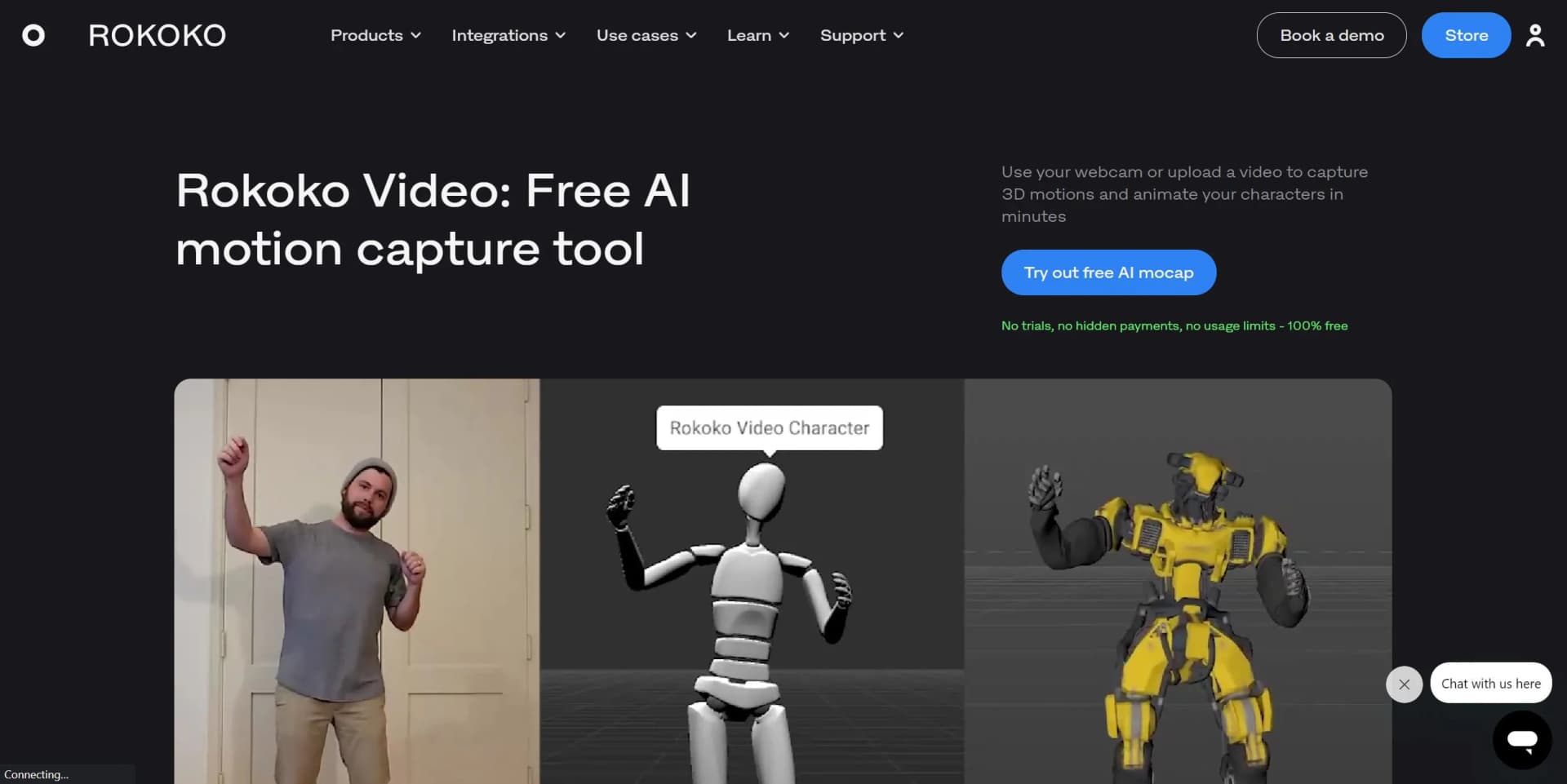
Rokoko Video emerges as a pioneering tool in the realm of digital animation and motion capture (mocap), democratizing access to high-quality mocap technology. With its innovative AI-driven approach, Rokoko Video empowers creators, from indie developers to professional studios, to capture and animate movements with unprecedented ease and precision. By harnessing the power of AI, Rokoko Video transforms video footage into detailed 3D animations, enabling anyone with a webcam or video file to animate characters effortlessly. Designed to cater to a diverse audience, from game developers to filmmakers, Rokoko Video simplifies the mocap process, eliminating the need for expensive equipment or specialized studios.
Rokoko Video stands out by offering an AI-powered motion capture solution that's both high-quality and accessible. Its unique selling point lies in its ability to make professional-grade mocap technology available to a broad audience, without the need for specialized equipment. The dual-camera option further sets it apart, providing unparalleled accuracy and depth perception for more complex animations.
Rokoko Video excels in democratizing motion capture technology, making it an indispensable tool for creators across various fields. Its blend of advanced AI, ease of use, and cost-effectiveness makes it a game-changer, particularly for those looking to integrate high-quality mocap into their projects without breaking the bank. Whether for game development, filmmaking, or digital art, Rokoko Video offers an unmatched advantage in bringing animations to life.
Who is Using Rokoko Video?
Game Developers
Creating realistic character movements and animations.
Filmmakers and VFX Artists
Visualizing and implementing motion scenes quickly.
Digital Artists and Animators
Enhancing their creative workflows with efficient mocap.
Educational Institutions
Teaching students the principles of motion capture and animation.
Uncommon Use Cases
Theatre productions utilizing mocap for live performance enhancements; Fitness apps integrating 3D animations for workout guides.
Key Features
Rating Breakdown
Pricing Plans
Single-Cam
- 100% free
- No trials or hidden payments
Dual-Cam
$240/year
- Thereafter
Which Rokoko Video plan should you pick?
Start with Starter for occasional free video-to-motion work, then upgrade to Basic or higher when you need more monthly processing, unlimited storage, or advanced Studio features.
Starter
Good for beginners who need free motion capture, FBX export, and limited Vision AI video processing.
Basic
Good for AI mocap users who need 600 seconds of monthly Vision AI processing and unlimited cloud storage.
Plus
Good for users who need 3,000 seconds monthly, custom-character workflows, team management, and live streaming.
Pro
Good for production users who need 15,000 seconds monthly, advanced command API access, CSV export, and all Plus features.
Enterprise
Good for organizations needing custom support, local storage, offline days, onboarding, or an SLA.
Rokoko Video Use Cases
Video-to-motion capture
Upload a video of a human performance and process it into 3D character motion.
Outcome: A downloadable or editable animation clip.
Text-to-motion generation
Describe a movement such as a walk, run, idle, or gesture using a text prompt.
Outcome: A generated 3D motion clip.
Animation cleanup
Open generated motion in Rokoko Studio and use trimming, smoothing, looping, and cleanup tools.
Outcome: More usable motion data for production.
Custom-character retargeting
Import a supported character into Studio and transfer generated movement onto its rig.
Outcome: Motion applied to a custom 3D character.
3D-pipeline export
Export processed animation using supported formats and skeleton presets for downstream software.
Outcome: Motion ready for tools such as Blender, Unreal, Unity, Maya, or Cinema 4D.
Workflow Ideas with Rokoko Video
Convert a performance video into animation
- 1Record a human performance with a phone or webcam
- 2Upload the video to Rokoko Create
- 3Process the clip and open the generated motion in Rokoko Studio
Polish and export generated motion
- 1Open the generated clip in Rokoko Studio
- 2Trim, smooth, or loop the motion
- 3Export the result as FBX or another supported format
Apply motion to a custom character
- 1Generate motion from an uploaded video
- 2Import a supported custom character into Studio
- 3Retarget the generated movement and export the animation
How Rokoko Video fits into your stack
Blender Integration
Directly import captured animations into Blender for further refinement.
Unreal and Unity Support
Seamlessly use mocap data within major game development engines.
Export Formats
Offers .FBX and .BVH export options for compatibility with a wide range of 3D tools.
Dual-Camera Setup
Enhances mocap quality, compatible with various webcams for flexibility.
Pros
- +Cost-Effective: Provides a high-quality mocap solution at a fraction of the cost of traditional systems.
- +Ease of Use: Simplifies the mocap process, making it accessible to creators of all skill levels.
- +Versatility: Supports a wide range of applications, from pre-visualization to final animation in various industries.
- +Community Support: Backed by a vibrant community and comprehensive tutorials, ensuring users can maximize the tool's potential.
Cons
- −Dependence on Video Quality: The accuracy of motion capture can be affected by the quality of the input video.
- −Limited by Physical Space: The effectiveness of a single-camera setup may be constrained by the size of the recording area.
- −Learning Curve for Advanced Features: While user-friendly, mastering the full suite of features and integrations may require time.
Limitations & when to consider alternatives
Known limitations
- Monthly processing limits. The Starter plan includes 30 seconds of Vision AI video processing per month; paid plans provide larger monthly allowances.
- Video preparation is important. The actor should remain fully in frame, with good lighting, strong contrast, a stable camera, and minimal occlusion.
- No direct browser recording in Vision 3.0. Vision 3.0 requires a prerecorded performance video to be uploaded to the portal.
- Legacy capture features were retired. Dual-camera motion capture and online webcam capture were retired on August 16, 2026.
- Video prompts lack preview and retry. Animations generated from video prompts do not have Preview or Retry options before opening the result in Studio.
Look elsewhere when
- You need a native mobile app.
- You need a documented developer API for video processing.
- You need still-image understanding or document analysis.
How to Use Rokoko Video
- 1
Rokoko provides a wealth of tutorials, including step-by-step guides by their Creative Director and efficient workflows for Blender & Mixamo, ensuring users can quickly get up to speed with the tool.
Who is Rokoko Video For?
Animation, Film & VFX
The tool converts ordinary performance video into character animation for animation and visual-effects workflows.
Game, AR & VR creators
Generated motion can be edited in Studio and exported or streamed into major game and 3D applications.
Academia & Education
Rokoko identifies education as a use case for teaching animation, film, VFX, and game development.
Robotics teams
Rokoko lists robotics among its motion-capture use cases and provides exportable motion data.
Motion-data users
Users can generate, edit, retarget, export, and integrate motion data into production pipelines.
Frequently Asked Questions
What is Rokoko Video called now?
Rokoko Video was renamed Rokoko Vision and is being integrated into Rokoko Create.
What does Rokoko Create accept as input?
It accepts a text description or an uploaded video clip and generates 3D motion animation.
Can I use the generated motion commercially?
Rokoko states that generated data from text-to-motion and video-to-motion can be used commercially.
What do I need to use Rokoko Vision?
You need a Rokoko account, a computer or laptop, an internet connection, and a suitable video file or camera workflow.
What can I export after processing?
Processed motion can be downloaded as an FBX file or opened in Rokoko Studio for further editing and export.
Which features are being retired?
Dual-camera motion capture and online webcam capture were retired on August 16, 2026, as Vision transitioned into Rokoko Create.
Community reviews
Be the first to share your experience.
Sign in to leave a review for Rokoko Video.
Rokoko Video Alternatives
Looking for alternatives to Rokoko Video? Here are similar tools in the same category:
Learn to Master Rokoko Video
With Skill Leap courses
Get in-depth training on Rokoko Video and 50+ other AI tools with our expert-led video courses.
Start 7-Day Free Trial