10 Best AI Image Generators in 2026
Exploring the forefront of creativity, we’ve rigorously evaluated the leading AI image generation platforms to present you with the definitive top 10 AI image generators for 2026.
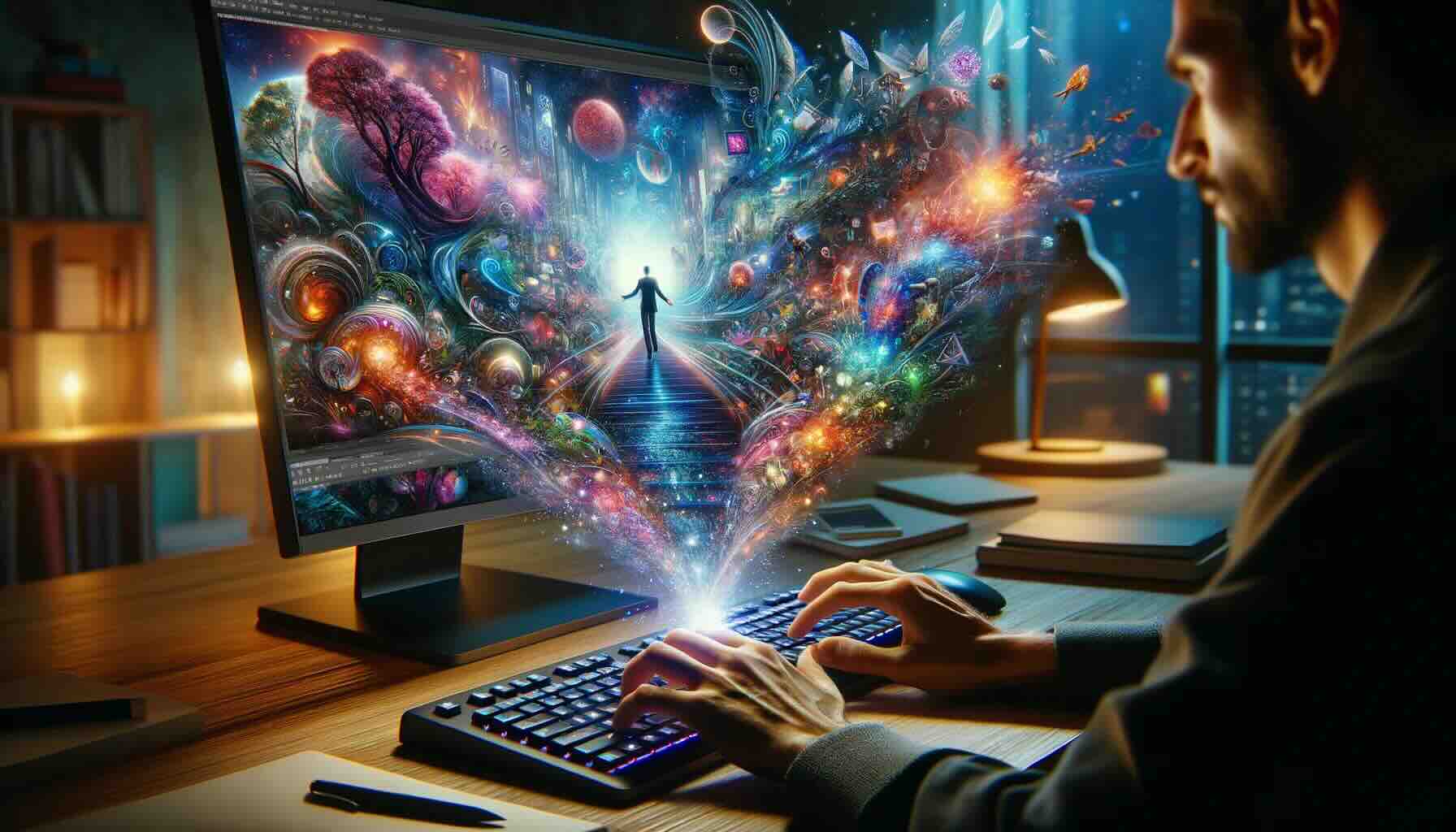
Unleashing Creativity: A Comprehensive Guide to the Top Image Generators of 2026
 Why you can trust us
By transforming simple text descriptions into high-quality visuals, artificial intelligence (AI) image generators unlock unprecedented possibilities for a world where creativity flourishes and productivity skyrockets.
Whether you’re a seasoned marketer, enthusiastic educator, budding artist, or anyone, AI text-to-image generators supercharge your ability to create stunning designs without needing specialized software or elite skills. Think of it as your imagination – only amplified.
After thoroughly testing the most popular and highly rated AI tools in 2026, we narrowed the (extensive!) list down to the top ten best AI image generators.
In this article:
- How AI Text-to-Image Generators work ↓
- How We Evaluated the Best Text-to-Image AI Tools ↓
- When to Use AI for Image Creation ↓
- Top 10 Best AI Image Generators in 2026 ↓
- How To Pick The Best AI Image Generator For You ↓
- What’s next for AI Image Generation ↓
- FAQs ↓
How AI Text-to-Image Generators work
By harnessing the power of machine learning, AI tools learn from vast datasets and iterate through user feedback to produce compelling visuals.
To generate images with AI, also known as generative AI, the user first inputs parameters via a text prompt, potentially including additional criteria such as style transfer, color palette selection, and more.
Then, the AI tool leverages complex mathematical models and intricate neural networks to comprehend patterns, textures, and structures within images to produce new visuals or manipulate existing ones.
How We Evaluated the Best Text-to-Image AI Tools
Our AI experts, each with extensive experience in the field, spend an outrageous amount of time researching and reviewing the 300+ AI tools showcased on our website.
Collectively, our team holds not only a deep, up-to-date understanding of the AI landscape but also a commitment to unbiased analyses. By methodically exploring each tool and basing our endorsements solely on our honest assessment, we are confident that our recommendations will help you find the best AI tool/s for your needs.
When determining these top 10 standout AI image generation tools, the factors we evaluated include:
- Quality of results, such as image resolution, realism, and details
- Ease of use
- Versatility and customization capabilities
- Diversity across styles and effects
- Prompt translation accuracy
- Speed of results
- Community feedback, such as user reviews
…as well as a variety of other considerations.
When to Use AI for Image Creation
AI image generators can significantly enhance efficiency, creativity, and convenience across a variety of professional and personal applications. Whether you're looking to speed up workflows or push creative boundaries, here are some key areas where AI-driven image creation can make an impact:
Concept Art Across Industries
AI can expedite the creative process by helping refine and explore concepts before committing resources to full-scale development. From video games and book illustrations to movie storyboards, textiles, and architectural designs, these tools allow you to iterate quickly and efficiently, saving time while enhancing creativity.
Marketing and Branding
AI image generators are invaluable for marketing professionals looking to elevate their brand presence. They can help produce eye-catching social media content, website banners, product mockups, and other visuals that captivate audiences and drive engagement, all while reducing production time.
Education and Learning
AI-generated visuals can make educational content more engaging and accessible. Educators can create interactive, personalized learning materials and presentations that capture students' attention and make complex topics easier to understand through visually compelling content.
Healthcare Applications
In healthcare, AI image generation is being leveraged to enhance medical imaging, aiding in diagnostics and research. By generating clearer, more detailed visuals, these tools help healthcare professionals analyze data more effectively and optimize patient outcomes.
Personal Creative Projects
AI image generators aren’t just for businesses—individuals can also use them to explore their creativity. Whether it’s designing unique art, creating personalized greeting cards or home decor, developing memes, or generating social media profile pictures, AI opens up limitless possibilities for creative expression.
Top 10 Best AI Image Generators in 2026
While each of the top image generators offers compelling capabilities, the ideal one depends on your needs as the image creator. To make your decision a little easier, we’ve pinpointed the optimal functionality, key differentiators, and pricing for each tool (listed alphabetically).
We also wanted to demonstrate the output of some of these tools. We prompted them with this line: "Draw a desert oasis under a bright, sunny sky featuring majestic lions lounging near a water source." All image generators were on their basic settings. Check out the results below!
Artbreeder: Best for Blending & Morphing Images
Allowing you to blend and morph images, Artbreeder is a unique AI image generator that utilizes a breeding system to create new and original artworks — giving rise to unexpected, creative results. In addition to paid versions, Artbreeder offers a free plan.

Revolutionize digital art creation with AI-powered image blending and customization.
Ideal Users
Experimenters, artists seeking unique styles, and those interested in exploring artistic transitions.
Pros
Unique image breeding system creates entirely new images by blending and morphing existing ones.
Creative exploration with different styles and techniques.
Artistic transitions allow you to visualize progressions between images or styles.
Cons
Requires more artistic input to achieve desired results.
It is not as straightforward as other AI image generators.
Pricing Options
- Free version: 3 credits per month.
- Starter: $8.99/month; 100 credits per month.
- Advanced: $18.99/month; 275 credits per month.
- Champion: $38.99/month; 700 credits per month.
All plans are 20% off when billed annually.
These prices were accurate as of December 2025.

Deep Dream Generator: Best for Psychedelic & Dreamlike Imagery
Known for its ability to produce psychedelic and dreamlike imagery, Deep Dream Generator is an image generator that allows you to experiment with diverse styles and effects.

Experimental AI artwork for creators exploring distinctive styles and sharing discoveries.
Ideal Users
Experimenters, enthusiasts of psychedelic art, and those seeking a free AI image generator
Pros
Psychedelic and dreamlike effects make it ideal for creating visuals in these styles.
Various customization options allow you to control the intensity and style of the effects.
It is free to use, making it accessible to a broader audience.
Cons
Requires more technical understanding to achieve desired results.
The interface is not as user-friendly as some other tools.
Pricing Options
- 100 free credits to start + 20 rechargeable points that gradually regenerate with more use
- Plans:
- Advanced: 120 credits for $19/month
- Professional: 250 credits for $39/month
- Ultra: 750 credits for $99/month
- One-time energy packs:
- 60 images: $9
- 160 images: $19
- 400 images: $39
- 1000 images: $79
Standard images cost 5 points. Save 25% on plans with yearly billing.
These prices were accurate as of December 2025.

Dream by WOMBO: Best for Mobile Use
Specifically designed for mobile, Dream by WOMBO makes it easy to create unique images on the go. It’s known for its simple interface and ability to produce engaging, expressive results.

Ideal Users
Beginners, casual users, and anyone seeking a quick and easy way to generate images on mobile devices.
Pros
Mobile-friendly interface, making it easy to use on smartphones and tablets.
The simplified process streamlines image generation and requires minimal input.
Expressive results, producing striking images in a variety of styles.
Cons
Doesn’t offer the same level of customization as more advanced tools.
It is more suitable for mobile devices than desktops.
Pricing Options
- 3-day free trial
- Premium Monthly: $9.99/month
- Premium Yearly: $89.99/yr
- Lifetime: $169.99 one-time payment

These prices were accurate as of December 2025.
Imagen: Best for Highly Detailed, Realistic Images
Google AI's Imagen is a newer AI image generator that’s quickly garnered attention for its ability to generate highly detailed, photorealistic images utilizing a unique text-to-image diffusion model.

Revolutionizes photorealism in AI-generated images with deep language understanding.
Ideal Users
Artists, designers, and creative professionals seeking a powerful tool for generating realistic imagery.
Pros
The capabilities of photorealism make it ideal for creating lifelike product mockups, concept art, and illustrations.
Highly detailed images that capture the entirety of the text descriptions.
The unique text-to-image diffusion model enables it to interpret complex prompts and produce accurate results.
Cons
Currently in the research phase and not widely available.
It may require more computational resources to generate high-quality images.
Pricing Options
- 1,000 free edits
- Pay-as-you-go: $0.05/photo ($7/month minimum)
- Plans:
- 18,000 edits: $67.50/month
- 36,000 edits: $127.50/month
- 72,000 edits: $240/month
- Enterprise (pricing varies): 100,000+ photos/year
Plans are 10-20% off when billed annually.
These prices were accurate as of December 2025.

Jasper Art: Best for Beginners & Non-specialists
User-friendly Jasper Art, a creation of Jasper, simplifies the image generation process, making it accessible even to people without specialized skills or experience.

Brand-consistent marketing content for teams managing campaigns across channels.
Ideal Users
Beginners, marketers, content creators, and anyone seeking a straightforward AI image generator.
Pros
The intuitive interface makes it easy to generate images without technical expertise.
Easy customization with a variety of style presets simplifies achieving desired looks.
Text-to-image and image-to-image capabilities allow you to generate images from text descriptions or modify existing images to match a specific style.
Cons
Limited customization compared to more advanced tools.
Not suitable for highly detailed or complex image requests.
Pricing Options
- 7-day free trial
- Plans:
- Creator: $49/month
- Teams: $125/month
- Business: pricing varies
Plans are 20% off when billed annually.
These prices were accurate as of December 2025.

Midjourney: Best for Professional Creatives
Known for its ability to produce high-quality images with minimal text input, Midjourney excels at creating stunning results that align with your artistic vision.

Highly stylized visuals for artists developing distinctive creative worlds.
Ideal Users
Experienced artists, designers, and creative professionals seeking a powerful visual exploration tool.
Pros
High-quality image output with impressive detail and composition.
Fine-grained artistic control allows you to refine your creations thoroughly.
Facilitation of creative exploration with various styles and concepts.
Cons
Requires a paid subscription.
It is not suitable for beginners or those seeking a simpler interface.
Pricing Options
- Free 7-day trial
- Plans:
- Basic: $10/month
- Standard: $30/month
- Pro: $60/month
- Mega: $120/month
Plans are 20% off when billed annually.
These prices were accurate as of December 2025.

Learn how to use Midjourney for various projects in our Ultimate Midjourney Guide video.
NightCafe Studio: Best for a Variety of Effects
NightCafe Studio is a well-established generator that offers numerous features and styles. It produces high-quality images with various artistic effects…and can even be used to create surreal and dreamlike visuals.

Explore AI art across many models alongside a community of creators.
Ideal Users
Artists, designers, and anyone seeking a versatile tool with various effects.
Pros
Varied artistic effects, including dreamlike, surreal, and abstract styles.
Style transfer allows you to transmit styles between images.
Image variations offer multiple options for one image.
Curated style and prompt collections inspire creative exploration
Cons
It may require experimentation to achieve the desired results.
Some advanced features may be challenging for beginners.
Pricing Options
- 5 free credits to start
- One-time Credit Packs:
- $7.99: 100 credits
- $9.99: 200 credits
- $19.99: 500 credits
- $37.99: 1000 credits
- $79.99: 2500 credits
- $299.99: 10,000 credits
- Plans:
- AI Beginner: $5.99/month: 310 images
- AI Hobbyist: $9.99/month: 410 images
- AI Enthusiast: $19.99/month: 710 images
- AI Artist: $49.99/month: 1,610 images
Plans are 20% off when billed quarterly.
These prices were accurate as of December 2025.

Stable Diffusion: Best for Versatility with High-quality Results
Stable Diffusion is a cutting-edge AI model capable of generating detailed images from textual prompts, blending creativity with technology to revolutionize digital art and design.

Customizable image generation for creators who want to run models locally.
Ideal Users
Developers, experienced users, and those seeking an open-source AI image generator.
Pros
Open-source, allowing for community-driven development that fosters continuous innovation.
High-quality results with impressive detail and composition.
Style versatility, including photorealistic, abstract, and artistic.
Cons
Requires more technical expertise to set up and use effectively.
Ongoing development may introduce changes and potential compatibility issues.
Pricing Options
- Basic: $29/month
- Standard: $49/month
- Premium: $149/month
- Enterprise: pricing varies
These prices were accurate as of December 2025.

StarryAI: Best for a Variety of Styles
StarryAI offers a wide range of features and customization options. It’s known for its ability to produce images in various styles, including photorealistic, abstract, and artistic.

Transform text into stunning AI-generated art, fully owning your creations.
Ideal Users
Artists, designers, creative professionals, and anyone seeking a versatile tool with various styles.
Pros
Style transfer enables creative experimentation by allowing you to transfer the style of one image to another.
Multiple image variations allow you to explore different perspectives and compositions.
Community-driven features, such as style sharing and image critiques.
Cons
Extensive features may make it overwhelming for beginners.
Variations may make it less suitable for quick image generation.
Pricing Options
- 5 free daily credits
- Starter: $11.98/month; 200 images per month.
- Unlimited Pro: $37.98/month; 3000 fast generations per month.
- Unlimited Pro Max: $79.98/month: 8000 fast generations per month.
All plans are 20% off when billed annually.
These prices were accurate as of December 2025.

How To Pick The Best AI Image Generator For You
With so many AI image generators offering unique features, it’s important to select one that aligns with your needs and skill level. Whether you're a professional designer or just exploring creative possibilities, here are some factors to consider:
Assess Your Skill Level
If you're new to AI-generated art, look for user-friendly platforms with intuitive interfaces and built-in guidance. On the other hand, more advanced users may want a tool that offers greater control over fine details, customization, and complex editing features. Understanding your comfort with the technology can guide you to the right tool.
Determine the Type of Visuals You Want to Create
Different generators are optimized for different tasks. Some excel at creating hyper-realistic images, while others are better suited for artistic or abstract styles. Think about the nature of the projects you’re working on—whether it’s detailed product mockups, conceptual art, or digital marketing assets—and choose a tool that aligns with your creative goals.
Evaluate Features Based on Your Needs
Consider which features will be most beneficial for your workflow. Do you need high-resolution outputs for professional use, or are you looking for quick drafts and iterations? Some tools offer extensive customization options, such as style presets, color palettes, or integration with other design software, while others focus on speed and simplicity. Prioritize the features that will best support your creative process.
Weigh the Cost Against the Value
Pricing models can vary widely, from free options to premium subscription services. While free or lower-cost tools might be suitable for casual use, professionals might want to invest in platforms with robust features, higher resolution capabilities, or more flexible licensing options. Make sure to balance your budget with the level of quality and features you require.
What’s next for AI Image Generation
AI image generators are already transforming how we create visuals, but we’re still in the early stages of their development. While these tools are incredibly powerful, they are not yet perfect and may still struggle with fine details or require some manual intervention to achieve desired results. However, the future looks bright.
In the coming months and years, we can expect AI image generation to become even more sophisticated—offering greater accuracy, enhanced creative flexibility, and deeper integration with other design and productivity tools. Innovations in areas like real-time rendering, style adaptability, and context-based creativity could further elevate the capabilities of AI-generated art.
For those keeping an eye on the evolution of AI, the potential for innovation is boundless. We’re excited to see how these advancements will push the boundaries of what’s possible in the world of image creation.
Frequently Asked Questions
What other resources can I use to learn more about AI image generators?+
Browse Community Forums
Discover new techniques, resources, and image generation models on Reddit and GitHub.
Explore YouTube Videos
Delve into more tools and learn how to use them on our Futurepedia channel.
Take Online Courses
Learn more about machine learning and image generation with Coursera and Udacity.
What are some of the limitations of AI image generators?+
Incomplete or Biased Outputs
Because AI relies on existing data to produce images, the quality of the results depends heavily on the data the generator uses.
Unrealistic (or Even Totally Bizarre) Configurations
At this stage of development, AI doesn’t fully understand the semantic meanings behind objects and how they relate to the environment surrounding them — sometimes resulting in nonsensical, unrealistic visuals.
Lack of Refined Details
Intricate details such as depth and textures may be challenging for AI to interpret.
Prompt Interpretation Struggles
While some tools are better at interpreting input than others, AI can generally struggle with translating the set parameters into accurate results. Detailed prompts greatly enhance AI’s ability to produce the outcome you’re seeking.
How can I write better text prompts for image generators?+
Get Inspiration
Look at prompts other creators use to see what works for them.
Be Direct and Specific
Keep your language simple while getting as specific as possible with your descriptions of various elements, such as the subject, location, and any additional elements you’d like to see.
Include Descriptive Words and Examples
Including adjectives helps fully describe the scene you’re looking for (e.g., moody, baroque, clever, etc.), and examples give the tool a stronger reference point to go off of (e.g., ‘in the style of Leonardo da Vinci.’)
Iterate and Revise
Ask the tool to try again and keep reiterating until you get your desired result…or consider experimenting with style and effects.