
WriterZen
Optimize content creation with SEO tools, AI writing, and plagiarism checks.
Key Takeaways
- What it is
- Optimize content creation with SEO tools, AI writing, and plagiarism checks.
- Best for
- Topic Discovery
- Keyword Explorer
- Content Creator
- Rating
- 4.6/5
What is WriterZen?
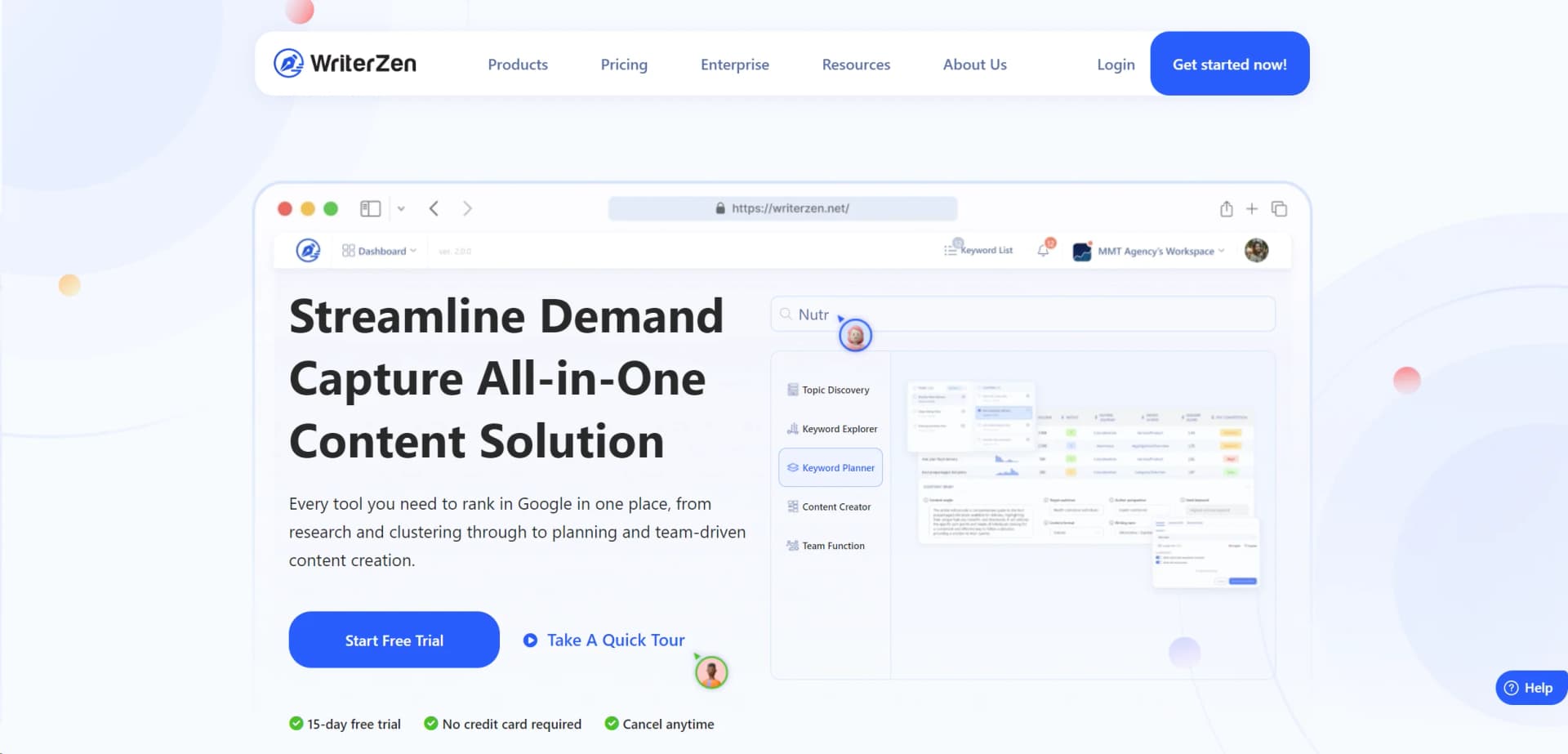
WriterZen is a comprehensive SEO content workflow software that stands at the forefront of optimizing digital content creation. Its suite of tools encompasses everything from topic discovery to keyword exploration, content creation, and plagiarism checking. Designed for content marketers, SEO professionals, and digital agencies, WriterZen simplifies the process of creating SEO-friendly content that resonates with audiences and ranks well on search engines.
WriterZen differentiates itself with its unique all-in-one approach to SEO content creation. The integration of topic discovery, keyword research, content planning, and plagiarism checking into a single platform makes it a game-changer. Its ability to streamline and enhance every step of the content creation process, supported by AI technology, sets it apart in the market.
WriterZen excels in providing a comprehensive suite of tools for SEO content creation, making it an indispensable resource for marketing teams, SEOs, and content creators. Its unique blend of topic discovery, keyword research, content creation, and plagiarism checking, enhanced by AI capabilities, offers an unmatched advantage in creating high-quality, engaging content that ranks. With its user-friendly interface, extensive support resources, and innovative features, WriterZen stands out as a leader in the content marketing software space, catering to a wide range of users from freelancers to large enterprises.
Who is Using WriterZen?
Digital Marketing Agencies
For creating SEO-optimized content that drives traffic and engagement.
SEO Professionals
Leveraging the tool for comprehensive keyword research and content strategy.
Content Creators and Bloggers
To produce and ensure the originality of engaging, high-ranking articles.
E-commerce Businesses
Utilizing the tool to enhance product descriptions and content marketing strategies.
Uncommon Use Cases
Academic researchers using it for topic discovery in their field; Small business owners employing the tool to manage in-house content creation.
Key Features
Rating Breakdown
Pricing Plans
Free Trial
- A 15-day free trial
- No credit card required
- Cancel anytime
Subscription Plans
- Detailed pricing information is available on the WriterZen website
- Offering various tiers to suit different needs and budgets
Which WriterZen plan should you pick?
Start with Keyword Research for keyword-only work, choose All-In-One Basic for individual SEO content production, and upgrade to All-In-One Advanced when you need higher quotas and extra team seats.
Keyword Research
Good for keyword masters who need keyword clustering, keyword lists, and Keyword Explorer features.
All-In-One Basic
Good for full-stack SEO specialists who need research, topic discovery, AI writing, content creation, and plagiarism checking.
All-In-One Advanced
Good for small SEO teams who need larger quotas and two extra member seats.
WriterZen Use Cases
Discover topical content opportunities
Enter a seed keyword to find clustered topics, related searches, and headline ideas from ranking pages.
Outcome: Build months of targeted content ideas.
Research and filter keywords
Use Keyword Explorer and Golden Filter features to identify relevant, lower-competition keywords and revenue opportunities.
Outcome: Prioritize keywords for SEO campaigns.
Plan content production
Import keyword data, analyze it, cluster it, and turn it into organized content plans.
Outcome: Reduce manual keyword sorting and planning.
Create SEO-focused articles
Research top-ranking pages, build briefs and outlines, then use the AI Assistant to generate, expand, rewrite, or paraphrase text.
Outcome: Produce optimized drafts more efficiently.
Manage collaborative content projects
Invite team members or guests, assign projects and articles, set statuses and permissions, and exchange comments.
Outcome: Coordinate writers, editors, and content owners in one workspace.
Workflow Ideas with WriterZen
Keyword-to-content workflow
- 1Enter a seed keyword in Topic Discovery
- 2Review clustered topics and related search insights
- 3Save selected keywords and create a content plan
SEO article production workflow
- 1Create a project and target keyword
- 2Research the top 20 ranking pages and build a brief or outline
- 3Generate and edit content with the AI Assistant
Team article review workflow
- 1Create or import an article in Content Creator
- 2Assign the article to a writer or guest with permissions
- 3Use statuses, comments, and notifications to review and approve it
How WriterZen fits into your stack
API Access
Offers API for custom integrations, enhancing flexibility.
Seamless Team Collaboration
Built-in features for team management and content project collaboration.
GPT-Powered AI
Integrates with OpenAI's GPT3.5, ensuring high-quality content generation.
Plagiarism Checking
Integrated plagiarism checker for ensuring content uniqueness directly within the workflow.
Pros
- +Comprehensive Suite: A one-stop solution for all SEO content needs, from research to publication.
- +User-Friendly Interface: Designed for ease of use, facilitating a smooth onboarding process.
- +Innovative AI Assistance: Enhances content creativity and efficiency with GPT-powered writing aid.
- +Efficient Team Collaboration: Simplifies content and team management, improving productivity.
- +Highly Informative Resources: Offers extensive learning materials, including an academy, webinars, and eBooks.
Cons
- −Learning Curve: New users may require time to fully leverage all features.
- −Subscription Cost: While offering significant value, the cost may be a consideration for freelancers or small startups.
- −Feature Overload: The extensive functionalities might overwhelm users initially.
Limitations & when to consider alternatives
Known limitations
- Trial rather than permanent free access. The terms describe access as a free trial, and the pricing page lists paid plans rather than a permanent free tier.
- Keyword file upload limit. Keyword Planner accepts .txt and .xlsx files up to 2 MB, with keywords arranged in the required format.
- Google NLP language restriction. Google NLP analysis is documented as supporting English, Japanese, and Spanish.
- Plan-based article limits. The pricing page lists 50 articles per month for All-In-One Basic and 100 articles per month for All-In-One Advanced.
- Separate NLP credits. Google NLP credits are not included in the packages and must be purchased separately.
Look elsewhere when
- You need a native iOS or Android application.
- You need a documented developer API.
- You need built-in WordPress, Reddit, or Google Docs publishing integrations.
- You need image understanding or programming-code generation.
How to Use WriterZen
- 1
Explore a wide range of tutorials available on WriterZen's website and YouTube channel, covering everything from basic setup to advanced features and best practices.
Who is WriterZen For?
Keyword masters
The Keyword Research plan is positioned for users focused on keyword clustering and keyword data.
Full-stack SEO specialists
The All-In-One Basic plan combines keyword research, content creation, plagiarism checking, topic discovery, and AI writing.
Small SEO teams
The All-In-One Advanced plan adds extra member seats and broader research and content quotas.
Marketing teams, SEOs, and agencies
WriterZen presents its platform as an all-in-one solution for marketing teams, SEO professionals, and agencies.
Content creators and SEO strategists
WriterZen supports topic discovery, keyword planning, content briefs, AI writing, and content collaboration.
Frequently Asked Questions
Does WriterZen offer a free plan?
WriterZen offers a free trial, while the listed plans are paid one-time purchases; the pricing page does not list a permanent $0 plan.
What plans does WriterZen offer?
The pricing page lists Keyword Research, All-In-One Basic, and All-In-One Advanced plans, plus separately purchased credits and member seats.
Does WriterZen support team collaboration?
Yes. Teams can invite members and guests, assign projects and articles, set permissions, comment, and track progress.
What file formats can Keyword Planner import?
Keyword Planner imports text files (.txt) and Excel files (.xlsx), with a maximum file size of 2 MB.
Which languages does Google NLP support?
WriterZen’s Google NLP feature currently supports English, Japanese, and Spanish.
Can WriterZen export keyword data?
Keyword Planner can export data as CSV or Excel files; other keyword workflows also document XLS, HTML, and DOCX exports.
Community reviews
Be the first to share your experience.
Sign in to leave a review for WriterZen.
WriterZen Alternatives
Looking for alternatives to WriterZen? Here are similar tools in the same category:
Learn to Master WriterZen
With Skill Leap courses
Get in-depth training on WriterZen and 50+ other AI tools with our expert-led video courses.
Start 7-Day Free Trial