
Vocal Remover
Transform music tracks: isolate vocals, create instrumentals, AI-powered, batch processing.
Key Takeaways
- What it is
- Transform music tracks: isolate vocals, create instrumentals, AI-powered, batch processing.
- Pricing
- Freemium
- Best for
- High-Quality Vocal Isolation
- User-Friendly Interface
- Batch Processing
- Rating
- 4.6/5
What is Vocal Remover?
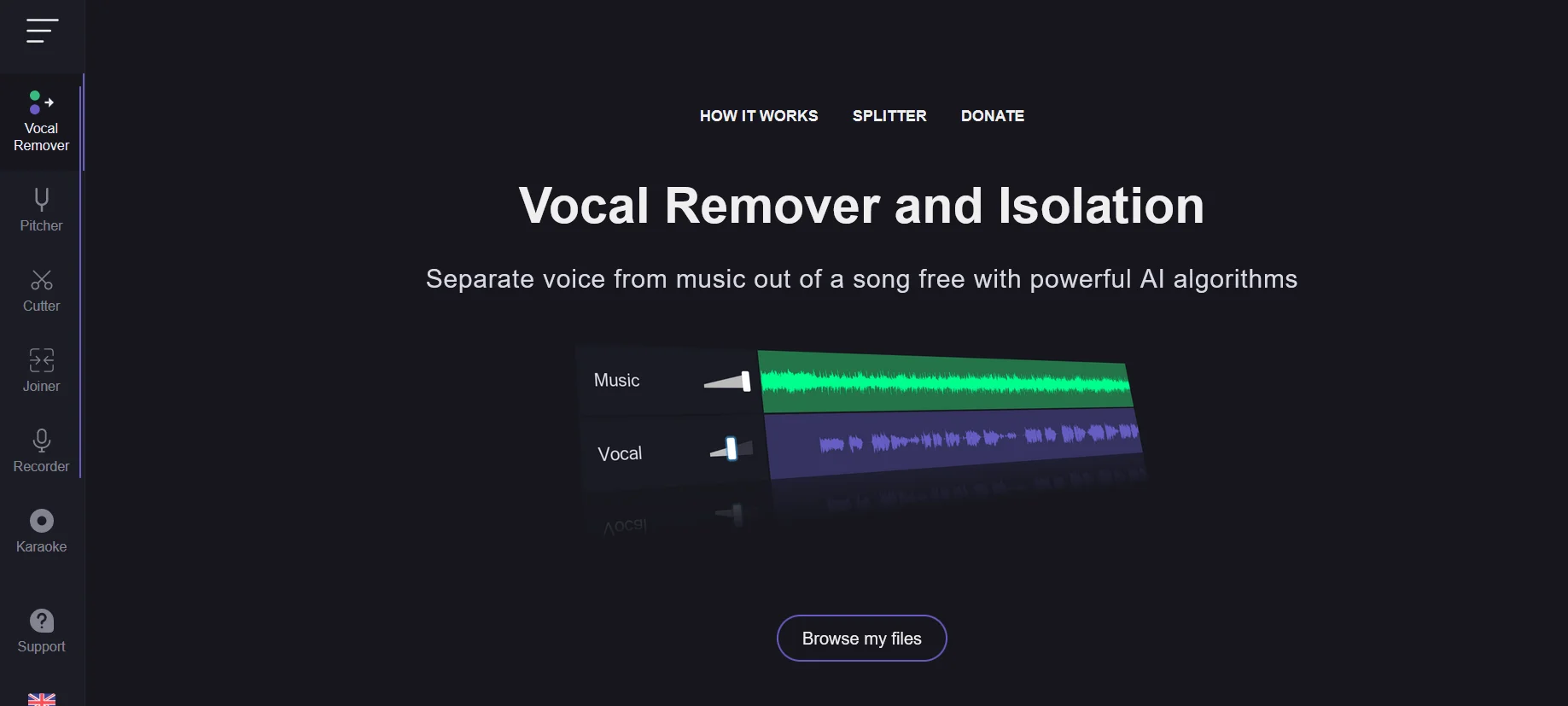
Vocal Remover is a cutting-edge AI tool designed to revolutionize the way we interact with audio tracks. Offering a sophisticated platform for isolating vocals from any music track, it simplifies the process of creating instrumental versions or acapellas with unparalleled precision. Tailored for musicians, producers, DJs, and karaoke enthusiasts, Vocal Remover streamlines the task of audio separation, making it an indispensable tool for anyone looking to manipulate music tracks for personal or professional use.
Vocal Remover stands out with its AI-driven vocal isolation technology, a game-changer for audio editing. Its ability to process multiple files simultaneously sets it apart from other tools, offering efficiency and high-quality outputs that cater to the needs of a diverse user base.
Vocal Remover excels in providing high-quality vocal isolation, making it an essential tool for anyone involved in music production, content creation, or entertainment. Its user-friendly interface, coupled with the power of AI, offers an unmatched advantage in audio editing. Whether you're a professional looking to refine your tracks or a hobbyist experimenting with music, Vocal Remover provides a seamless, efficient, and accessible solution to meet your audio editing needs.
Who is Using Vocal Remover?
Music Producers
Utilizing the tool to create samples or backing tracks.
DJs
Preparing custom tracks for mixing and live performances.
Karaoke Enthusiasts
Creating instrumental versions of songs for karaoke sessions.
Content Creators
Producing clear voice-overs by removing background music from clips.
Uncommon Use Cases
Vocal Remover is also being used by educators for creating teaching materials and by podcasters for cleaning up audio segments.
Key Features
Rating Breakdown
Pricing Plans
Free Tier
Free
- Experience Vocal Remover with basic features at no cost
Premium Tier
- Unlock enhanced features and higher processing limits starting at a competitive price
Vocal Remover Use Cases
Create karaoke tracks
Upload a song and separate the vocal from the instrumental track.
Outcome: A karaoke version without vocals and an isolated vocal track.
Extract music stems
Use Splitter AI to separate vocals, bass, drums, and other components.
Outcome: Individual stems with adjustable relative volumes.
Transpose songs
Adjust the musical key and BPM with the pitch and tempo controls.
Outcome: A song in a different key or playback speed.
Edit audio tracks
Trim, cut, fade, and remove fragments from audio files.
Outcome: A shortened or cleaned audio file.
Record vocals over music
Choose a karaoke track, sing over it, and record through the microphone.
Outcome: A complete recorded song with tuned voice and accompaniment.
Workflow Ideas with Vocal Remover
Make a karaoke version
- 1Open Vocal Remover
- 2Browse and upload a song
- 3Download the karaoke track without vocals
Create adjustable stems
- 1Open Splitter AI
- 2Upload a song
- 3Rebalance vocals, bass, drums, and other stems
Record a cover song
- 1Create or select a karaoke track
- 2Open the Karaoke recorder
- 3Sing, tune the voice, and save the completed song
How Vocal Remover fits into your stack
Web-Based Platform
Easily accessible from any device with a web browser.
File Format Support
Compatible with a wide range of audio file formats for versatility.
No Software Installation Required
Eliminates compatibility issues with operating systems or hardware.
Pros
- +Effortless Operation: Simplifies the complex process of vocal and instrumental separation with just a few clicks.
- +Time-Saving: The batch processing feature significantly reduces the time required to process multiple files.
- +High-Quality Outputs: Produces clean and clear tracks, minimizing audio artifacts.
- +Accessibility: Available online, it eliminates the need for downloading software, offering flexibility and convenience.
Cons
- −Internet Dependency: Being an online tool, it requires a stable internet connection for optimal performance.
- −File Size Limitations: There might be restrictions on the size of the files that can be uploaded and processed.
- −Processing Time: For larger files or during peak usage times, the processing time may be longer than anticipated.
Limitations & when to consider alternatives
Known limitations
- Processing is not instant. The vocal-removal tool says processing usually takes about 10 seconds, while Splitter AI says processing takes about one minute.
- The main remover produces two tracks. The documented output is a karaoke instrumental version and an isolated acapella version.
- Splitter stem categories are predefined. Splitter AI documents vocals, bass, drums, and other as its separated stem categories.
- Some tools require microphone access. The Voice Recorder requires access to the device microphone.
- Browser-based usage. The Audio Cutter documentation says it works directly in the browser and requires no software installation.
Look elsewhere when
- You need a documented developer API.
- You need a native desktop installer.
- You need shared team workspaces.
- You need image or code understanding.
How to Use Vocal Remover
- 1
Explore a variety of tutorials on the Vocal Remover website, covering everything from basic operation to advanced techniques for maximizing the tool's capabilities.
Who is Vocal Remover For?
Karaoke singers
The tool creates karaoke tracks by separating vocals from instrumental music and includes a sing-and-record workflow.
Music producers
The AI splitter separates songs into vocals, bass, drums, and other stems for multitrack-style editing.
Singers and performers
Users can record their voice over a song, tune the recording, and save the completed track.
Frequently Asked Questions
What does Vocal Remover do?
It uses AI to separate vocals from instrumental music, producing a karaoke track and an isolated acapella vocal track.
Is Vocal Remover free?
The official site describes the application as free and says it can be used absolutely free.
How long does vocal separation take?
The official site says processing usually takes about 10 seconds.
Can Vocal Remover separate instruments?
The Splitter AI tool separates music into vocals, bass, drums, and other stems, and supports rebalancing their individual volumes.
Can I change pitch and tempo?
The Pitch Changer adjusts musical key and BPM, changes pitch, and speeds up or slows down playback.
Can I use it on mobile devices?
The official site describes its browser-based audio tools as available for mobile devices.
Community reviews
2 reviews from people who use Vocal Remover.
Sign in to leave a review for Vocal Remover.
Shaker Shafiq
Koali
Vocal Remover Alternatives
Looking for alternatives to Vocal Remover? Here are similar tools in the same category:
Learn to Master Vocal Remover
With Skill Leap courses
Get in-depth training on Vocal Remover and 50+ other AI tools with our expert-led video courses.
Start 7-Day Free Trial