
Vimeo AI
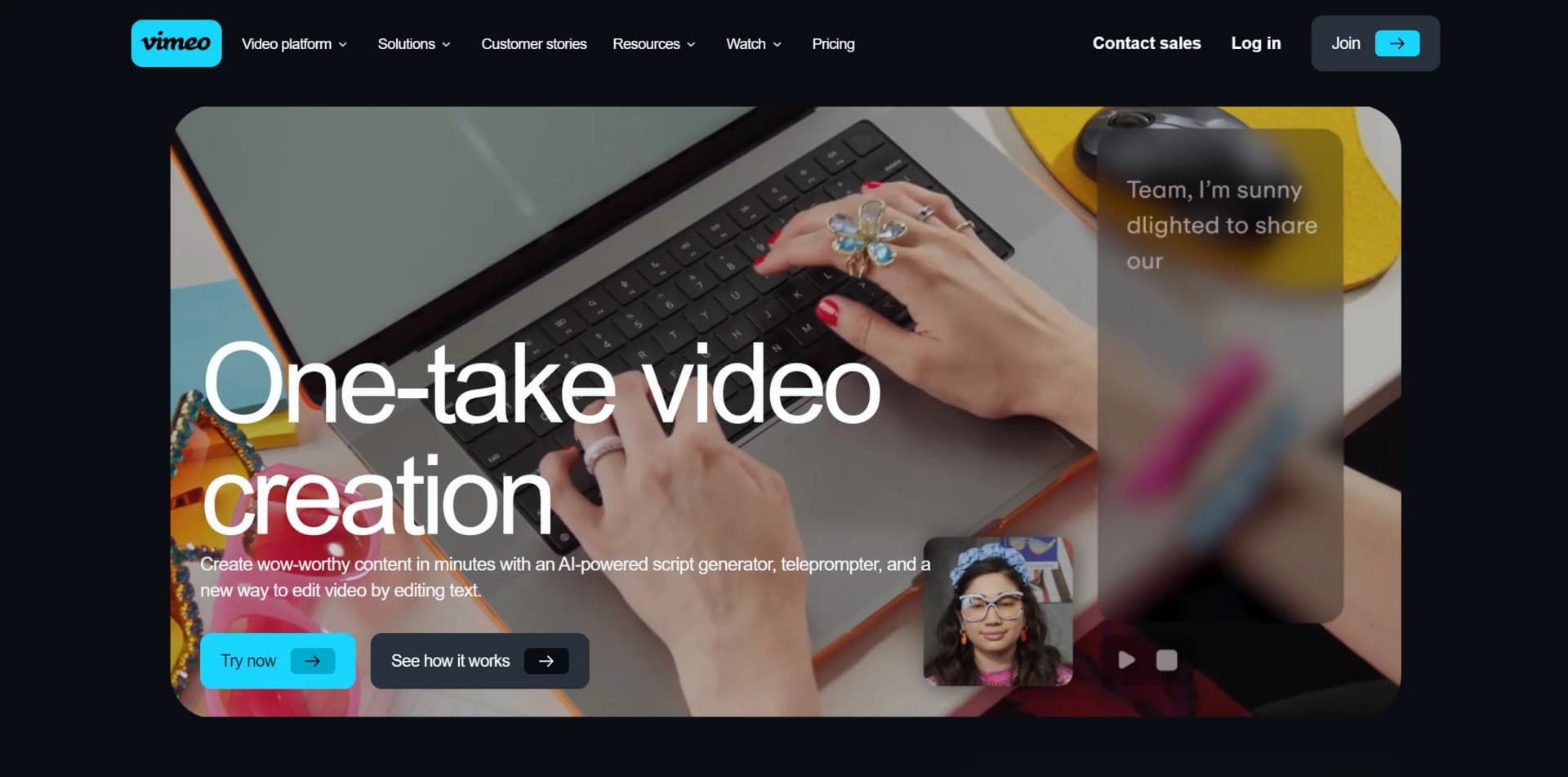
Revolutionize video creation with AI scripting, editing, and teleprompting.
Key Takeaways
- What it is
- Revolutionize video creation with AI scripting, editing, and teleprompting.
- Pricing
- Freemium
- Best for
- AI Script Generator
- Online Teleprompter
- AI-Powered Editing
- Rating
- 4.5/5
What is Vimeo AI?
Vimeo AI represents a state-of-the-art suite of AI-driven video tools tailored to simplify the video creation process. It caters to content creators, marketers, educators, and businesses alike, offering professional-quality video production with minimal effort. Its core functionalities include an AI script generator, an online teleprompter, and pioneering editing capabilities that enable users to edit videos by simply editing text.
Vimeo AI stands out with its innovative video editing approach, enabling users to edit videos by editing the transcript text, significantly enhancing efficiency and ease of use. Its integrated AI script generator also streamlines the creative process from inception to completion.
Vimeo AI excels in providing a comprehensive and user-friendly video creation experience, empowering users to produce high-quality content swiftly and efficiently. The unique text-editing feature offers an unparalleled advantage, streamlining the post-production process. With robust AI capabilities, Vimeo AI is reshaping video editing and content creation paradigms.
Who is Using Vimeo AI?
Content Creators
Producing high-quality videos with streamlined workflows.
Marketing Professionals
Crafting compelling video content for campaigns and social media.
Educators and Trainers
Enhancing online learning materials with professional videos.
Businesses
Leveraging the tool for internal communications and promotional content.
Uncommon Use Cases
Independent filmmakers drafting video concepts using the script generator; Non-profits creating impactful storytelling content for advocacy.
Key Features
Rating Breakdown
Pricing Plans
Free Plan
Free
- Access basic Vimeo features at no cost
Pro and Business Plans
- Unlock advanced features and increased storage at varying prices
Which Vimeo AI plan should you pick?
Start with Starter for paid Vimeo AI access, move to Standard for text-based editing and script generation, and upgrade to Enterprise for advanced AI, API, SSO, and collaboration controls.
Free
Good for users who need basic video creation, editing, recording, hosting, and sharing without paid Vimeo AI access.
Starter
Good for individuals who need paid Vimeo AI access, video hosting, captions, privacy, analytics, and basic collaboration.
Standard
Good for creators and teams who need text-based editing, AI script generation, more seats, and stock assets.
Advanced
Good for teams that need webinars, live events, event analytics, and advanced video workflows.
Enterprise
Good for organizations that need full Vimeo AI features, AI API access, SSO, SCIM, custom permissions, workspaces, and enterprise collaboration.
Vimeo AI Use Cases
Generate a video script
Describe a topic and provide tone and length preferences to generate a script for recording.
Outcome: A first-draft script ready for editing and teleprompter use.
Create chapters and video details
Use AI to generate titles, tags, summaries, and chapters from video content.
Outcome: More structured and discoverable videos.
Translate and dub videos
Translate subtitles or create dubbed audio tracks in supported languages.
Outcome: Video content localized for international audiences.
Ask questions about a video
Ask questions about video content through Vimeo AI’s interactive Q&A or AskAI features.
Outcome: Faster access to information contained in videos.
Edit a recording through its transcript
Select unwanted words, filler, pauses, or sections in an automatically generated transcript.
Outcome: The corresponding video segments are removed without timeline editing.
Workflow Ideas with Vimeo AI
One-take video creation
- 1Describe the topic and generate a script with Vimeo AI
- 2Load the script into the teleprompter and record
- 3Remove filler words and pauses by editing the transcript
Video localization pipeline
- 1Upload or select a finished video
- 2Choose target subtitle or dubbing languages
- 3Review and publish the translated versions
Enterprise AI processing pipeline
- 1Send a POST request to a Vimeo AI endpoint
- 2Poll the endpoint for asynchronous job completion
- 3Retrieve the transcript, translation, dub, or AskAI result
How Vimeo AI fits into your stack
Mobile Integration
Seamless video creation and editing across various devices via the Vimeo mobile app.
Social Media Platforms
Direct sharing of videos to social media channels.
Cloud Storage Services
Integration with cloud services for convenient access and storage of video content.
API Access
Developers can utilize Vimeo AI's API for custom applications and workflows.
Pros
- +Efficient Production: Accelerates video creation from scripting to editing phases.
- +Ease of Use: Simplifies video creation for users of all skill levels through intuitive AI tools.
- +High-Quality Output: Delivers professional-grade videos capable of engaging and captivating audiences.
- +Convenience: Enables work from anywhere with its mobile app capabilities.
Cons
- −Learning Curve: New users may require some time to acclimate to the AI features.
- −Internet Dependency: Reliance on a stable internet connection for uninterrupted use due to its online nature.
- −Feature Limitations: Advanced creators might find editing features less comprehensive compared to dedicated video editing software.
Limitations & when to consider alternatives
Known limitations
- Paid access is required. Vimeo AI features require a paid plan, and access varies by plan and team-member permissions.
- Video-quality requirements. Vimeo says videos work best when they are at least two minutes long, contain at least 100 spoken words, and have no accompanying music.
- Some features are Enterprise-only. AI-generated highlight videos, audio translation, dubbing, and the Vimeo AI API require eligible Enterprise access.
- Translation edits may require reprocessing. After editing a video, transcript, or replacing the video, translations may need to be generated again and are not automatically updated.
- AI results can be inaccurate. Vimeo warns that AI may misunderstand spoken content or visual information, so important results should be checked against the original video.
Look elsewhere when
- You need a dedicated desktop application.
- You need code-generation capabilities.
- You need custom model training or fine-tuning.
How to Use Vimeo AI
- 1
Vimeo offers a wealth of tutorials and a comprehensive Help Center guiding users through setup and maximizing advanced features.
Who is Vimeo AI For?
Marketers
Create product explainers, webinar recordings, testimonials, translated content, and searchable video libraries.
Corporate communications teams
Translate company updates, answer questions about internal videos, and improve video discoverability.
Learning and development teams
Create and localize training content with transcripts, chapters, translations, and AI-powered video insights.
Creative professionals
Generate scripts, record with a teleprompter, and edit footage by editing its transcript.
Enterprise video teams
Use collaboration controls, SSO, workspaces, AI credits, and programmatic Vimeo AI features.
Frequently Asked Questions
What is Vimeo AI?
Vimeo AI generates video details, chapters, summaries, answers to questions about videos, scripts, translations, and highlights.
Which plans include Vimeo AI?
Vimeo AI requires a paid plan. The Free plan does not include access to Vimeo AI features.
Can Vimeo AI translate videos?
Yes. Vimeo AI translates subtitles into 99 languages, while audio translation and dubbing are available on select Enterprise plans.
Can Vimeo AI be used through an API?
Yes. Enterprise customers can use REST API endpoints for transcription, subtitle translation, audio dubbing, and AskAI.
Does Vimeo use customer videos to train AI models?
Vimeo says it does not use customer videos, and does not permit third parties to use them, to train generative AI or large language models.
What videos work best with Vimeo AI?
Videos should ideally be at least two minutes long, contain at least 100 spoken words, and have no accompanying music.
Community reviews
Be the first to share your experience.
Sign in to leave a review for Vimeo AI.
Vimeo AI Alternatives
Looking for alternatives to Vimeo AI? Here are similar tools in the same category:
Learn to Master Vimeo AI
With Skill Leap courses
Get in-depth training on Vimeo AI and 50+ other AI tools with our expert-led video courses.
Start 7-Day Free Trial