
Vectorizer.ai
Transform raster images to high-quality vectors effortlessly with AI precision.
Key Takeaways
- What it is
- Transform raster images to high-quality vectors effortlessly with AI precision.
- Pricing
- Freemium
- Best for
- Full-Featured Deep Vector Engine
- Full Shape Fitting
- Curve Support
- Rating
- 4.6/5
What is Vectorizer.ai?
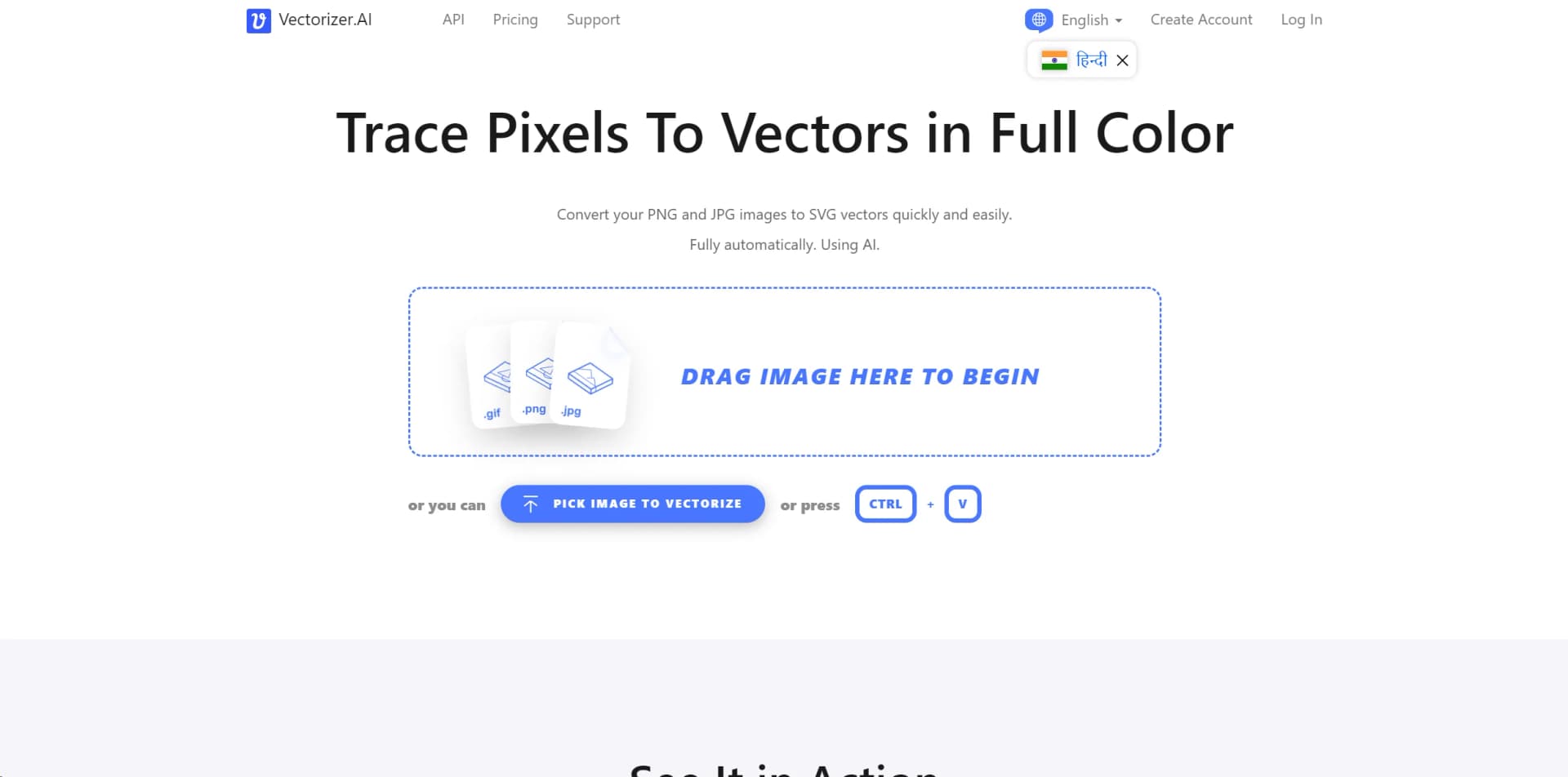
In the realm of digital design and image processing, Vectorizer.ai emerges as a revolutionary tool that breathes new life into raster images by converting them into high-quality vector graphics. At its core, Vectorizer.ai is designed for individuals and professionals who seek to transform their PNG, JPG, and other raster file formats into scalable vector graphics (SVGs) effortlessly. This AI-driven platform simplifies the vectorization process, making it fully automatic, accurate, and accessible to users regardless of their skill level in graphic design.
Vectorizer.ai stands out with its AI-driven approach to image vectorization, offering a level of precision and detail that is difficult to achieve with traditional vectorization tools. Its ability to automatically process and convert images into vectors without user intervention sets it apart from the competition.
Vectorizer.ai excels in transforming raster images into high-quality vector graphics with ease and precision. Its AI-driven approach, combined with a user-friendly interface, makes it an essential tool for designers, marketers, and anyone in need of scalable graphics. The tool's unique ability to process images automatically, coupled with its support for a wide range of file formats, ensures that it stands out in the crowded field of vectorization tools. Whether you're a professional looking to streamline your design process or a hobbyist aiming to enhance your projects, Vectorizer.ai offers a powerful, efficient solution.
Who is Using Vectorizer.ai?
Graphic Designers
For creating scalable designs without losing quality.
Digital Marketers
For enhancing online adverts with high-quality graphics.
Web Developers
Employing vector graphics for crisp, scalable web elements.
Print Media Professionals
Using vectors for print materials that require resizing without quality loss.
Uncommon Use Cases
Academics and researchers utilize Vectorizer.ai for presenting high-quality visual data; hobbyists in model making use it for creating detailed designs.
Key Features
Rating Breakdown
Pricing Plans
Free Tier
Free
- Vectorizer.ai offers a free version with basic functionality
Premium Options
- Advanced features and higher processing limits are available through subscription plans
Which Vectorizer.ai plan should you pick?
Start with the Web App plan for manual browser-based vectorization; upgrade to an API plan when software must process images automatically.
Web App
Good for people who upload images, inspect previews, adjust export options, and download results in the browser.
API
Good for developers and production workflows that need programmatic image vectorization, SDKs, CLI automation, or HTTP access.
Vectorizer.ai Use Cases
Logo vectorization
Upload a raster logo and convert it into editable vector artwork.
Outcome: A scalable logo suitable for design and production workflows.
Print preparation
Convert bitmap artwork into resolution-independent vector files.
Outcome: Artwork that remains clear across print sizes.
Web graphics conversion
Transform raster images into scalable vector assets for web use.
Outcome: Editable vector artwork with reduced resolution dependence.
CAD and CNC path creation
Export raster artwork as DXF paths for CAD or CNC workflows.
Outcome: DXF files usable in compatible CAD and CNC software.
Automated batch vectorization
Use the API, SDKs, or CLI to process images in scripts, folders, CI jobs, or production pipelines.
Outcome: Programmatic raster-to-vector conversion without manual browser operation.
Workflow Ideas with Vectorizer.ai
Preview before production download
- 1Submit an image using preview mode and retain the returned image token
- 2Review the watermarked preview
- 3Download the production result after conversion using the image token
Generate multiple output formats
- 1Vectorize an image with image retention enabled
- 2Download the first output format
- 3Reuse the image token to download additional formats such as SVG, PDF, EPS, DXF, or PNG
Batch conversion with the CLI
- 1Install the standalone CLI for Windows, macOS, or Linux
- 2Run vectorizer commands against local images or folders
- 3Write vector outputs to files for downstream scripts or production workflows
How Vectorizer.ai fits into your stack
File Format Support
Extensive support for various image formats including JPEG, PNG, WEBP, BMP, and GIF.
Output Formats
Offers a range of output options including SVG, PDF, EPS, DXF, and PNG.
Software Compatibility
The vectors produced are compatible with standard vector editing and viewing software.
Pros
- +Ease of Use: The fully automatic process simplifies vectorization, making it accessible to users at all skill levels.
- +Quality of Output: Produces high-quality vectors with sub-pixel precision and detailed curve fitting.
- +Speed: Fast processing times mean users don't have to wait long to receive their vectorized images.
- +Versatility: Supports a wide range of input and output formats, making it suitable for various professional and personal projects.
Cons
- −Learning Curve: Despite being user-friendly, new users may need to familiarize themselves with vector graphics concepts to fully appreciate the tool's capabilities.
- −File Size Limitations: There are restrictions on the maximum image size and resolution, which could be a limitation for users working with very high-resolution images.
Limitations & when to consider alternatives
Known limitations
- Input size limit. The API limits uploaded images to a maximum of 33,554,432 pixels and can shrink larger images to the configured maximum.
- Output-format compatibility varies. Some output features have full support in SVG and PNG but only partial support in EPS, PDF, and DXF.
- API retention is limited. API image and result retention can be configured from 0 to 30 days; storage beyond the first day incurs a credit charge.
- API production use requires credits. Test modes are free, but production and preview processing require an API subscription or available credits.
- Support language. The support staff currently speaks only English and uses machine translation for other languages.
Look elsewhere when
- You need a native iOS or Android app.
- You need shared team accounts or multi-user collaboration.
- You need a browser extension rather than a web application.
How to Use Vectorizer.ai
- 1
Discover a range of tutorials and guides on the Vectorizer.ai website, designed to help users get started and make the most out of the platform's features.
Who is Vectorizer.ai For?
Digital graphics designers
Vectorizer.AI converts raster artwork into editable vector shapes with smooth curves, fine details, and clean colors.
Print professionals
The resulting vectors are resolution-independent and suitable for printing.
Embroidery and signage users
The site specifically names embroidery and signage as applications for its vector output.
CAD and CNC users
DXF output supports workflows involving CAD and CNC paths.
Developers and production-pipeline teams
SDKs, CLI tools, OpenAPI specifications, and an HTTP API support automated integrations and batch processing.
Frequently Asked Questions
Is there a free way to try Vectorizer.AI?
Yes. You can upload images and inspect free previews without commitment; production downloads require a subscription or API credits.
Which plan should most users choose?
The unlimited Web App plan is recommended for people who upload images, inspect previews, adjust export options, and download results in the browser.
When is an API plan required?
Use an API plan when your software needs to vectorize images automatically in a website, mobile app, production pipeline, or customer-facing workflow.
Which input formats are supported?
The API accepts PNG, JPG, WebP, GIF, and BMP inputs. The documented API input specification also lists BMP, GIF, JPEG, PNG, TIFF, and WebP.
Which output formats are supported?
Production results can be downloaded as SVG, PDF, EPS, DXF, or PNG.
Can API integrations be tested before subscribing?
Yes. Test and test-preview modes are free and do not require an API subscription.
Community reviews
1 review from people who use Vectorizer.ai.
Sign in to leave a review for Vectorizer.ai.
Γιάννης Γιαννόπουλος
Vectorizer.ai Alternatives
Looking for alternatives to Vectorizer.ai? Here are similar tools in the same category:
Learn to Master Vectorizer.ai
With Skill Leap courses
Get in-depth training on Vectorizer.ai and 50+ other AI tools with our expert-led video courses.
Start 7-Day Free Trial