
UserTesting AI
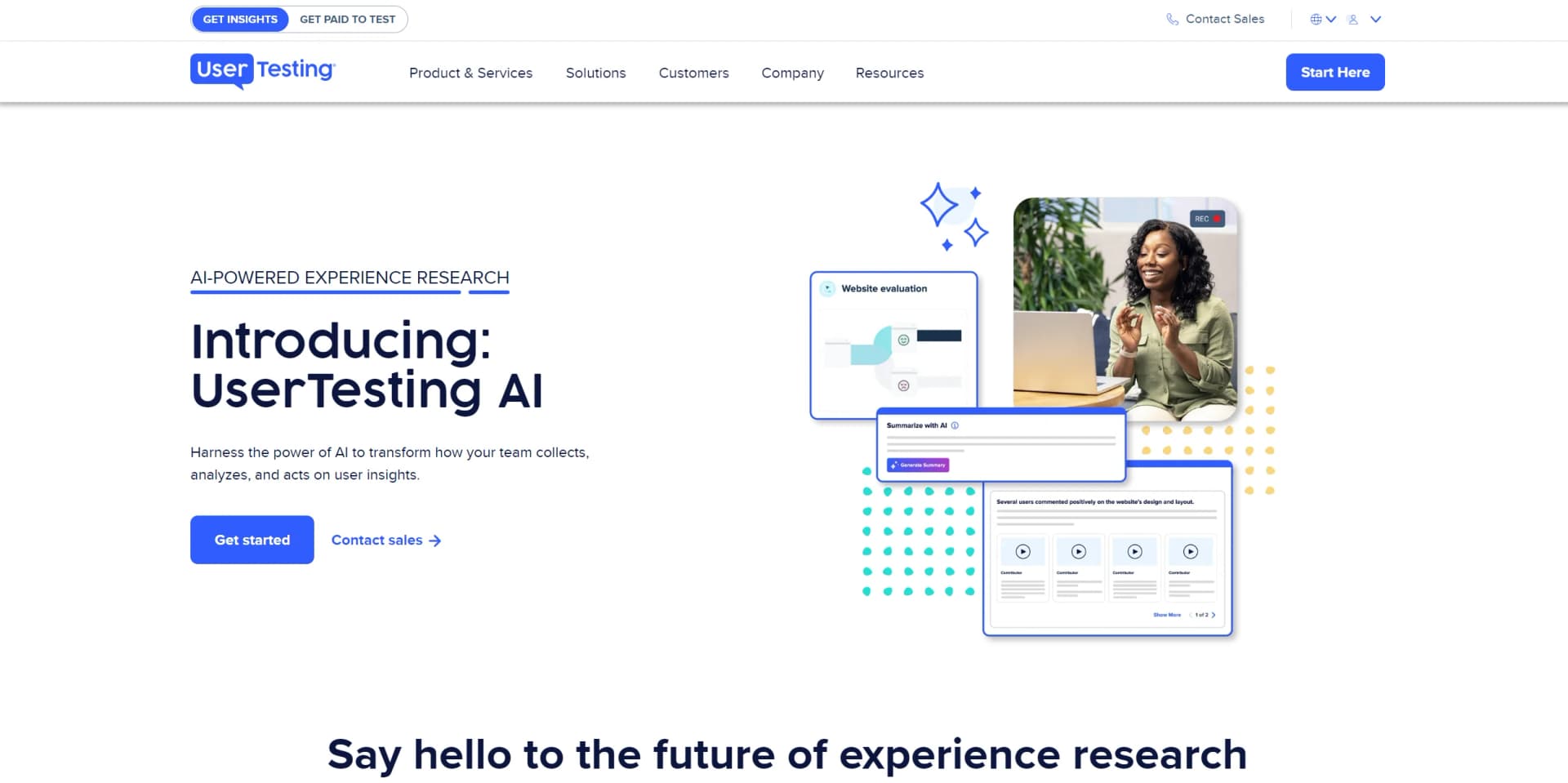
Revolutionizing UX research with AI-driven insight summaries, friction detection, and sentiment analysis for impactful user-centric decisions.
Key Takeaways
- What it is
- Revolutionizing UX research with AI-driven insight summaries, friction detection, and sentiment analysis for impactful user-centric decisions.
- Best for
- AI Insight Summary
- Friction Detection
- Sentiment Analysis
- Rating
- 4.4/5
What is UserTesting AI?
UserTesting AI is a state-of-the-art platform that revolutionizes user experience (UX) research by leveraging artificial intelligence. Aimed at UX designers, marketing teams, and a broad spectrum of other professionals, it simplifies the process of gathering and analyzing user insights. The platform focuses on enhancing team efficiency, accelerating the extraction of insights, and amplifying business impact. UserTesting AI provides advanced tools that automatically synthesize data from videos, text, and user behavior to identify patterns and key themes.
UserTesting AI stands out with its extensive AI-powered analysis capabilities, transforming how teams collect, analyze, and utilize user insights. Its domain-specific datasets and proprietary machine learning models are specially designed to effectively synthesize UX data, positioning it as a leader in user experience research tools.
UserTesting AI excels at delivering robust AI-powered tools for user experience research, making it indispensable for professionals dedicated to creating products and services that resonate deeply with users. Its innovative features like AI Insight Summary and sentiment analysis provide unmatched efficiency in extracting actionable insights, greatly enhancing the research process. With expanded integration capabilities including top project management and design tools, UserTesting AI is an essential resource for any team focused on optimizing user engagement and satisfaction.
Who is Using UserTesting AI?
UX Design Teams
Enhancing the design process with user feedback.
Digital Product Teams
Refining product features based on user interactions.
Marketing Teams
Tailoring campaigns to resonate with target audiences.
Executives
Making data-driven decisions to guide business strategies.
Uncommon Use Cases
Academics conducting research on UX trends; Nonprofits seeking to improve their digital presence.
Key Features
Rating Breakdown
Pricing Plans
Free Trial
- Offers a free test to experience the platform
Various Plans
- Customized plans cater to different team sizes and needs
Which UserTesting AI plan should you pick?
Start with Advanced for core human-insight research, upgrade to Ultimate when you need AI-powered test creation and analysis, and choose Ultimate+ for enterprise-scale services.
Advanced
Good for teams starting with human insights who need test creation, participant access, surveys, transcripts, sentiment analysis, and named integrations.
Ultimate
Good for organizations that need AI-generated test creation, AI-powered analysis, smart tags, Insights Hub, and advanced research methods.
Ultimate+
Good for enterprises that need everything in Ultimate plus unlimited team-based usage and custom insights services.
UserTesting AI Use Cases
Prototype testing
Launch tests against prototypes from tools such as Figma, InVision, or Azure.
Outcome: Identify usability issues and validate design direction.
Mobile app testing
Test iOS and Android apps on smartphones and tablets, including unreleased apps.
Outcome: Understand how participants interact with mobile experiences.
Content and message testing
Evaluate messaging, creative assets, concepts, and campaigns with target audiences.
Outcome: Refine content before launch and reduce preventable marketing misses.
Survey and interaction research
Use surveys, interaction tests, rating scales, rankings, matrices, and NPS questions.
Outcome: Collect structured feedback at scale.
AI-assisted test creation
Describe a research goal or import a prewritten test and generate a structured draft.
Outcome: Move from research question to editable test draft faster.
Workflow Ideas with UserTesting AI
AI-assisted prototype validation
- 1Describe the research goal and upload a prototype or image asset
- 2Generate an AI-powered test draft
- 3Review, edit, and launch the test to the selected audience
Marketing campaign feedback
- 1Upload campaign creative or messaging assets
- 2Create an image, survey, or interaction test
- 3Analyze participant feedback and refine the campaign
Cross-functional insight sharing
- 1Invite team members to a workspace
- 2Assign collaboration or editing permissions
- 3Share videos, clips, highlight reels, and findings
How UserTesting AI fits into your stack
Extended Software Integration
Now integrates with a variety of software tools to extend its functionality and application:
Design and Prototyping
Seamless integration with FigJam, InVision Freehand, Miro, and Canva.
Analytics Tools
Connects with Contentsquare, Quantum Metric, and FullStory for enhanced data analytics.
Project Management
Integrates with Jira, Jira Product Discovery, Rally, Google Calendar, Microsoft Teams, Slack, and Trello for comprehensive project tracking and team collaboration.
Mobile Testing
Supports thorough testing on mobile platforms to ensure a complete UX review.
Template Gallery
Offers a wide range of ready-to-use research templates tailored for various industries.
Pros
- +Efficiency in Research: Automates repetitive tasks, allowing teams to focus on deriving deeper insights.
- +Quick Insight Generation: AI features swiftly extract crucial insights from vast amounts of data.
- +Scalability: Facilitates confident decision-making at scale with reliable insights.
- +UserTesting's AI Innovations: Reflects a commitment to AI research and development since 2019.
Cons
- −Complexity for New Users: The breadth of AI features may overwhelm new users initially.
- −Potential Overreliance on AI: Teams might rely too heavily on AI, potentially overlooking nuanced insights.
- −Data Privacy Concerns: As with any AI tool, ensuring the privacy and security of user data is critical.
Limitations & when to consider alternatives
Known limitations
- AI does not analyze uploaded asset content. AI-powered test creation can accept Figma prototypes, URLs, and images, but it does not analyze the content inside those assets.
- Screener questions are not generated. Users must create and add screener questions manually.
- English optimization. AI-powered test creation is optimized for English, and non-English results may be inconsistent.
- AI drafts may require correction. UserTesting warns that generated wording may be imperfect or biased and recommends reviewing every draft before launch.
- Image asset restrictions. Image assets are limited to 5MB, and multi-page PDFs cannot be uploaded.
Look elsewhere when
- You need a native mobile app specifically branded as UserTesting AI.
- You need an AI tool that understands the contents of uploaded images.
- You need a desktop installer rather than a browser-based platform.
- You need code-generation capabilities.
How to Use UserTesting AI
- 1
Discover an array of tutorials and resources on the UserTesting AI website, designed to guide users from basic operations to advanced features of the platform.
Who is UserTesting AI For?
UX research teams
Run moderated and unmoderated research, surveys, interviews, mobile studies, and other research methods while scaling access to customer insight.
Product managers
Validate concepts, prototypes, features, and customer journeys before committing resources.
Marketing teams
Gather feedback on creative, messaging, concepts, campaigns, and brand experiences before launch.
Designers
Validate prototypes, images, interfaces, and design decisions with real participant feedback.
Customer experience and digital teams
Bring customer insight into digital experience decisions and cross-functional workflows.
Frequently Asked Questions
What is UserTesting AI?
UserTesting AI uses generative AI to accelerate test creation, research setup, insight synthesis, and analysis while grounding insights in feedback from real participants.
Who is UserTesting for?
The platform is intended for people who care about customer experience, including eCommerce managers, UX research teams, product managers, marketers, and designers.
What can AI-powered test creation generate?
It can generate structured drafts with instructions, tasks, questions, rating scales, multiple-choice questions, verbal responses, and other supported research elements.
Does AI-powered test creation replace a researcher?
No. UserTesting describes AI as a starting point and requires human review and refinement before launch.
Which plans include AI-powered test creation?
AI-powered test creation is available on Ultimate, Ultimate+, and Unlimited plans when generative AI is enabled for the workspace.
Can UserTesting AI generate tests in languages other than English?
Other languages can be requested, but AI-powered test creation is optimized for English and non-English results may be inconsistent.
Community reviews
Be the first to share your experience.
Sign in to leave a review for UserTesting AI.
UserTesting AI Alternatives
Looking for alternatives to UserTesting AI? Here are similar tools in the same category:
Learn to Master UserTesting AI
With Skill Leap courses
Get in-depth training on UserTesting AI and 50+ other AI tools with our expert-led video courses.
Start 7-Day Free Trial