
Motion
Boost productivity and manage tasks, projects, meetings seamlessly with AI.
Key Takeaways
- What it is
- Boost productivity and manage tasks, projects, meetings seamlessly with AI.
- Best for
- Task Scheduling
- Task Prioritization
- Project Management
- Rating
- 4.6/5
What is Motion?
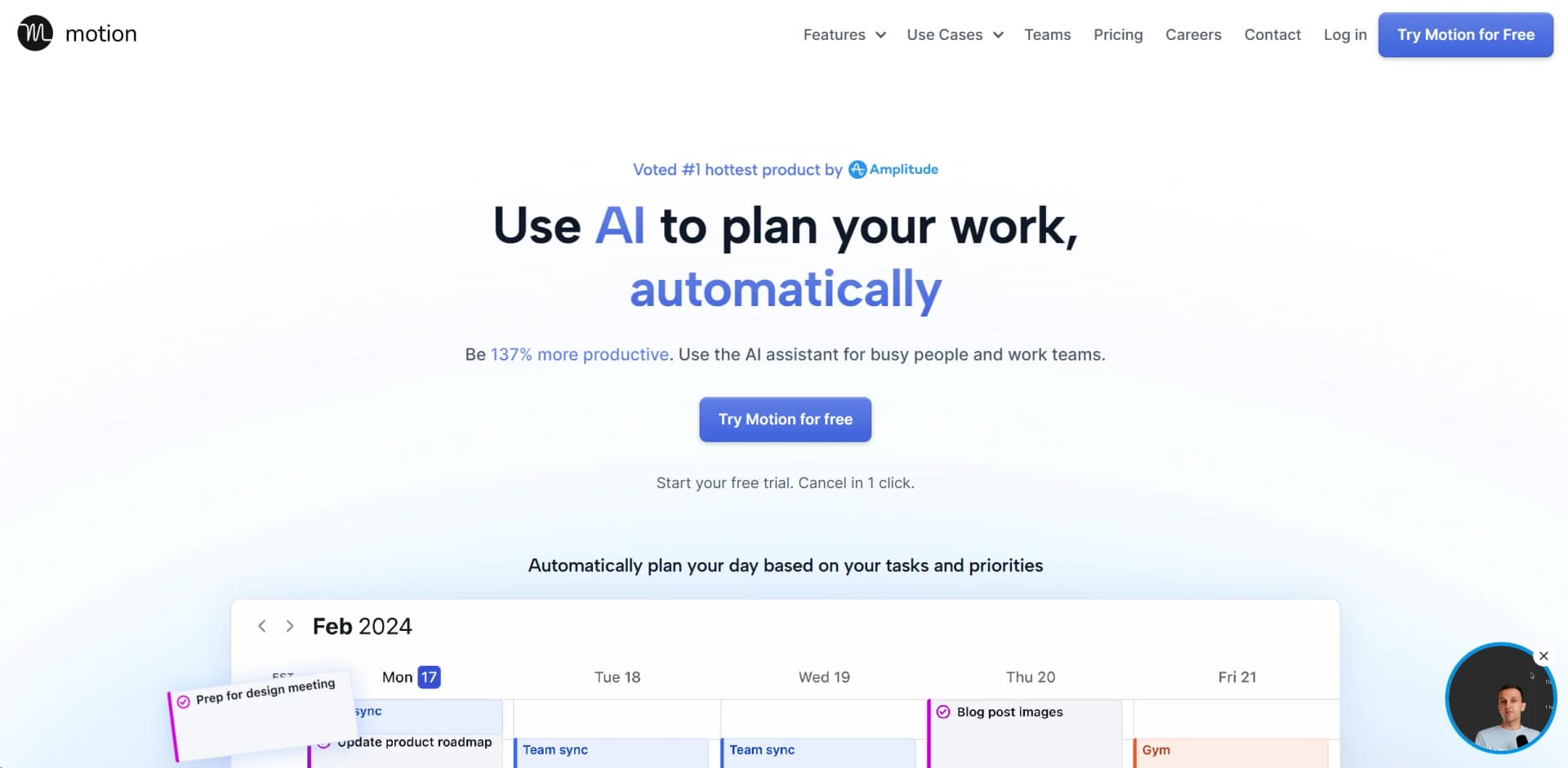
In the bustling world of productivity tools, Motion emerges as a revolutionary solution, aiming to redefine how individuals and teams manage their tasks, schedules, and projects. At its core, Motion is an AI-powered assistant designed to automate the planning and prioritization of work, promising to boost productivity by an impressive 137%. Through its intuitive website, Motion, offers a suite of features that cater to both individual users and teams, making it a versatile tool for a wide range of professional contexts.
Motion distinguishes itself with its "Happiness Algorithm," designed not just to enhance productivity but also to maximize user satisfaction and well-being. This unique approach to task and project management ensures that users not only complete their work efficiently but also find fulfillment and balance in their professional lives.
Motion stands out as a comprehensive solution for managing tasks, projects, and schedules, leveraging AI to significantly enhance productivity and reduce stress. Its unique Happiness Algorithm ensures that users not only achieve their professional goals but also enjoy a sense of fulfillment and balance. With its robust set of features, intuitive design, and focus on user well-being, Motion is an indispensable tool for individuals and teams striving for peak performance in their work.
Who is Using Motion?
Service Businesses
For managing client projects and internal tasks efficiently.
IT Service Providers
To streamline project timelines and task assignments.
Marketing and Design Agencies
For organizing creative projects and collaboration.
Law Firms and Consulting Businesses
To prioritize case work and manage deadlines.
Functional Teams within Larger Organizations
Including startups, product teams, and executive teams, leveraging Motion for cross-functional project management.
Uncommon Use Cases
Educational institutions use Motion for planning academic projects, while freelancers utilize it for juggling multiple client projects.
Key Features
Rating Breakdown
Pricing Plans
Free Trial
- Motion offers a free trial
- Allowing users to explore its features before committing
Subscription Plans
- Detailed pricing information is available on the Motion website
- Catering to both individual users and teams
Which Motion plan should you pick?
Start with Pro AI for individual professionals and small teams; upgrade to Business AI for capacity planning, advanced reporting, permissions, and centralized billing.
Pro AI
Good for professionals and small teams who need AI chat, projects, tasks, calendar scheduling, docs, integrations, and desktop/mobile apps.
Business AI
Good for power users and businesses needing team capacity planning, advanced dashboards, Gantt charts, time tracking, permissions, and central billing.
Motion Use Cases
Employee onboarding
Create a reusable onboarding workflow with stages, roles, tasks, and responsibilities.
Outcome: A repeatable onboarding project that avoids rebuilding the process each time.
Product launches
Use a workflow template to generate planning, execution, and launch tasks around a target date.
Outcome: A structured launch plan with work scheduled for the team.
Content creation
Reuse workflow stages and dependencies for recurring content-production projects.
Outcome: More consistent project setup and fewer missed steps.
Marketing campaigns
Describe a campaign and let Motion draft stages such as planning, content creation, launch, and reporting.
Outcome: A faster starting point for a campaign workflow.
Meeting follow-up
Have AI Notetaker capture transcripts, summaries, and action items from supported online meetings.
Outcome: Meeting decisions become reviewable notes and suggested Motion tasks.
Workflow Ideas with Motion
Create a reusable onboarding workflow
- 1Share the onboarding project idea with Motion
- 2Assign workflow roles and tasks to team members
- 3Save the completed project as a reusable template
Turn a meeting into scheduled work
- 1Enable AI Notetaker and connect a supported meeting
- 2Review the generated transcript, summary, and action items
- 3Approve action items so they become Motion tasks
Launch a marketing campaign
- 1Describe the campaign type to Motion AI
- 2Review generated stages such as planning, content creation, launch, and reporting
- 3Refine the workflow and launch it as a project
How Motion fits into your stack
Calendar Integration
Supports Google Calendar, Outlook Calendar, and Apple Calendar (iCloud), offering a unified view of all schedules.
API Access
Developers can connect Motion with other tools through Zapier, enhancing its functionality.
Meeting Platforms
Integrates with Zoom and Google Meet for seamless scheduling of virtual meetings.
Email Compatibility
Works with Gmail and Outlook for direct task addition from emails.
Pros
- +Increased Productivity: Users report a significant boost in productivity, with the tool's AI planning capabilities allowing for more efficient use of time.
- +Stress Reduction: By automating task prioritization and scheduling, Motion reduces the cognitive load, leading to less stress and overwhelm.
- +Enhanced Focus: Motion guards your time, limiting interruptions and enabling focused work periods.
- +One Tool for Everything: Combines the functionalities of project management apps, to-do lists, and meeting schedulers into one platform.
Cons
- −Learning Curve: New users may need time to fully understand and leverage all of Motion's features.
- −Dependency on Digital Setup: Those preferring traditional, non-digital planning methods might find the transition challenging.
- −Limited Third-Party Integrations: While Motion offers some integrations, users might find the need for more extensive third-party compatibility.
Limitations & when to consider alternatives
Known limitations
- No permanent free plan. Motion’s pricing page lists a free trial and paid Pro AI and Business AI plans, not a $0 plan.
- AI Notetaker transcribes only English. The Notetaker understands 102 languages but its documented transcript output is English-only.
- AI Notetaker requires meeting admission. The Notetaker joins as a visible participant and must be manually admitted from the waiting room.
- Tasks have one assignee. A Motion task can be assigned to only one person; involving multiple people requires duplicating the task.
- Workspaces are isolated. Workspaces cannot be merged, and their projects, tasks, and docs are not natively shared across workspaces.
Look elsewhere when
- You need a permanent free plan rather than a trial.
- You need a dedicated browser extension.
- You need AI image understanding or file viewing inside AI Chat.
- You need documented code generation as a core AI capability.
How to Use Motion
- 1
Motion provides comprehensive tutorials and customer support to help users maximize the tool's potential, covering everything from basic setup to advanced project management techniques.
Who is Motion For?
IT Service Providers
Motion combines projects, tasks, documentation, meetings, scheduling, and AI employees for service delivery and handoffs.
Marketing Agencies
Motion supports repeatable campaign workflows, content creation, client projects, scheduling, and AI-assisted reporting.
Design Agencies
Design teams can organize client projects, reusable workflows, tasks, deadlines, and collaborative documentation.
Law Firms
Law firms can coordinate matters, deadlines, meetings, documentation, and repeatable operational processes in one workspace.
Consulting Businesses
Consulting teams can manage client projects, assign work, coordinate meetings, and keep project knowledge connected.
Frequently Asked Questions
Does Motion have a free plan?
Motion offers a free trial, while its listed plans are Pro AI and Business AI paid subscriptions.
What platforms does Motion support?
Motion offers web access plus dedicated iOS, Android, macOS, and Windows applications.
Can Motion automatically schedule tasks?
Yes. Motion places tasks into available calendar slots using duration, deadlines, priorities, and schedule changes.
Can teams collaborate in Motion?
Yes. Teams can use shared workspaces, assign tasks, share documents, view team schedules, and coordinate calendars.
What conferencing platforms does AI Notetaker support?
AI Notetaker supports Google Meet, Zoom, and Microsoft Teams.
Does Motion support languages other than English?
AI Chat supports English plus 102 other languages, while AI Notetaker transcribes meetings only in English.
Community reviews
Be the first to share your experience.
Sign in to leave a review for Motion.
Motion Alternatives
Looking for alternatives to Motion? Here are similar tools in the same category:
Learn to Master Motion
With Skill Leap courses
Get in-depth training on Motion and 50+ other AI tools with our expert-led video courses.
Start 7-Day Free Trial