
Uizard
Harness AI to craft, collaborate, and iterate UI designs effortlessly.
Watch Uizard in Action
Key Takeaways
- What it is
- Harness AI to craft, collaborate, and iterate UI designs effortlessly.
- Pricing
- Freemium
- Best for
- AI-Powered Design
- Drag-and-Drop Editor
- Real-Time Collaboration
- Rating
- 4.6/5
What is Uizard?
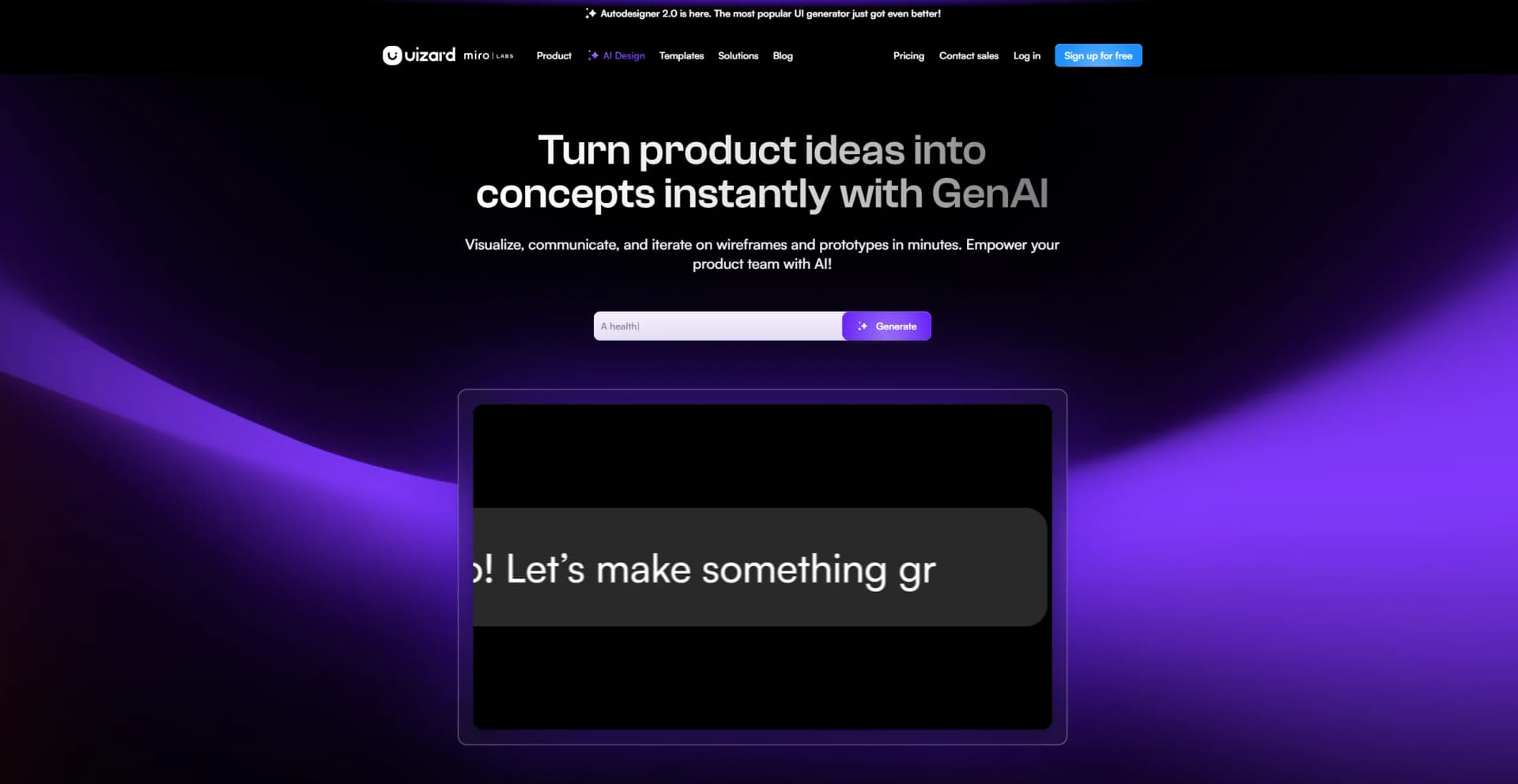
Uizard is an innovative AI-powered tool aimed at revolutionizing the field of UI design. By harnessing cutting-edge technology, Uizard empowers both professionals and novices to effortlessly generate, edit, and iterate UI mockups and prototypes with unprecedented ease and speed. It caters to individuals and teams across various sectors, simplifying the design process and enabling users to translate their ideas into visual realities without the steep learning curve typically associated with design software.
Uizard stands out with its AI-driven design features, such as Autodesigner 1.5, which enables users to generate projects and themes from simple text inputs. This not only saves time but also democratizes design, allowing those without traditional design experience to produce professional results.
Uizard excels in empowering users to swiftly visualize and prototype product ideas with great ease. Its AI-powered design capabilities, particularly the ability to generate user interfaces from textual descriptions, set it apart in the design landscape. This tool is invaluable for a wide range of users, from product managers to startup founders, enabling them to create professional UI designs without extensive design experience. With Uizard, the journey from conception to interactive prototype is streamlined, making it a vital asset in the design and development ecosystem.
Who is Using Uizard?
Product Managers & Product Teams
Rapidly create mockups to visualize product ideas.
Designers & UX Professionals
Iterate on ideas quickly to meet project deadlines.
Marketers
Deliver client projects quickly with high-quality design outputs.
Startup Founders
Bring startup MVP concepts to life with professional designs.
Uncommon Use Cases
Business analysts use Uizard for presenting new workflows; Educators integrate Uizard into design curriculum.
Key Features
Rating Breakdown
Pricing Plans
Free Tier
Free
- Uizard offers a generous free trial for users to experience the tool
Subscription Plans
- Various pricing tiers cater to different needs and scales of use
Which Uizard plan should you pick?
Start with Free for basic concepts and limited AI usage; upgrade to Pro for higher generation limits and developer handoff, Business for larger teams and brand controls, or Enterprise for unlimited usage and advanced administration.
Free
Good for students and hobbyists who need basic prototyping, up to 2 projects, and 3 AI generations per month.
Pro
Good for startups and organizations who need up to 100 projects, 500 AI generations per month, private projects, and React/CSS developer handoff.
Business
Good for large organizations who need unlimited projects, 5,000 AI generations per month, custom brand kits, and priority support.
Enterprise
Good for larger teams who need unlimited AI generations, unlimited teams, design-system setup, SSO, AI data SLA, custom billing, and white-glove onboarding.
Uizard Use Cases
Generate a multi-screen product concept
Describe a project and design style in plain text with Autodesigner.
Outcome: An editable multi-screen UI design.
Convert screenshots into editable designs
Upload a screenshot of an app, website, or interface using Screenshot Scanner.
Outcome: An editable mockup for iteration and communication.
Digitize hand-drawn wireframes
Upload sketches from paper or a whiteboard with Wireframe Scanner.
Outcome: A digital, editable mockup or prototype.
Create and test interactive prototypes
Connect screens with interactions and use Preview mode to test user flows.
Outcome: A clickable prototype for review and usability discussions.
Hand designs off to developers
Export screens and assets or copy CSS and React code for individual components.
Outcome: Developer-ready visual and code handoff materials.
Workflow Ideas with Uizard
Sketch to prototype
- 1Draw a low-fidelity interface sketch
- 2Upload it with Wireframe Scanner
- 3Add interactions and preview the prototype
Idea to team feedback
- 1Generate an editable design from a text prompt
- 2Invite teammates to the organization or project
- 3Collect comments and iterate in real time
Prototype to development handoff
- 1Finalize screens and interactions
- 2Share the prototype with developers
- 3Export assets or copy CSS and React component code
How Uizard fits into your stack
Real-Time Collaboration
Uizard's platform is optimized for team collaboration, supporting simultaneous editing and feedback.
Prototyping for Various Platforms
Supports the creation of mockups and prototypes for mobile, web, and tablet applications.
Export Options
Users can export designs to various formats for further development or presentation.
Design Template Library
Access a vast library of design templates and UI components to kickstart projects.
Pros
- +Speed of Execution: Accelerates the design process, enabling the creation and validation of concepts in minutes.
- +Accessibility: Demystifies UI design, making it easy for non-designers to create professional-looking mockups.
- +Collaboration Features: Enhances team productivity by allowing real-time collaboration and feedback.
- +AI Design Assistance: Features like Autodesigner aid in generating design elements swiftly.
Cons
- −Feature Familiarity: New users may require some time to become accustomed to the AI features and the tool's full capabilities.
- −Customization Limits: While AI-generated designs are editable, there may be constraints in terms of customization options.
Limitations & when to consider alternatives
Known limitations
- No public API access. Uizard states that it cannot provide API access at this time.
- Not a fully functional app builder. Uizard does not provide backend logic, database connections, hosting, domains, or direct app and website deployment.
- Limited mobile-device support. The platform is not officially supported for editing on iPad or mobile devices; Uizard recommends a laptop or PC.
- No code-file import. HTML, CSS, JavaScript, XAML, and other coding files cannot currently be imported.
- Limited full-project code export. Uizard cannot export an entire project to HTML, JavaScript, or scripts; React and CSS handoff applies to individual components.
Look elsewhere when
- You need programmatic API access.
- You need a fully functional deployed website or app.
- You need to edit projects on a native mobile app.
- You need to import existing source-code files.
How to Use Uizard
- 1
Uizard offers tutorials and resources to help users maximize the tool's potential, covering basic setup to advanced features.
Who is Uizard For?
Product managers and product teams
Uizard helps teams turn ideas into wireframes, mockups, prototypes, and developer handoff materials while collaborating in real time.
Designers and UX professionals
Designers can create and iterate on web, mobile, and tablet interfaces using templates, drag-and-drop editing, prototyping, and AI design features.
Marketers
Marketers can visualize digital product concepts and communicate design ideas through editable mockups and shareable prototypes.
Startup founders
Founders can use text prompts, screenshots, or sketches to rapidly create product concepts without needing advanced design-tool expertise.
Developers
Developers can review prototypes and use Handoff Mode to obtain CSS or React code for individual components.
Frequently Asked Questions
Does Uizard provide API access?
No. Uizard's help center says it cannot provide API access at this time.
Can Uizard create a fully functional website or app?
No. Uizard creates interactive mockups and prototypes, but does not provide full functionality, backend logic, hosting, or deployment.
Can I collaborate with teammates in Uizard?
Yes. Organizations provide shared workspaces where teammates can view or edit projects according to assigned roles and permissions.
Can I use Uizard on an iPad or mobile device?
Uizard does not officially support editing projects on iPad or mobile devices and recommends using a laptop or PC.
Can I import HTML, CSS, JavaScript, or other code files?
No. Uizard currently does not support importing code or coding files.
What formats can Uizard export?
Projects and components can be exported in formats including PDF, JPG, SVG, and PNG. Pro, Business, and Enterprise users can also access CSS and React handoff for individual components.
Community reviews
1 review from people who use Uizard.
Sign in to leave a review for Uizard.
Dan G
Uizard Alternatives
Looking for alternatives to Uizard? Here are similar tools in the same category:
Learn to Master Uizard
With Skill Leap courses
Get in-depth training on Uizard and 50+ other AI tools with our expert-led video courses.
Start 7-Day Free Trial