
Typeface
An AI-driven content creation tool that specializes in personalized, brand-aligned outputs for businesses.
Key Takeaways
- What it is
- An AI-driven content creation tool that specializes in personalized, brand-aligned outputs for businesses.
- Best for
- Multimodal and Multi-Model
- Deep Brand Personalization
- Integrated Workflows
- Rating
- 4.2/5
What is Typeface?
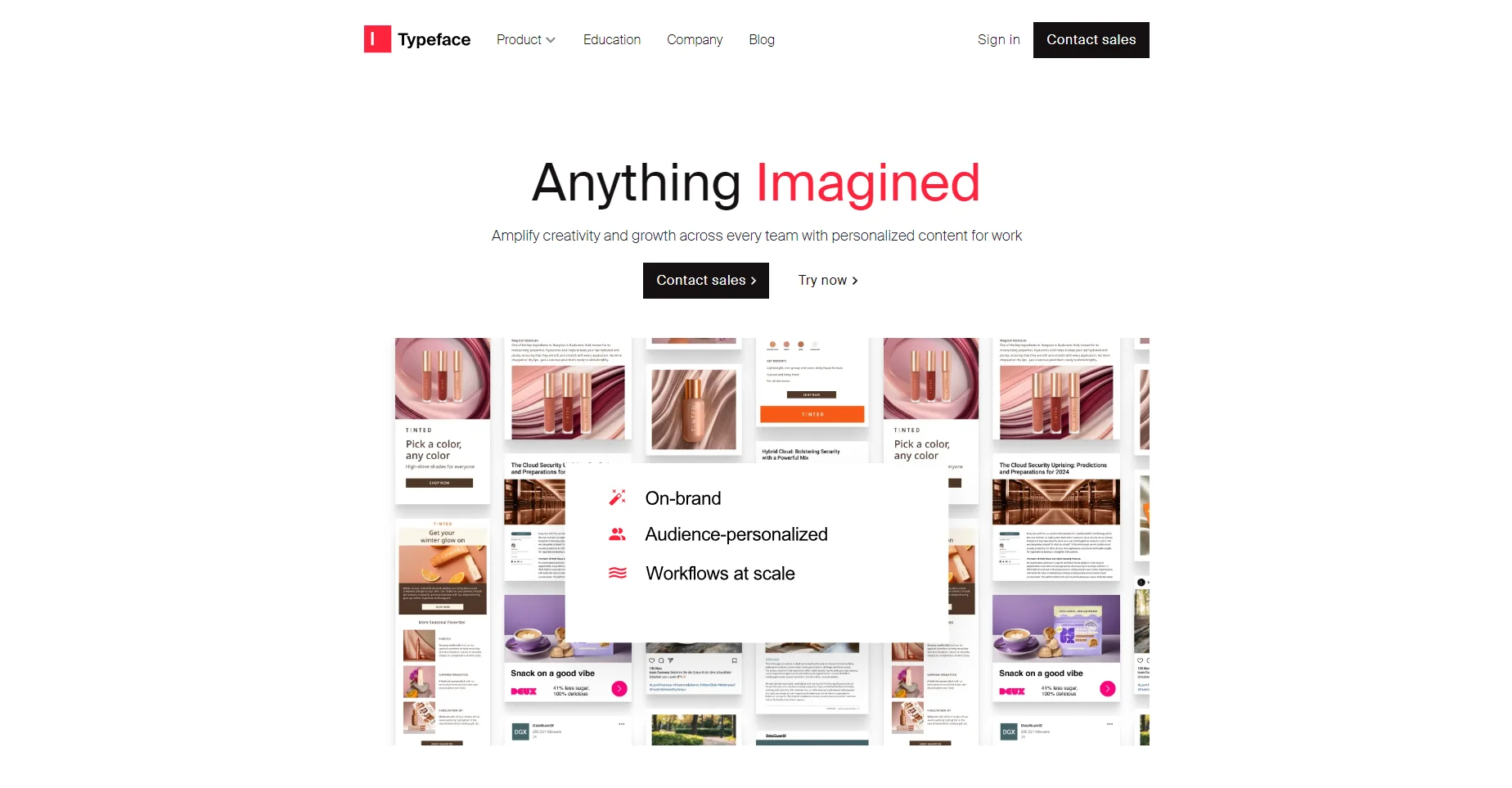
Typeface is a generative AI application tailored for enterprise content creation. It stands out as a powerful tool designed to amplify creativity and growth across various teams by providing personalized content for work. This AI platform is particularly beneficial for businesses looking to enhance their content output with brand-specific personalization, ensuring that all generated content aligns seamlessly with their brand identity and marketing strategies.
Typeface distinguishes itself by offering deep brand personalization, where the AI learns and adapts to a specific brand's tone, style, and values. This feature ensures that every piece of content generated is high-quality and resonates perfectly with the brand's identity, making it a valuable asset for businesses focused on maintaining a consistent brand image across all their content.
Typeface is a robust and innovative tool that significantly enhances the content creation process for businesses. Its ability to generate personalized, brand-aligned content quickly and efficiently makes it an invaluable asset for marketing teams, content creators, and sales professionals. While there is a learning curve and a dependency on the quality of input data, the benefits of using Typeface, such as improved creativity, brand consistency, and time savings, are substantial. It's a valuable tool for any business focused on maintaining a solid and consistent brand presence in its content.
Who is Using Typeface?
Marketing Teams
For creating on-brand marketing content across various channels.
Sales Professionals
To generate personalized sales pitches and presentations.
Content Creators
For crafting engaging and brand-aligned articles, blogs, and social media posts.
Design Teams
In designing visual content that resonates with brand identity.
Key Features
Rating Breakdown
Which Typeface plan should you pick?
Start with the Teams plan for collaborative marketing work; upgrade to Enterprise for SSO, advanced organization controls, and workflow automation.
Essentials
Good for smaller users who need core Typeface content-generation capabilities.
Teams
Good for teams that need shared content creation and collaboration.
Enterprise
Good for organizations needing SSO, multiple teams, advanced governance, and automated workflows.
Typeface Use Cases
Ad creative automation
Generate compliant ad variants across paid and social channels for different audiences and formats.
Outcome: Faster production of campaign-ready creative.
Email personalization
Create personalized email journeys and content variations using audience segments and brand context.
Outcome: More relevant email campaigns at scale.
Product content generation
Turn product specifications or visuals into product descriptions, product photos, and digital-catalog content.
Outcome: Retailer-ready product content.
Webpage creation
Generate product pages, location pages, blogs, case studies, and resource pages from briefs and approved layouts.
Outcome: Consistent, scalable web content.
Video repurposing
Upload long-form videos, locate relevant transcript sections, and create short clips for social, email, or blogs.
Outcome: Short-form video assets from existing footage.
Workflow Ideas with Typeface
Create an on-brand campaign
- 1Upload a campaign brief and relevant brand assets
- 2Select the Brand Kit, audiences, and required channels
- 3Generate, refine, review, and publish campaign variations
Repurpose a document into campaign content
- 1Upload a PDF or Word document in Document Transform
- 2Choose the desired output such as a blog post, email, or social post
- 3Review and refine the generated content before export or publication
Build a governed marketing agent
- 1Define the workflow instructions, inputs, constraints, and data sources
- 2Configure permissions and connect external systems through APIs or integrations
- 3Publish the agent for repeatable execution across teams and channels
How Typeface fits into your stack
Browser
Typeface is primarily used through its web app for generating, editing, organizing, and publishing multimodal marketing content.
Docs and writing
Users create and refine copy for social posts, emails, blogs, job listings, and other marketing documents.
Team chat and tickets
The Microsoft Teams integration supports ideation, content creation, sharing, and refinement inside team conversations; Slack is also listed as a connector.
Automation and APIs
Typeface exposes developer APIs, MCP, embedded apps, Workato-based workflows, and connectors for automating content creation and publishing.
Knowledge and files
Teams upload and manage product images, brand assets, PDFs, Word documents, guides, blogs, and other content in Typeface’s asset hub.
Pros
- +Enhanced Creativity: Facilitates the generation of creative and personalized content at scale.
- +Brand Consistency: Ensures all content is aligned with the brand’s tone, style, and values.
- +Efficiency in Content Creation: Speeds up the content creation, saving time and resources.
- +High Standards of Safety and Governance: Upholds safety, governance, and trust in AI content generation.
Cons
- −Learning Curve: This might require time to fully understand and utilize all features effectively.
- −Dependence on Data Quality: The quality of output heavily relies on the quality of brand data and inputs provided.
Limitations & when to consider alternatives
Known limitations
- Enterprise access is required for advanced workflows. Content Management Workflows and some advanced brand and image features require the Enterprise plan.
- Asset uploads have a size limit. Typeface documents a maximum asset file size of 50 MB.
- Video clipping has input requirements. Video clipping works best with English speech, clear audio, minimal background noise, and videos longer than 30 seconds but shorter than two hours.
- Only one individual voice can be applied at a time. Typeface currently allows only one individual trained voice per generation.
- Some integrations require customer configuration. Additional automation connectors and specific integration needs may require contacting a Customer Success Manager.
Look elsewhere when
- You need a dedicated native mobile app.
- You need a standalone desktop application.
- You need programming-code generation as a core product capability.
How to Use Typeface
- 1
What is Typeface and How It Works
Who is Typeface For?
Marketing teams
Create and scale on-brand campaigns across email, ads, web, social, and video.
IT teams
Build, govern, connect, and deploy marketing agents across existing enterprise infrastructure.
Creative teams
Create visual variations while working with familiar tools such as Figma, Photoshop, and Illustrator.
Sales teams
Generate personalized sales collateral, product descriptions, and campaign content.
HR teams
Create job posts and employee communications in the organization’s brand voice and style.
Frequently Asked Questions
What is Typeface?
Typeface is an enterprise generative AI platform for creating personalized, on-brand text, images, video, webpages, and other marketing content.
Can Typeface integrate with external systems?
Yes. Typeface provides APIs, webhooks, MCP connectivity, embedded apps, and a connector library for marketing, data, content, and productivity systems.
Does Typeface support team collaboration?
Yes. Organizations can create teams, invite members, assign roles, and collaborate on projects, generated content, and shared resources.
Does Typeface support SSO?
SSO is available to Enterprise plan users. Essentials and Teams users can use MFA.
What file types can users upload?
Typeface supports uploaded images, PDF and Word documents, videos, and other brand assets. Assets have a documented 50 MB maximum file size.
Can Typeface train custom models?
Users can train custom product models with 10–15 product images and train writing voices from documents or URLs.
Community reviews
Be the first to share your experience.
Sign in to leave a review for Typeface.
Typeface Alternatives
Looking for alternatives to Typeface? Here are similar tools in the same category:
Learn to Master Typeface
With Skill Leap courses
Get in-depth training on Typeface and 50+ other AI tools with our expert-led video courses.
Start 7-Day Free Trial