
Trolly.ai
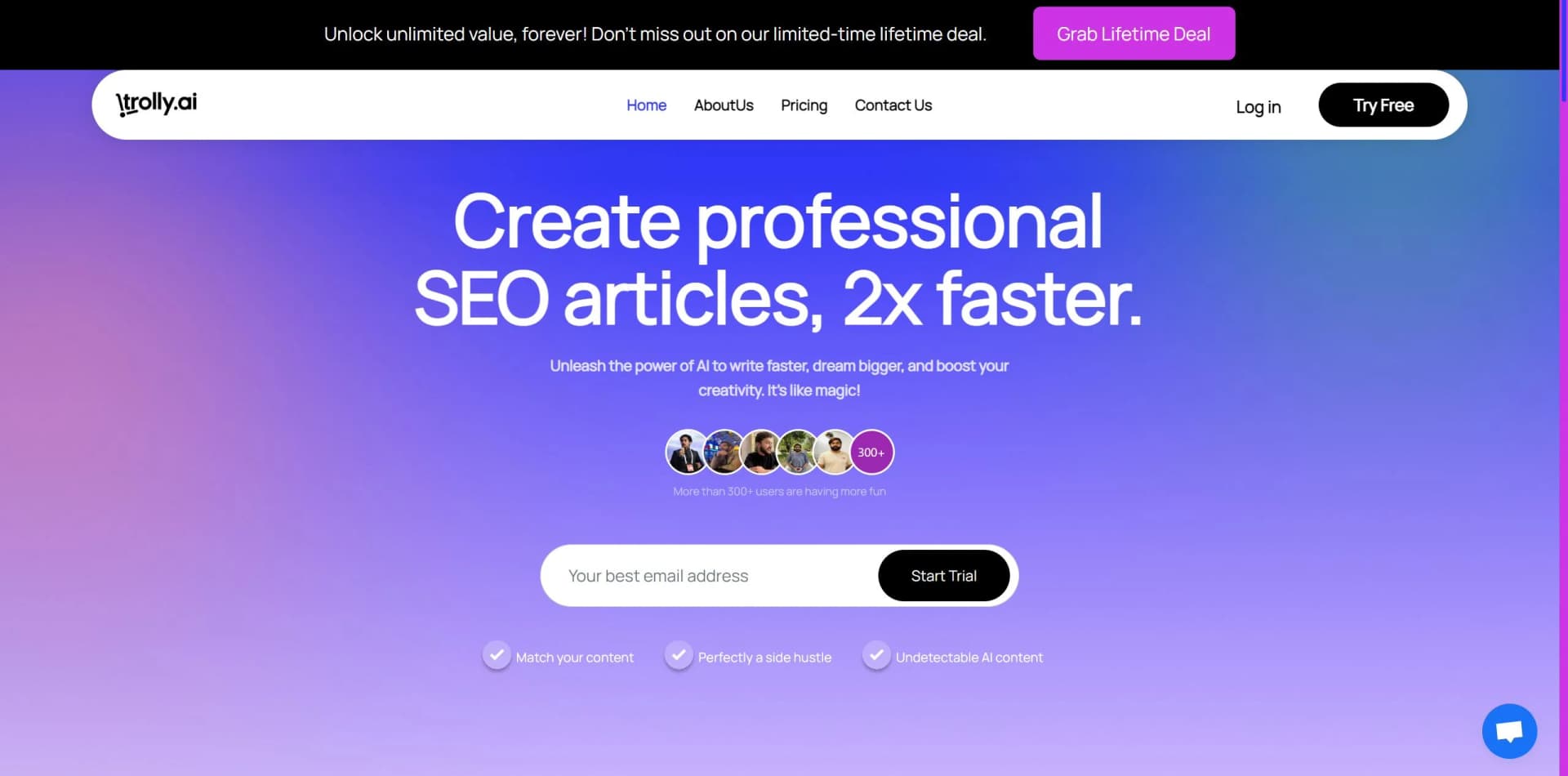
Unleash productivity with AI-driven automation and insightful analytics.
Key Takeaways
- What it is
- Unleash productivity with AI-driven automation and insightful analytics.
- Best for
- Smart Automation
- Data-Driven Insights
- Customizable Workflows
- Rating
- 4.3/5
What is Trolly.ai?
Trolly.AI is an advanced AI platform revolutionizing how professionals approach task automation and decision-making processes. With its powerful algorithms and intuitive design, Trolly.AI has become a preferred solution for enhancing productivity and streamlining complex workflows.
Trolly.AI stands out for its adaptability, making it suitable for diverse industries. Its proprietary algorithms offer a high level of automation intelligence, especially in processing and interpreting large datasets.
Trolly.AI excels in automating and optimizing business processes, making it invaluable for SMEs, startups, and data professionals. Its robust analytics and customizable workflows offer a significant competitive advantage. Despite some integration limitations, Trolly.AI's strengths in efficiency and scalability position it as a top contender in the AI automation landscape.
Who is Using Trolly.ai?
Small to Medium Enterprises (SMEs)
Utilize the platform to manage operations and reduce overhead.
Tech Startups
Leverage Trolly.AI to accelerate product development and conduct market analysis.
Project Managers
Optimize project timelines and resource allocation using Trolly.AI.
Data Analysts
Employ the tool for complex data processing and predictive analytics.
Uncommon Use Cases
Non-profits integrate Trolly.AI to enhance fundraising efforts, while academic researchers apply it for data collection and analysis in studies.
Key Features
Rating Breakdown
Pricing Plans
Free Trial
- Offers a limited-time free trial for users to experience Trolly.AI's capabilities
Subscription Plans
- Various subscription tiers available to cater to different organizational sizes and needs
Which Trolly.ai plan should you pick?
Start with Free for light testing; upgrade to Basic for article generation or choose a Chat team plan when multiple users need shared projects and controls.
Free
Good for testing Writer and Chat with limited monthly credits and selected free models.
Basic
Good for individual article creators who need 1,500 monthly credits, five articles, multiple languages, tones, and full history.
Standard
Good for heavier individual use with 10,000 monthly credits and approximately 38 articles monthly.
Starter
Good for small Chat teams needing two or more seats, pooled credits, shared projects, and basic model access.
Trolly.ai Use Cases
SEO article creation
Enter a topic and keywords, generate an outline, and produce a structured article.
Outcome: A draft ready for editing and publishing.
AI text humanization
Rewrite AI-generated text with the AI Bypasser and adjust its writing style.
Outcome: Text intended to read more naturally.
AI detection checking
Paste text, upload a file, or provide a URL for sentence-level AI detection.
Outcome: Color-coded AI, human, and uncertain sentence results.
Multi-model research
Switch among GPT, Claude, Gemini, Grok, and other models in one conversation.
Outcome: Responses from multiple AI providers in one workspace.
Document question answering
Upload reference files to a conversation or project and ask questions against them.
Outcome: Answers grounded in the supplied files.
Workflow Ideas with Trolly.ai
Create an SEO article
- 1Enter the topic and SEO keywords
- 2Generate and edit the outline
- 3Generate, edit, and download the article
Analyze reference documents
- 1Upload PDFs, documents, spreadsheets, or presentations
- 2Ask questions about the uploaded files
- 3Review the model’s answers and continue the conversation
Collaborate in a team project
- 1Create an organization and invite members
- 2Attach shared knowledge sources to a project
- 3Share project chats or let members work from the shared context
How Trolly.ai fits into your stack
API for Custom Solutions
Provides an API for developing bespoke integrations.
Cloud-Based Infrastructure
Compatible with various cloud services for easy deployment.
Collaboration Tools Integration
Facilitates teamwork by integrating with popular collaboration platforms.
CRM Systems Compatibility
Syncs with several CRM systems to enhance customer relationship management.
Pros
- +Increased Efficiency: Effectively automates tasks, leading to overall productivity enhancement.
- +Scalability: Designed to scale with business needs, handling increased workloads seamlessly.
- +User-Friendly: Features a straightforward interface that simplifies complex processes.
- +Robust Analytics: Offers deep insights crucial for making informed decisions.
Cons
- −Learning Curve: New users may require time to fully understand all functionalities.
- −Integration Limitations: May not integrate with all existing systems out-of-the-box, requiring additional customization.
- −Subscription Cost: Premium features are subscription-based, which may pose a barrier for some users.
Limitations & when to consider alternatives
Known limitations
- Free-plan credit limit. The free Chat plan provides 50 monthly credits and access to only selected free models.
- Web search is paid-only. Web search is not available on the Free plan and is quota-based on paid plans.
- File-size limits vary. Uploaded files are limited by provider, ranging from 30 MB to 100 MB; project sources can reach 500 MB each.
- Provider data policies differ. DeepSeek and MiniMax terms allow use of API inputs and outputs to improve their models, unlike the other listed providers.
- Article credits are restrictive. The Writer page states that a long article costs 260 credits and an outline costs 10 credits.
Look elsewhere when
- You need a native mobile app.
- You need SSO or SAML.
- You need a desktop installer.
How to Use Trolly.ai
- 1
Trolly.AI offers tutorials and guides to help users maximize the platform's potential, accessible through their support channels and documentation.
Who is Trolly.ai For?
Bloggers and writers
Generate blog posts quickly and overcome writer’s block with structured AI drafts.
SEO professionals
Create keyword-rich articles and use SEO term suggestions to improve search visibility.
Content marketers
Produce long-form articles and campaigns faster while maintaining tone and messaging.
Business owners and agencies
Create website articles, product pages, and blogs for business niches.
Freelancers and copywriters
Increase productivity and deliver completed drafts to clients faster.
Frequently Asked Questions
What languages does the article generator support?
The generator supports article creation in 36 languages, including English, Spanish, French, Arabic, Hindi, and more.
Can I download or export my articles?
Yes. Articles can be copied or downloaded as .txt or .html files.
Can I generate articles from a custom outline?
Yes. Users can edit the generated outline or create one from scratch before generating the article.
What file types can I upload?
Chat supports documents, spreadsheets, presentations, images, and code files. File limits vary by provider from 30 MB to 100 MB.
Does Netus AI Chat work for teams?
Yes. Organizations provide shared credit pools, projects, knowledge sources, member roles, and usage statistics.
Does Netus AI use my text to train AI models?
The site says Writer text is not used to train models and model training is turned off with listed Chat providers.
Community reviews
Be the first to share your experience.
Sign in to leave a review for Trolly.ai.
Trolly.ai Alternatives
Looking for alternatives to Trolly.ai? Here are similar tools in the same category:
Learn to Master Trolly.ai
With Skill Leap courses
Get in-depth training on Trolly.ai and 50+ other AI tools with our expert-led video courses.
Start 7-Day Free Trial