
Thunderbit
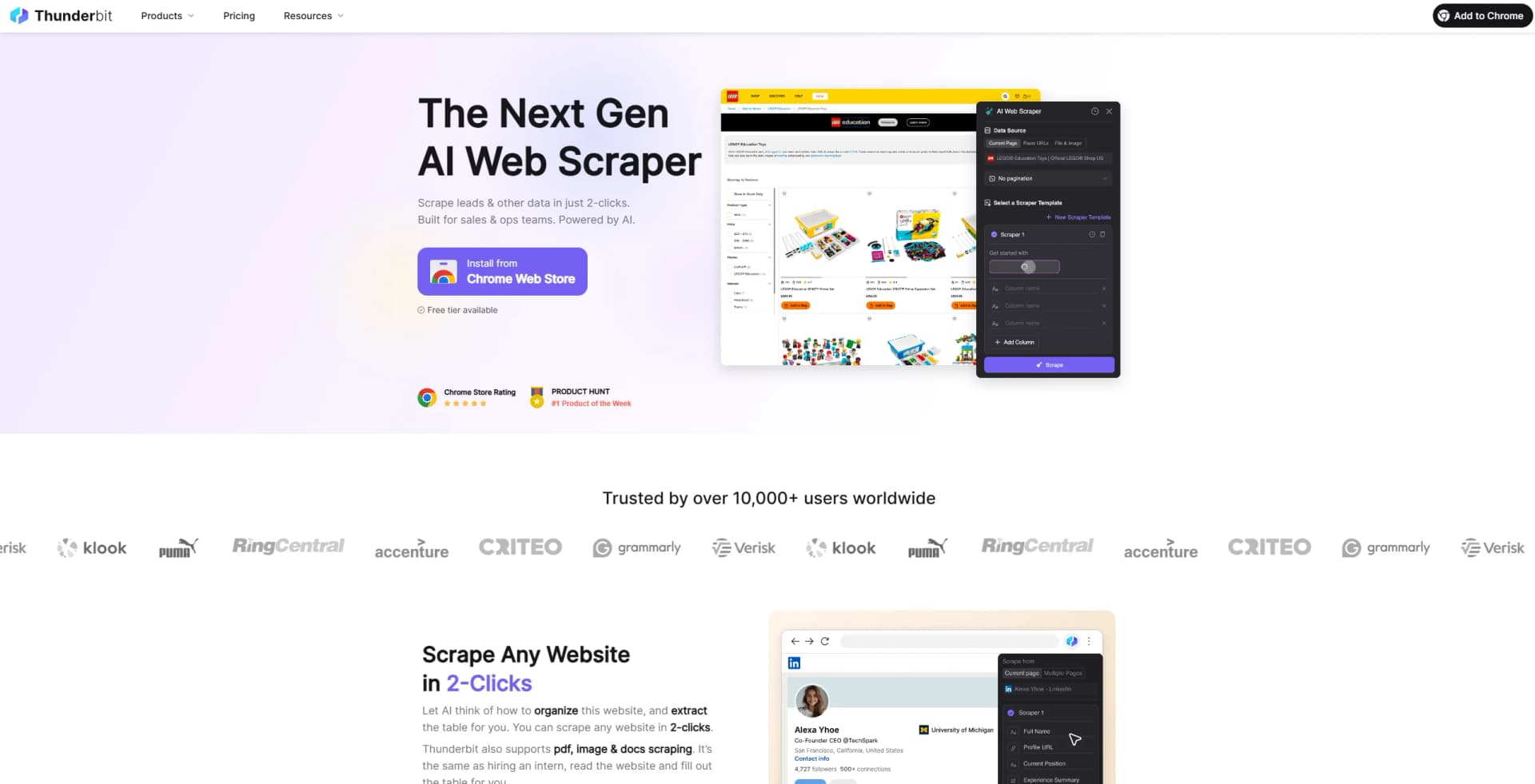
Scrape leads & other data in just 2-clicks. Built for sales & ops teams. Powered by AI.
Key Takeaways
- What it is
- Scrape leads & other data in just 2-clicks. Built for sales & ops teams. Powered by AI.
- Pricing
- Freemium · $14.99 per user/month · $29.99 per user/month · $74 per user/month
- Best for
- Natural Language Data Extraction
- Support for Various Formats
- Subpage Scraping
- Rating
- 4.5/5
What is Thunderbit?
Thunderbit is an AI Web Scraper that helps business users scrape any website, PDF, and/or Image in just 2-clicks. It's an AI-powered platform designed to simplify and automate data extraction, helping users turn unstructured website content into structured data with minimal effort. It provides cutting-edge tools tailored for sales, marketing, real estate, and e-commerce teams to streamline workflows and save valuable time.
Thunderbit stands out by leveraging AI to interpret natural language instructions, navigate subpages, and collect data without requiring technical skills. It also lets you summarize, translate, or categorize information on the fly, and comes with pre-built templates for popular sites like Amazon or Google Maps. Exporting directly to tools like Google Sheets, Airtable, and Notion further enhances the efficiency of data collection, making it a versatile solution for anyone who needs accurate, structured web data in a flash.
Thunderbit is a Chrome Extension powered by artificial intelligence, designed for businesses looking to extract website data quickly and accurately. It replaces complex CSS selectors with natural language instructions, making web scraping more intuitive. With just two clicks, users can gather information from various sources—web pages, PDFs, images, and more—while AI handles tasks like subpage navigation and detailed data extraction. Thunderbit also offers pre-built templates for popular platforms, the ability to summarize or translate text, and the option to structure results in formats suitable for spreadsheets or databases. This streamlined workflow saves time, minimizes the need for manual intervention, and makes data collection more accessible for teams in sales, marketing, e-commerce, and other fields.
Who is Using Thunderbit?
Sales Teams
Sales professionals rely on Thunderbit to simplify tasks such as scraping contact information, generating leads, and enriching data. Whether it’s building tailored email lists or pulling comprehensive LinkedIn profiles, Thunderbit automates tedious processes to support smarter outreach strategies.
E-commerce Operations Teams
Operations professionals turn to Thunderbit for stock and price monitoring across suppliers and competitors. They also use it for customer sentiment analysis by scraping reviews and ratings from various platforms.
Real Estate Agents and Realtors
Realtors use Thunderbit to gather property listings from platforms like Zillow or local MLS systems, monitor open house events, and generate leads. By automating these repetitive tasks, they gain more time to focus on client engagement.
Marketing Teams
Marketers leverage Thunderbit to analyze competitors’ content marketing efforts, including blog posts, social media campaigns, and email newsletters. By scraping engagement data, meta tags, keywords, and backlinks, they can refine their own SEO and content strategies.
Key Features
Rating Breakdown
Pricing Plans
Free Tier
Free
- Includes 100 steps/month and 20 Pro Queries/month
Basic Tier
$14.99 per user/month
- Includes 500 steps/month and 300 Pro Queries/month
Professional Tier (Recommended)
$29.99 per user/month
- Includes 1500 steps/month and unlimited Pro Queries
Business Basic Tier
$74 per user/month
- Includes 5000 steps/month and unlimited Pro Queries
Which Thunderbit plan should you pick?
Start with Free to validate light scraping needs, move to Starter for scheduled and bulk scraping, choose Pro for higher-volume unlimited scrapers, and contact Thunderbit for Business requirements.
Free
Good for users who need occasional extraction, basic tools, and free exports within the six-pages-per-month limit.
Starter
Good for users who need subpage scraping, bulk scraping, pagination, enrichment, and up to five scheduled scrapers.
Pro
Good for users who need unlimited scrapers, up to 25 scheduled scrapers, and more frequent monitoring.
Business
Good for organizations needing custom credits, custom limits, priority support, and account management.
Thunderbit Use Cases
Sales lead scraping
Extract names, titles, companies, and contact information from directories, search results, and profile pages.
Outcome: A targeted, structured sales list ready for export.
E-commerce price monitoring
Scrape product names, prices, stock status, and reviews from competitor websites on a schedule.
Outcome: Fresh competitive pricing and inventory data.
Real estate listing automation
Collect property listings and enrich them with details from linked subpages.
Outcome: A consolidated property dataset for review in Airtable, Notion, or spreadsheets.
RAG and knowledge-base ingestion
Distill webpages into clean Markdown for vector databases and retrieval-augmented generation systems.
Outcome: Cleaner web content ready for indexing.
Database enrichment
Pull company profiles, contact information, or listing details into existing databases on a recurring schedule.
Outcome: Database records kept current with live web data.
Workflow Ideas with Thunderbit
Build a sales lead list
- 1Open a directory or search-results page
- 2Use AI Suggest Fields to create columns such as name, title, and company
- 3Scrape and export the results to Google Sheets
Monitor competitor prices
- 1Configure fields for product name, price, and inventory
- 2Schedule recurring scraping of competitor product pages
- 3Review the refreshed data in a spreadsheet or database
Create a web-data API
- 1Define the desired output with a JSON Schema
- 2Send a URL and schema to the Thunderbit Extract endpoint
- 3Use the returned JSON in an application or downstream workflow
How Thunderbit fits into your stack
Google Sheets Integration
Thunderbit integrates seamlessly with Google Sheets, allowing users to automate data processing and management tasks directly within their spreadsheets.
Notion Compatibility
The tool can be used with Notion to scrape any websites. The images scraped will also be displayed neatly.
Airtable Compatibility
The tool can be used with Airtable to scrape any websites. The images scraped will also be displayed neatly.
Pros
- +Time Efficiency: Thunderbit significantly reduces the time required to create and automate web applications, making it a highly efficient tool for businesses.
- +User-Friendly Interface: The platform is designed with an intuitive interface that makes it easy for users to navigate and utilize its features, even without technical skills.
- +Cost-Effective Automation: By automating various business processes, Thunderbit helps reduce operational costs, making it a cost-effective solution for companies.
- +High Customizability: The no-code customization options allow businesses to tailor the tool to their specific needs, enhancing its versatility and utility.
Cons
- −Initial Learning Curve: While the tool is designed to be user-friendly, there may still be an initial learning curve for users unfamiliar with AI-powered automation platforms.
- −Limited Integration: As of now, Thunderbit supports a limited number of third-party integrations, which could be a drawback for businesses relying on multiple software solutions.
Limitations & when to consider alternatives
Known limitations
- Free-plan usage limits. The Free plan is limited to six pages per month and a maximum of 30 credits per page.
- Credit-based metering. Scraping, agent sessions, and workflow executions consume credits, and unused credits generally expire at the end of the billing cycle.
- Cloud access limitations. Cloud execution is intended for publicly accessible content unless the user supplies credentials for authenticated access.
- API batch limits. The API supports batches of up to 100 URLs for distillation and 50 URLs for extraction.
- Browser permissions. The Chrome extension requires permissions for webpage content, active-tab interaction, forms, clipboard access, and storage.
Look elsewhere when
- You need a dedicated native mobile app.
- You need SSO or SAML administration.
- You need model fine-tuning on your private data.
How to Use Thunderbit
- 1
Explore the comprehensive tutorial series available on their YouTube channel covering everything from basic setup to advanced features of Thunderbit. These tutorials are designed to help users get the most out of the platform.
Who is Thunderbit For?
GTM teams
Thunderbit helps go-to-market teams collect structured web data without coding or selector configuration.
Sales teams
Sales users can build lead lists, enrich prospect data, and extract contact details from websites.
E-commerce teams
E-commerce teams can collect product information and monitor competitor prices, inventory, and reviews.
Researchers
Researchers can clip webpages into structured tables and build datasets from web sources.
Developers and AI builders
Developers can use the Open API, CLI, MCP server, and integration recipes to provide web data to applications and agents.
Frequently Asked Questions
What is Thunderbit?
Thunderbit is an AI web scraper and automation tool that turns webpages into structured data and can execute browser workflows.
Does Thunderbit have a free plan?
Yes. The Free plan costs $0 per month and includes six pages per month, data export, and extraction tools.
What can Thunderbit export?
Thunderbit can export extracted data to Excel, Google Sheets, Airtable, Notion, CSV, and JSON.
Does Thunderbit provide an API?
Yes. The Thunderbit Open API provides distillation, structured extraction, search, and batch-processing endpoints.
Can Thunderbit scrape authenticated pages?
Browser-based execution can use the user's authenticated browser session. Cloud execution supports public content unless credentials are provided.
How does Thunderbit charge for usage?
Thunderbit uses credits for metered scraping, AI-agent sessions, and workflow executions. Data export and some free tools do not consume credits.
Community reviews
Be the first to share your experience.
Sign in to leave a review for Thunderbit.
Thunderbit Alternatives
Looking for alternatives to Thunderbit? Here are similar tools in the same category:
Learn to Master Thunderbit
With Skill Leap courses
Get in-depth training on Thunderbit and 50+ other AI tools with our expert-led video courses.
Start 7-Day Free Trial