
Strut
Revolutionize writing with AI collaboration, drag-drop organization, and real-time editing.
Key Takeaways
- What it is
- Revolutionize writing with AI collaboration, drag-drop organization, and real-time editing.
- Pricing
- Freemium
- Best for
- Drag & Drop Organization
- Customizable Workspaces
- Real-Time Collaboration
- Rating
- 4.6/5
What is Strut?
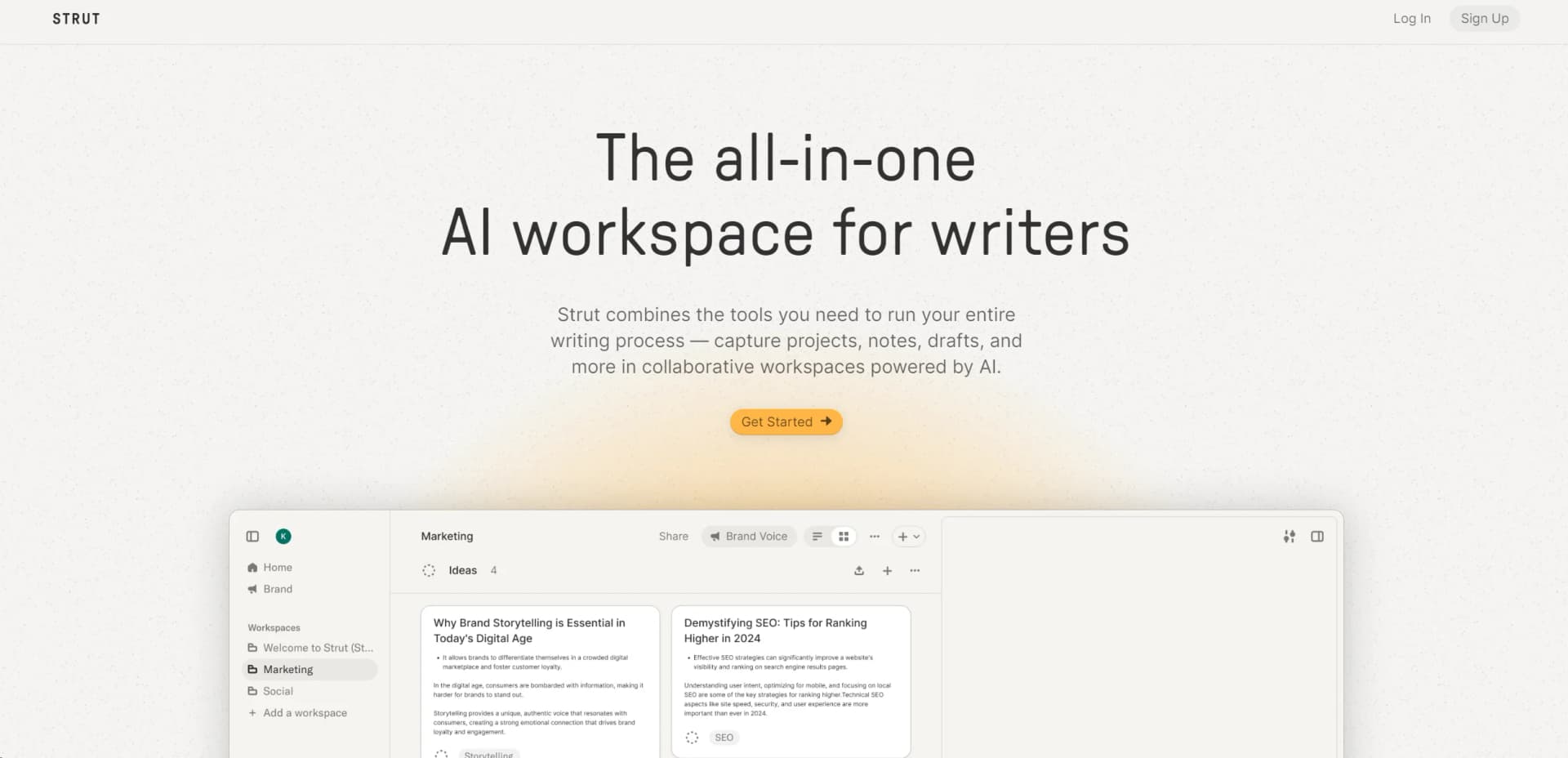
Strut is an all-in-one AI workspace designed to revolutionize the writing process, catering to writers, content creators, and teams. It offers collaborative workspaces enhanced by AI capabilities, allowing users to capture projects, notes, drafts, and more efficiently. With its promise to tame the chaos of the writing process and collaborate like a virtual partner, Strut presents an enticing solution for writers seeking productivity and creativity.
Strut's dedication to the writing process and understanding of writer's needs set it apart. Its AI serves as a collaborative partner, enhancing the writing process while preserving the writer's style. The emphasis on brand voice synchronization ensures consistency across projects and clients.
Strut offers a seamless, AI-powered writing experience that enhances productivity and creativity. Its collaborative nature, brand voice synchronization, and customizable workspaces make it invaluable for writers and teams striving for efficiency and consistency in their writing endeavors. Whether you're a freelance writer or part of a content marketing team, Strut provides a competitive edge in the realm of digital writing tools.
Who is Using Strut?
Freelance Writers
Manage multiple projects and maintain distinct brand voices for different clients.
Content Marketing Teams
Utilize real-time collaboration features and maintain on-brand messaging.
Bloggers
Benefit from AI-assisted writing and organizational tools for managing content.
Copywriters
Rapidly iterate work with inline editing and AI commands.
Uncommon Use Cases
Academics, researchers, and non-profits utilize Strut for various writing and organizational needs.
Key Features
Rating Breakdown
Pricing Plans
Free Tier
Free
- Experience Strut's features without immediate investment
Subscription Plans
- Various plans available to cater to different usage levels and team sizes
Which Strut plan should you pick?
Start with Free to test the notebook, sources, collaboration, and AI operations; upgrade to Pro when you need unlimited workspaces, sources, and AI allowance.
Free
Good for trying Strut with one project, limited documents, starter AI tokens, notes, sources, collaboration, and exports.
Pro
Good for sustained long-form writing, unlimited workspaces and sources, and a larger recurring AI allowance.
Strut Use Cases
Turn rough notes into a draft
Capture fragments, develop promising ideas, structure them into sections, and expand the manuscript with context-aware AI.
Outcome: A connected long-form draft.
Research a manuscript
Import PDFs, Word files, or spreadsheets, inspect extracted text, and ask source-specific questions with page citations.
Outcome: Auditable research attached to the writing project.
Edit collaboratively
Invite editors or reviewers, attach comments to passages, resolve feedback, and share a frozen review snapshot.
Outcome: Structured manuscript review without losing version context.
Revise a passage with AI
Select text, choose an operation such as strengthen or rewrite, review the diff, and accept or reject the result.
Outcome: Controlled revisions that remain reversible.
Write in a consistent voice
Create a Voice Profile from samples of your own writing and use it as context for later AI operations.
Outcome: AI-assisted writing aligned with the author's style.
Workflow Ideas with Strut
Notes to manuscript
- 1Capture rough notes, fragments, quotations, and questions in the notebook.
- 2Develop ideas and connect related material.
- 3Arrange the material into an outline, sections, or chapters.
- 4Write and revise the full draft.
Research-backed drafting
- 1Upload TXT, Markdown, CSV, PDF, DOCX, or XLSX sources.
- 2Read extracted content with PDF page boundaries preserved.
- 3Ask source-specific questions and review page citations.
- 4Bring findings into notes and use sources as AI context.
Collaborative review
- 1Invite a collaborator as an editor or reviewer.
- 2Collect passage-specific comments on the manuscript.
- 3Resolve or reopen comments during revision.
- 4Publish a password-protected, expiring review snapshot.
How Strut fits into your stack
AI Model
Utilizes the latest AI model, ensuring access to cutting-edge technology.
Data Privacy
Commits to user privacy, with clear policies on data usage.
Device Compatibility
Accessible from any device with internet access, facilitating work from anywhere.
File Formats
Supports various formats for easy import and export of documents.
Pros
- +Streamlined Writing Process: Reduces clutter and disorganization, enhancing efficiency in the writing process.
- +Enhanced Collaboration: Fosters a collaborative environment, allowing team members to contribute in real-time.
- +Intuitive AI Integration: AI acts as a collaborator, enhancing the writing process while maintaining the writer's voice.
- +Brand Voice Synchronization: Instantly adopts any brand voice, ensuring consistency across different channels.
Cons
- −Learning Curve: New users may require time to fully utilize AI commands and customization options.
- −Dependency on Internet Connection: Stable internet connection is essential for seamless operation as a cloud-based platform.
- −Platform Specificity: Integration with existing workflows in other software may pose challenges for some writers.
Limitations & when to consider alternatives
Known limitations
- Free plan project limit. The free account is limited to one project with up to three documents.
- Free source retention. Imported source files on the free plan expire after 30 days of inactivity.
- Upload size limit. A single upload request is capped at 25 MB total.
- OCR limit. OCR processes up to 60 scanned pages per run and reserves 2,000 tokens per page.
- AI context limits. Each AI request can include up to 20 rough notes and up to 8 imported sources.
Look elsewhere when
- You need a documented developer API.
- You need native mobile apps.
- You need SSO or SAML.
- You need automated multi-step workflows.
How to Use Strut
- 1
Comprehensive tutorials guide users from basic setup to advanced features, maximizing the platform's potential for both new and experienced users.
Who is Strut For?
Journalists
Strut keeps quotes, documents, context, research, and reported writing together under deadline.
Students
It connects reading, notes, structure, and essay drafting in one project.
Researchers
Researchers can keep thesis material, imported sources, page citations, and long arguments connected.
Technical writers
Strut supports accuracy, consistency, structured drafts, and review workflows.
Nonfiction authors
Authors can maintain notes, sources, chapters, drafts, and revisions across book-length projects.
Frequently Asked Questions
What is Strut?
Strut is an AI-powered workspace and notebook for developing long-form writing from rough notes, sources, outlines, and drafts.
Is there a free plan?
Yes. The free account includes one project with up to three documents, unlimited notes and version history, imported sources, and starter AI tokens.
What can Strut AI do?
Strut AI provides named operations including expand, outline, strengthen, summarize, critique, tone, plot, rewrite, editorial report, and title ideas.
Can I import existing writing?
Yes. You can paste drafts or import TXT, Markdown, CSV, PDF, DOCX, and XLSX files as project sources.
Can I collaborate with other people?
Yes. Owners can invite editors and reviewers, assign roles, collect comments, resolve feedback, and publish review snapshots.
Can I export my writing?
Documents can be exported as PDF, Word, Markdown, or plain text.
Community reviews
Be the first to share your experience.
Sign in to leave a review for Strut.
Strut Alternatives
Looking for alternatives to Strut? Here are similar tools in the same category:
Learn to Master Strut
With Skill Leap courses
Get in-depth training on Strut and 50+ other AI tools with our expert-led video courses.
Start 7-Day Free Trial