
Stockimg AI
AI-driven tool for effortless design and content creation.
Watch Stockimg AI in Action
Key Takeaways
- What it is
- AI-driven tool for effortless design and content creation.
- Pricing
- Freemium
- Best for
- Social Media Automation
- Diverse Content Generation
- Custom Editing Tools
- Rating
- 4.5/5
What is Stockimg AI?
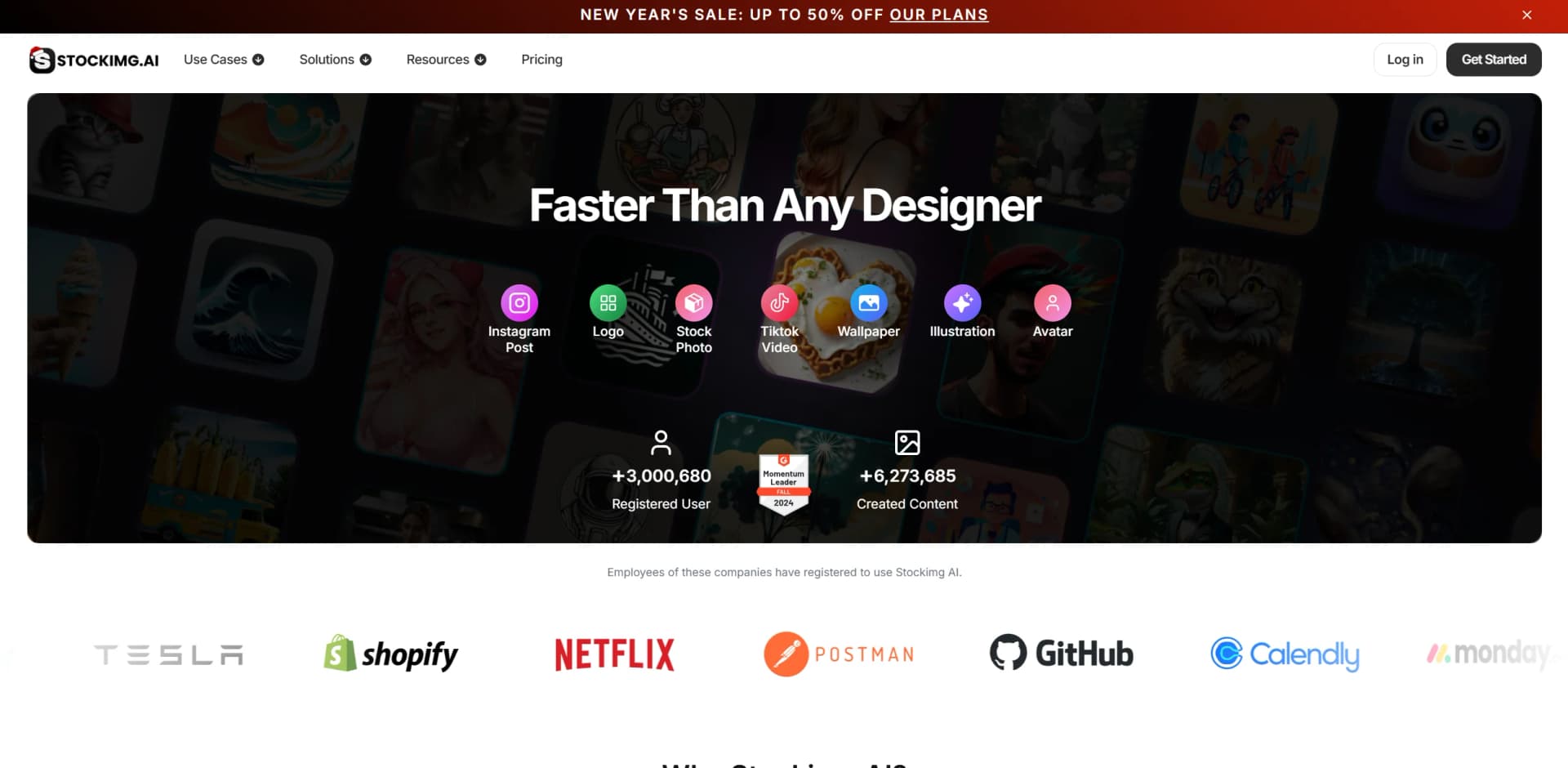
StockImg AI is an innovative, AI-powered design and content creation tool designed to transform the way individuals and businesses manage their digital content. Available at StockImg AI's website, this tool offers a comprehensive suite of features that allow users to generate logos, illustrations, wallpapers, and even viral videos with remarkable ease and efficiency. Tailored for social media managers, marketers, and creative professionals, StockImg AI simplifies the process of creating high-quality visual content, enabling users to focus more on strategy and engagement rather than time-consuming design tasks.
StockImg AI stands out with its ability to generate a wide variety of content types from a single platform, a game-changer for businesses looking to maintain a consistent brand presence across various media. Its unique selling point lies in its automation capabilities, which not only streamline content creation but also ensure timely publication, enhancing overall marketing efficiency.
StockImg AI offers a robust solution for anyone looking to elevate their digital content strategy. With its broad array of features and intuitive design, it empowers users to create, customize, and automate content like never before, making it a valuable asset for businesses and individuals aiming to enhance their online presence efficiently.
Who is Using Stockimg AI?
Social Media Managers
Leveraging the tool to streamline content creation and scheduling across multiple platforms.
E-commerce Businesses
Utilizing StockImg AI for product imagery and promotional content that enhances online storefronts.
Digital Marketing Agencies
Employing the tool for creating visually appealing campaigns and engaging social media content.
Freelance Designers and Creators
Using it to expand their service offerings and deliver diverse content quickly to clients.
Uncommon Use Cases
Educational institutions adopting the tool for teaching digital marketing and design courses; non-profit organizations using it to create awareness campaigns efficiently.
Key Features
Rating Breakdown
Pricing Plans
Free Tier
Free
- Experience StockImg AI with a trial period to explore its capabilities
Pro Tier
- Detailed pricing is available on the official website
- Offering scalable plans tailored to different needs
Which Stockimg AI plan should you pick?
Start with the Starter Plan for light experimentation, upgrade to Premium for regular creation, and choose Ultra for higher-volume video and content generation.
Starter Plan
Good for hobbyists and users who want to try Stockimg AI with a smaller monthly credit allowance.
Premium Plan
Good for regular creators who need substantially more monthly credits and broader usage.
Ultra Plan
Good for high-volume creators who need the largest documented monthly credit allowance.
Stockimg AI Use Cases
Social media content
Generate and customize posts or videos for platforms including Instagram, Facebook, LinkedIn, YouTube, and X.
Outcome: Maintain a consistent social media presence.
Logo creation
Generate professional logo concepts tailored to a business or brand identity.
Outcome: Create branded visuals without traditional design work.
Product photography
Transform ordinary product photos into polished marketing visuals.
Outcome: Produce more professional-looking product imagery.
Business cards and invitations
Generate designs, upload logos or photos, customize text and colors, and export print-ready files.
Outcome: Create downloadable PDF or PNG designs.
Infographics
Turn statistics, processes, comparisons, timelines, and survey results into visual designs.
Outcome: Communicate complex information more clearly.
Workflow Ideas with Stockimg AI
Create and publish a social post
- 1Choose a social media post category and enter a prompt
- 2Customize the generated design with brand elements
- 3Schedule or publish the post across supported platforms
Create a product marketing image
- 1Upload an existing product photo
- 2Use AI editing to improve the background and presentation
- 3Export the finished image for marketing use
Build an infographic
- 1Enter the statistics, process, or comparison to visualize
- 2Adjust text, colors, images, and layout in Canvas
- 3Download the completed infographic as PNG, JPG, or PDF
How Stockimg AI fits into your stack
Browser
Stockimg AI operates as a web-based design and social media workspace for generating, editing, organizing, and scheduling visual content.
Automation and APIs
Its REST API supports programmatic image generation, while Stockimg Social connects social accounts and automates content scheduling and publishing across platforms.
Pros
- +Time Efficiency: Significantly reduces the time required to create and publish content, freeing up resources for other strategic activities.
- +Cost-Effective: Offers a budget-friendly alternative to hiring designers or purchasing separate tools for different content types.
- +Easy Integration: Seamlessly connects with multiple social media platforms, making it easy to manage and automate content distribution.
- +User-Friendly Interface: Designed with simplicity in mind, allowing even non-designers to produce professional-grade content quickly.
Cons
- −Initial Learning Curve: Users may need some time to explore and become familiar with the full range of features and customization options.
- −Limited Advanced Editing: While great for quick edits, some users might find the editing tools less robust compared to specialized design software.
- −Dependency on Internet: As a cloud-based tool, a stable internet connection is necessary for optimal performance.
Limitations & when to consider alternatives
Known limitations
- Free account has limited features. The free option provides limited functionality compared with paid subscriptions.
- Advanced mobile features require payment. Mobile AI upscaling, background removal, and advanced AI models require a paid subscription.
- API requests require account balance. API users must purchase balance before making requests, with costs varying by model and method.
- Commercial rights depend on subscription. The pricing FAQ grants commercial and copyright rights to subscribers, subject to the terms.
- API pricing is usage-based. API charges are calculated per image production rather than through a standard unlimited subscription.
Look elsewhere when
- You need a native desktop installer rather than browser access.
- You need fine-tuning that changes a model's weights.
- You need document or spreadsheet analysis rather than image uploads.
How to Use Stockimg AI
- 1
Open the dashboard
Log in to Stockimg.ai and open Generate under the Image Generator section.
- 2
Choose a category and model
Select a content category such as logo, product photo, illustration, or social media post, then choose an available AI model.
- 3
Describe the design
Enter a text prompt describing the visual you want and generate the first version.
- 4
Refine the result
Use Canvas and AI editing tools to change text, colors, backgrounds, style, dimensions, or other elements.
- 5
Upload source material when needed
Upload an image, logo, chart, or other visual element to incorporate into the design.
- 6
Export or schedule
Save the finished design as PNG, JPG, SVG, or PDF, or schedule social content through supported platforms.
Who is Stockimg AI For?
Business owners
Create custom AI logos, professional visuals, product promotions, and branded social media content.
Content creators
Produce shareable social posts, videos, and other visual content for online audiences.
Artists and designers
Explore different visual styles and create digital artwork, illustrations, posters, and wallpapers.
Photographers
Enhance images with upscaling, background removal, resizing, and other editing tools.
Influencers
Create branded stories and social posts designed to engage followers and support audience growth.
Frequently Asked Questions
What is Stockimg AI?
Stockimg AI is an AI-powered design and social media management platform for generating visuals such as logos, illustrations, wallpapers, posters, and social content.
How does Stockimg AI work?
Users enter text prompts describing a desired visual, select categories or AI models, and generate customized images.
What types of content can I create?
The platform supports logos, illustrations, wallpapers, posters, stock photos, social media posts, TikTok videos, avatars, QR codes, and more.
Can I edit images after generating them?
Yes. Users can edit images with natural-language prompts and tools for background removal, upscaling, text, backgrounds, resizing, and more.
Can I use generated images commercially?
Subscribers own the commercial and copyright rights to their creations, subject to the terms of use.
Is there a mobile app?
Yes. Stockimg AI provides apps through the Apple App Store and Google Play Store.
Community reviews
7 reviews from people who use Stockimg AI.
Sign in to leave a review for Stockimg AI.
Thibault BM
Code Peer
ingilizce INC
Talha Erkul
Yağız Şimşek
Moustafa Barakate
ceren dökmener
Stockimg AI Alternatives
Looking for alternatives to Stockimg AI? Here are similar tools in the same category:
Learn to Master Stockimg AI
With Skill Leap courses
Get in-depth training on Stockimg AI and 50+ other AI tools with our expert-led video courses.
Start 7-Day Free Trial