
Stackbear
Unlock limitless chatbot creation with personalized AI, multilingual support, and cost-effective messaging.
Key Takeaways
- What it is
- Unlock limitless chatbot creation with personalized AI, multilingual support, and cost-effective messaging.
- Pricing
- Freemium · $19/month · $99/month
- Best for
- Natural Language Processing
- Knowledge Base Integration
- Human Escalation
- Rating
- 4.6/5
What is Stackbear?
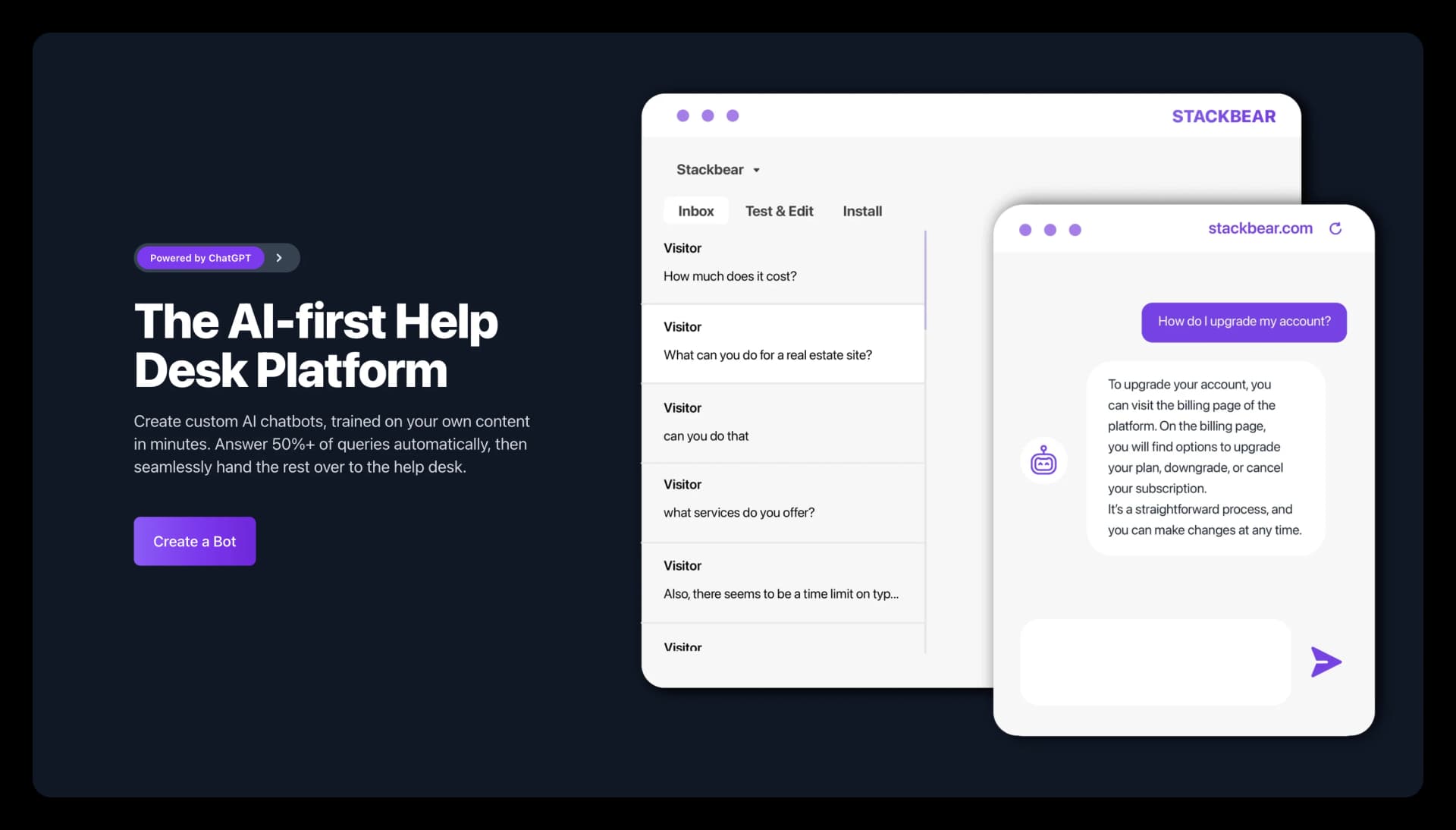
Stackbear is an advanced AI tool revolutionizing the creation of chatbots for businesses and individuals. It simplifies the process of building AI-powered chatbots for various purposes such as customer support, sales, or FAQs, offering customization and flexibility. What sets Stackbear apart is its unique approach of allowing users to utilize their own OpenAI API key, ensuring unlimited messaging capabilities without incurring excessive costs.
Stackbear stands out with its transparent pricing model and unlimited messaging policy, offering a cost-effective solution for businesses. The ability to use your own OpenAI API key provides more control over usage and costs.
Stackbear excels as a chatbot creation platform, offering robust features in a user-friendly interface. Its unique pricing model and unlimited messaging capability make it indispensable for businesses seeking enhanced customer interaction. With flexibility and personalization options, Stackbear adapts to various use cases, solidifying its position as a top contender in the AI chatbot space.
Who is Using Stackbear?
E-commerce Platforms
Automating customer support and enhancing the shopping experience.
Marketing Teams
Engaging visitors in conversations and converting them into leads.
Sales Departments
Qualifying leads and providing prompt responses to potential customers.
Internal Communications
Assisting employees in finding information quickly and automating tasks.
Uncommon Use Cases
Personal blog owners for interactive engagement; startups for dynamic FAQ systems.
Key Features
Rating Breakdown
Pricing Plans
Free Tier
Free
- 2 bots and unlimited messages
- A character limit per chatbot
Starter Tier
$19/month
Business Tier
$99/month
Which Stackbear plan should you pick?
Start with Free to test one chatbot, then upgrade to Starter for lead capture and conversation history or Business for email integration and unlimited retention.
Free
Good for individuals testing one chatbot with unlimited messages and limited knowledge-base size and retention.
Starter
Good for small businesses needing multiple bots, lead capture, conversation history, and human escalation.
Business
Good for organizations needing more bots, unlimited message retention, email integration, and removed Stackbear branding.
Stackbear Use Cases
Customer support
Answer common customer questions automatically and hand complex conversations to human agents.
Outcome: Reduce routine support workload.
Sales support
Provide instant product answers and qualify potential customers through chatbot conversations.
Outcome: Improve sales responsiveness and lead qualification.
Marketing and lead capture
Engage website visitors conversationally and collect contact details from interested prospects.
Outcome: Build a prospective customer list.
Internal knowledge assistant
Use uploaded or website-based content to help employees find information and answer internal questions.
Outcome: Make internal information easier to access.
Workflow Ideas with Stackbear
Launch a website support chatbot
- 1Enter a website URL or upload relevant content
- 2Preview and customize the chatbot’s behavior and appearance
- 3Copy the embed code into the website
Capture and follow up with leads
- 1Configure the chatbot to collect visitor contact details
- 2Let the chatbot engage visitors and qualify interest
- 3Review captured leads and follow up
Escalate complex support requests
- 1Configure human escalation for conversations needing assistance
- 2Let the chatbot identify when a visitor wants human help
- 3Hand the conversation to a support agent
How Stackbear fits into your stack
Website Integration
Easily embeds the chatbot into any webpage with a simple code snippet.
Multilingual Support
Services available in multiple languages to cater to diverse users.
OpenAI API Key Utilization
Integrates directly with OpenAI, allowing users to manage their own costs and usage.
Custom Content Upload
Supports training of chatbots with specific content from websites or documents.
Pros
- +Cost Efficiency: Offers a fixed monthly fee for unlimited messaging, bypassing the per-message pricing model.
- +Simple Setup: Activates chatbots on websites with just a URL and a code snippet.
- +Flexibility: Adaptable to a wide range of use cases, from customer support to internal tools.
- +Scalable Pricing: Scales pricing according to growth, from a free tier to advanced business plans.
Cons
- −Content Upload Limit: The free plan imposes a character limit for chatbot training, potentially restricting the depth of the bot’s knowledge.
- −API Key Requirement: Users need to provide their own OpenAI API key, which may pose a challenge for less tech-savvy individuals.
- −Brand Removal Cost: Subscription to the highest-tier plan is necessary to remove Stackbear branding.
Limitations & when to consider alternatives
Known limitations
- Bring your own OpenAI API key. Model usage is billed directly by OpenAI, so Stackbear’s subscription does not cover those API costs.
- Plan-based chatbot and content limits. The Free plan allows one bot and 400K characters per chatbot; paid plans increase bot and character limits.
- Web deployment focus. Stackbear is designed for website embedding and shared chatbot links rather than native mobile or desktop applications.
- Limited documented enterprise controls. The published plans do not document SSO, SAML, role-based workspaces, or enterprise identity controls.
Look elsewhere when
- You need a dedicated developer API.
- You need native iOS or Android apps.
- You need fine-tuning or model-weight training.
- You need SSO or SAML.
How to Use Stackbear
- 1
Stackbear offers resources guiding users through setup, from adding content to personalizing and launching the bot, ensuring users can maximize their chatbots' potential.
Who is Stackbear For?
Customer support teams
Build website chatbots that answer common questions, reduce support load, and escalate complex conversations to humans.
Sales and marketing teams
Use conversational bots to engage visitors, qualify leads, and collect contact information.
Businesses serving multilingual audiences
Create chatbot experiences that communicate with users in multiple languages.
Internal teams
Deploy private chatbots that help teams find information from company content.
Frequently Asked Questions
Why do I need to provide my own OpenAI API key?
Providing your own OpenAI API key keeps costs low and gives you control over model usage and billing.
What type of content can I upload?
You can provide website content, FAQs, product details, documents, and other text data for the chatbot’s knowledge base.
What does human escalation mean?
Human escalation allows the chatbot to hand a conversation to a human support agent when needed.
What is a private bot?
A private bot is accessible only to you on Stackbear and is useful for internal purposes or testing.
What is a public bot?
A public bot can be shared online or embedded into a website or blog.
Can I cancel at any time?
You can cancel at any time and retain access through the end of the current billing period.
Community reviews
1 review from people who use Stackbear.
Sign in to leave a review for Stackbear.
Harri Nyman
Stackbear Alternatives
Looking for alternatives to Stackbear? Here are similar tools in the same category:
Learn to Master Stackbear
With Skill Leap courses
Get in-depth training on Stackbear and 50+ other AI tools with our expert-led video courses.
Start 7-Day Free Trial