
Spiritme
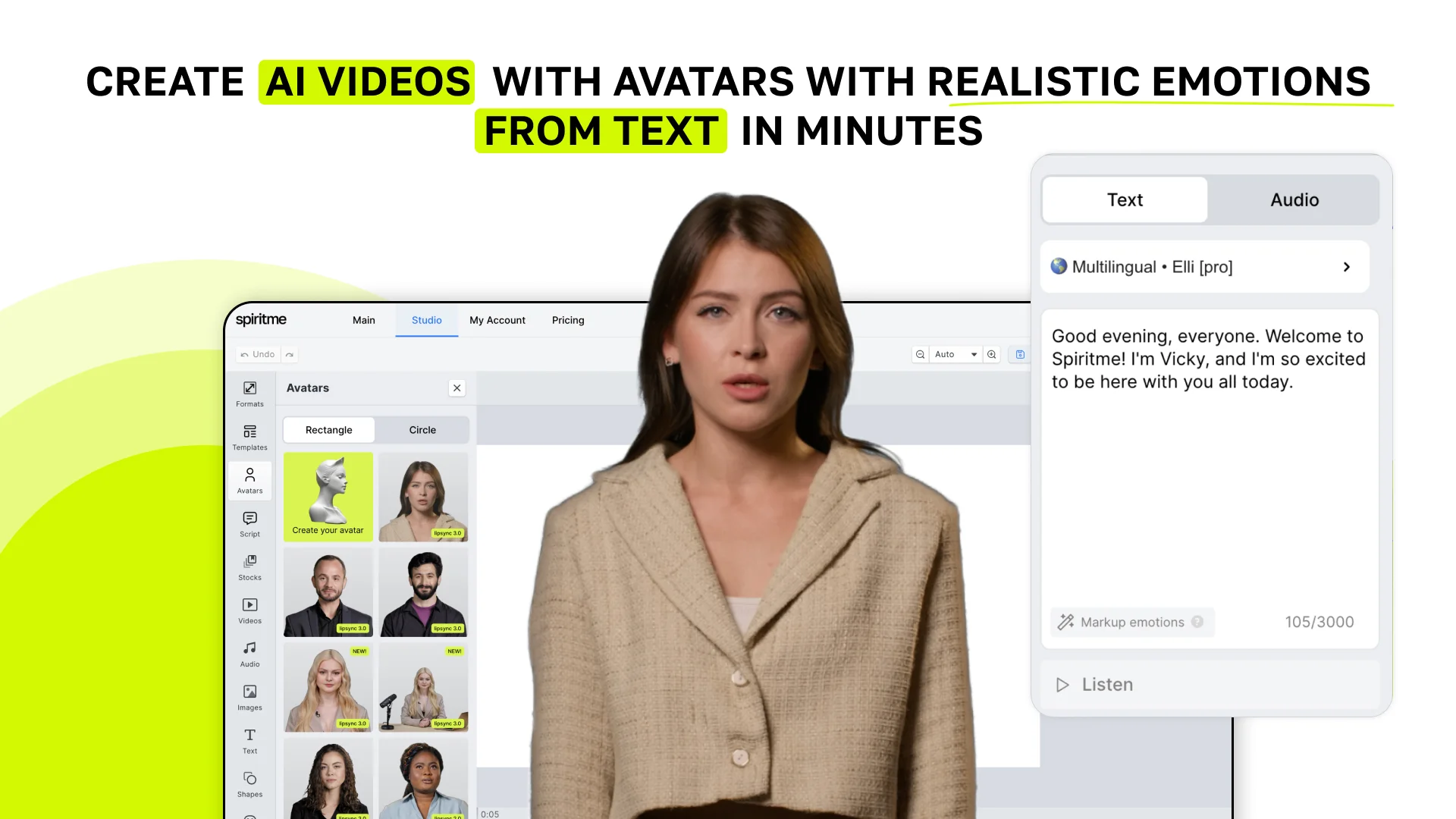
Create AI videos with avatars with realistic emotions from text in minutes.
Key Takeaways
- What it is
- Create AI videos with avatars with realistic emotions from text in minutes.
- Pricing
- $12 per month · $34 per month · $100 per month, offers unrestricted video generation, with 80 minutes of prioritized video generation each month · $200
- Best for
- Custom AI-Avatar Creation
- Diverse AI-Avatars
- Realistic Emotions
What is Spiritme?
Spiritme lets you create AI videos with digital avatars just from text, right in your browser. Avatars show dynamic realistic emotions, making them seem like real presenters. You can choose avatars and voiceovers in over 120 languages from the library or create your own with your appearance and voice. You don’t need editing skills, it's user-friendly and cost-effective for businesses and individuals.
Spiritme stands out with its digital avatars that display real emotions, making AI videos more human and engaging. It allows users to create personalized avatars quickly using just a phone. With professional voiceovers and voice cloning capabilities, Spiritme supports over 120 languages and works directly in your browser.
Spiritme revolutionizes video creation by combining efficient AI technology with a user-friendly interface. Its standout AI avatars, enhanced by an advanced emotion engine, dynamically adjust their expressions to make videos more realistic and engaging. Users can easily create custom avatars that look and sound like them, available in over 20 languages. These capabilities make Spiritme an excellent choice for anyone in marketing, education, or entertainment looking for fresh digital content solutions.
Who is Using Spiritme?
Marketing Professionals
Using personalized avatars for sales and promotional content in both inbound and outbound marketing.
Educational Institutions
Creating interactive learning materials and virtual lectures with AI avatars.
Media Professionals
Creating engaging content in areas like news reporting, weather forecasting, and sports commentary.
Customer Service Departments
Creating informative and personable customer support videos with AI avatars.
Content Creators
Creating unique and engaging video content for their audiences.
Uncommon Use Cases
Exploring novel applications such as virtual event hosting and personalized storytelling for children.
Key Features
Pricing Plans
Free Trial
- Offers 1 free minute of video generation
Basic Plan
$12 per month
- Includes up to 10 minutes of video generation per month, with per-second billing. Supports over 140 languages and premium voices
Advanced Plan
$34 per month
- Includes 30 minutes of video generation monthly, with per-second billing. Allows for up to 20 slides per video
Unlimited Plan
$100 per month, offers unrestricted video generation, with 80 minutes of prioritized video generation each month
- Includes up to 20 slides per video
Custom AI Avatars
$200
- Creating a custom avatar with your appearance and voice
Spiritme Use Cases
Generate personalized avatar videos
Use text, an avatar, and a voice to create a generated video.
Outcome: A completed avatar video ready for download or distribution.
Automate video production from spreadsheets
Use Google Sheets rows as inputs for Spiritme video-generation actions through Zapier.
Outcome: New spreadsheet rows automatically produce videos.
Send completed videos for publishing
Use the completed-video trigger to pass generated Spiritme videos into Buffer.
Outcome: Completed videos are added to a Buffer publishing queue.
Workflow Ideas with Spiritme
Spreadsheet-to-avatar-video workflow
- 1Add video text to a Google Sheets row
- 2Trigger Spiritme's Generate video action through Zapier
- 3Receive the generated avatar video
Avatar-video-to-publishing workflow
- 1Generate a video through Spiritme or its API
- 2Use the Avatar Video Completed trigger
- 3Send the result to Buffer as a video attachment
API video-generation workflow
- 1Get an API key from Spiritme user settings
- 2POST a video-generation request to /api/videos
- 3Poll /api/videos/{id} until the result status is successful
How Spiritme fits into your stack
Browser
Use Spiritme Studio to type a script, select an avatar, and generate a talking-head video for publishing or further editing.
Mobile
The iPhone app captures the user's footage and creates a personalized digital avatar; users can also select a public avatar.
Pros
- +Cost-Effective: Provides a cost-effective solution for creating engaging video content without expensive equipment or production teams.
- +User-Friendly: The platform is easy to use and accessible directly from your browser. No need for a team; if you can create a presentation, you can use Spiritme.
- +Time-Saving: Create AI videos with digital avatars that express real human emotions from text in just minutes, saving you time in content creation.
- +Multilingual Support: Create videos in over 120 languages with natural-sounding AI voices and the ability to clone your own voice in 20+ languages.
- +Increases Engagement: The use of dynamic and emotionally expressive avatars enhances the engagement and impact of your content.
- +Innovative: Features an advanced emotion engine that gives avatars dynamic, realistic expressions. Regular updates keep users at the forefront of AI video technology.
Cons
- −Learning Curve: Despite being user-friendly, new users might need some time to adapt to its functionalities. The interface and templates are continually being improved for better accessibility.
- −Limited Offline Functionality: Requires a stable internet connection to function optimally.
- −Privacy Concerns: Collects user behavior data to provide personalized recommendations, which some users might find intrusive.
Limitations & when to consider alternatives
Known limitations
- No completion webhooks. Spiritme states that webhook notifications for video completion are not currently available.
- Voice speed adjustment is not currently available. The voice FAQ says Spiritme is considering adding voice-speed controls.
- Free tier excludes Pro voices. Spiritme states that Pro voices are unavailable on the free tier.
- Uploaded voice-overs may reduce lip-sync accuracy. Spiritme warns that background noise in uploaded speech files can make lip-sync less accurate.
Look elsewhere when
- You need webhook-based completion notifications.
- You need adjustable voice speed.
- You need model fine-tuning rather than voice cloning.
How to Use Spiritme
- 1
How to Create Your First Video
Watch Tutorial
Who is Spiritme For?
Digital influencers
Spiritme is designed for influencers who want to create videos featuring their own digital avatar without repeatedly filming themselves.
People improving their digital presence
The official product announcement positions Spiritme for people who want to improve their digital presence with personalized avatar videos.
Frequently Asked Questions
How many languages are available?
Spiritme documents support for 147 languages and dialects, including language and regional variants.
Can Spiritme clone my voice?
Yes. Spiritme's voice documentation says users can clone their voice for audio generation.
Can I upload my own voice-over?
Yes. Users can upload a speech file from the Script tab; background noise may reduce lip-sync accuracy.
Is the API available on every plan?
Spiritme states that its API is available for all plans.
Does Spiritme provide webhook notifications?
No. Spiritme says webhook notifications for video completion are not currently available.
How can Spiritme automate video generation?
Spiritme supports Zapier automations, including generating videos from spreadsheet rows and sending completed videos to Buffer.
Community reviews
1 review from people who use Spiritme.
Sign in to leave a review for Spiritme.
Nikita Bogdanov
Spiritme Alternatives
Looking for alternatives to Spiritme? Here are similar tools in the same category:
Learn to Master Spiritme
With Skill Leap courses
Get in-depth training on Spiritme and 50+ other AI tools with our expert-led video courses.
Start 7-Day Free Trial