
Spikes Studio
Elevate social media content with AI-powered, platform-optimized video editing.
Key Takeaways
- What it is
- Elevate social media content with AI-powered, platform-optimized video editing.
- Pricing
- Freemium
- Best for
- AI-Powered Editing
- Platform-Specific Optimization
- Content Enhancement
- Rating
- 4.6/5
What is Spikes Studio?
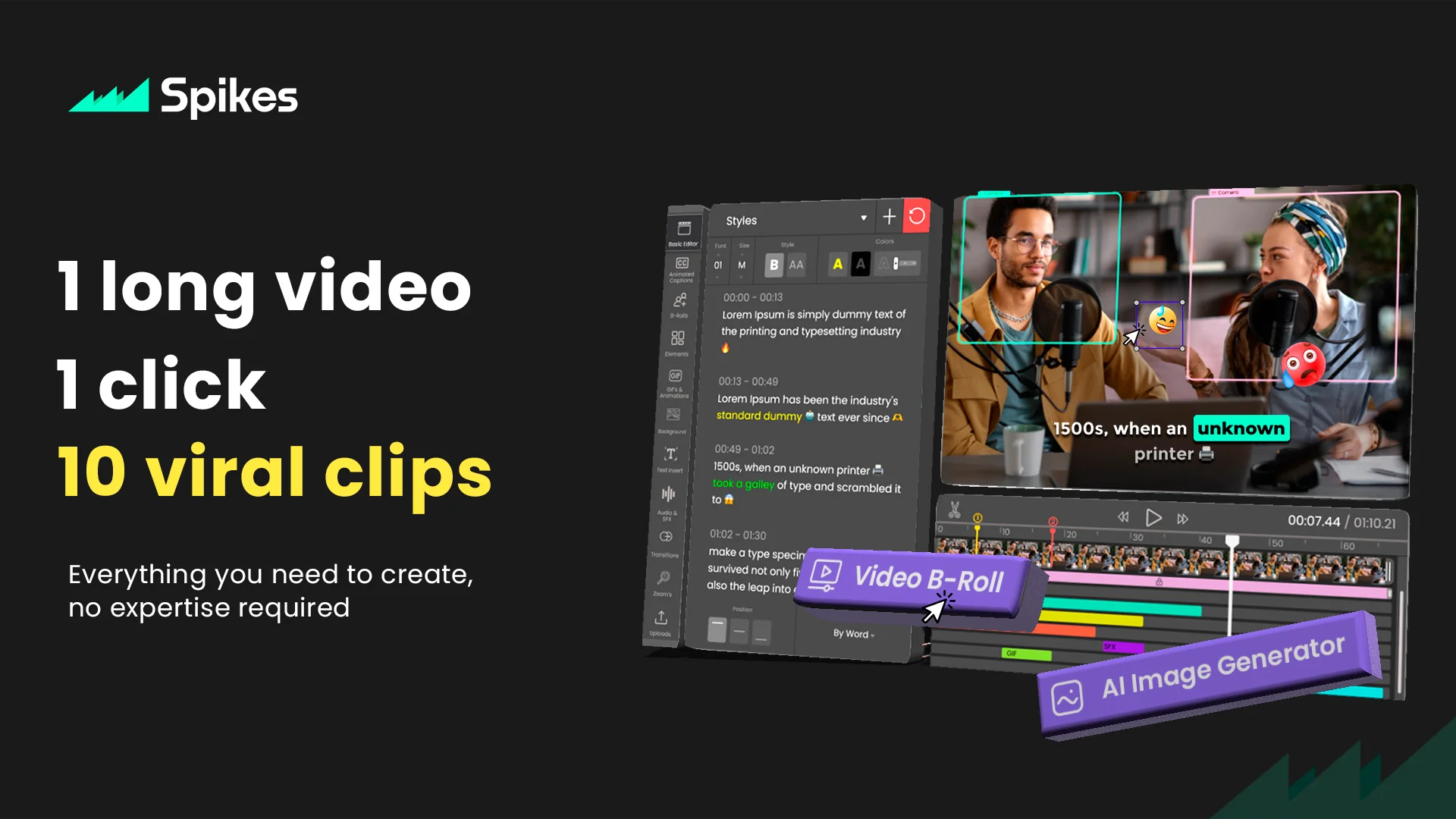
In the ever-evolving landscape of digital content creation, Spikes Studio emerges as a beacon for creators looking to elevate their online presence. This AI-powered clip generator is specifically designed to cater to the needs of YouTubers, Twitch streamers, TikTok enthusiasts, and Instagram Reels creators. It simplifies the process of creating engaging, high-quality clips that are tailor-made for social media platforms. By leveraging advanced AI algorithms, Spikes Studio not only enhances productivity but also ensures that the content stands out in the crowded digital space.
Spikes Studio stands out in the crowded field of content creation tools with its AI-driven approach to video editing. Its unique selling point lies in the automation of the editing process, which not only saves time but also produces content that's optimized for engagement on various social media platforms. The tool's ability to understand and adapt to the specific requirements of YouTube, Twitch, TikTok, and Instagram Reels sets it apart from generic video editing software.
Spikes Studio is a groundbreaking tool for content creators aiming to maximize their digital footprint without investing excessive time or resources into video editing. Its AI-driven functionalities offer unparalleled efficiency and effectiveness, making it an indispensable tool for anyone looking to produce high-quality, engaging content for social media platforms. With Spikes Studio, the future of content creation is not only accessible but also excitingly innovative.
Who is Using Spikes Studio?
YouTubers
For quickly creating highlight reels or teasers from longer videos.
Twitch Streamers
To capture and share memorable gaming moments or stream highlights.
Social Media Influencers
Leveraging the tool to produce eye-catching content for TikTok and Instagram Reels.
Digital Marketers
Using AI-generated clips for engaging ad content and promotional teasers.
Uncommon Use Cases
Educational content creators are utilizing it to distill key points from lectures; podcasters are creating video snippets of their audio content for social media promotion.
Key Features
Rating Breakdown
Pricing Plans
Free Tier
Free
Subscription Plans
- Detailed pricing information is not available
- Interested users are encouraged to visit the Spikes Studio website for the latest updates
Which Spikes Studio plan should you pick?
Start with Basic to test the editor and free clips; upgrade to PRO+ for watermark-free 1080p exports and advanced AI features, or Enterprise for company-scale storage, templates, and account support.
Basic plan
Good for users testing Spikes Studio with free demo clips, auto-captions, a basic editor, 720p exports, and a watermark.
PRO+
Good for businesses and professional creators who need watermark-free 1080p exports, animated captions, AI B-roll, scheduling, and music or sound effects.
Enterprise
Good for companies needing custom templates, premium editing, faster processing, unlimited storage, and an account manager.
Spikes Studio Use Cases
Repurpose long-form videos
Upload or import long videos and let AI identify standout moments for short vertical clips.
Outcome: Platform-ready short-form content.
Add animated captions
Upload a video, choose an animated caption style, customize it, and export the result.
Outcome: More accessible and engaging clips.
Reframe and trim videos
Use Magic Edit, Reframe, and Trim Video to convert footage into social-friendly formats and lengths.
Outcome: Clips optimized for vertical social platforms.
Schedule social publishing
Connect social accounts, schedule posts, and manage publishing from one dashboard.
Outcome: More consistent cross-platform distribution.
Generate captions and summaries through the API
Send video URLs to the API for auto-edited clips, captions, summaries, timestamps, titles, descriptions, and hashtags.
Outcome: Automated video-content production.
Workflow Ideas with Spikes Studio
Long video to social clips
- 1Import a YouTube, Google Drive, Vimeo, Twitch, or computer video
- 2Run AI Highlights to identify key moments
- 3Export vertical clips for social platforms
Caption and reframe a video
- 1Upload a video through the editor
- 2Apply auto or animated captions and reframe vertically
- 3Customize the style and export the finished clip
Automated API production
- 1Submit a video URL to the Create Auto Edited Clips endpoint
- 2Poll the project-status endpoint for generated assets
- 3Retrieve clips with captions, titles, descriptions, hashtags, and virality scores
How Spikes Studio fits into your stack
Social Media Integration
Directly share your created clips to major platforms without leaving the Spikes Studio interface.
Cloud Storage Compatibility
Seamlessly integrates with popular cloud storage services for easy access to raw and edited videos.
File Format Support
Supports a wide range of video file formats, ensuring compatibility with content from various sources.
Collaborative Features
Enables teams to work together on clip creation, streamlining the content production process.
Pros
- +Time Efficiency: Drastically reduces the time required to create social media-ready clips.
- +Increased Engagement: Optimized content leads to higher engagement rates across platforms.
- +Cost-Effective: Eliminates the need for expensive editing software or hiring professional editors.
- +Accessibility: Offers a straightforward solution for creators to produce content, regardless of their editing skills.
Cons
- −Learning Curve: New users may need time to familiarize themselves with AI features and capabilities.
- −Internet Dependency: Requires a stable internet connection for optimal functionality.
- −Platform Limitations: While versatile, its focus is mainly on video content, which may not cater to all types of creators.
Limitations & when to consider alternatives
Known limitations
- Free exports include a watermark. The Basic free plan adds a watermark to exported videos.
- Free exports are limited to 720p. The Basic plan provides 720p export, while paid plans provide 1080p.
- Web editor videos are limited to five minutes. The Add Captions web editor supports videos up to five minutes.
- Free-plan storage lasts seven days. The pricing comparison lists seven days of storage lifespan for the Basic plan.
- Some API endpoints are marked coming soon. The API documentation marks several media-insertion and caption endpoints as coming soon.
Look elsewhere when
- You need a native mobile application
- You need SSO or SAML
- You need image analysis or computer-vision input
- You need code generation
How to Use Spikes Studio
- 1
Discover a wealth of resources on the Spikes Studio website, offering step-by-step guides from basic setup to mastering advanced features, ensuring users can fully leverage the tool's capabilities.
Who is Spikes Studio For?
Aspiring creators
Useful for growing an audience, creating viral clips, optimizing social content, and scheduling publishing without prior experience.
Video professionals
Useful for adding captions, reframing videos vertically, applying effects, and optimizing posts.
Businesses and professional creators
The PRO+ plan targets businesses and professional creators needing higher-quality exports, AI B-roll, captions, and scheduling.
Companies
The Enterprise plan is intended for companies needing custom templates, unlimited storage, faster processing, and account management.
Frequently Asked Questions
Can I edit videos using your web editor?
Yes. The editor supports videos up to five minutes through the Add Captions tab, including captions, reframing, auto-effects, titles, descriptions, and hashtags.
Do the videos have watermarks?
Yes. The free plan includes a watermark; paid plans remove it.
What languages do you support?
Spikes Studio supports more than 99 languages for video transcription and captions.
Can I post and schedule social media posts through Spikes Studio?
Yes. You can connect social accounts and schedule content for LinkedIn, TikTok, Facebook, and YouTube.
Is Spikes Studio free?
The Basic plan is free and includes up to 30 minutes of video content per month.
Do I need a credit card to try Spikes Studio?
No. You can start using the free plan without entering a credit card.
Community reviews
4 reviews from people who use Spikes Studio.
Sign in to leave a review for Spikes Studio.
Gal Yoffi
Assaf Gorovici
Jordan Bar
Bernardo Gancho
Spikes Studio Alternatives
Looking for alternatives to Spikes Studio? Here are similar tools in the same category:
Learn to Master Spikes Studio
With Skill Leap courses
Get in-depth training on Spikes Studio and 50+ other AI tools with our expert-led video courses.
Start 7-Day Free Trial