
Speechify Studio - AI Voice Generator
With Speechify Studio you can create AI voice overs for videos, ads, e-learning, audiobooks, dubbing, website content, or any use case you need. Includes voice cloning, 200+ voices, 60+ languages, a pronunciation library, and emotional & speed controls.
Key Takeaways
- What it is
- With Speechify Studio you can create AI voice overs for videos, ads, e-learning, audiobooks, dubbing, website content, or any use case you need. Includes voice cloning, 200+ voices, 60+ languages, a pronunciation library, and emotional & speed controls.
- Pricing
- Freemium · $14.99 per month
- Best for
- High-Quality Voices
- Language Support
- Speed Adjustment
- Rating
- 4.6/5
What is Speechify Studio - AI Voice Generator?
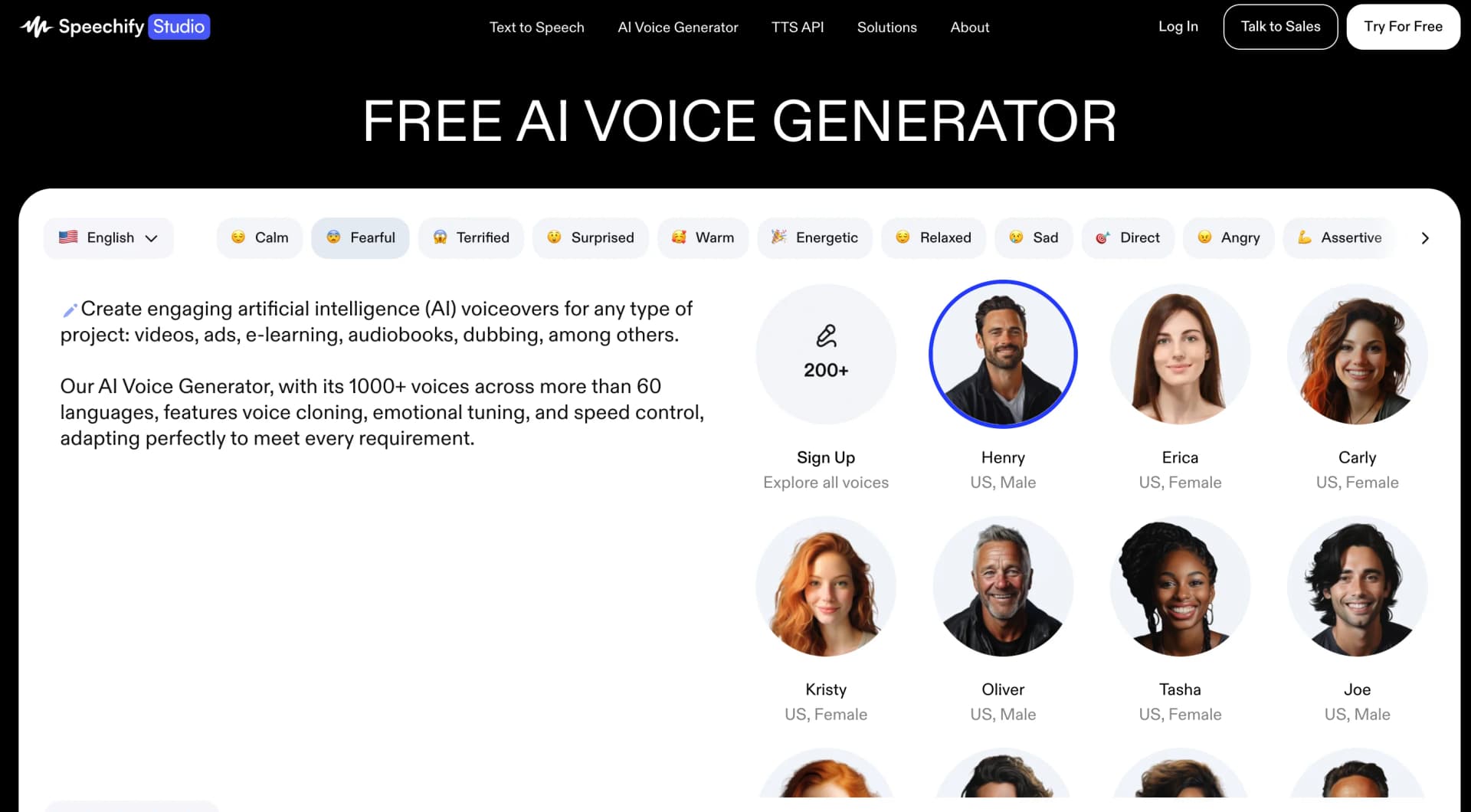
Create engaging AI voiceovers for any type of project: videos, ads, e-learning, audiobooks, dubbing, among others. Speechify AI Voice Generator, with its 200+ voices across more than 60 languages, features voice cloning, emotional tuning, and speed control, adapting perfectly to meet every requirement. Enjoy over 1000+ natural, lifelike AI voices across 60+ languages and every accent you need. Use features like emotional control, voice cloning, our pronunciation library, and pauses. You can try it for free.
Speechify stands out with its high-quality, lifelike voices, making the listening experience exceptionally pleasant. Its ability to support multiple languages and adjust reading speeds sets it apart, catering to a diverse user base with various needs and preferences.
Speechify excels in providing a high-quality, accessible, and versatile text-to-speech solution, making it an essential tool for a wide range of users. Its standout features, particularly the lifelike voices and language support, offer an unmatched advantage in transforming the way we consume written content. Whether for educational purposes, professional productivity, or personal enjoyment, Speechify enhances the reading experience, making it more accessible and enjoyable for everyone.
Who is Using Speechify Studio - AI Voice Generator?
Students
Leveraging the tool to aid in studying and comprehension of academic texts.
Professionals
Utilizing Speechify to stay productive by listening to industry reports and documents on the go.
Book Lovers
Enjoying audiobooks and literature without the need for physical books or e-readers.
People with Reading Disabilities
Benefiting from the accessibility features to experience reading in a new way.
Uncommon Use Cases
Used by language learners to improve pronunciation and listening skills; Adopted by fitness enthusiasts who listen to content while working out.
Key Features
Rating Breakdown
Pricing Plans
Free Tier
Free
- Experience Speechify with limited features at no cost
Premium Tier
$14.99 per month
Which Speechify Studio - AI Voice Generator plan should you pick?
Start with Free Plan to test voiceover, dubbing, and voice-changing features; upgrade to Studio Starter for cloning and commercial rights, or Studio Creator for regular high-volume content creation.
Free Plan
Good for getting started with Studio credits, realistic voices, voiceover, dubbing, and voice changing without commercial rights or voice cloning.
Studio Starter
Good for small projects that need voice cloning, stock media, commercial usage rights, and 86,400 Studio credits.
Studio Creator
Good for regular content creation that needs the Studio Starter feature set and 345,600 Studio credits.
Speechify Studio - AI Voice Generator Use Cases
E-learning and training materials
Add AI voiceovers to training videos and presentations.
Outcome: More engaging and immersive learning content.
Explainer and YouTube videos
Narrate scripts with clear, professional-sounding voices.
Outcome: Faster video production with polished narration.
Ads and commercials
Create voiceovers for advertising and promotional content.
Outcome: Professional audio without hiring voice actors for every project.
Telephony
Create voiceovers for IVR systems and telephone greetings.
Outcome: Consistent, professional phone messaging.
Podcasts and audiobooks
Turn written content into narrated podcasts and audiobooks with adjustable tone and mood.
Outcome: Engaging long-form audio for listeners.
Workflow Ideas with Speechify Studio - AI Voice Generator
Create a narrated video
- 1Import or type a script
- 2Choose a voice and adjust pitch, speed, pauses, or pronunciation
- 3Add video or image media and export the finished project
Dub a video into another language
- 1Import a video or YouTube source
- 2Choose the target language and assign voices
- 3Review the dubbed timeline and export the result
Build a presentation voiceover
- 1Prepare a presentation or script
- 2Generate and edit the voice recording in Studio
- 3Add the recording to Google Slides or PowerPoint
How Speechify Studio - AI Voice Generator fits into your stack
Mobile and Desktop Platforms
Speechify is accessible on iOS, Android, and through web browsers, offering flexibility across devices.
Cloud Storage Integration
Easily import documents from cloud storage services for a seamless listening experience.
Text Formats
Supports a wide range of text formats, ensuring users can convert almost any document into speech.
Pros
- +Accessibility Features: Great tool for those with dyslexia, ADHD, or visual impairments, enhancing their reading ability and comprehension.
- +Enhanced Productivity: Enables multitasking by listening to readings while engaging in other activities, significantly saving time.
- +Easy to Use: The intuitive interface allows users to quickly convert text to speech without a steep learning curve.
- +Customization: Offers personalized listening experiences through voice and speed adjustments.
Cons
- −Subscription Model: Some premium features require a subscription, which might not be feasible for all users.
- −Data Consumption: Streaming audio content can consume significant amounts of data when not connected to Wi-Fi.
- −Limited Free Version: The free version has restrictions that might limit the overall utility for some users.
Limitations & when to consider alternatives
Known limitations
- Free Plan has no voice cloning. Voice cloning is unavailable on the $0 Free Plan and starts with paid Studio plans.
- Free Plan has no commercial usage rights. Commercial rights are excluded from the Free Plan.
- Free exports are restricted. The free plan can be used indefinitely, but downloading work to MP3 requires upgrading or contacting enterprise sales.
- Generations consume credits. New speech generation uses credits; voiceover consumes 1 credit per second and dubbing consumes 3 credits per second.
- AI video and sound-effect generation is not yet available. The Studio Starter plan labels AI video and sound-effect generation as coming soon.
Look elsewhere when
- You need a dedicated desktop installer.
- You need image analysis or vision input.
How to Use Speechify Studio - AI Voice Generator
- 1
Explore the comprehensive tutorial series on the Speechify website and YouTube, covering everything from basic setup to advanced features.
Who is Speechify Studio - AI Voice Generator For?
Content creators
Create voiceovers, dubs, and complete audio-video projects with lifelike voices, stock media, and editing tools.
Businesses
Produce professional narration for ads, commercials, phone systems, training, and other business content.
Podcasters
Generate podcast narration, intros, ad reads, and segments without traditional recording workflows.
Video editors
Narrate videos, explainers, presentations, and social content with adjustable voice controls.
Creative teams
Manage projects, share assets, and collaborate on creative campaigns within Studio.
Frequently Asked Questions
Is Speechify Studio different from Speechify Text to Speech Reader?
Yes. Studio creates voiceovers for users’ own content such as podcasts, videos, and audiobooks, while Text to Speech Reader reads existing content aloud.
How long can I use the free plan?
The free plan can be used indefinitely and provides full functionality, but users need a paid plan or enterprise arrangement to download work as an MP3.
Does Speechify Studio support languages other than English?
Yes. Speechify says Studio can turn English content into 20 other languages and supports many additional languages and accents.
Can I use Speechify Studio for YouTube?
Yes. Speechify Studio includes features specifically designed for YouTube creators.
Can I use Speechify Studio with Google Slides or PowerPoint?
Yes. Google Slides voiceover is described as a core use case, and the product supports voice recordings for presentations.
Can I add music to a voiceover?
Yes. Users can upload MP3 files to play alongside their voiceover.
Community reviews
1 review from people who use Speechify Studio - AI Voice Generator.
Sign in to leave a review for Speechify Studio - AI Voice Generator.
Camilo Luvino
Speechify Studio - AI Voice Generator Alternatives
Looking for alternatives to Speechify Studio - AI Voice Generator? Here are similar tools in the same category:
Learn to Master Speechify Studio - AI Voice Generator
With Skill Leap courses
Get in-depth training on Speechify Studio - AI Voice Generator and 50+ other AI tools with our expert-led video courses.
Start 7-Day Free Trial