
Smodin
Refine, humanize, and check essays for originality.
Key Takeaways
- What it is
- Refine, humanize, and check essays for originality.
- Pricing
- $15 per month · $25 per month · $30 per month
- Best for
- AI Content Detector
- AI Detection Remover / Humanizer
- Paragraph and Text Rewriter
- Rating
- 4.6/5
What is Smodin?
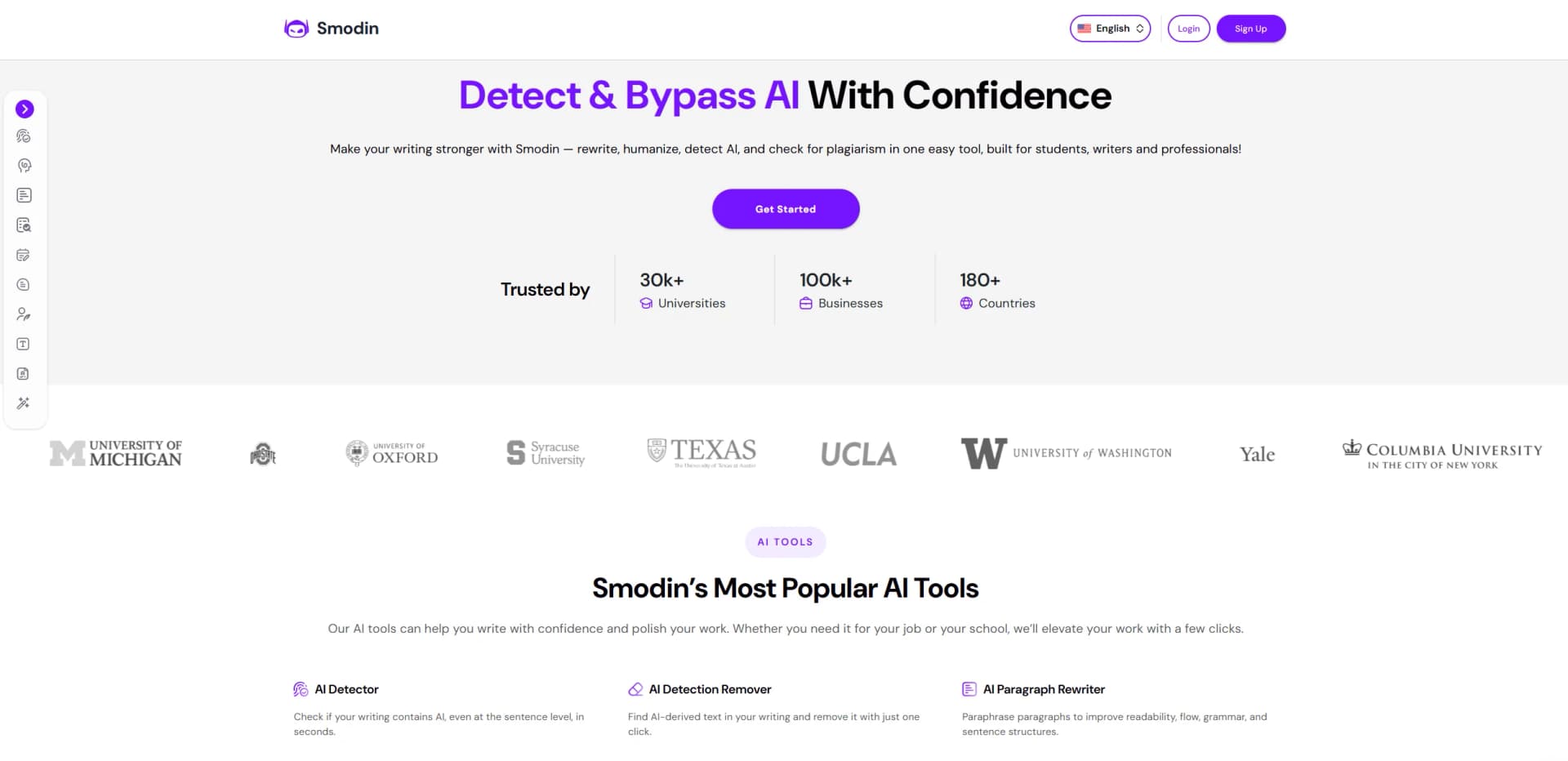
Smodin is a web based AI writing companion that focuses on refining, checking, and reshaping existing text. It brings together AI content detection, AI humanization and bypass tools, rewriting, plagiarism checking, and an AI writer in one interface. Students, writers, researchers, and professionals use it to scan for AI or copied content, strengthen wording and structure, and generate or revise essays, articles, homework answers, and more in over 50 languages while keeping output natural and readable.
Smodin leans heavily into the intersection between AI generation, detection, and originality control rather than pure text generation. Having AI detection, undetectable AI rewriting, a humanizer, and a full plagiarism checker under one roof is still relatively rare. The strong emphasis on sentence level AI scoring and remediation appeals to both sides of the AI debate: people checking compliance and people trying not to sound like a bot. Add multi language support and education focused tools such as AI graders and homework solvers, and it becomes a very targeted companion for anyone living inside essays, reports, and research.
Smodin offers real value to users who already have text in hand and want to make it safer, clearer, and less obviously machine written. Students gain a one stop shop for detection, plagiarism control, and last mile editing, while professionals and content creators get a practical toolset for turning rough AI drafts into credible copy. The focus on both catching and disguising AI content raises important responsibility questions, yet when used transparently and ethically, Smodin serves as a capable assistant for faster drafting and more polished, consistent documents across many languages and formats.
Who is Using Smodin?
Students
Refining essays, checking for plagiarism, and toning down obvious AI phrasing before submission.
Teachers and Academic Staff
Screening homework and papers for AI involvement and potential copying, then giving targeted feedback.
Content Marketers and Copywriters
Reworking AI drafts, polishing client copy, and adapting existing articles or emails for new audiences.
Business and Legal Professionals
Cleaning up reports, proposals, and formal correspondence while staying within compliance expectations.
Uncommon Use Cases
Used by scholarship and grant applicants to tighten personal statements; adopted by podcasters and YouTubers to rewrite transcripts into readable blog posts.
Key Features
Rating Breakdown
Pricing Plans
Writing
$15 per month
- Full access to essay writing, rewriting, research, summarization, humanizer, and a Chrome extension with a 7-day trial
Reviewing
$25 per month
- AI detector, plagiarism checker, translator, homework solver, chat, AI grader, and a Chrome extension with a 7-day trial
Ultimate
$30 per month
- All Writing and Reviewing features combined, including essay, rewrite, research, summarizer, humanizer, AI detector, plagiarism checker, translator, homework solver, chat, AI grader, and Chrome extension
Which Smodin plan should you pick?
Start with Starter for standard writing, detection, plagiarism, chat, and career tools; upgrade to Premium when you need premium models, unlimited output, extended chat memory, or the Chrome extension.
Starter
Good for students, writers, and professionals who need the standard AI writing, chat, detection, plagiarism, and career tools.
Premium
Good for heavier users who need premium models, advanced detection and humanization, unlimited writing output, extended chat memory, and Chrome access.
Smodin Use Cases
Essays and research papers
Generate outlines, drafts, citations, and revisions for academic writing.
Outcome: More structured academic content with supporting references.
Articles and blogs
Create and polish long-form articles and SEO-friendly blog posts.
Outcome: Faster production of publishable web content.
Emails and letters
Draft professional emails, cover letters, and business correspondence.
Outcome: Clearer communication in a professional tone.
Social media and marketing
Generate captions, product descriptions, advertising copy, and campaign content.
Outcome: More marketing content from short prompts.
Document originality checks
Upload or paste writing for plagiarism scanning, AI detection, and humanization.
Outcome: Identify overlap or AI-like writing before publishing or submitting.
Workflow Ideas with Smodin
Academic draft to submission
- 1Enter the research topic and generate an outline or draft.
- 2Add references and refine the structure with AI Writer.
- 3Run plagiarism and AI-detection checks before submitting.
AI text polishing
- 1Paste or upload the AI-generated document.
- 2Run Smodin Humanizer with an appropriate writing style.
- 3Review the rewritten output and verify it with AI detection.
PDF originality review
- 1Upload the PDF or extract its text.
- 2Inspect plagiarism matches and source overlap.
- 3Fix citations, revise the document, and rerun the scan.
How Smodin fits into your stack
Browser
Smodin is primarily a web-based writing, rewriting, plagiarism, detection, humanization, chat, and translation toolkit accessed in the browser.
Docs and writing
The Chrome extension adds Smodin’s writing, detection, and humanization tools to Google Docs, Gmail, Notion, and other browser-based writing surfaces.
Automation and APIs
Smodin provides documented REST APIs for rewriting, plagiarism detection, AI detection, chat, grading, mock interviews, and related text workflows.
Knowledge and files
Users can upload text documents such as TXT, DOC, DOCX, and PDF files for humanization, detection, translation, and other processing.
Pros
- +Strong AI and plagiarism controls: Having detection, humanization, and plagiarism checking in one place helps users control originality and style from multiple angles.
- +Student friendly workflows: Essay templates, homework solver, and AI grader shorten drafting and revision cycles for school assignments.
- +Multi language coverage: Writers who work in several languages can use the same toolset instead of juggling local alternatives.
- +Low friction interface: Copy paste input, document uploads, saved projects, and one click actions keep the learning curve fairly gentle.
Cons
- −Occasional stiff phrasing: Humanized or rewritten output sometimes still needs manual polishing to match a personal voice.
- −Free usage limits: The free tier caps daily credits, so heavy users will quickly need a paid plan.
Limitations & when to consider alternatives
Known limitations
- Starter writing output is limited. The pricing comparison identifies Starter writing output as limited, while Premium provides unlimited output.
- Some tools may experience downtime. Smodin's help center says individual requests can fail and that service downtime may last up to about one hour.
- Outdated browsers can cause failures. Smodin recommends current versions of Chrome, Firefox, Safari, or Edge because outdated browsers can cause tools to fail.
- Image-only PDFs may require OCR. Smodin explains that image-only PDF files may need OCR before extracted text can be checked.
- The Chrome extension is browser-specific. The documented extension is for Chrome and browser-based editors such as Gmail, Google Docs, and Notion.
Look elsewhere when
- You need a native mobile application.
- You need Windows, Mac, or Linux desktop software.
- You need shared workspaces with roles and collaborative editing.
How to Use Smodin
- 1
Choose a tool
Open AI Writer, AI Chat, Humanizer, Detector, Plagiarism Checker, Summarizer, Translator, or another Smodin tool based on the task.
- 2
Enter or upload content
Paste a prompt or document, or upload a TXT, DOC, DOCX, or PDF file when the tool supports document input.
- 3
Set instructions
Provide the topic, desired tone, writing style, language, citation format, or summary focus to guide the output.
- 4
Generate or analyze
Run the selected writing, rewriting, detection, plagiarism, summarization, or translation operation.
- 5
Review and refine
Keep useful sections, request revisions, adjust the instructions, and generate another version when needed.
- 6
Verify before use
Check sources, citations, plagiarism results, and AI-detection results before submitting or publishing the content.
Who is Smodin For?
Students
Smodin supports essays, homework, research papers, citations, plagiarism checking, and AI writing assistance.
Teachers
Teachers can use AI detection, plagiarism checking, grading tools, and writing-support workflows.
Researchers and academics
The platform supports research writing, source discovery, citations, document checking, and multilingual output.
Content writers
Content writers can create articles, blogs, website copy, marketing text, and social media content.
Professionals
Professionals can draft emails, reports, cover letters, business correspondence, and interview answers.
Frequently Asked Questions
What is Smodin AI Writer?
Smodin AI Writer generates and improves essays, articles, research papers, emails, and other written content from prompts and instructions.
What does Smodin include?
Smodin combines AI writing, AI chat, rewriting, humanization, plagiarism checking, AI detection, summarization, translation, and career tools.
Does Smodin support multiple languages?
Smodin AI Writer supports 12 or more languages, while the humanizer advertises support for more than 100 languages.
Can Smodin process uploaded documents?
Yes. Users can upload TXT, DOC, DOCX, and PDF files for tools such as detection, humanization, summarization, and plagiarism checking.
Does Smodin have a Chrome extension?
Yes. The Chrome extension works in Gmail, Google Docs, Notion, Sheets, and other browser-based text fields.
What plans does Smodin offer?
The main pricing page lists Starter and Premium plans, with Premium adding stronger models, unlimited writing output, extended chat memory, and the Chrome extension.
Community reviews
Be the first to share your experience.
Sign in to leave a review for Smodin.
Smodin Alternatives
Looking for alternatives to Smodin? Here are similar tools in the same category:
Learn to Master Smodin
With Skill Leap courses
Get in-depth training on Smodin and 50+ other AI tools with our expert-led video courses.
Start 7-Day Free Trial