
SheetAI.app
Unleash AI in Google Sheets: automate, analyze, and create effortlessly.
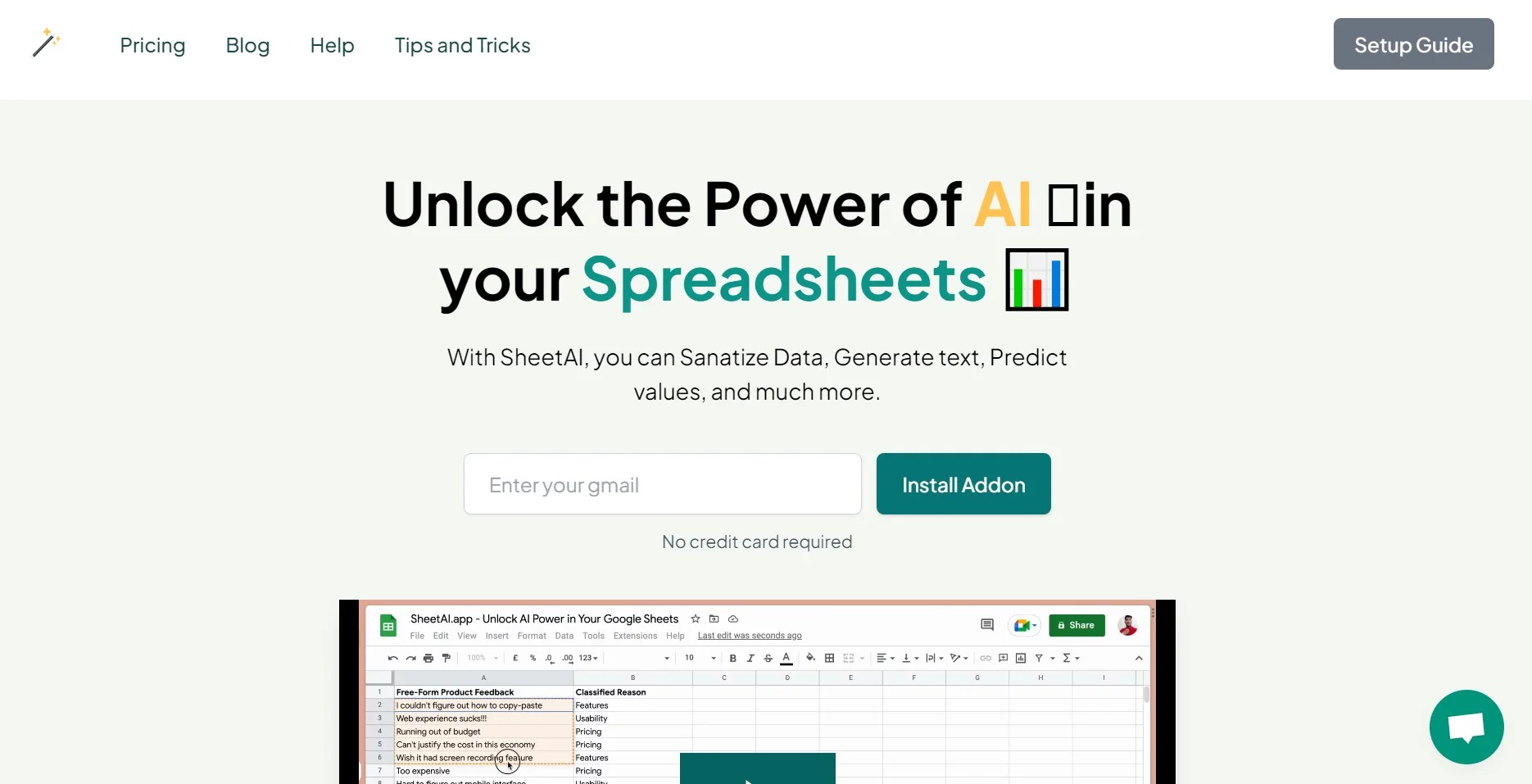
Watch SheetAI.app in Action
Key Takeaways
- What it is
- Unleash AI in Google Sheets: automate, analyze, and create effortlessly.
- Pricing
- Freemium
- Best for
- Efficient Copywriting with SHEETAI_BRAIN
- Generate Multiple Answers with SHEETAI_LIST
- Populate Data with SHEETAI_FILL
- Rating
- 4.6/5
What is SheetAI.app?
SheetAI App is a transformative tool that infuses the capabilities of artificial intelligence directly into Google Sheets. It's designed to empower users to automate complex tasks, generate insightful data analysis, and even create content within their spreadsheets. By integrating AI functions such as SHEETAI_BRAIN, SHEETAI_LIST, and SHEETAI_FILL, SheetAI App simplifies spreadsheet management and amplifies productivity for a wide range of users, from small-scale startups to large enterprises.
SheetAI App distinguishes itself with its direct integration into Google Sheets, delivering AI functionality without the need for additional software. Its user-friendly approach to complex data tasks makes it a standout choice for those looking to harness the power of AI in their spreadsheets.
SheetAI App excels in enhancing the functionality of Google Sheets with its innovative AI-driven features. It's an indispensable tool for those who seek to maximize efficiency and leverage the latest in AI technology within their spreadsheets. Its intuitive design and powerful features, such as SHEETAI_BRAIN and SHEETAI_FILL, offer users a significant advantage in managing and analyzing data.
Who is Using SheetAI.app?
E-commerce Businesses
Employing the app to automate product description generation and database management.
Digital Marketing Agencies
Using AI to enhance marketing strategies and generate content.
Data Analysts
Leveraging the tool to clean data and predict values efficiently.
Content Creators
Streamlining the process of writing and organizing content within spreadsheets.
Uncommon Use Cases
Academic researchers are using SheetAI for qualitative data analysis; Non-profit organizations utilize it for grant writing and reporting.
Key Features
Rating Breakdown
Pricing Plans
Free Tier
Free
- Users can explore SheetAI App's features with a limited free trial
Subscription Plans
- Various pricing options are available to suit different needs and scales of use
Which SheetAI.app plan should you pick?
Start with Free if you can supply your own provider keys; choose Starter for light hosted usage or Pro for higher-volume and bulk media workflows.
Free
Good for users who can bring their own OpenAI, Claude, Gemini, Grok, or Replicate keys and pay providers directly.
Starter
Good for light daily use when you want hosted AI without managing API keys.
Pro
Good for marketers and heavier users who need higher usage, bulk fills, classification, summaries, and media workflows.
Pro Yearly
Good for Pro users who prefer annual billing at the listed yearly rate.
Credit packs
Good for occasional bulk jobs when you want one-time usage without a subscription.
SheetAI.app Use Cases
Bulk content generation
Write a prompt in a spreadsheet cell and fill the formula down a column.
Outcome: Generate descriptions, taglines, responses, or other text across many rows.
Data cleaning and extraction
Clean names, addresses, and emails or extract companies, dates, phone numbers, and other fields.
Outcome: Turn unstructured text into cleaner spreadsheet data.
Classification and tagging
Apply user-defined tags or classify text into specified categories.
Outcome: Organize reviews, feedback, products, and other records.
Multimedia production
Use Replicate-powered formulas to generate images, video, and music from spreadsheet prompts.
Outcome: Create campaign assets in bulk next to the source data.
Image data extraction
Attach an image in the AI Agent and ask it to read tables, receipts, business cards, or visual data.
Outcome: Return structured information that can be pasted into the sheet.
Workflow Ideas with SheetAI.app
Batch product-description workflow
- 1Place product names or source data in a spreadsheet range
- 2Write a SHEETAI formula for the desired description
- 3Run Batch Process and review the incrementally written results
Receipt-to-spreadsheet workflow
- 1Open the SheetAI Agent tab
- 2Drag a receipt image into the chat
- 3Ask SheetAI to extract the total or table and paste the structured result into the sheet
API-powered reporting workflow
- 1Call an external REST endpoint with SHEETAI_API
- 2Extract the required fields using key paths or SHEETAI_PJSON
- 3Use the returned values to build a dynamic spreadsheet report
How SheetAI.app fits into your stack
Google Sheets Exclusive
Designed specifically for seamless use within Google Sheets.
OpenAI Platform
Powered by OpenAI's GPT-3 for advanced AI capabilities.
Web-Based Access
Accessible through any web browser on desktop and laptop devices.
Pros
- +Enhanced Productivity: Streamlines various spreadsheet-related tasks, saving users valuable time.
- +Intuitive AI Integration: Brings the power of AI to Google Sheets without the need for complex coding or external applications.
- +Versatile Applications: Useful for a multitude of purposes, from data sanitation to predictive analytics.
- +Positive User Feedback: Has received acclaim for its effectiveness in boosting productivity and offering innovative spreadsheet solutions.
Cons
- −Desktop and Laptop Limitation: Currently available only for desktop and laptop devices, potentially limiting accessibility for mobile users.
- −Learning Curve: Users may need time to familiarize themselves with the AI functions and best practices for leveraging them effectively.
- −Platform Dependency: As an add-on for Google Sheets, its functionality is tied to the Google ecosystem, which could be a limitation for users of other spreadsheet platforms.
Limitations & when to consider alternatives
Known limitations
- Internet connection required. AI functions do not work offline because they must communicate with external AI models.
- Google Apps Script execution limits. API calls are subject to Google Apps Script execution-time limits.
- External API rate limits apply. Connected APIs and AI providers may impose request-rate limits that affect execution.
- Large responses may need parsing. Large API responses may need to be handled with SHEETAI_PJSON.
- BYOK usage has provider costs. The free BYOK plan does not include provider usage; users pay their AI or Replicate provider bills.
Look elsewhere when
- You need a native iOS or Android app.
- You need a downloadable Windows, macOS, or Linux desktop application.
- You need a browser extension rather than a Google Sheets add-on.
How to Use SheetAI.app
- 1
SheetAI App offers a variety of tutorials and resources for users to get the most out of its features, including step-by-step guides and video tutorials available on their website and social media channels.
Who is SheetAI.app For?
People who live in Google Sheets
SheetAI keeps AI work inside the spreadsheet instead of requiring users to switch between tools.
Marketers
Bulk text, image, video, and music workflows support campaign and creative production.
Operations teams
Fill-down formulas and batch processing turn repetitive spreadsheet work into scalable workflows.
Business analysts
Functions support data extraction, classification, summarization, analysis, and API-connected reporting.
Frequently Asked Questions
What is SheetAI?
SheetAI is an AI-powered Google Sheets add-on that provides functions for generation, extraction, classification, translation, and automation.
How do I install SheetAI?
Install it from the Google Workspace Marketplace, grant permissions, and launch it from the Extensions menu in Google Sheets.
Do I need an API key to use SheetAI?
You can use your own OpenAI, Gemini, Claude, Grok, or DeepSeek key, or use hosted AI on eligible paid plans.
Is my API key secure?
The API key is stored in your Google account and is not sent to SheetAI servers.
Who can use SheetAI functions in my spreadsheet?
Anyone shared on the spreadsheet as an editor can use the SheetAI functions; usage is charged to the spreadsheet owner's API key.
Can I use SheetAI offline?
No. AI functionality requires an internet connection to communicate with AI models.
Community reviews
1 review from people who use SheetAI.app.
Sign in to leave a review for SheetAI.app.
David Thompson
SheetAI.app Alternatives
Looking for alternatives to SheetAI.app? Here are similar tools in the same category:
Learn to Master SheetAI.app
With Skill Leap courses
Get in-depth training on SheetAI.app and 50+ other AI tools with our expert-led video courses.
Start 7-Day Free Trial