
SeaArt AI
Unleash creativity with AI: art generation, diverse styles, enterprise-ready.
Key Takeaways
- What it is
- Unleash creativity with AI: art generation, diverse styles, enterprise-ready.
- Pricing
- Freemium
- Best for
- Diverse Art Styles
- Enterprise Version
- AI-Driven Tools
- Rating
- 4.4/5
What is SeaArt AI?
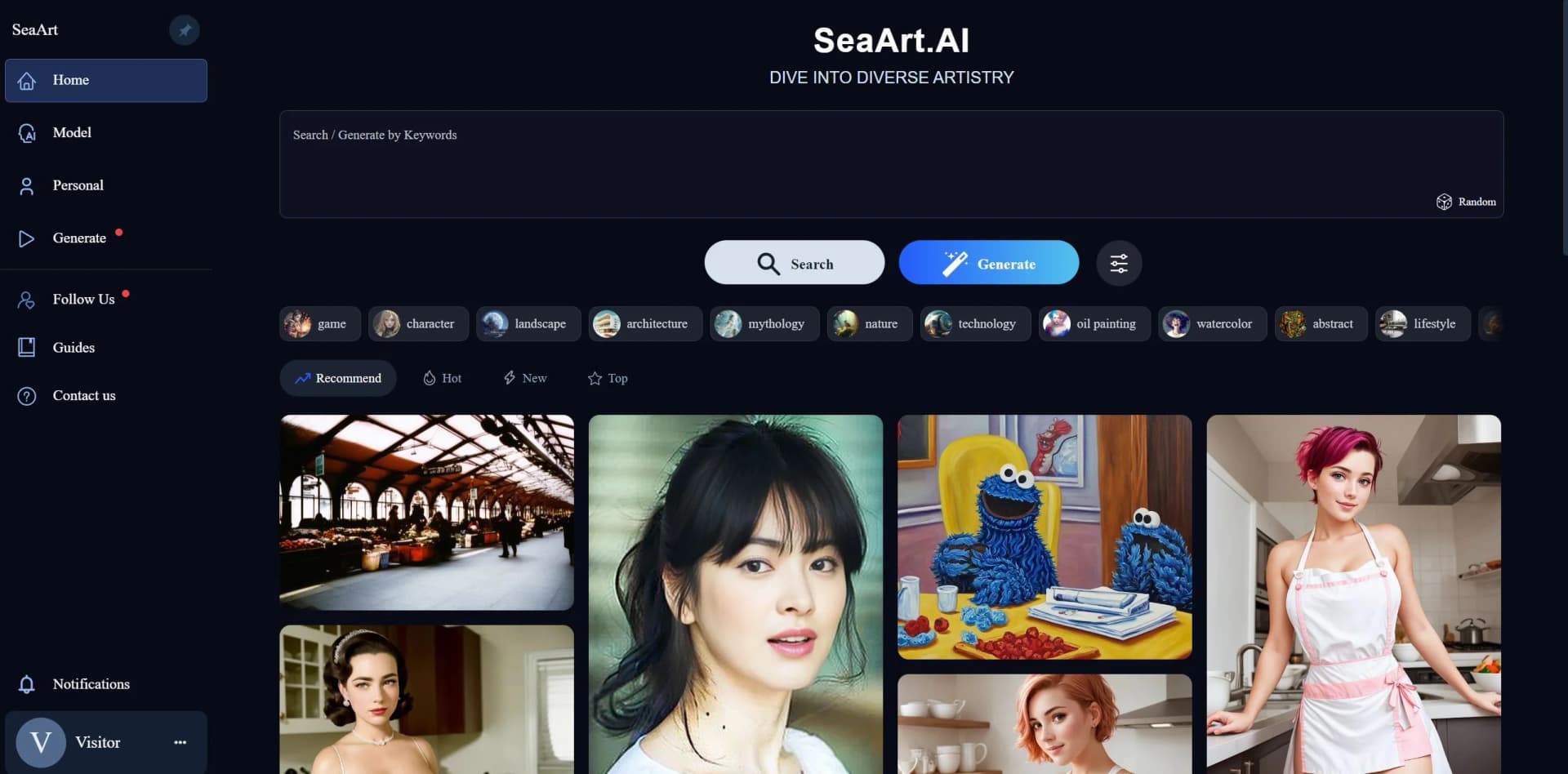
SeaArt AI is an innovative tool that harnesses the power of artificial intelligence to transform the world of digital art and design. It offers a diverse range of AI-driven features that cater to both individual creativity and enterprise-level requirements. As someone who has explored numerous AI tools, I find SeaArt AI particularly intriguing for its versatility in generating artwork across various styles, including realistic, anime, cartoon, and sci-fi genres. It seems tailored to artists, designers, and content creators who seek to expedite their creative process, enhance their product imagery, or simply explore the boundaries of AI-generated art.
SeaArt AI stands out with its extensive range of art styles and the ability to cater to both individual users and enterprises. Its enterprise version is particularly noteworthy, offering scalable solutions to businesses that require large volumes of diverse art content.
SeaArt AI excels in providing a versatile platform for art generation, making it an essential tool for artists and businesses alike. Its ability to produce a variety of high-quality art styles quickly is an unmatched advantage for anyone looking to enhance their creative workflow. With its user-friendly interface and comprehensive feature set, SeaArt AI represents a significant stride in the intersection of AI and art.
Who is Using SeaArt AI?
Digital Artists
Utilizing SeaArt AI to explore new styles and expand their portfolios.
Game Developers
Employing the tool to design characters and environments quickly.
Graphic Designers
Using SeaArt AI to generate diverse elements for their design projects.
Content Creators
Leveraging the tool to produce unique visuals for social media and marketing.
Uncommon Use Cases
Educational institutions might use it as a teaching aid in art and design courses; hobbyists might adopt it for personal projects and experimentation.
Key Features
Rating Breakdown
Pricing Plans
Free Tier
Free
- SeaArt AI offers a free version for users to experience basic functionalities
Enterprise Tier
- Tailored plans for businesses with advanced needs and higher volume demands
Which SeaArt AI plan should you pick?
Start with the free allowance to test image, video, and workflow creation; upgrade to SVIP when you need more daily stamina, concurrency, speed, privacy, or unlimited free image creation.
Beginner Plan
Good for regular creators who need more daily stamina and higher task concurrency than the free allowance.
Standard Plan
Good for creators producing content more frequently who need additional stamina, concurrency, and faster generation.
Professional Plan
Good for heavier creative workloads requiring substantially more daily stamina and higher parallel task limits.
Master Plan
Good for high-volume creators and production workflows needing the largest stamina allowances and maximum concurrency.
SeaArt AI Use Cases
Generate book-cover illustrations
Create illustrations from text prompts and download them in high resolution.
Outcome: A finished visual suitable for a book-cover concept.
Create game assets
Generate character designs, environment backgrounds, and item icons using different styles.
Outcome: A set of concept assets for an indie game project.
Build AI characters
Upload a reference picture or generate an avatar, define personality and story details, then publish the character.
Outcome: A customized character available for roleplay conversations.
Train a custom LoRA
Upload image materials, preprocess the dataset, configure training parameters, and run model training.
Outcome: A personal LoRA that can be selected for image generation.
Create automated video pipelines
Connect text, image, video, audio, and model nodes into a reusable workflow and run the pipeline.
Outcome: A finished video produced through a repeatable multi-step process.
Workflow Ideas with SeaArt AI
Reference image to launch video
- 1Upload a product reference image
- 2Connect the image to a video-generation node
- 3Run the workflow and download the launch clip
Batch game concept-art generation
- 1Enter a concept-art prompt
- 2Branch the prompt to multiple image models
- 3Compare the generated environments and keep the strongest results
Custom character creation
- 1Upload a character image or describe the character
- 2Generate or edit the character personality and story
- 3Publish the character and begin roleplay
How SeaArt AI fits into your stack
Platform Compatibility
SeaArt AI is designed to be accessible across various platforms, ensuring a broad user base.
API Access
Offers API integration for businesses to incorporate SeaArt AI's functionalities into their own systems.
Template Integration
Allows users to import and customize templates for specific projects.
File Format Support
SeaArt AI supports multiple file formats, making it easy to export and use generated artwork across different mediums.
Pros
- +Creativity at Scale: Enables the creation of a wide array of art styles quickly and efficiently.
- +Time-Saving: Automates the design process, cutting down the time spent on manual drawing or editing.
- +Cost-Effective: Reduces the need for hiring multiple artists for different art styles.
- +High-Quality Output: Produces high-definition artwork suitable for professional use.
Cons
- −Learning Curve: New users may need time to get accustomed to the range of features and tools.
- −Over-Reliance on AI: May limit the development of individual artistic skills.
- −Specificity of Styles: Some users might find the predefined styles restrictive.
Limitations & when to consider alternatives
Known limitations
- Daily free-generation allowance. Free users receive a limited daily stamina allowance, and additional creation may require credits or a paid SVIP plan.
- Stamina expires daily. Stamina resets daily and cannot be accumulated for later use.
- Training image requirements. The quick-training guide recommends 10–30 images and supports PNG, JPG, and WEBP materials within specified resolution limits.
- Concurrent task limits. Regular users can process two tasks simultaneously; higher concurrency requires SVIP tiers.
- Browser-based workflow processing. SeaArt Flow runs in the browser and does not provide local GPU processing through the workflow interface.
Look elsewhere when
- You need a native desktop application.
- You need a browser extension.
- Your team needs a shared workspace with named-user editing and roles.
How to Use SeaArt AI
- 1
SeaArt AI provides guides and tutorials to help users navigate through its features and maximize the potential of the tool. These resources are valuable for both beginners and experienced users looking to delve deeper into the capabilities of AI-generated art.
Who is SeaArt AI For?
Creators
SeaArt provides image, video, character, and AI-app creation tools for producing visual content.
Short video teams
The platform supports short-video generation and workflow-based production.
E-commerce advertisers
SeaArt is positioned for creating promotional visuals and video content for commerce campaigns.
Designers
Designers can generate illustrations, product visuals, styles, and other creative assets.
AI filmmaking enthusiasts
SeaArt offers video models, image-to-video creation, cinematic effects, and workflow tools for filmmaking experiments.
Frequently Asked Questions
Is SeaArt AI free to use?
Yes. Free users receive daily stamina or credits, while paid SVIP plans add larger allowances and additional privileges.
How many works can free users create each day?
The pricing page says free users receive 130 stamina daily, enough for approximately 21 standard image creations.
Can SeaArt AI train custom models?
Yes. SeaArt supports image-based LoRA training by uploading image datasets, configuring training parameters, and starting a training job.
Does SeaArt AI require a desktop installation?
No. SeaArt Flow runs in the browser, with model processing handled in the cloud and no local software required.
Can SeaArt AI workflows be automated?
Yes. Node-based workflows execute connected steps automatically, and SeaArt also provides CLI and MCP options for repeatable agent workflows.
Can I use SeaArt AI on mobile?
Yes. Dedicated SeaArt AI applications are available for iOS and Android.
Community reviews
5 reviews from people who use SeaArt AI.
Sign in to leave a review for SeaArt AI.
Sofia Vargas
Jaqueline Costa Santos (Divah Lilith!)
mian sheng (齐云)
David Perez
Fengming Zhang
SeaArt AI Alternatives
Looking for alternatives to SeaArt AI? Here are similar tools in the same category:
Learn to Master SeaArt AI
With Skill Leap courses
Get in-depth training on SeaArt AI and 50+ other AI tools with our expert-led video courses.
Start 7-Day Free Trial