
SciSpace
Revolutionizes research with AI summaries, citation tools, and integrity checks.
Watch SciSpace in Action
Key Takeaways
- What it is
- Revolutionizes research with AI summaries, citation tools, and integrity checks.
- Best for
- AI Chat for Scientific PDFs
- Literature Review Assistant
- Citation Generator and Paraphraser
- Rating
- 4.5/5
What is SciSpace?
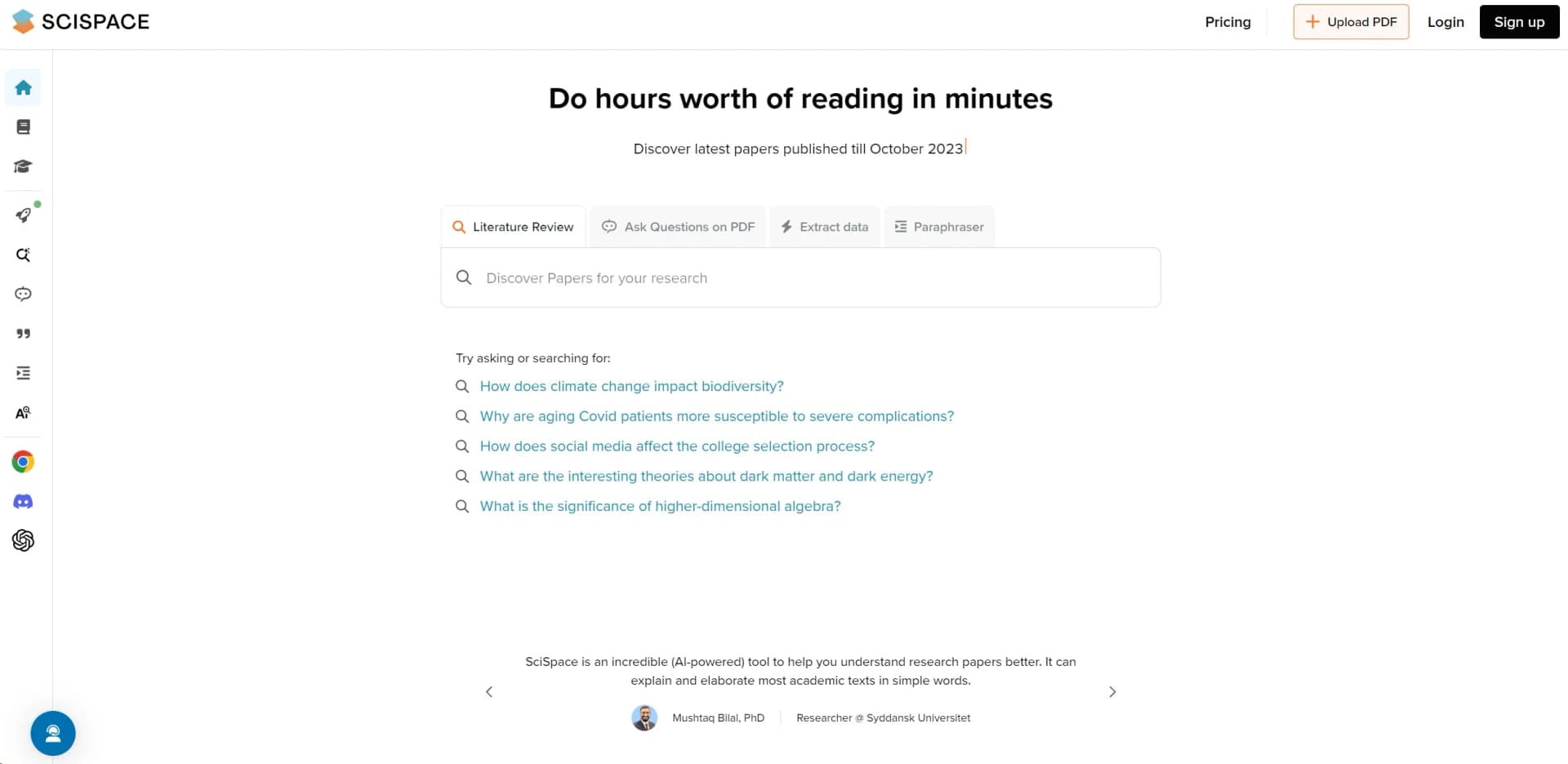
SciSpace, available at typeset.io, is not just another tool in the arsenal of academic research; it's a revolution in how we approach, digest, and understand scientific literature. In my journey as a reviewer of AI tools, I've had the pleasure of exploring numerous platforms designed to simplify life for researchers, students, and academicians. However, SciSpace stands out for its unique approach to making complex research papers accessible and understandable to a broader audience. With features like AI-powered copilots, citation generators, and a paraphraser, it transforms hours of reading into minutes of comprehensive understanding.
What sets SciSpace apart is its dedication to democratizing access to scientific knowledge. By breaking down the barriers of academic jargon and complex concepts, it opens up a world of knowledge to those outside the scientific community. Its integration of AI to simplify and explain research papers is a game-changer, making it an indispensable tool for anyone involved in academic research or who has an interest in science.
SciSpace is a groundbreaking platform that significantly enhances the efficiency and comprehensibility of academic research. Its suite of tools, from AI-powered literature reviews to sophisticated citation generators, positions it as a must-have for anyone involved in scientific exploration or education. Its unique selling point—making complex research understandable and accessible—ensures that SciSpace is not just a tool but a catalyst for knowledge dissemination and innovation.
Who is Using SciSpace?
Academic Researchers
Utilizing the platform to simplify literature review processes and enhance paper comprehension.
Students
Leveraging tools for writing papers, generating citations, and understanding complex topics.
Educators
Employing SciSpace to assist in teaching and preparing educational materials.
Science Journalists
Using the platform to quickly grasp scientific studies for accurate reporting.
Uncommon Use Cases
Legal professionals and policymakers are adopting SciSpace for understanding scientific papers relevant to legal cases and policy formulation.
Key Features
Rating Breakdown
Pricing Plans
Free Access
- Users can enjoy basic features like the AI chat and paraphraser without any cost
Subscription Plans
- Advanced features and unlimited access
- Subscription plans are available
- Details of which can be found on the SciSpace website
Which SciSpace plan should you pick?
Start with Basic for light or exploratory use; upgrade to Premium, Advanced, or Max as Agent credit and concurrency needs increase.
Basic
Good for users who need a free entry point and light Agent usage.
Premium
Good for individual researchers who need 1,200 monthly Agent credits and two concurrent tasks.
Advanced
Good for heavier research workloads requiring 10,000 monthly credits and four concurrent tasks.
Max
Good for intensive or organization-scale usage requiring 40,000 monthly credits.
SciSpace Use Cases
Automated literature reviews
Search multiple databases, screen papers, synthesize findings, and generate a report.
Outcome: Faster literature-review cycles.
PDF research analysis
Upload a paper, ask questions, summarize sections, and save insights to a notebook.
Outcome: Quicker understanding of complex research papers.
Structured data extraction
Extract structured data and insights from PDFs at scale with AI-powered extraction.
Outcome: Research-ready tables and findings.
Research presentations
Convert research content into polished, presentation-ready slides.
Outcome: Faster creation of research presentations.
Grant writing
Identify research gaps and draft grant narratives with AI.
Outcome: A structured starting point for grant applications.
Workflow Ideas with SciSpace
Analyze a research paper
- 1Upload a PDF to Chat with PDF
- 2Ask questions about methods, results, or conclusions
- 3Save insights and highlights to the Notebook
Run a literature review
- 1Search across scientific databases
- 2Screen and synthesize relevant papers
- 3Generate and export a literature-review report
Create an enterprise research output
- 1Import data from connected research tools
- 2Run extraction or analysis agents
- 3Export reports, tables, or presentations
How SciSpace fits into your stack
Browser Compatibility
Works seamlessly across major web browsers with a dedicated Chrome extension.
Academic Platforms Integration
Integrates with popular academic databases and journals for easy access to papers.
API Access
Offers API access for developers looking to build custom integrations.
Collaboration Tools
Supports collaboration features, enabling teams to work together on literature reviews and research projects.
Pros
- +Time Efficiency: Dramatically reduces the time required to understand complex research papers.
- +Enhanced Comprehension: Breaks down scientific jargon into simpler terms, making information accessible to non-experts.
- +Research Simplification: Aids in literature reviews and data extraction, facilitating a smoother research process.
- +Free Access to Tools: Offers essential tools like citation generation and paraphrasing for free, making it accessible to a wider audience.
Cons
- −Learning Curve: New users may need time to familiarize themselves with the full range of features.
- −Internet Dependency: Requires a stable internet connection for optimal performance.
Limitations & when to consider alternatives
Known limitations
- Agent credits are usage-limited. Each plan includes a monthly credit allowance; unused monthly credits expire and heavy tasks can consume credits quickly.
- PDF uploads have a size limit. Chat with PDF supports files up to 100 MB.
- Scanned images require OCR. The AI cannot analyze scanned-image PDFs without OCR or text-based content.
- Team plans require a common tier. A single team plan cannot mix Premium, Advanced, and Max users.
- Mobile app capabilities are limited. The official iOS listing describes the app as a literature-review companion and indicates English as its supported app language.
Look elsewhere when
- You need a documented developer API with keys and endpoints.
- You need a dedicated Windows, macOS, or Linux installer.
- You need image analysis for scanned documents without OCR.
- You need model fine-tuning on your private uploaded data.
How to Use SciSpace
- 1
For new users, SciSpace offers comprehensive tutorials that cover everything from basic setup to advanced features, ensuring users can make the most out of the platform.
Who is SciSpace For?
Researchers and scientific minds
SciSpace is built for academic research, paper discovery, literature analysis, and scientific writing.
Academia
Academic institutions can use SciSpace for literature reviews, paper analysis, reporting, and research workflows.
Pharmaceutical teams
Pharma teams can use enterprise agents for evidence synthesis, document analysis, and research workflows.
Medical devices and technology teams
These teams can use SciSpace to analyze scientific literature and create research outputs.
Contract research organizations
CROs can use SciSpace enterprise workflows for repeatable research, analysis, and reporting.
Frequently Asked Questions
What can I do with SciSpace?
SciSpace supports discovering, analyzing, and writing scientific literature through tools such as Literature Review, Chat with PDF, AI Writer, Paraphraser, AI Detector, and Citation Generator.
Is SciSpace free to use?
SciSpace offers a free plan with limited access. Paid plans provide higher allowances and advanced capabilities.
What happens when Agent credits run out?
Other tools remain available, while Agent tasks require waiting for the next billing cycle or upgrading.
Do unused monthly credits roll over?
Unused monthly credits expire at the end of the billing cycle and do not roll over.
What file size can Chat with PDF process?
Uploaded PDFs must be no larger than 100 MB and should contain text-based content unless OCR is available.
How does SciSpace protect uploaded PDFs?
Uploaded PDFs are private, securely stored, and not used to train SciSpace AI models.
Community reviews
Be the first to share your experience.
Sign in to leave a review for SciSpace.
SciSpace Alternatives
Looking for alternatives to SciSpace? Here are similar tools in the same category:
Learn to Master SciSpace
With Skill Leap courses
Get in-depth training on SciSpace and 50+ other AI tools with our expert-led video courses.
Start 7-Day Free Trial