
Retool
Build custom internal apps effortlessly with robust integration tools.
Key Takeaways
- What it is
- Build custom internal apps effortlessly with robust integration tools.
- Pricing
- Freemium
- Best for
- Advanced Integrations
- Extensive Component Library
- Flexible Coding Environment
- Rating
- 4.4/5
What is Retool?
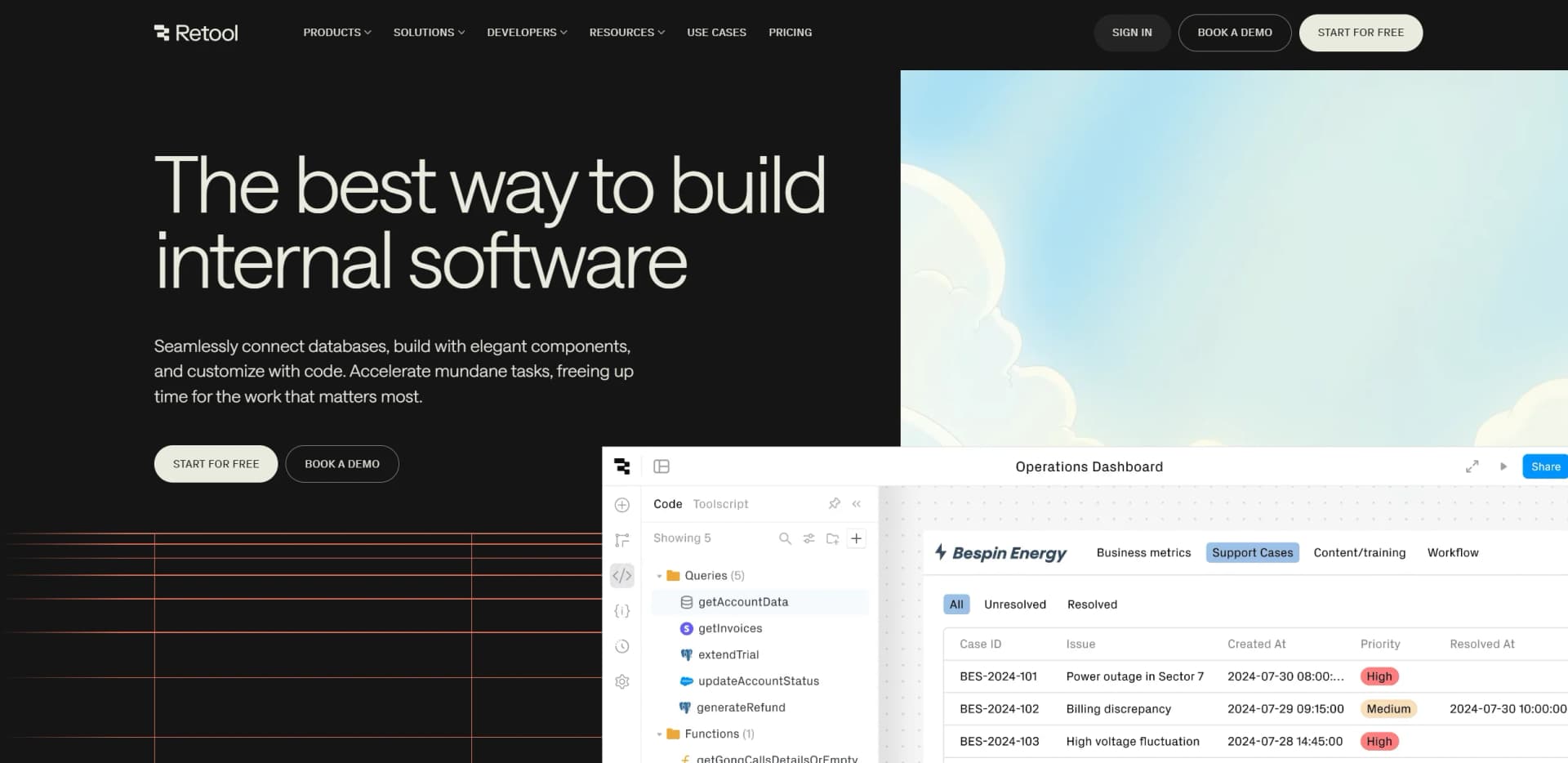
Retool is a powerful platform designed to revolutionize the way developers build custom software. With its focus on creating internal applications, Retool offers a comprehensive suite of tools that seamlessly connect databases, enable elegant component design, and allow for extensive customization with code. Tailored for developers, it simplifies the process of building mission-critical applications, making it an ideal choice for those seeking to accelerate routine tasks and focus on more significant business challenges.
Retool stands out with its ability to connect to virtually any data source, whether it's a REST API, GraphQL API, or a traditional database. This capability, combined with its extensive component library and coding flexibility, empowers developers to build sophisticated applications that integrate seamlessly with existing systems. Its unique selling point lies in its capacity to rapidly transform complex workflows into streamlined applications, making it a game-changer for businesses looking to optimize internal processes.
Retool offers a robust platform for developers seeking to build custom internal applications with ease and efficiency. Its extensive integration capabilities, combined with a rich component library and flexible coding environment, make it a versatile tool for various industries. While there may be a learning curve for new users, the benefits of rapid development and secure deployment make it a valuable asset for any organization looking to enhance its internal software infrastructure.
Who is Using Retool?
Tech Startups
Leveraging Retool to quickly build and iterate on internal tools without extensive resources.
Enterprise IT Departments
Utilizing the platform to create secure, scalable applications that integrate with existing infrastructure.
Data Analysts
Employing Retool for creating custom dashboards and data visualization tools.
Product Managers
Using Retool to prototype and test new features within internal systems.
Adopted by nonprofit organizations to manage donor databases.
Used by manufacturing firms for inventory management and process automation.
Key Features
Rating Breakdown
Pricing Plans
Free Tier
Free
- Start with Retool for free
- Offering access to basic features and integrations
Which Retool plan should you pick?
Start with Free for exploration and small teams, upgrade to Team for collaboration, Business for governance and portals, or Enterprise for SSO, APIs, and large-scale deployment.
Free
Good for developers and early exploration who need unlimited web and mobile apps, 500 workflow runs monthly, 5GB storage, and up to five users.
Team
Good for growing collaborative teams who need 5,000 workflow runs monthly, staging resources, release versions, and more than five users.
Business
Good for teams who need audit logging, rich permissions, portals, embedded apps, unlimited environments, modules, and custom branding.
Enterprise
Good for organizations needing SAML or OpenID Connect SSO, SCIM, source control, full platform APIs, granular roles, self-hosting, white-labeling, and enterprise support.
Retool Use Cases
Internal operations tools
Build custom applications for the business processes teams run every day.
Outcome: Replace internal tools that would otherwise require lengthy engineering work.
Workflow automation
Create scheduled, webhook-triggered, or event-triggered workflows for jobs, alerts, ETL, and notifications.
Outcome: Automate repetitive multi-step business processes.
Field workforce apps
Build mobile apps with barcode scanning, signatures, camera access, offline editing, and push notifications.
Outcome: Help field teams capture and update operational data while mobile.
Customer and partner portals
Deploy authenticated embedded applications and branded external applications for customers, vendors, or partners.
Outcome: Provide external users with controlled access to business workflows and data.
AI-powered operations
Use Agents for support-ticket triage, data analysis, reporting, sales follow-up, security alerts, and workflow orchestration.
Outcome: Automate repetitive decisions and operational tasks.
Workflow Ideas with Retool
Automated support-ticket triage
- 1Receive a ticket through an integration or webhook
- 2Use an agent or workflow to classify and prioritize it
- 3Update the ticket system and notify the responsible team
Scheduled data reporting
- 1Trigger a workflow on a schedule
- 2Query connected databases or APIs
- 3Generate and distribute a report or notification
New-user onboarding
- 1Trigger a Retool event when a user joins
- 2Run custom onboarding actions
- 3Send a branded transactional email and notify administrators
How Retool fits into your stack
Browser
Retool primarily sits in the browser as a hosted application builder, administration console, and runtime for web apps.
Automation and APIs
Retool Workflows, webhooks, Retool API, REST, GraphQL, OpenAPI, and RPC connect operational processes to services and backend systems.
Knowledge and files
Retool connects to databases, object and file stores, Retool Storage, Amazon S3, Google Cloud Storage, and Retool Vectors.
Team chat and tickets
Named integrations such as Slack, Microsoft Teams, Zendesk, Jira, Front, and OneSignal let Retool send notifications, automate tickets, and build operational interfaces.
Mobile
Retool Mobile provides native iOS and Android applications for field operations, including offline work, barcode scanning, signatures, camera access, and push notifications.
Pros
- +Rapid Development: Accelerates the development of internal tools, freeing up valuable time for more strategic tasks.
- +Highly Customizable: Provides extensive customization options, allowing developers to tailor applications to specific organizational needs.
- +Secure Sharing: Facilitates secure sharing of resources and queries across teams, enhancing collaboration.
- +Enterprise-Ready: Offers SOC 2 Type II compliant security controls, making it suitable for large enterprises and trusted by Fortune 500 companies.
Cons
- −Initial Learning Curve: New users might require some time to get acquainted with the platform's advanced features and capabilities.
- −Complexity for Non-Developers: While powerful, the platform may be overwhelming for those without a technical background.
- −Limited Offline Capabilities: Primarily designed for online use, which may limit functionality in offline scenarios.
Limitations & when to consider alternatives
Known limitations
- Free-plan workflow allowance. The Free plan includes 500 workflow runs per month.
- Free-plan user limit. The Free plan supports up to five users.
- Free agent capacity. Free plans include up to 20 agent hours per month; execution pauses when the allowance is exhausted.
- Advanced security and governance are plan-dependent. Rich permissions and audit logging require Business or Enterprise, while SSO and full platform APIs are Enterprise features.
- Mobile publishing requirements. Native mobile deployment, offline mode, push notifications, branding, and biometric authentication vary by plan.
Look elsewhere when
- You need a standalone desktop application.
- You need model fine-tuning or custom model training.
- You need a dedicated Retool browser extension from Retool, Inc.
How to Use Retool
- 1
Choose an application type
Create a web app, native mobile app, workflow, or agent based on the process you want to run.
- 2
Connect data sources
Connect databases, REST or GraphQL APIs, spreadsheets, file stores, SaaS systems, or Retool Database.
- 3
Build the interface or workflow
Use the app builder, components, queries, JavaScript, SQL, workflow blocks, or AI-generated starting points.
- 4
Add permissions and authentication
Configure users, groups, roles, resource access, and—on supported plans—SSO with SAML or OIDC.
- 5
Test and release
Use environments, release versions, source control, and mobile device testing where available.
- 6
Monitor and operate
Use audit logs, usage analytics, observability, workflow error handling, and agent evaluations to manage production use.
Who is Retool For?
Data teams
Build data applications and operational tools connected to databases, APIs, and analytics systems.
Engineering teams
Create governed internal software with custom logic, integrations, permissions, source control, and APIs.
Operations teams
Automate workflows and replace manual operational processes without waiting for engineering backlogs.
Startups
Use Retool to automate manual tasks, build internal tools, and create customer portals.
Enterprise organizations
Deploy governed applications with SSO, audit logs, self-hosting, granular permissions, and enterprise support.
Frequently Asked Questions
What can I build in Retool?
You can build apps and automations connected to your own data, including internal tools, portals, dashboards, workflows, and agents.
Who can build in Retool?
Retool names developers, business engineers, analysts, and operations teams as users who can build with the platform.
Can Retool be self-hosted?
Yes. Retool runs in the cloud or can be self-hosted in your own VPC; Enterprise supports both options.
Does Retool support mobile apps?
Yes. Retool can build native mobile apps for iOS and Android, as well as progressive web apps.
What are Retool Agents?
Agents are AI-powered workers that complete tasks, make decisions, and automate workflows autonomously.
What happens when free agent hours are exhausted?
Agent execution pauses until you upgrade to a paid plan or otherwise obtain additional capacity.
Community reviews
Be the first to share your experience.
Sign in to leave a review for Retool.
Retool Alternatives
Looking for alternatives to Retool? Here are similar tools in the same category:
Learn to Master Retool
With Skill Leap courses
Get in-depth training on Retool and 50+ other AI tools with our expert-led video courses.
Start 7-Day Free Trial