
Resumatic
AI-powered resume builder optimizing for ATS and feedback.
Key Takeaways
- What it is
- AI-powered resume builder optimizing for ATS and feedback.
- Pricing
- Freemium · $149
- Best for
- AI-Powered Resume Builder
- ATS Compatibility
- Real-Time Content Analysis
- Rating
- 4.5/5
What is Resumatic?
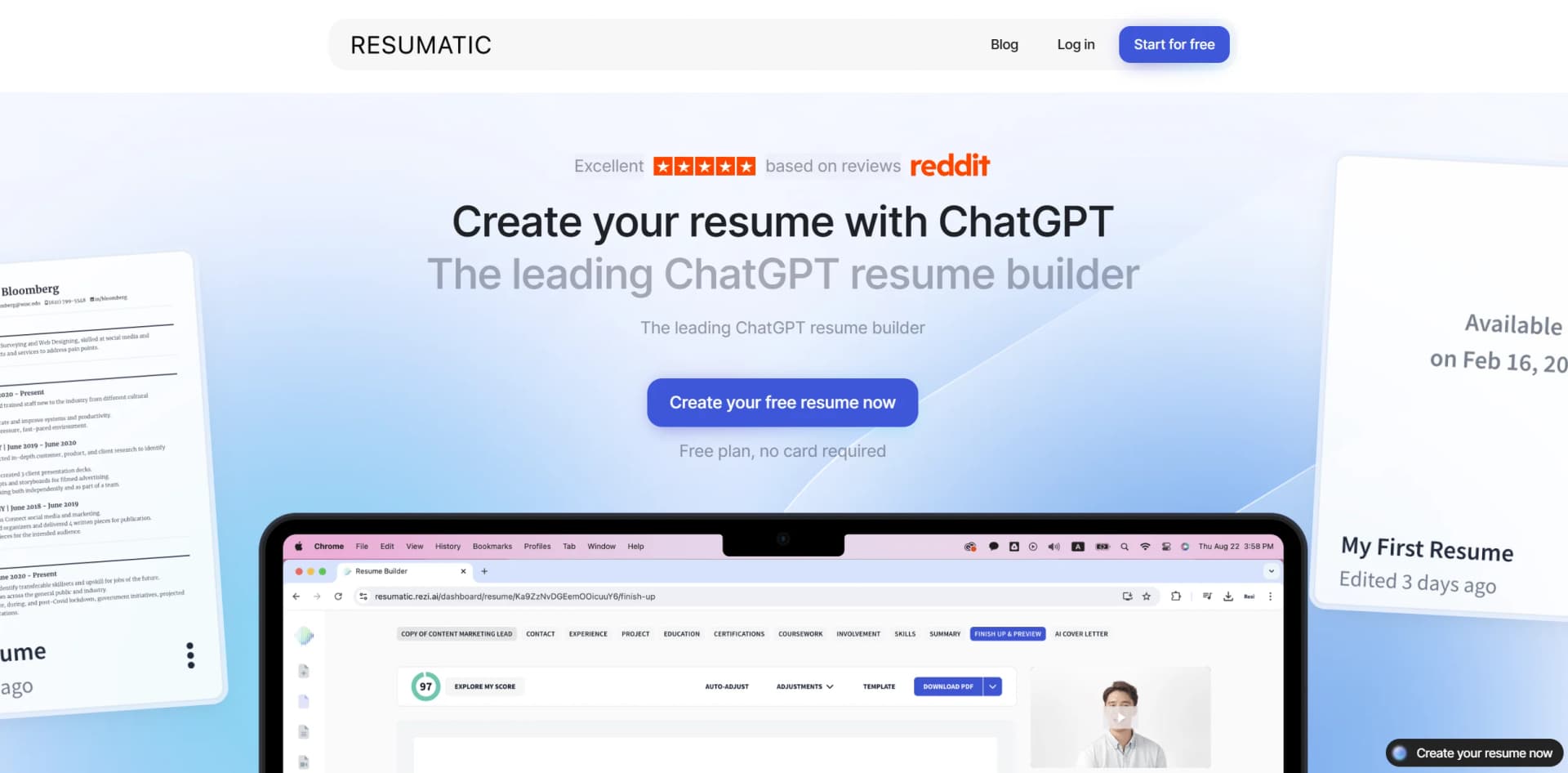
Resumatic is a cutting-edge, ChatGPT-powered resume builder designed to streamline the resume creation process for job seekers. By leveraging advanced AI technology, Resumatic simplifies the task of crafting a professional resume, ensuring that users can present their qualifications effectively and attractively. Its intuitive platform is tailored for individuals aiming to enhance their job application success rates by offering features like resume analysis, ATS compatibility, and real-time feedback.
Resumatic stands out with its seamless integration of ChatGPT technology, specifically tailored for resume creation. This focus allows it to provide highly specialized tools and features that general AI models cannot, such as ATS-optimized formats and targeted content analysis. Its unique ability to offer real-time, actionable feedback ensures that users can continuously refine their resumes to meet industry standards.
Resumatic excels in providing a comprehensive and user-friendly platform for resume creation, making it an essential tool for job seekers. Its unique integration of ChatGPT technology, coupled with features like ATS compatibility and real-time content analysis, offers an unmatched advantage in crafting professional resumes tailored to specific job applications.
Who is Using Resumatic?
Job Seekers
Primarily used by individuals actively applying for jobs, aiming to enhance their resumes' effectiveness.
Career Changers
Those looking to switch industries or roles benefit from the platform's ability to tailor resumes to new fields.
Freelancers and Consultants
Utilize the tool to present their diverse experiences and skills in a cohesive manner.
Human Resource Professionals
Often use the tool to assist clients or employees in resume creation and refinement.
Uncommon Use Cases
Educational institutions incorporate Resumatic into career development courses; non-profit organizations use it to help clients improve their job application materials.
Key Features
Rating Breakdown
Pricing Plans
Free Tier
Free
- Allowing users to test the platform without commitment
Pro Tier
- Includes unlimited feature usage, downloads, AI credits, and a monthly resume review
Lifetime Plan
$149
- Provides access to all features without the monthly resume review
Which Resumatic plan should you pick?
Start with Free to create and score one resume; upgrade to Pro for unlimited AI features, exports, and monthly expert review, or choose Lifetime for one-time access without monthly billing.
Free
Good for job seekers who need one resume, limited AI assistance, and up to three PDF downloads.
Pro
Good for active job seekers who need unlimited AI features, resumes, exports, and ongoing expert review.
Lifetime
Good for users who want unlimited access to the core premium features through a $149 one-time payment.
Resumatic Use Cases
Build a resume from scratch
Enter experience, responsibilities, and accomplishments, then let the AI generate bullets, summaries, and skills sections.
Outcome: A polished, ATS-ready resume.
Improve an existing resume
Upload a PDF or DOCX so Resumatic can analyze the document, identify weak points, and suggest improvements.
Outcome: A stronger resume with section-level feedback.
Tailor a resume to a job posting
Paste a job description and have the AI analyze requirements, identify gaps, and rewrite content for alignment.
Outcome: A job-specific resume with targeted keywords.
Generate a cover letter
Enter the company and role; Resumatic pulls relevant experience from the resume to create a tailored letter.
Outcome: A consistent, role-specific cover letter.
Prepare for interviews
Use the AI Resume Agent for targeted questions, suggested answers, and strategy based on the resume and target role.
Outcome: Interview preparation customized to the application.
Workflow Ideas with Resumatic
Create and optimize a new resume
- 1Enter experience manually, upload a resume, or import from LinkedIn
- 2Ask the AI to generate bullets, summaries, and skills
- 3Review the score, refine the content, and export the resume
Tailor a resume for a job
- 1Paste the target job description
- 2Review missing keywords and identified content gaps
- 3Accept or edit the rewritten sections and export the tailored version
Prepare for an interview
- 1Provide or select the target resume and role
- 2Ask the AI Resume Agent for targeted interview questions
- 3Review suggested answers and role-specific strategy
How Resumatic fits into your stack
Browser
Resumatic is used as an online resume and career-assistance workspace. Users enter experience, paste job descriptions, upload resumes, chat with the AI agent, and export finished documents.
Docs and writing
The product generates and edits resumes, cover letters, resignation letters, summaries, bullet points, and job-targeted application content. Outputs can be downloaded as formatted PDF or DOCX files.
Knowledge and files
Users can upload PDF or DOCX resumes, import from LinkedIn, paste text, and provide job descriptions for analysis, scoring, keyword matching, and rewriting.
Pros
- +User-Friendly Interface: Designed with an intuitive layout, making it easy for users to navigate and create resumes efficiently.
- +Time-Saving Automation: Automatically generates and formats resumes, significantly reducing the time required for manual editing.
- +Comprehensive Guidance: Offers built-in writing tips and resume analysis to help users optimize their resumes for specific job applications.
- +Scalable Document Management: Enables users to manage multiple resume versions easily, ensuring they can tailor each application to different job opportunities.
Cons
- −Limited Custom Section Creation: Users may find it challenging to add unique sections beyond the provided templates without upgrading to the Pro version.
- −Initial Learning Curve: Some users might need time to explore and fully utilize all the advanced features offered by the platform.
Limitations & when to consider alternatives
Known limitations
- Free plan limits. The Free plan is limited to one resume, limited AI features, and three PDF downloads.
- Advanced features require a paid plan. Unlimited tailoring, exports, job matching, advanced templates, and some premium features require a paid subscription or lifetime plan.
- Supported resume uploads are document formats. The documented upload formats are PDF and DOCX; image uploads and image-based resume analysis are not listed.
- ATS-safe layouts prioritize standard formatting. Templates emphasize single-column layouts, standard headings, and ATS compatibility rather than highly creative or complex designs.
- Human review is optional and plan-dependent. Certified Professional Resume Writer review is an optional paid feature or included monthly with the Pro plan, rather than part of the basic free workflow.
Look elsewhere when
- You need a native mobile app.
- You need a developer API.
- You need shared team collaboration.
- You need image or scanned-document understanding.
How to Use Resumatic
- 1
Add your experience
Enter job titles, responsibilities, and accomplishments, or upload a PDF/DOCX resume or import from LinkedIn.
- 2
Generate resume content
Use the AI writer to create achievement-focused bullets, summaries, and skills sections from your raw experience.
- 3
Add a target job
Paste a job posting so Resumatic can identify requirements, missing keywords, and content gaps.
- 4
Review the score
Check the 0–100 score and 23-point ATS analysis to prioritize improvements.
- 5
Refine the resume
Edit, regenerate, rearrange, or accept suggested changes while keeping the ATS-safe template structure.
- 6
Export and apply
Download the finished resume as PDF or DOCX, then use the matching cover-letter and interview-prep tools if needed.
Who is Resumatic For?
Recent graduates
Resumatic turns coursework, internships, and projects into professional experience bullets.
Career changers
The agent reframes existing experience for a new industry and identifies transferable skills.
Senior professionals
The tool condenses extensive experience into an ATS-optimized resume emphasizing leadership and measurable outcomes.
International applicants
Resumatic adapts resumes to US, UK, and EU standards, including language, formatting, and section structure.
Job seekers targeting specific roles
Users can paste job descriptions to identify requirements, close keyword gaps, and tailor resume content.
Frequently Asked Questions
Is the AI Resume Agent free to use?
Yes. Users can start a conversation and get their resume analyzed and scored at no cost. Advanced features such as unlimited tailoring, exports, and job matching are available on paid plans.
What file formats does Resumatic support?
Resumatic supports PDF and DOCX uploads. Users can also paste text directly or import from LinkedIn, and exports are available as formatted PDF or DOCX.
Can Resumatic tailor a resume to a specific job posting?
Yes. Paste a job description and the AI rewrites bullet points, adds missing keywords, and reprioritizes sections to align with the role.
How does ATS scoring work?
The agent evaluates resumes across 23 checkpoints covering keyword match, formatting, section structure, and content strength.
Is my data private?
Resumatic says resumes and personal data are encrypted, never shared with third parties, and not used to train models. Users can delete their account and associated data.
Can I use Resumatic for free?
Yes. Users can build and score a resume for free. Premium features include expert review, advanced templates, and application tracking.
Community reviews
Be the first to share your experience.
Sign in to leave a review for Resumatic.
Resumatic Alternatives
Looking for alternatives to Resumatic? Here are similar tools in the same category:
Learn to Master Resumatic
With Skill Leap courses
Get in-depth training on Resumatic and 50+ other AI tools with our expert-led video courses.
Start 7-Day Free Trial