
Resoomer
AI-driven tool for instant, concise text summarization online.
Key Takeaways
- What it is
- AI-driven tool for instant, concise text summarization online.
- Best for
- Summarization Technology
- Versatile Formats
- Browser Extensions
- Rating
- 4.3/5
What is Resoomer?
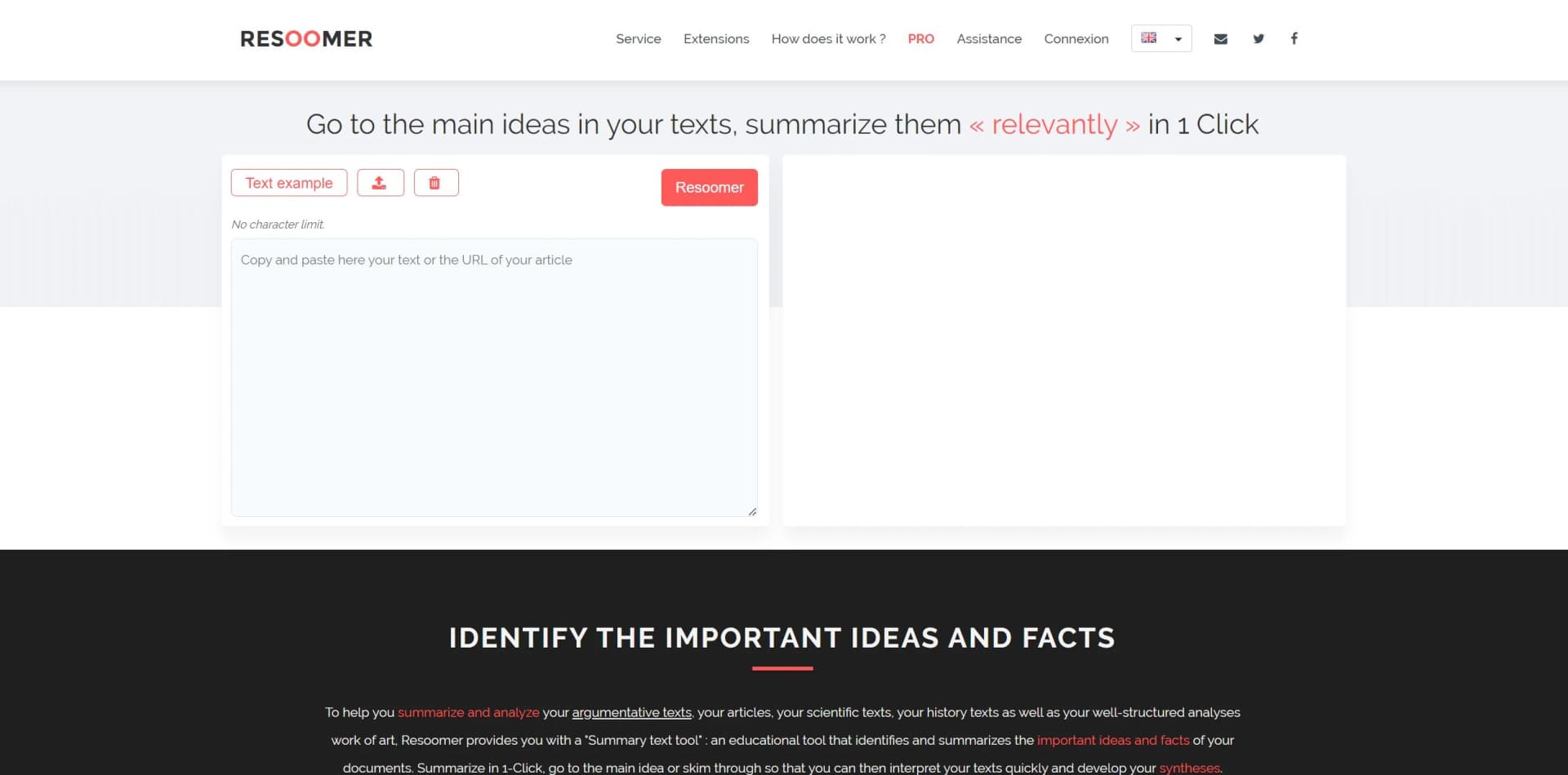
Resoomer is an innovative tool designed to help users efficiently summarize and analyze texts. It offers a range of features aimed at reducing the time it takes to get to the essence of articles, scientific texts, historical documents, and well-structured analytical pieces. Ideal for students, educators, journalists, and professionals across various sectors, Resoomer simplifies the process of distilling the most important points from a vast array of written material.
Resoomer stands out with its ability to process a wide range of document formats quickly and effectively, making it an indispensable tool for anyone needing to condense large volumes of text. Its browser extension functionality allows for on-the-go summarization, which is a distinct advantage for busy professionals and students.
Resoomer offers a practical solution for anyone looking to streamline their reading and comprehension processes. With its powerful AI summarization capabilities, it provides users with a quick way to access the main ideas of any document, thereby enhancing productivity and learning efficiency. Whether you're a student, educator, or professional, Resoomer is a valuable tool for distilling information and focusing on what truly matters.
Who is Using Resoomer?
College Students
Using it to summarize Wikipedia pages and academic papers.
Professors
Preparing lessons by identifying the crux of course material.
Journalists
Keeping up with major events by summarizing news articles.
Editors
Staying informed on current news and events by analyzing texts rapidly.
Libraries and Librarians
Managing large volumes of documents and book presentations.
Writers and Publishers
Summarizing chapters and identifying key book themes.
Museums
Creating quick summaries of artists’ presentations and artworks.
Uncommon Use Cases
Utilized by legal professionals for quick reference; adopted by hobbyists for summarizing information on niche topics.
Key Features
Rating Breakdown
Pricing Plans
Free Version
- Offers basic summarization features at no cost
Pro Version
- Additional features available for professional use
Resoomer Use Cases
Summarize a dense document
Import a document and select one of five summary modes.
Outcome: A shorter version focused on essential information.
Study content in another language
Summarize a document, translate the result, and listen to it with the Text Reader.
Outcome: A more manageable version in the user’s preferred language.
Create an audio summary
Generate an assisted summary and send it to the Text Reader.
Outcome: The document can be absorbed through listening instead of reading.
Prepare text for publication
Edit, paraphrase, rewrite, correct, and export a document.
Outcome: A polished PDF or DOCX document.
Process online articles
Use the browser extension to summarize, translate, rewrite, paraphrase, or correct web content.
Outcome: Online information becomes actionable without copy-pasting.
Workflow Ideas with Resoomer
Foreign-language study workflow
- 1Import or paste the document
- 2Summarize it
- 3Translate the summary and listen with Text Reader
Audio document workflow
- 1Create an Assisted summary
- 2Send the summary to Text Reader
- 3Listen while away from the screen
Export-ready writing workflow
- 1Import or paste the source text
- 2Paraphrase, rewrite, or correct it
- 3Open it in the Editor and export as PDF or DOCX
How Resoomer fits into your stack
Web Browsers
Integrates with popular browsers through extensions.
File Formats
Compatible with PDF, EPUB, DOCX, ODT, and TXT formats.
Language Support
Works with several international languages, broadening its user base.
Pros
- +Enhanced Productivity: Greatly accelerates the summarization process for researchers and students.
- +Accessibility: Browser extensions and compatibility with various file formats make it easily accessible.
- +Educational Utility: Assists educators in preparing lessons by summarizing key content.
- +Time-Saving: Saves readers and professionals time by providing swift uptake of information.
Cons
- −Depth of Analysis: May not capture nuanced arguments in complex texts.
- −Language Limitations: Although multilingual, the quality of summarization may vary across languages.
- −Contextual Understanding: AI summarization might miss context-specific interpretations.
Limitations & when to consider alternatives
Known limitations
- Text-processing focus. Resoomer says it operates on text users bring to it rather than producing standalone content.
- User responsibility for imported material. Users are responsible for having the necessary rights to texts they submit.
- Results are informational assistance. Resoomer says users remain responsible for how summaries, rewrites, translations, and other transformations are used.
- No persistent text storage. Resoomer states that imported or pasted text is processed in real time and disappears after leaving the page or closing the browser.
Look elsewhere when
- You need a native mobile application.
- You need programmatic API access.
- You need code-generation capabilities.
How to Use Resoomer
- 1
Users can find helpful guides and tips on the Resoomer website to get started and make the most out of the tool.
Who is Resoomer For?
Students
Summarize academic articles, chapters, and research materials to read and study more efficiently.
Professionals
Extract important information from reports, contracts, briefings, and other dense documents.
People with ADHD or dyslexia
Shorten, highlight, simplify, and listen to difficult text with real-time reading assistance.
Non-native speakers
Translate and process documents across Resoomer’s 66 supported languages.
Content creators
Rewrite, synonymize, edit, and repurpose online sources.
Frequently Asked Questions
What file formats does Resoomer support?
Resoomer accepts PDF, EPUB, DOCX, ODT, and TXT files, with no character limit.
Do I need an account to use Resoomer?
No. Resoomer says its website and browser extensions work without account creation.
How many languages does Resoomer support?
Resoomer supports 66 languages.
What tools are included?
The documented tools include summarization, editing, text reading, synonymizing, paraphrasing, rewriting, translation, spell checking, word counting, and text comparison.
Can I export my results?
Results can be downloaded as PDF or DOCX files.
Does Resoomer retain submitted texts?
Resoomer states that submitted texts are processed in real time and are not stored on its servers.
Community reviews
Be the first to share your experience.
Sign in to leave a review for Resoomer.
Resoomer Alternatives
Looking for alternatives to Resoomer? Here are similar tools in the same category:
Learn to Master Resoomer
With Skill Leap courses
Get in-depth training on Resoomer and 50+ other AI tools with our expert-led video courses.
Start 7-Day Free Trial