
Replicate
Unlock AI's potential: run, fine-tune, deploy models easily and cost-effectively.
Key Takeaways
- What it is
- Unlock AI's potential: run, fine-tune, deploy models easily and cost-effectively.
- Pricing
- Freemium
- Best for
- Run Open-Source Models
- Fine-Tune Models
- Deploy Custom Models
- Rating
- 4.6/5
What is Replicate?
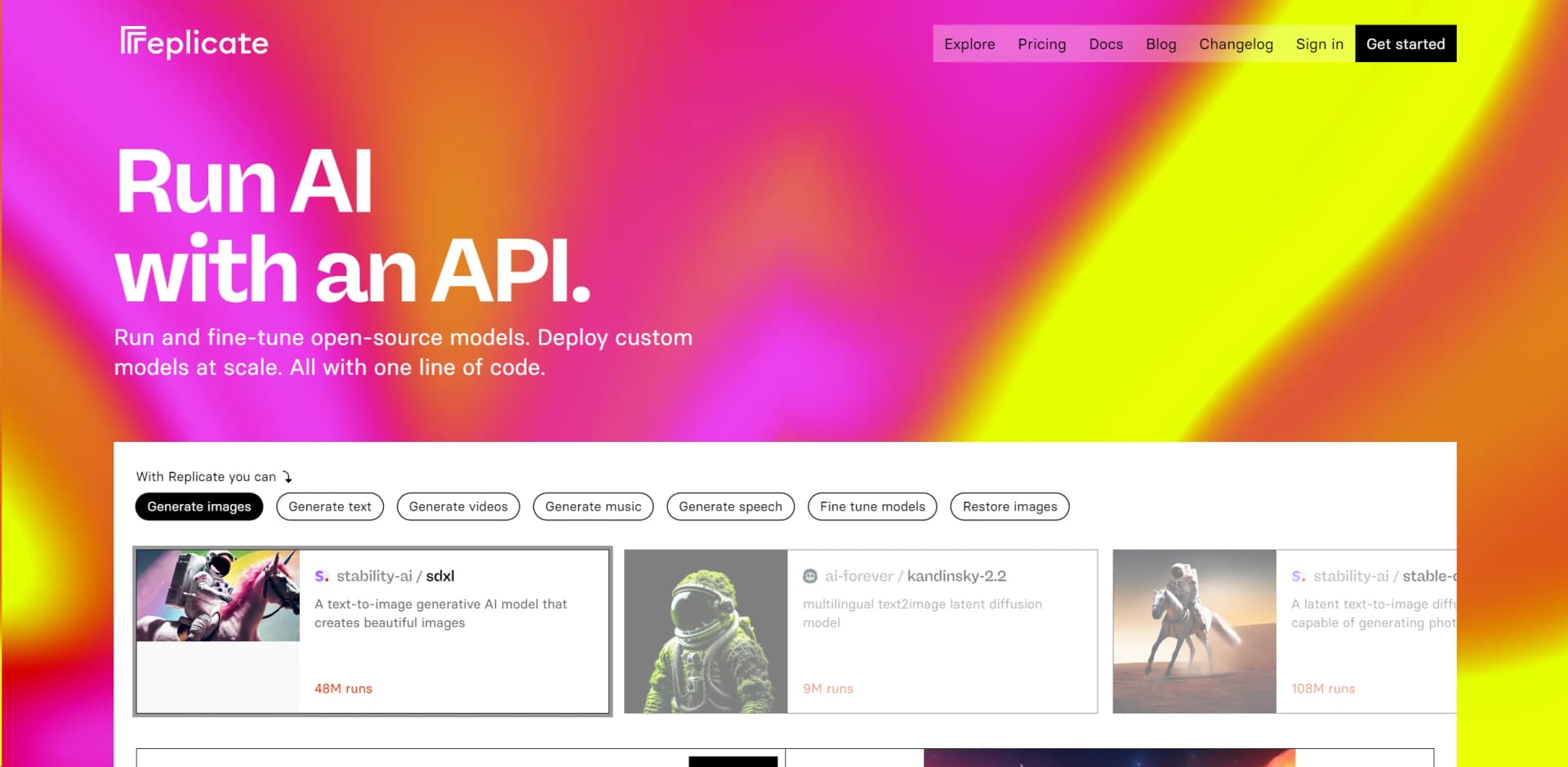
Replicate is a cutting-edge platform designed to democratize the use of artificial intelligence by providing an accessible API for running and fine-tuning open-source models, as well as deploying custom models at scale. With a mission to unlock the potential of AI for everyone, Replicate simplifies the process of leveraging complex AI models for a variety of applications, including image generation, text processing, video creation, music generation, and speech synthesis. Aimed at developers, researchers, and businesses alike, this platform stands out by making it possible to start with any open-source model with just one line of code, while offering the flexibility to fine-tune and deploy custom models for more tailored applications.
Replicate distinguishes itself by its open and community-driven approach to AI model development and deployment. It lowers the barrier to entry for using AI models, making it feasible for a broader audience to explore and innovate with AI. The platform's commitment to simplicity, from running models with a single line of code to its transparent pricing model, ensures that users can focus on creativity and development rather than logistics.
Replicate emerges as a pivotal tool in the democratization of AI, simplifying the process of leveraging powerful AI models for a wide array of applications. Its unique blend of accessibility, scalability, and community support makes it an indispensable asset for anyone looking to explore or expand their AI capabilities. Whether you're a developer, creator, or researcher, Replicate offers the tools and support to bring your AI projects to life efficiently and cost-effectively.
Who is Using Replicate?
Software Developers
Implementing AI features into applications without deep AI expertise.
Content Creators
Generating unique images, videos, and music for digital content.
Researchers
Accelerating academic and scientific research with AI-powered analyses.
Startups
Rapidly prototyping and deploying AI features to outpace competition.
Uncommon Use Cases
Enhancing historical photo restoration; Assisting in educational tools for interactive learning.
Key Features
Rating Breakdown
Pricing Plans
Free Tier
Free
- Get started with Replicate for free
- Limited runs to explore its capabilities
Paid Plans
- Tailored plans based on usage
- Dynamic scaling to ensure cost-effectiveness
Which Replicate plan should you pick?
Start with Replicate’s pay-as-you-go public models for experimentation, then use private models or enterprise support when you need dedicated infrastructure, scaling, or higher limits.
Public models
Good for users who need community or official models with usage-based pricing; most are billed by runtime, hardware, or model-specific input and output units.
Private models
Good for teams that need custom or private models, dedicated hardware, and automatic scaling; billing includes setup, idle, and active instance time for most private models.
Enterprise & volume discounts
Good for organizations that need a dedicated account manager, priority support, higher GPU limits, performance SLAs, or help with onboarding and custom models.
Replicate Use Cases
Run AI models in an application
Call public or private models from a web app, chatbot, website, or mobile app using the API.
Outcome: AI functionality integrated into a product.
Fine-tune an image model
Upload training images and fine-tune models such as FLUX for a subject or visual style.
Outcome: A customized model that generates images for the chosen concept.
Deploy a custom model
Package a trained model with Cog and deploy it on Replicate’s scalable GPU infrastructure.
Outcome: A production API endpoint with configurable hardware and scaling.
Analyze images with vision models
Provide images to vision models for captioning, visual question answering, or object detection.
Outcome: Structured or natural-language understanding of image content.
Automate model delivery
Use GitHub Actions to build, test, and push model versions through a CI/CD workflow.
Outcome: Repeatable automated model deployment.
Workflow Ideas with Replicate
Fine-tune and publish an image model
- 1Gather and zip training images
- 2Create a destination model and start fine-tuning
- 3Run the resulting model from the web or API
Deploy a custom model with CI/CD
- 1Package the model with Cog
- 2Configure a GitHub Actions workflow
- 3Push and update the model on Replicate automatically
Build an image-analysis application
- 1Upload or provide an image as model input
- 2Run a vision model through the API
- 3Return captions, answers, or detected objects to the application
How Replicate fits into your stack
Cog
Seamlessly package and deploy any model with Replicate's open-source tool, Cog.
API Access
Easy integration with existing systems through robust API support.
Community Models
Leverage a vast array of community-contributed models for diverse applications.
Custom Model Deployment
Support for deploying your unique models tailored to specific needs.
Pros
- +Ease of Use: Simplifies the process of utilizing AI models, making advanced AI accessible to non-experts.
- +Versatility: Supports a wide range of applications, from creative arts to technical enhancements.
- +Scalability: Automatically scales to meet demand, ensuring efficient handling of any traffic volume.
- +Community-Driven: Benefits from contributions by a vibrant community, ensuring a rich selection of models.
Cons
- −Learning Curve: While streamlined, new users may need time to familiarize themselves with the platform's capabilities.
- −Dependency on External Models: The effectiveness of projects depends on the quality and suitability of available models.
- −Cost Predictability: While cost-efficient, dynamic scaling might make budgeting challenging for some projects.
Limitations & when to consider alternatives
Known limitations
- Usage is generally pay-as-you-go. Replicate charges for compute time or model input and output usage rather than offering a broad unlimited free plan.
- Free usage is limited. Free model runs are limited; billing setup is required after the applicable free limit is reached.
- API rate limits apply. Default limits include 600 prediction requests per minute and 3,000 requests per minute for other endpoints.
- Local file inputs have a size limit. The client library handles local files up to 100MB; data URIs are recommended only for files smaller than 1MB.
- Capabilities depend on the selected model. File types, vision, languages, outputs, streaming, and training support vary by model.
Look elsewhere when
- You need a native mobile or desktop application.
- You need a broader enterprise identity-management feature set.
How to Use Replicate
- 1
Replicate offers comprehensive documentation and tutorials, guiding users from basic setup to advanced model fine-tuning and deployment, ensuring a smooth learning curve.
Who is Replicate For?
Developers
Use Replicate’s HTTP API and Python or JavaScript client libraries to integrate AI models into applications.
Machine-learning practitioners
Package, publish, deploy, and scale custom models without managing the underlying infrastructure.
App builders
Run models from web applications, chatbots, websites, mobile apps, notebooks, and evaluation scripts.
Teams and organizations
Share models, API tokens, billing, dashboards, and private models across an organization.
Frequently Asked Questions
How is Replicate priced?
Replicate is pay-as-you-go. Pricing varies by model, hardware, processing time, or input and output usage.
Can I try Replicate for free?
Yes. Select models can be run for free for a limited number of runs before billing setup is required.
Does Replicate provide an API?
Yes. Replicate provides documented HTTP APIs, API tokens, client libraries, webhooks, model endpoints, deployments, and training endpoints.
Can I fine-tune models?
Yes. Replicate supports fine-tuning with user-provided training data, including web-based and API workflows.
Can teams collaborate in Replicate?
Yes. Organizations can share models, API tokens, billing, dashboards, and private models with team members.
What file types can Replicate process?
Depending on the model, inputs can include images, audio, video, zip files, PDFs, and other files provided by URL, local upload, or data URI.
Community reviews
Be the first to share your experience.
Sign in to leave a review for Replicate.
Replicate Alternatives
Looking for alternatives to Replicate? Here are similar tools in the same category:
Learn to Master Replicate
With Skill Leap courses
Get in-depth training on Replicate and 50+ other AI tools with our expert-led video courses.
Start 7-Day Free Trial