
Quillbot
AI tool for paraphrasing, summarizing, and enhancing writing effortlessly.
Watch Quillbot in Action
Key Takeaways
- What it is
- AI tool for paraphrasing, summarizing, and enhancing writing effortlessly.
- Pricing
- Freemium · $4.17 per month
- Best for
- Paraphrasing Tool
- Summarizer
- Grammar Checker
- Rating
- 4.6/5
What is Quillbot?
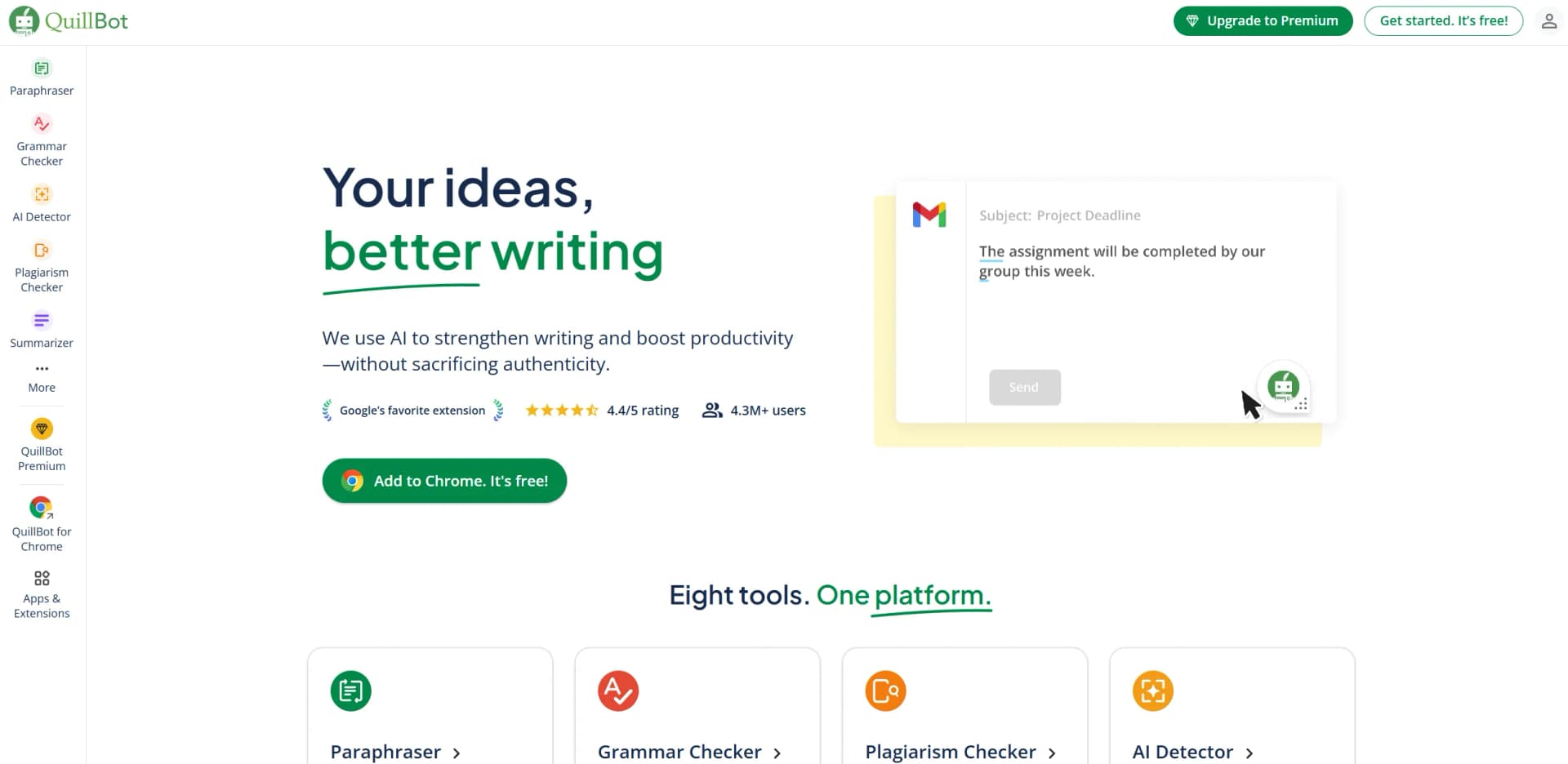
Quillbot is a cutting-edge AI-powered writing tool designed to revolutionize the way we approach content creation and editing. Its primary function is to assist users in paraphrasing, summarizing, and enhancing their writing with ease. Tailored for writers, students, professionals, and anyone looking to refine their text, Quillbot simplifies complex writing tasks, making it an indispensable ally in the digital writing landscape.
Quillbot stands out with its unique combination of paraphrasing, summarizing, and grammar-checking features, all powered by AI. Its ability to seamlessly integrate these functions into a single platform sets it apart, offering a comprehensive solution for diverse writing needs.
Quillbot offers an impressive suite of features that cater to a wide range of writing needs, from paraphrasing and summarizing to grammar checking and citation generation. Its user-friendly interface and affordable pricing make it an attractive choice for students, professionals, and anyone looking to enhance their writing. With Quillbot, the process of writing and editing becomes more efficient, allowing users to focus on creativity and content quality. Whether you're drafting an academic paper, crafting a business report, or simply refining your writing skills, Quillbot proves to be a reliable and effective tool in your digital toolkit.
Who is Using Quillbot?
Students
Leveraging Quillbot for essay writing, summarizing research papers, and avoiding plagiarism.
Content Writers
Using the tool to enhance writing quality and produce unique content quickly.
Academics and Researchers
Employing the summarizer and citation generator for efficient literature reviews.
Business Professionals
Utilizing Quillbot for drafting reports, emails, and presentations.
Adopted by non-native English speakers to improve language skills.
Used by legal professionals for drafting and editing legal documents.
Key Features
Rating Breakdown
Pricing Plans
Free Tier
Free
- Offers basic paraphrasing and summarization features
Premium Plan
$4.17 per month
- Providing access to advanced features and unlimited custom modes
Which Quillbot plan should you pick?
Start with Free to test core writing tools; upgrade to Premium for unlimited and advanced features, or Team Plan for multi-user administration and centralized billing.
Free
Good for individuals who need basic paraphrasing, grammar correction, summaries, limited AI Chat, and limited image generation.
Premium
Good for writers, students, academics, and professionals who need unlimited paraphrasing, advanced modes, higher limits, and originality tools.
Team Plan
Good for organizations that need multiple Premium seats, member management, writer dashboards, and centralized billing.
Quillbot Use Cases
Paraphrase and refine writing
Enter, paste, or upload text, select a paraphrasing mode, and review alternative wording.
Outcome: Clearer, more natural, or differently styled writing.
Summarize research and documents
Paste or upload articles, essays, research papers, or reports and choose a summary format.
Outcome: A shorter version that highlights important information.
Create citations
Enter a source URL or search for a book in QuillBot Flow’s Citations tool.
Outcome: In-text citations and bibliography-ready references.
Draft professional communication
Use AI Chat to create emails, memos, reports, presentations, and business messages.
Outcome: A polished starting draft for workplace communication.
Extract text from images
Upload a JPG, PNG, JPEG, or WEBP image, screenshot, or scanned page.
Outcome: Editable text that can be copied or downloaded.
Workflow Ideas with Quillbot
Research-to-citations writing workflow
- 1Import a document or PDF into QuillBot Flow.
- 2Use Research and Notes while developing the draft.
- 3Create and insert citations with the Citations tool.
Draft-to-polished-content workflow
- 1Ask AI Chat to draft or brainstorm content.
- 2Review and refine the generated response.
- 3Run the final text through Paraphraser, Grammar Checker, or AI Detector.
Image-to-editable-text workflow
- 1Upload an image, screenshot, or scanned document.
- 2Convert the image into editable text with Image to Text.
- 3Copy or download the extracted text for editing.
How Quillbot fits into your stack
Browser
QuillBot is primarily used as a web-based writing workspace for paraphrasing, grammar checking, summarizing, translation, citations, AI chat, and related tools.
Docs and writing
QuillBot Flow combines paraphrasing, summarization, research, citations, grammar checking, and AI writing in an all-in-one editor. Users can also use the Word add-in.
Team chat and tickets
The macOS desktop app places QuillBot in apps such as Slack, Microsoft Teams, Outlook, WhatsApp, Messages, and Notes for inline writing assistance.
Desktop / IDE
QuillBot provides downloadable macOS and Windows apps that operate as desktop widgets across supported applications.
Knowledge and files
Users can upload PDFs and documents to Flow, Ask AI, and Summarizer, and can import documents from Google Drive into Flow.
Pros
- +User-Friendly Interface: The intuitive design makes it accessible for users of all skill levels, from beginners to advanced writers.
- +Time Efficiency: Quillbot significantly reduces the time spent on editing and rewriting tasks.
- +Affordable Pricing: With a range of pricing options, it caters to different budgets, offering excellent value for money.
- +Multilingual Support: Supports multiple languages, broadening its usability for non-English content creators.
Cons
- −Limited Free Features: The free version has restricted access to some advanced functionalities.
- −Dependence on Internet Connection: Requires an internet connection to function, which might be inconvenient for some users.
Limitations & when to consider alternatives
Known limitations
- Free paraphrasing is limited. Free users can paraphrase up to 125 words at a time and receive only Standard and Fluency modes.
- Summarizer input limits vary by plan. The Free plan supports up to 1,200 words per input, while Premium supports up to 6,000 words.
- AI Chat has usage limits. Free users receive up to 20 AI Chat queries per day; Premium users receive unlimited access.
- Free image generation is limited. Free accounts receive three image generations per day, while Premium accounts receive 300 per month.
- Image-to-Text has a file-size limit. Uploaded images are limited to 10 MB and supported formats include JPG, PNG, JPEG, and WEBP.
Look elsewhere when
- You need a programmatic API.
- You need shared document editing.
How to Use Quillbot
- 1
Choose a writing tool
Open Paraphraser, Grammar Checker, Summarizer, AI Chat, or another QuillBot tool based on the task.
- 2
Add your content
Type or paste text, or upload a supported document when the tool provides file-upload support.
- 3
Apply AI assistance
Select a paraphrasing mode, ask AI Chat for a draft, summarize the input, or run grammar and originality checks.
- 4
Review and refine
Compare results, request another variation, adjust the mode or settings, and verify the output.
- 5
Cite sources when needed
In QuillBot Flow, open Citations, enter a URL or search for a book, and insert the resulting citation.
- 6
Export or reuse the result
Copy the final text or use the available Export option to download the completed content.
Who is Quillbot For?
Business owners
QuillBot helps business owners communicate with multiple clients and increase content publishing without sacrificing quality.
Job seekers
Job seekers can create contextual resumes and cover letters tailored to each position.
Professionals
Professionals can improve briefs, pitches, reports, emails, and other workplace writing.
Students and academics
Students and academics can improve writing, visuals, presentations, summaries, and citations.
Writers and content creators
Writers and content creators can brainstorm ideas, outline stories, and generate blog content.
Frequently Asked Questions
Does QuillBot have a free plan?
Yes. The Free plan includes basic paraphrasing, grammar correction, summaries, limited AI Detector access, and limited AI Chat usage.
What does QuillBot Premium add?
Premium adds unlimited paraphrasing, all paraphrasing modes, advanced writing suggestions, custom summaries, unlimited AI Detector access, and higher limits.
Can QuillBot be used on multiple devices?
Yes. A Premium subscription works across QuillBot’s supported apps and platforms, with a limit of 10 active devices.
Does QuillBot offer an API?
No. QuillBot states that it does not currently offer a B2B or B2C API.
Can QuillBot import documents or PDFs?
Yes. QuillBot Flow can import documents through the editor, including documents from Google Drive.
Is QuillBot available on mobile?
Yes. QuillBot provides dedicated iOS and Android applications with keyboard and writing-assistant features.
Community reviews
1 review from people who use Quillbot.
Sign in to leave a review for Quillbot.
Kadir Daştan
Quillbot Alternatives
Looking for alternatives to Quillbot? Here are similar tools in the same category:
Learn to Master Quillbot
With Skill Leap courses
Get in-depth training on Quillbot and 50+ other AI tools with our expert-led video courses.
Start 7-Day Free Trial