
Quick Creator
AI-driven platform for quick, SEO-optimized content creation.
Key Takeaways
- What it is
- AI-driven platform for quick, SEO-optimized content creation.
- Pricing
- Freemium
- Best for
- AI Blog Writing
- SEO Optimization
- User-Friendly Blogging Platform
- Rating
- 4.6/5
What is Quick Creator?
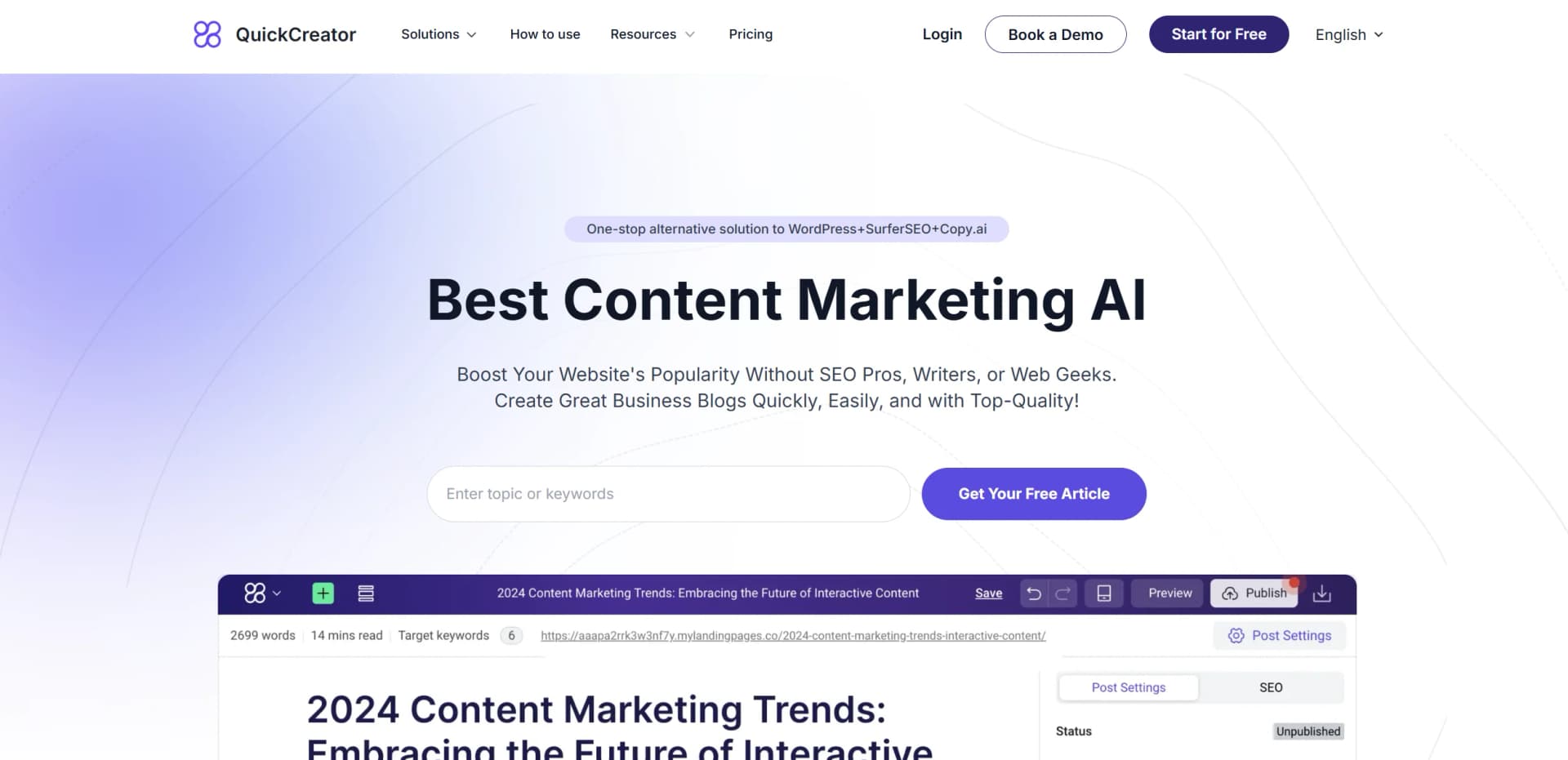
Quick Creator revolutionizes content marketing with its AI-driven platform designed to streamline the creation of high-quality, SEO-optimized blogs. Tailored for businesses, marketers, and content creators, Quick Creator simplifies the process of generating professional-grade content without needing extensive SEO expertise or technical skills. By integrating advanced AI capabilities, it offers a one-stop alternative to multiple tools like WordPress, SurferSEO, and Copy.ai, making it an invaluable asset for anyone looking to enhance their online presence quickly and efficiently.
Quick Creator stands out with its seamless integration of AI writing and SEO optimization, a game-changer for content marketers looking to boost their website's visibility without extensive SEO knowledge. Its ability to produce high-quality, SEO-friendly content in multiple languages sets it apart, offering a global reach that few other tools can match.
Quick Creator offers an impressive blend of AI-driven content creation and SEO optimization, making it an essential tool for anyone looking to enhance their digital marketing efforts. Its intuitive design, coupled with robust features, ensures that users can create high-quality content quickly and efficiently, making it a top choice for businesses and content creators alike. Whether you're a seasoned marketer or a small business owner, Quick Creator provides the tools you need to boost your online presence and achieve your marketing goals.
Who is Using Quick Creator?
E-commerce Businesses
Utilizing the tool for creating SEO-optimized product descriptions and blogs.
Digital Marketing Agencies
Employing Quick Creator to streamline their content creation process for clients.
Freelance Writers
Leveraging the platform to produce high-quality articles quickly and efficiently.
Small Business Owners
Using the tool to enhance their online presence without needing dedicated SEO teams.
Uncommon Use Cases
Educational institutions adopting the tool for teaching digital marketing strategies; podcasters using it to generate show notes and blog content.
Key Features
Rating Breakdown
Pricing Plans
Free Tier
Free
- Experience Quick Creator with a free trial
- Offering up to three free articles
Which Quick Creator plan should you pick?
Start with Personal for solo content validation, upgrade to Professional for growing brands, Plus for teams and larger knowledge bases, or Enterprise for API access and scalable workspaces.
Personal
Good for early-stage teams validating SEO and GEO potential with 1,500 monthly credits and one hosted blog site.
Professional
Good for growing brands that need 6,000 monthly credits, a Knowledge Base, and one hosted blog site.
Plus
Good for scaling teams that need 12,000 credits, 3 GB of Knowledge Base storage, three hosted sites, and additional team members.
Enterprise
Good for large organizations that need API support, multiple workspaces, shared billing, workspace isolation, and scalable storage.
Quick Creator Use Cases
SEO and GEO blog creation
Research a topic, generate an outline, write an article, optimize it, and prepare it for search and AI-engine visibility.
Outcome: A publish-ready article aligned with SEO and GEO requirements.
Brand-grounded content production
Define brand positioning, ideal customer profiles, and proprietary knowledge before generating content.
Outcome: Content that reflects the company’s messaging, audience, and internal knowledge.
CMS publishing and distribution
Connect content to WordPress, Shopify, or Strapi and distribute finalized articles through connected platforms.
Outcome: Content reaches multiple publishing destinations without repeated manual formatting.
Content quality improvement
Evaluate drafts against EEAT and main-content-quality signals, then apply section-level optimization guidance.
Outcome: More credible, clear, original, and trustworthy content.
Content conversion
Add email forms, CTA banners, popups, quizzes, downloads, and other conversion widgets to articles.
Outcome: Content designed to capture leads and support measurable conversions.
Workflow Ideas with Quick Creator
Topic to published article
- 1Start with a validated topic and ideal customer profile.
- 2Research audience needs and search-engine context.
- 3Generate, review, optimize, and publish the article.
Publish and distribute content
- 1Finalize content inside QuickCreator.
- 2Assign categories and templates.
- 3Distribute to WordPress, Shopify, or Strapi and track performance.
Content to conversion
- 1Analyze topic, intent, buyer stage, and reader mindset.
- 2Select and automatically embed an appropriate CTA.
- 3Capture, attribute, and optimize leads from content interactions.
How Quick Creator fits into your stack
Browser
QuickCreator is primarily a web-based agentic marketing platform, with a browser extension for Chrome and Edge.
Docs and writing
The platform provides topic research, drafting, editing, content-quality analysis, brand voice, and multilingual content generation.
Knowledge and files
Teams can upload PDFs, internal documents, assets, and research into a private knowledge base used during content generation.
Content publishing
QuickCreator hosts blogs or publishes content to WordPress, Shopify, and Strapi, with scheduling and HTML or Markdown export.
Pros
- +Free Shopify plan available
- +End-to-end research-to-publishing workflow
- +WordPress, Shopify, and Strapi publishing
- +30+ language generation and localization
- +Private knowledge base for internal documents
Cons
- −Initial Learning Curve: New users may need some time to fully explore and utilize all features effectively.
- −Limited Integration: Although it offers integration with WordPress, additional third-party integrations could enhance its versatility.
Limitations & when to consider alternatives
Known limitations
- Trial access is time-limited. The current subscription trial lasts 7 days and includes 600 credits.
- Usage is credit-based. Articles, images, quality analysis, and revision suggestions consume credits from the plan allowance.
- Knowledge Base storage varies by plan. The pricing page lists 1 GB for Professional and 3 GB for Plus, while Personal does not include the Knowledge Base.
- Hosted blog capacity varies by plan. Personal and Professional include one hosted blog site, while Plus includes three.
- AI-enforced writing style guide is marked coming soon. The Plus plan lists the AI-Enforced Writing Style Guide as a coming-soon feature.
Look elsewhere when
- You need a native iOS or Android app.
- You need SSO, SCIM, or publicly documented enterprise identity controls.
- You need documented model fine-tuning or training jobs.
How to Use Quick Creator
- 1
Define your brand
Set up the Brand Positioning Agent and provide your existing site or brand information so future content follows your positioning and voice.
- 2
Model your audience
Create an Ideal Customer Profile with role, industry, intent, tone, and pain points to guide research and writing.
- 3
Add proprietary knowledge
Upload internal documents, assets, and references to the Knowledge Base so generated content can use company-specific information.
- 4
Create and refine content
Choose a validated topic, let QuickCreator research and outline it, then review and edit the generated draft.
- 5
Optimize quality and conversion
Run content quality analysis, apply recommendations, and add relevant CTAs, forms, popups, or other conversion widgets.
- 6
Publish and measure
Publish to WordPress, Shopify, or Strapi, or export HTML or Markdown for another platform, then track performance.
Who is Quick Creator For?
Solo founders
The platform provides brand positioning, topic strategy, research, writing, optimization, and publishing agents for one-person marketing operations.
Consultants
Consultants can create on-brand, SEO- and GEO-ready articles without building a separate content team.
One-person marketers
QuickCreator combines research, drafting, optimization, and publishing into one workflow for lean marketing teams.
Growing brands
Professional and Plus plans target brands scaling content production, audience research, and organic growth.
Agencies
Agency users can manage customer and in-house projects, publish across connected CMS platforms, and use team-oriented workflows.
Frequently Asked Questions
Do you offer a free trial?
Yes. The subscription includes a 7-day trial with 600 credits, enough for about two full articles.
Does QuickCreator publish to my CMS?
Yes. QuickCreator supports one-click publishing to WordPress, Shopify, and Strapi. Other platforms can use HTML or Markdown export.
Can I edit content before publishing?
Yes. The topic, outline, and draft are editable at every stage, and publishing occurs only after you click publish.
How do credits work?
One article costs 300 credits, an image costs 10 credits, quality analysis costs 20 credits, and revision suggestions cost 20 credits.
Can I cancel at any time?
Yes. QuickCreator states there are no long-term commitments, and created content remains yours and exportable after cancellation.
Community reviews
2 reviews from people who use Quick Creator.
Sign in to leave a review for Quick Creator.
Lino
zhangqiang pei
Quick Creator Alternatives
Looking for alternatives to Quick Creator? Here are similar tools in the same category:
Learn to Master Quick Creator
With Skill Leap courses
Get in-depth training on Quick Creator and 50+ other AI tools with our expert-led video courses.
Start 7-Day Free Trial