
QashBoard
Streamline finances with AI insights and secure, customizable data management.
Watch QashBoard in Action
Key Takeaways
- What it is
- Streamline finances with AI insights and secure, customizable data management.
- Pricing
- Freemium · $7 per month. with a 14-day free trial · $3,000. for commercial use · $205,. billed once · $40 per member. per month billed yearly
- Best for
- All-In-One Financial Overview
- Interactive Q&A
- Data Privacy Control
- Rating
- 4.5/5
What is QashBoard?
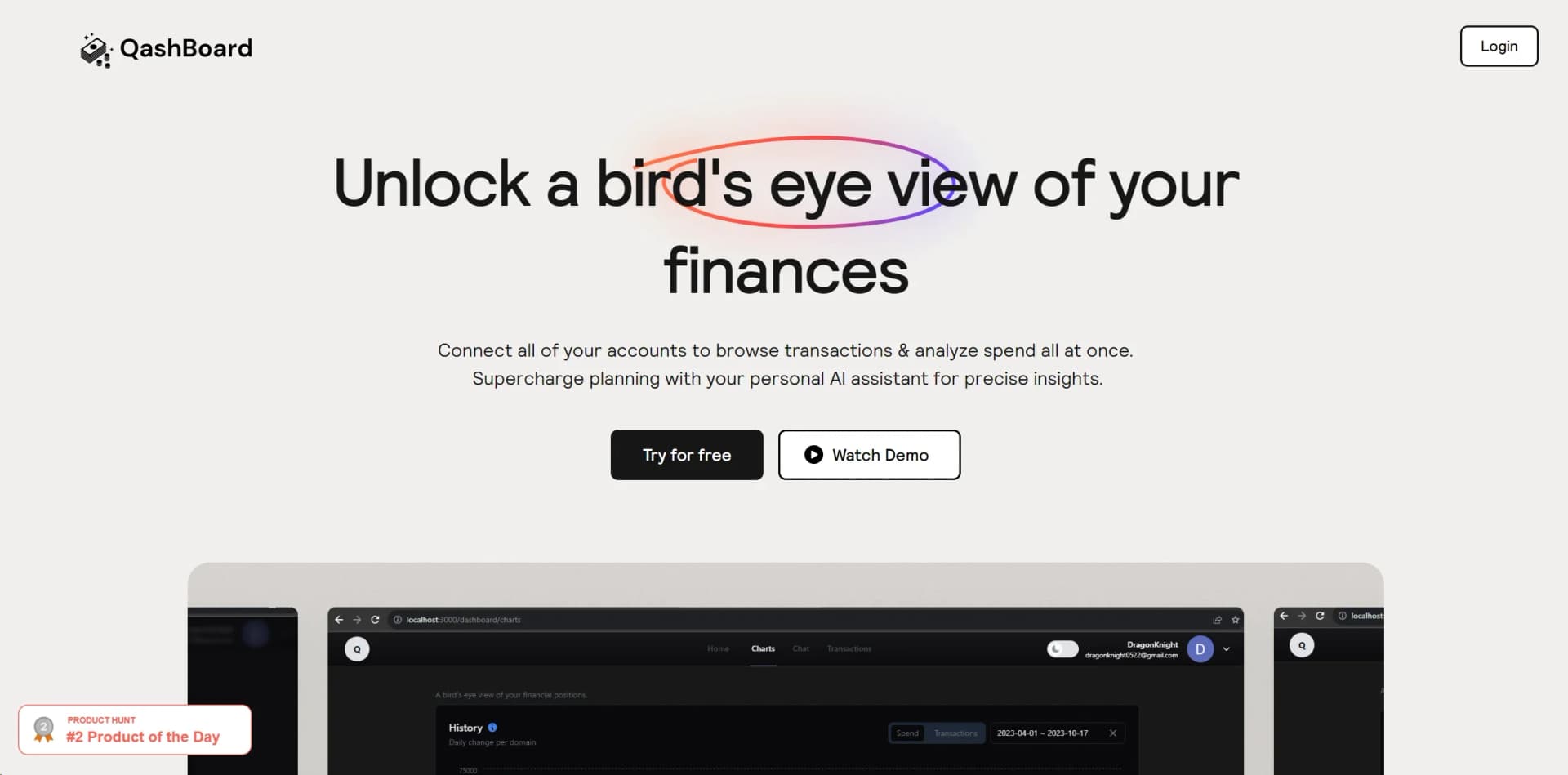
QashBoard caught my attention with its promise to provide a comprehensive view of one's finances in a single, streamlined platform. It is an AI-powered financial dashboard that connects various accounts to offer an organized view of transactions and financial health. What sets QashBoard apart is its integration with AI technology, making it not just a passive financial tracking tool but an active assistant in budgeting and strategic financial planning.
The unique selling point of QashBoard is its AI-powered financial assistant, which can provide personalized advice and insights. Coupled with the BYOD policy for data, it offers a level of control and privacy not commonly found in other financial tools.
QashBoard excels in merging financial data management with AI-driven insights, making it an invaluable tool for individuals and professionals who wish to take a hands-on approach to their finances. The platform's emphasis on user data control and privacy sets a new standard in the personal finance software industry. For Webflow developers, the component library functionality is a standout feature that enhances their design workflow. Overall, QashBoard is a robust, versatile financial tool that adapts to the needs of its diverse user base.
Who is Using QashBoard?
Freelancers and Entrepreneurs
Managing their business finances and personal accounts in one place.
Financial Enthusiasts
Those who enjoy deep dives into their financial habits and projections.
Webflow Developers
Creating and sharing component libraries for streamlined web design processes.
Tech-Savvy Families
Using joint dashboards for household financial management.
Uncommon Use Cases
Educational institutions could use it for finance-related courses; Non-profits might adopt it for better fund management.
Key Features
Rating Breakdown
Pricing Plans
Free Plan
Free
- Start with the basic features at no cost
Hawk Plan
$7 per month. with a 14-day free trial
- Offering extensive dashboard features and unlimited chats
Developer Plan
$3,000. for commercial use
- Including access to all components and the ability to self-host
Lifetime Access
$205,. billed once
- Get all features
- Early beta access
- Additional sharing options
Pro Plan
$40 per member. per month billed yearly
- It’s geared towards those looking to build libraries for clients and the community
Which QashBoard plan should you pick?
Start with the free plan for basic financial visibility, upgrade to Hawk for expanded personal use, and choose Developer access for self-hosting or API-based commercial use.
Free
Good for users who need basic account aggregation and financial oversight without a paid subscription.
Hawk
Good for individuals who need broader dashboard access, connected accounts, historical data, and unlimited AskWallet chats.
Lifetime Access
Good for users who want all features, beta access, and additional sharing options through a one-time purchase.
Developer access
Good for developers or businesses that need application code, API documentation, self-hosting, or commercial licensing.
QashBoard Use Cases
Aggregate financial accounts
Connect bank, debit, credit-card, brokerage, and investment accounts in one dashboard.
Outcome: A consolidated view of personal finances.
Identify recurring spending
Review recurring transactions and recurring charges across connected accounts.
Outcome: Better visibility into subscriptions and repeat expenses.
Ask financial questions
Use AskWallet to ask questions about income, affordability, spending, and deductions.
Outcome: Conversational financial insights.
Review historical transactions
Analyze transaction history over supported time periods.
Outcome: Improved understanding of spending trends.
Self-host financial data
Use the developer offering and a user-provided database for a more controlled deployment.
Outcome: Greater control over financial-data storage.
Workflow Ideas with QashBoard
Monthly spending review
- 1Connect financial accounts
- 2Review dashboard totals and transaction history
- 3Ask AskWallet about unusual or recurring expenses
Affordability check
- 1Connect income and spending accounts
- 2Ask AskWallet about affordability for a planned expense
- 3Review the answer against recurring obligations
Private self-hosted setup
- 1Obtain developer access and documentation
- 2Configure the application with a user-controlled database
- 3Connect financial accounts through the supported API workflow
How QashBoard fits into your stack
Plaid Integration
Connects securely with your financial institutions for real-time data.
Webflow Compatibility
Tailored features for Webflow developers to create and manage component libraries.
Cross-Browser Support
Works on Chrome, Firefox, and Edge, with some limitations on Safari.
Community and Slack Access
Offers a platform for users to share insights, request features, and get support.
Pros
- +Holistic Financial Management: Aggregates all financial data in one place, from bank transactions to investments.
- +AI-Powered Insights: Provides personalized financial advice and answers to specific queries through its conversational AI interface.
- +User Data Sovereignty: Empowers users to own their data with a unique Bring Your Own Database (BYOD) approach.
- +Developer-Friendly: Offers tools and libraries for Webflow developers, enhancing their workflow and offering community-sharing options.
Cons
- −Browser Limitations: Some features, like copying components, are not available on all browsers, which might limit accessibility for some users.
- −Learning Curve: The range of features and the DIY approach to data storage might require a period of learning and adjustment for new users.
- −Niche Webflow Integration: While incredibly useful for Webflow developers, the component library feature might not be as valuable for those who don't use this platform.
Limitations & when to consider alternatives
Known limitations
- Browser-centered product. QashBoard is documented primarily as a web application rather than a native mobile or desktop application.
- Financial-account connection focus. The documented workflow centers on connected financial accounts and transaction analysis rather than general-purpose file or image analysis.
- No documented enterprise identity controls. The available product and plan information does not document SSO, SAML, Okta, or Azure AD support.
- Developer access is a separate offering. API keys, documentation, application code, and self-hosting capabilities are associated with the developer-access option.
Look elsewhere when
- You need a native mobile app.
- You need a desktop installer.
- You need enterprise SSO.
- You need file or image analysis.
How to Use QashBoard
- 1
QashBoard provides tutorials to assist users in getting the most out of the platform, from basic setup to advanced features, which can be found on their website.
Who is QashBoard For?
Individuals managing personal finances
QashBoard consolidates accounts and provides a broad view of spending, income, investments, and recurring transactions.
Budget-conscious users
The dashboard and AskWallet assistant help users understand affordability, spending trends, and recurring charges.
Users seeking private financial-data control
QashBoard supports supplying a user-controlled database for financial information.
Developers and self-hosting users
The developer offering includes application code, API keys, documentation, and self-hosting or commercial-use options.
Frequently Asked Questions
What is QashBoard?
QashBoard is an AI-powered personal-finance dashboard that brings connected financial accounts and spending insights into one view.
What financial accounts can QashBoard connect?
QashBoard is designed to connect bank, debit, brokerage, investment, and credit-card accounts through Plaid.
What is AskWallet?
AskWallet is QashBoard’s conversational interface for asking questions about income, affordability, spending, and tax-related deductions.
Can QashBoard track recurring transactions?
Yes. QashBoard identifies recurring transactions to help users recognize spending patterns and unexpected charges.
Can users control where financial data is stored?
QashBoard describes a setup in which users can provide their own database, reducing the need for QashBoard to access or store the data.
Community reviews
Be the first to share your experience.
Sign in to leave a review for QashBoard.
QashBoard Alternatives
Looking for alternatives to QashBoard? Here are similar tools in the same category:
Learn to Master QashBoard
With Skill Leap courses
Get in-depth training on QashBoard and 50+ other AI tools with our expert-led video courses.
Start 7-Day Free Trial