
Proposal Genie
Automates personalized, effective proposal creation for freelancers and small businesses.
Key Takeaways
- What it is
- Automates personalized, effective proposal creation for freelancers and small businesses.
- Best for
- Automated Proposal Generation
- Easy Customization
- Comprehensive Dashboard
- Rating
- 4.6/5
What is Proposal Genie?
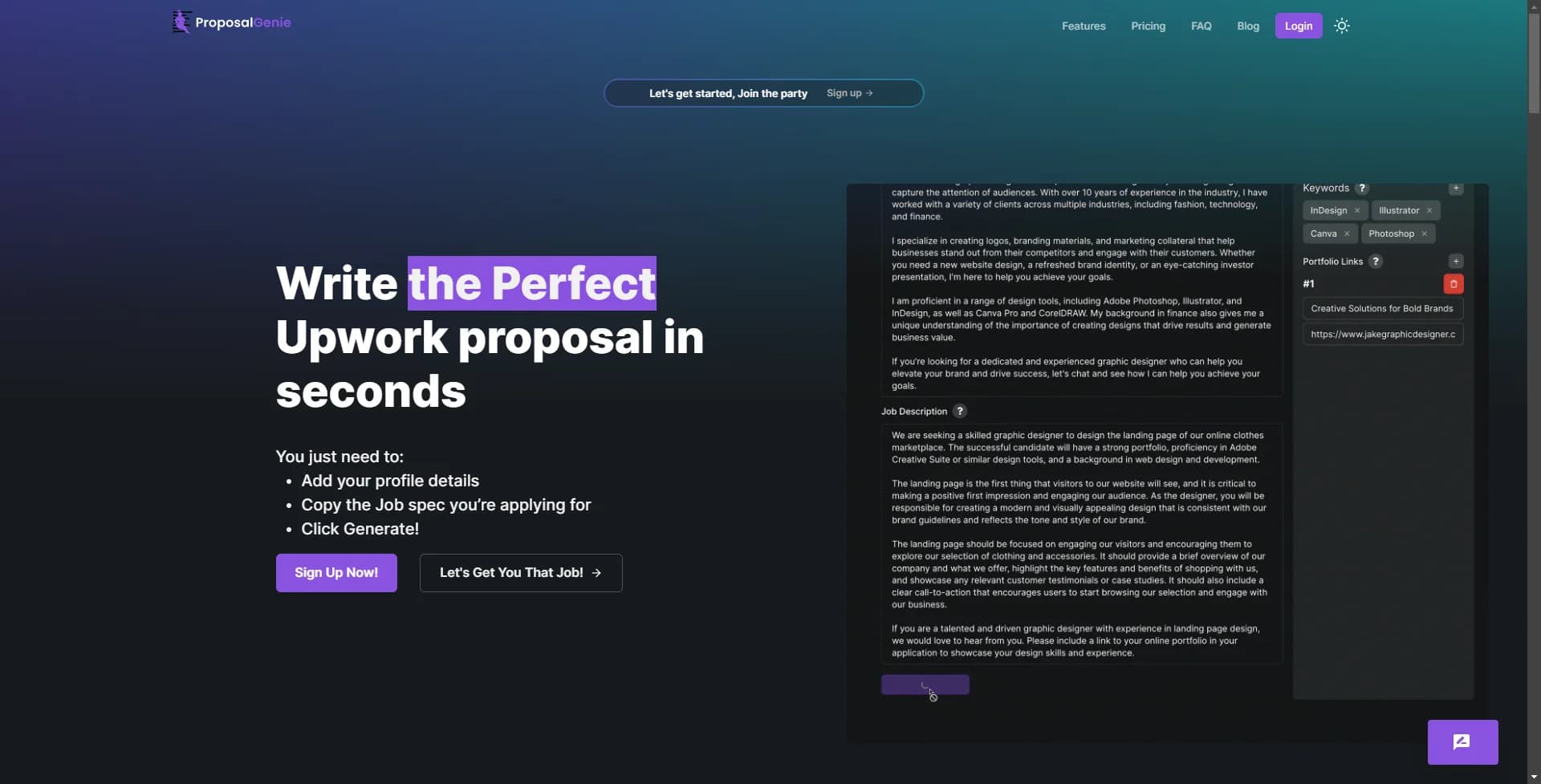
In the dynamic world of freelancing, standing out from the crowd is paramount to securing projects and building a successful career. Enter Proposal Genie, a cutting-edge AI tool designed to revolutionize the proposal creation process for freelancers and startups alike. This platform promises to transform the daunting task of writing personalized, compelling proposals into a seamless, quick, and highly effective endeavor. As a freelancer who has navigated the ups and downs of securing gigs on platforms like Upwork and Freelancer.com, I was intrigued by the potential of Proposal Genie to streamline my workflow and enhance my success rate.
What sets Proposal Genie apart is its combination of advanced AI technology with user-friendly customization options. This balance ensures that freelancers can produce proposals that are not only high in quality but also personalized to each job's requirements. Moreover, its focus on the freelancing market, particularly platforms like Upwork and Freelancer.com, addresses a specific need that is often overlooked by broader project management tools.
Proposal Genie is a game-changer for freelancers and small businesses looking to enhance their proposal writing process. Its blend of AI-driven automation with customizable options presents a powerful tool that can significantly increase the chances of securing freelance projects. While there are considerations regarding cost and the initial learning curve, the efficiency and quality of proposals it produces make Proposal Genie an indispensable asset for anyone serious about their freelancing career. Its standout feature, the automated generation of tailored proposals, in particular, offers a level of convenience and effectiveness that is hard to match.
Who is Using Proposal Genie?
Freelancers
Individuals looking to streamline their proposal writing process for jobs on platforms like Upwork and Freelancer.com.
Small Business Owners
Small enterprises aiming to efficiently manage multiple proposals for projects without investing heavily in administrative tasks.
Remote Workers
Professionals seeking freelance or contract-based remote work opportunities across various industries.
Marketing Professionals
Individuals in the marketing sector leveraging Proposal Genie to pitch their services more effectively.
Uncommon Use Cases
Non-profit organizations utilizing it to draft proposals for grants; Students in freelance writing or digital marketing courses using it as a learning tool.
Key Features
Rating Breakdown
Pricing Plans
Basic Plan
- Offering 10 AI generations
- Access to a library of pre-written proposals
- 24/7 customer support
Which Proposal Genie plan should you pick?
Start with the Free Trial to test proposal generation, then upgrade to Basic for regular use or Premium for higher monthly volume and the Upwork Chrome extension.
Free Trial
Good for users who need to test the proposal generator with 20 proposal generations and one skill profile.
Basic Plan
Good for freelancers who need 100 monthly generations, up to three skill profiles, and dashboard analytics.
Premium Plan
Good for frequent users who need 300 monthly generations, unlimited skill profiles, priority support, and the Upwork Chrome extension.
Proposal Genie Use Cases
Generate freelance proposals
Enter job requirements and personal work details to create a tailored proposal.
Outcome: Produce proposals in seconds instead of writing them manually.
Create cover letters
Use the Free Trial's cover-letter creation feature for job applications.
Customize client proposals
Adjust generated proposals for specific clients while preserving professional tone and structure.
Outcome: Make proposals more relevant to individual job requirements.
Match skills to jobs
Use skill matching to identify opportunities relevant to a user's profile.
Outcome: Find potentially suitable freelance jobs.
Track proposal performance
Review win rates and proposal performance through the success dashboard.
Outcome: Optimize freelancing strategy using proposal metrics.
Workflow Ideas with Proposal Genie
Create a tailored proposal
- 1Enter the job specifications
- 2Provide work experience and skill details
- 3Generate and customize the proposal
Improve proposal quality
- 1Generate a proposal from the job requirements
- 2Review AI feedback and improvement suggestions
- 3Edit the proposal for the specific client
Optimize freelance applications
- 1Create proposals for relevant jobs using skills matching
- 2Submit or adapt proposals for freelance marketplaces
- 3Monitor win rates and success metrics in the dashboard
How Proposal Genie fits into your stack
As of my review, specific details regarding third-party integrations were not highlighted. However, the tool's emphasis on ease of use and automation suggests that it is designed to work seamlessly with a freelancer's existing workflow, potentially supporting standard documentation formats for easy submission across various platforms.
Pros
- +Time Efficiency: Dramatically reduces the time spent on writing and revising proposals, allowing freelancers to focus more on their actual projects.
- +Enhanced Success Rate: By optimizing proposals for specific job listings, freelancers can increase their chances of winning bids.
- +Ease of Use: The intuitive interface makes Proposal Genie accessible to freelancers regardless of their technical proficiency.
- +Quality Assurance: Guarantees proposals of high quality that are likely to pass through detector scans, ensuring professionalism in every submission.
Cons
- −Subscription Cost: While offering a range of plans, the cost might be a barrier for freelancers just starting out or those on a tight budget.
- −Learning Curve: Despite its user-friendly design, getting the most out of all its features might require some initial learning and experimentation.
- −Dependence on Technology: Reliance on AI might deter freelancers who prefer a more hands-on approach to crafting their proposals.
Limitations & when to consider alternatives
Known limitations
- Generation limits vary by plan. The Free Trial includes 20 generations, Basic includes 100 monthly generations, and Premium includes 300 monthly generations.
- Skill-profile limits vary by plan. The Free Trial includes one skill profile, Basic allows up to three, and Premium provides unlimited skill profiles.
- Free access is trial-based. The $0 offering is presented as a Free Trial and the FAQ describes a seven-day trial period.
- Some industry pages are coming soon. Content Writers, Digital Marketers, Video Editors, and Virtual Assistants are listed as coming soon on the industry page.
How to Use Proposal Genie
- 1
Proposal Genie offers a comprehensive suite of video tutorials and FAQs for new users, ensuring that even those new to freelancing platforms can begin crafting winning proposals in no time.
Who is Proposal Genie For?
Freelancers
The tool creates tailored proposals for freelancers seeking work on major gig marketplaces.
Remote workers
Remote workers can generate professional proposals quickly without extensive writing experience.
Software developers
Proposal Genie offers industry support for full-stack, mobile, backend, DevOps, and software engineering work.
UI/UX designers
The platform supports proposals for web design, mobile app design, branding, and user-experience work.
Frequently Asked Questions
What is Proposal Genie?
Proposal Genie is a SaaS tool that uses AI to create customized proposals for freelancing sites such as Upwork and Freelancer.com.
How does it work?
Users provide job specifications and work details, and Proposal Genie generates a customized proposal.
Who can use Proposal Genie?
Freelancers and remote workers applying for jobs on platforms such as Upwork or Freelancer.com can use it.
Do I need an account on a freelancing site?
No. Generated proposals can be used on any gig marketplace or adapted as custom proposals.
How much does Proposal Genie cost?
The Free Trial includes 20 proposals, Basic costs $4.99 monthly, and Premium costs $9.99 monthly.
Can I customize generated proposals?
Yes. Users can modify generated proposals by adding details or adjusting sections for the job and their background.
Community reviews
Be the first to share your experience.
Sign in to leave a review for Proposal Genie.
Proposal Genie Alternatives
Looking for alternatives to Proposal Genie? Here are similar tools in the same category:
Learn to Master Proposal Genie
With Skill Leap courses
Get in-depth training on Proposal Genie and 50+ other AI tools with our expert-led video courses.
Start 7-Day Free Trial