
Prompt Refine
Enhances AI prompt creation with optimization and real-time feedback.
Key Takeaways
- What it is
- Enhances AI prompt creation with optimization and real-time feedback.
- Pricing
- Freemium · $39 per month
- Best for
- Prompt Optimization
- User-Friendly Interface
- Real-Time Feedback
- Rating
- 4.4/5
What is Prompt Refine?
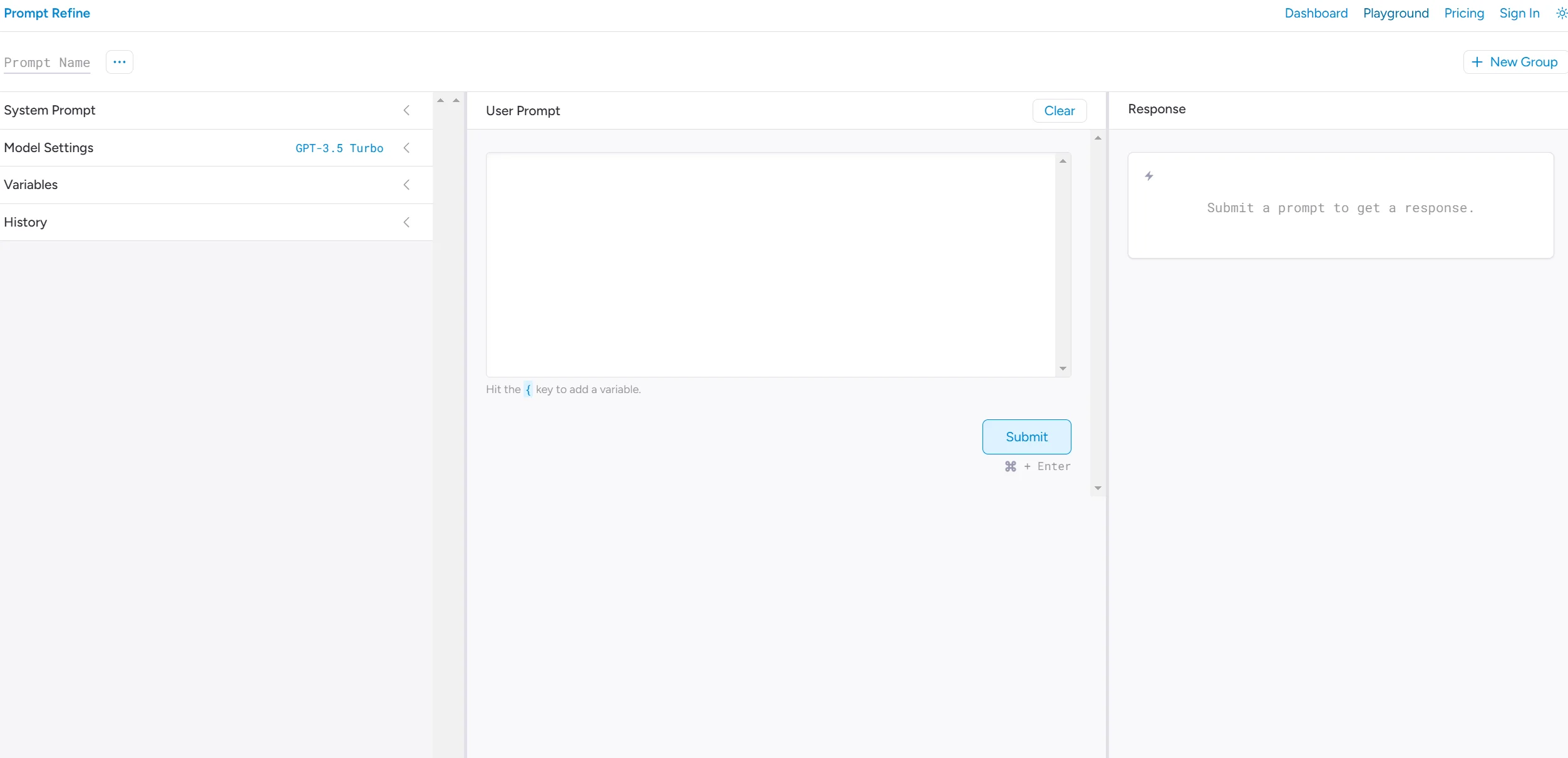
Prompt Refine is a powerful AI tool designed to improve and optimize the creation of prompts for various AI models. By enhancing prompt quality, it ensures that users receive better and more accurate results from AI-generated content. Tailored for developers, content creators, and AI enthusiasts, Prompt Refine simplifies the task of crafting effective prompts, making it accessible to users of all skill levels.
Prompt Refine stands out with its real-time feedback mechanism, enabling immediate improvements in AI interactions. Its ability to provide instant suggestions and refinements ensures users consistently achieve optimal results when working with AI models.
Prompt Refine offers an excellent solution for professionals looking to refine their AI prompts and improve the results they receive. Its user-friendly interface and advanced features make it a valuable tool across various industries, enabling users to leverage AI to its fullest potential. Despite some limitations, it remains a compelling choice for improving AI-generated content and enhancing productivity.
Who is Using Prompt Refine?
Content Creators
Utilizing the tool to craft precise prompts for generating AI articles, blogs, and other written content.
Software Developers
Enhancing their AI model interactions and optimizing outputs with refined prompts.
AI Researchers
Refining prompts in experimental settings to improve data quality.
Marketing Professionals
Generating creative and effective prompts for marketing content.
Uncommon Use Cases
Adopted by educators for teaching AI prompt design; legal professionals use it to generate AI-assisted document drafts.
Key Features
Rating Breakdown
Pricing Plans
Free Tier
Free
- Offers a limited-access free trial to explore basic features
Pro Tier
$39 per month
- Providing full access to all features
Prompt Refine Use Cases
Prompt experimentation
Run prompts repeatedly while testing small wording changes.
Outcome: Identify how prompt changes affect model results.
Experiment comparison
Review prompt-run history and compare outputs using highlighted differences.
Outcome: See which prompt variation performed better.
Reusable prompt variables
Create variables for text that needs to be reused across prompts.
Outcome: Reduce repetitive prompt editing.
Shared prompt groups
Organize prompts into groups and share them with coworkers or friends.
Outcome: Make prompt experiments easier to organize and distribute.
CSV analysis
Export prompt runs to CSV after testing.
Outcome: Analyze experiment results outside the product.
Workflow Ideas with Prompt Refine
Compare prompt variations
- 1Create a prompt and run it against a supported model
- 2Modify the wording or variables and run it again
- 3Review the history and highlighted differences
Organize collaborative experiments
- 1Create prompt groups
- 2Add related prompts and experiment runs
- 3Share the prompt group with friends or coworkers
Export experiment data
- 1Run and compare prompt experiments
- 2Review the saved prompt-run history
- 3Export the runs to CSV for further analysis
How Prompt Refine fits into your stack
Browser
Prompt Refine is used as a web-based prompt experimentation workspace where users run prompts, compare histories, manage variables, and export CSV results.
Pros
- +Efficiency Boost: Reduces the time needed to create effective prompts, enhancing overall productivity.
- +Improved Accuracy: Ensures AI-generated content is more accurate by refining input prompts.
- +Cost-Effective Solution: Provides a high-value service at competitive pricing, making it accessible to a broad audience.
- +Versatile Application: Ideal for a wide range of industries and use cases, including content creation, software development, and more.
Cons
- −Initial Learning Curve: Some users may need time to familiarize themselves with all the advanced features and functionalities.
- −Limited Third-Party Integrations: Currently supports a limited number of external platforms, which might limit its appeal to some users.
Limitations & when to consider alternatives
Known limitations
- The service is shut down. The official site currently states that Prompt Refine has been shut down.
- Model responses may be inaccurate. The terms warn that the underlying language models may generate incorrect or misleading information.
- Paid services had non-refundable fees. The terms state that certain services required payment and that fees were non-refundable.
- Cancellation was not immediate. Historical Pro or Plus cancellation requests were processed within two to five business days.
Look elsewhere when
- You need a currently active prompt-experimentation service.
- You need model fine-tuning rather than prompt-cost analysis.
How to Use Prompt Refine
- 1
Choose a supported model
Use OpenAI, Anthropic, Together, Cohere, or a local model through window.ai.
- 2
Run a prompt experiment
Run prompts and let each result be recorded in history for later comparison.
- 3
Compare runs
Review experiment results with detailed run information and highlighted differences.
- 4
Create reusable variables
Add variables to prompts so the same experiment can be tested with changing inputs.
- 5
Organize prompt groups
Place related prompts into groups and share those groups with friends or coworkers.
- 6
Export results
Export prompt runs to CSV for further analysis outside Prompt Refine.
Who is Prompt Refine For?
Friends
Prompt groups can be organized and shared with friends for collaborative prompt experimentation.
Coworkers
Coworkers can receive shared prompt groups and review prompt experiment results.
Frequently Asked Questions
What was Prompt Refine?
Prompt Refine was a prompt-experimentation tool for testing prompts across multiple language-model providers.
Which model providers did Prompt Refine support?
The site listed OpenAI, Anthropic, Together, Cohere, and local models through window.ai.
Could users compare prompt experiments?
Each prompt run was saved to history, with details and highlighted differences available for comparison.
Could users reuse prompt text?
Users could create variables to reuse text within prompts.
Could users share prompts?
Users could organize prompts into groups and share those groups with friends and coworkers.
Could users export results?
Prompt runs could be exported to CSV for further analysis.
Community reviews
Be the first to share your experience.
Sign in to leave a review for Prompt Refine.
Prompt Refine Alternatives
Looking for alternatives to Prompt Refine? Here are similar tools in the same category:
Learn to Master Prompt Refine
With Skill Leap courses
Get in-depth training on Prompt Refine and 50+ other AI tools with our expert-led video courses.
Start 7-Day Free Trial