
Pixelicious
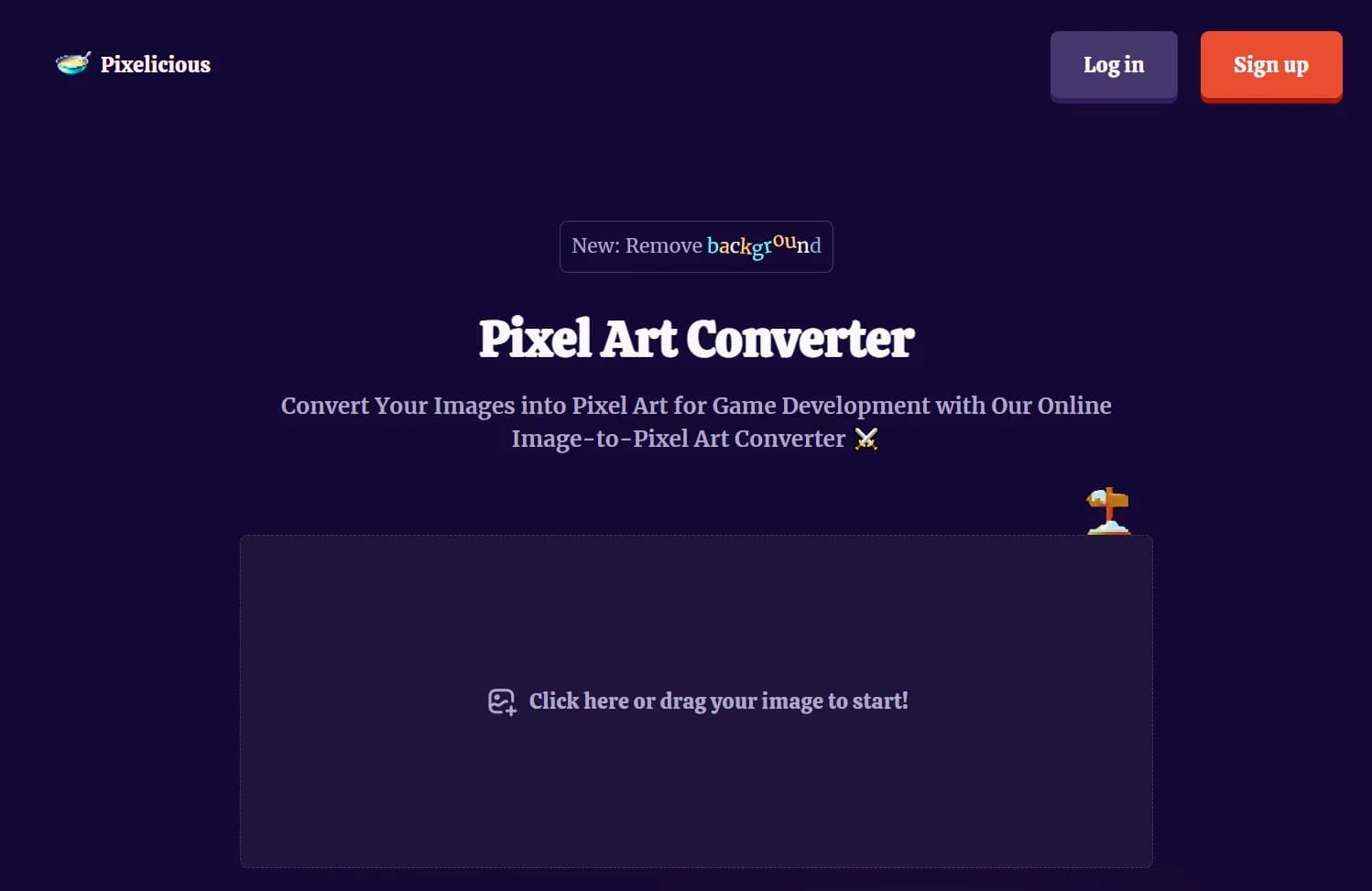
Transform images into pixel art effortlessly online; background removal included.
Key Takeaways
- What it is
- Transform images into pixel art effortlessly online; background removal included.
- Best for
- Pixel Art Conversion
- Background Removal
- User-Friendly Interface
- Rating
- 4.5/5
What is Pixelicious?
Pixelicious is an innovative AI-driven tool that has caught the attention of game developers and digital artists alike. With its core function centered around transforming standard images into pixel art, it provides a unique service for those looking to integrate a retro aesthetic into modern gaming and digital projects. Designed for creatives who value efficiency and precision, Pixelicious simplifies the process of creating pixel art from existing images, streamlining what can often be a time-consuming task.
Pixelicious stands out with its specialized focus on pixel art conversion, a niche but essential feature for the gaming and digital art community. Its ability to swiftly convert images and remove backgrounds without the need for complex software sets it apart from traditional graphic design tools.
Pixelicious excels in providing an accessible and efficient means to create pixel art, making it an indispensable tool for game developers and digital artists. Its distinctive feature of converting images to pixel art, coupled with the convenience of online access, offers an unmatched advantage for those looking to infuse a retro charm into their work.
Who is Using Pixelicious?
Game Developers
Utilizing the tool to quickly create assets for retro-styled video games.
Digital Artists
Employing the tool to infuse a pixel art style into their artwork for various projects.
Indie Creators
Leveraging the tool to develop visuals for mobile apps and indie games on a budget.
Educational Institutions
Using Pixelicious to teach students about the principles of pixel art and game design.
Uncommon Use Cases
It has found use in web design for creating unique, pixelated graphics; Additionally, hobbyists enjoy using it to create personalized pixel art for DIY projects.
Key Features
Rating Breakdown
Pricing Plans
Free Access
- Pixelicious can be accessed for free
- Which is great for those wanting to test its capabilities
Subscription Plans
- While the basic usage is free
- There may be premium features available for a subscription fee
Which Pixelicious plan should you pick?
Start with Free for evaluation, choose Starter or Pro for individual production, upgrade to Max for teams, and use Enterprise for governance and scale.
Free
Good for evaluating public models and basic generation with 50 daily credits.
Starter
Good for casual creators who need 1,500 monthly credits and a single-user workspace.
Pro
Good for demanding creators who need custom model training, advanced models, and 5,000 monthly credits.
Max
Good for small or mid-sized teams needing up to 25 users and collaboration tools.
Enterprise
Good for organizations needing SSO, governance, audit trails, custom integrations, and dedicated support.
Pixelicious Use Cases
Retro game assets
Convert illustrations or photos into pixel sprites, character animations, and environment tiles.
Outcome: Consistent retro-style game artwork.
Stylized portraits and avatars
Transform photos into pixel-art portraits for social profiles, games, or brand identity.
Outcome: Distinctive pixel-art avatars.
Mobile game UI elements
Create pixel-style icons, buttons, and interface elements with controlled resolution and crisp edges.
Outcome: Pixel-perfect UI assets.
Consistent visual production
Train custom models on owned assets and use them for repeatable generation and editing.
Outcome: More consistent outputs across an asset library.
Automated asset pipelines
Chain generation, retouching, upscaling, image-to-video, or 3D conversion in reusable workflows.
Outcome: Repeatable multi-step production.
Workflow Ideas with Pixelicious
Convert an image into refined pixel art
- 1Upload or drag and drop a high-resolution image
- 2Adjust the palette and choose a pixel grid size
- 3Apply noise or background removal, then generate and refine
Create a repeatable production pipeline
- 1Select a platform or custom-trained model
- 2Connect generation, editing, and upscale nodes in Workflow editor
- 3Run the workflow repeatedly or publish it as an App
How Pixelicious fits into your stack
Browser-Based Platform
Pixelicious operates within web browsers, eliminating compatibility issues across different operating systems.
File Export
Allows for easy export of converted pixel art for use in various game development and graphic design platforms.
Drag-and-Drop Interface
Simplifies the image uploading process, making it compatible with a wide range of file management systems.
Scenario Integration
Pixelicious has recently joined forces with Scenario, potentially offering additional features and enhanced functionality.
Pros
- +Time-Saving: Dramatically reduces the time required to create pixel art from existing images, allowing artists to focus on other creative aspects of their projects.
- +Cost-Effective: Eliminates the need for expensive software or the outsourcing of pixel art creation, providing a cost-efficient solution.
- +Simplicity: The straightforward drag-and-drop functionality makes it accessible even to those with minimal technical skills.
- +Quality Results: Delivers high-quality pixel art that maintains the essence of the original image while embracing the pixelated style.
Cons
- −Feature Limitations: As a specialized tool, it may not offer the extensive editing features found in full-fledged graphic design software.
- −Online Dependency: Requires an internet connection to access and use the tool, which might be a limitation for users in areas with poor connectivity.
- −Format Support: There may be restrictions on the types of image formats that can be uploaded and converted.
Limitations & when to consider alternatives
Known limitations
- Free-plan outputs have restricted usage. Free-plan outputs are limited to personal and evaluation use; paid plans provide commercial licensing.
- Credits do not roll over. Unused monthly credits expire at the end of the billing cycle.
- API access requires a paid plan. API access is available on Starter and higher plans.
- Pixelate offers predefined grid sizes. The documented grid choices are 16, 32, 64, 128, and 256 pixels.
- Enterprise SSO is plan-gated. SSO and SAML are available exclusively on the Enterprise plan.
Look elsewhere when
- You need a native mobile application.
- You need a dedicated browser extension.
- You need a downloadable desktop application.
How to Use Pixelicious
- 1
Pixelicious provides a straightforward experience, and while there might not be an extensive range of tutorials, users can generally get started immediately due to the tool's intuitive design. For more complex features or tips, users may need to refer to community forums or contact support.
Who is Pixelicious For?
Game developers
The platform supports sprites, character assets, environments, UI elements, textures, and other game-production visuals.
Individual creators
Starter is designed for casual creators exploring AI-generated and edited visual assets.
Marketing and design teams
Scenario supports marketing visuals, product mockups, concept art, and brand-oriented creative production.
Entertainment and media teams
The platform supports image, video, audio, captioning, pre-visualization, and storyboard workflows.
Large organizations
Enterprise provides SSO, governance, audit trails, custom integrations, and dedicated support.
Frequently Asked Questions
Does Scenario offer a free plan?
Yes. The Free plan provides 50 daily credits, and no credit card is required.
What can Pixelate do?
Pixelate converts photos or illustrations into pixel art with adjustable grid sizes, palettes, noise removal, and background removal.
Can users train custom models?
Yes. Users can upload datasets and train custom style, character, or subject models.
Can Scenario automate creative workflows?
Yes. Its node-based Workflow editor chains generation, editing, upscaling, and other operations into reusable pipelines.
Can teams collaborate?
Yes. Organizations can invite members, assign roles, create projects, and share assets and workflows.
Are generated assets commercially usable?
Paid plans include a full commercial license. Free-plan outputs are limited to personal and evaluation use.
Community reviews
Be the first to share your experience.
Sign in to leave a review for Pixelicious.
Pixelicious Alternatives
Looking for alternatives to Pixelicious? Here are similar tools in the same category:
Learn to Master Pixelicious
With Skill Leap courses
Get in-depth training on Pixelicious and 50+ other AI tools with our expert-led video courses.
Start 7-Day Free Trial