
PixAI
Unleash AI to create stunning anime art, effortlessly and without artistic skills.
Key Takeaways
- What it is
- Unleash AI to create stunning anime art, effortlessly and without artistic skills.
- Best for
- Anime Art Generation
- Customization Options
- High-Resolution Outputs
- Rating
- 4.4/5
What is PixAI?
PixAI is an innovative AI-powered tool that has caught the attention of digital artists and anime enthusiasts alike. Its core purpose is to transform user input into unique anime-style artwork using advanced artificial intelligence. Whether you're a seasoned illustrator looking to speed up your workflow or a hobbyist wanting to bring your wildest anime concepts to life, PixAI offers an accessible platform to create compelling visuals.
PixAI stands out in its niche by offering specialized anime art generation, a feature that caters specifically to a passionate and growing community of anime fans and creators. Its user-friendly interface and the ability to produce high-resolution artwork for free set it apart from other AI art tools.
PixAI excels in providing a specialized and accessible platform for creating anime art, making it an essential tool for fans and creators in the anime community. Its strength lies in the simplicity of its use and the quality of its outputs, particularly for those looking to generate art without the need for extensive artistic skills or resources. With its free access and user-friendly interface, PixAI invites a broad audience to explore the world of AI-generated anime artwork.
Who is Using PixAI?
Anime Fans
Creating custom avatars and fan art of their favorite characters.
Content Creators
Generating unique artwork for use in social media posts, videos, and other digital content.
Game Developers
Designing characters and assets for indie games with an anime aesthetic.
Writers and Storytellers
Bringing their written characters to visual life to enhance their narratives.
Uncommon Use Cases
Used by educators to engage students in creative writing and art projects; Utilized by event planners for personalized anime-themed party invitations and decorations.
Key Features
Rating Breakdown
Pricing Plans
Free Access
- PixAI is available for free
- Allowing users to generate anime art without any upfront costs
Which PixAI plan should you pick?
Start with Free for occasional image generation; upgrade to Starter, Plus, or Premium when you need more credits, LoRA training, private models, video, or higher limits.
Free
Good for casual creators who need daily credits and basic image generation without a subscription.
Starter
Good for creators who need 300,000 monthly bonus credits, three free LoRA trainings, and video generation.
Plus
Good for heavier users who need 1,000,000 monthly credits, five free LoRA trainings, and enhanced video mode.
Premium
Good for high-volume creators who need 2,000,000 monthly credits, ten free LoRA trainings, and up to 35 private model uploads.
PixAI Use Cases
Generate anime illustrations
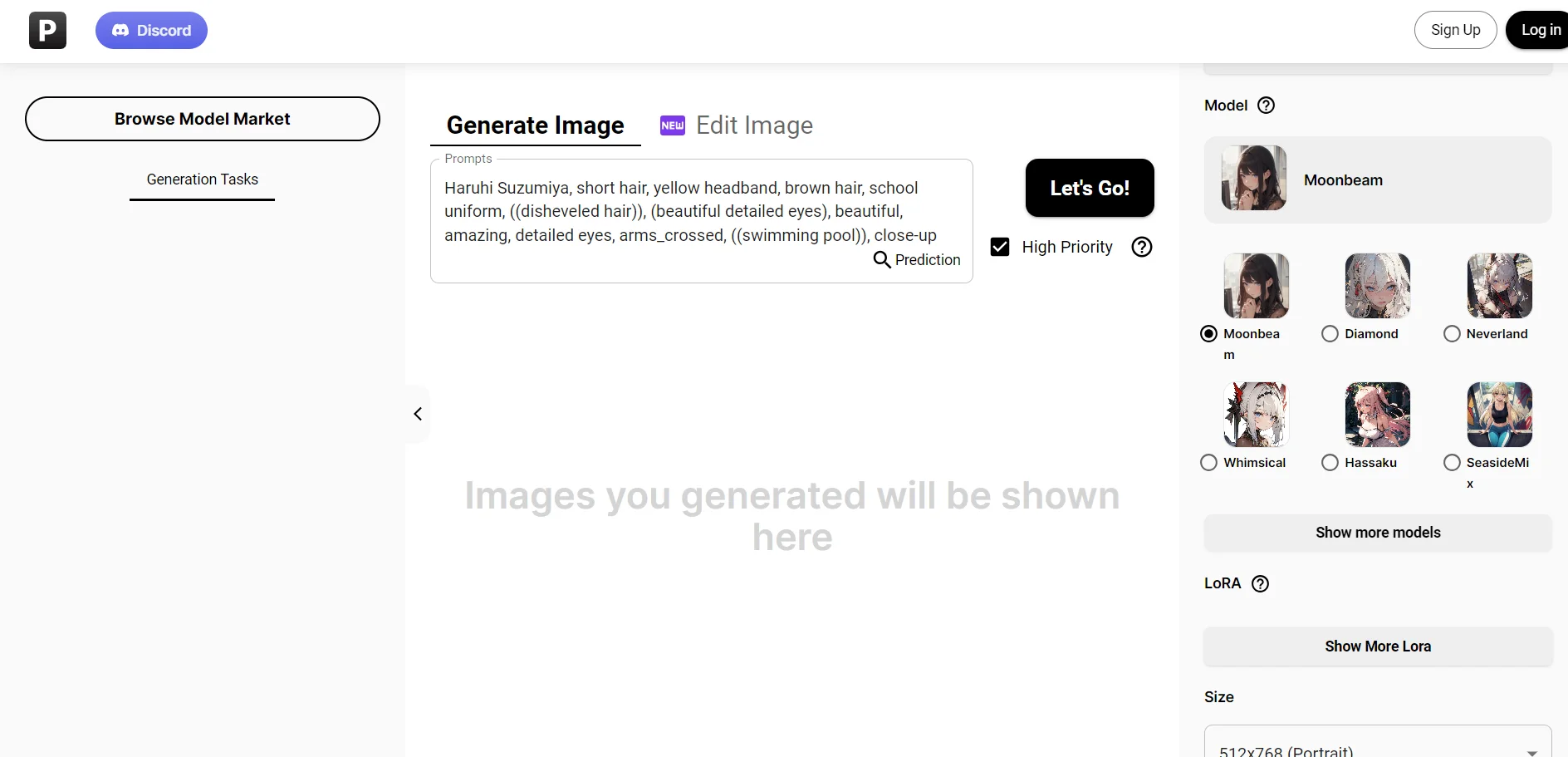
Describe a scene with natural-language or tag-based prompts and select a model.
Outcome: A finished anime-style illustration.
Create original characters
Combine prompts, models, and character LoRAs to place original characters in new scenes.
Outcome: Personalized character artwork.
Train a custom LoRA
Upload up to 100 images, choose a base model, and define trigger words.
Outcome: A reusable character, style, outfit, or concept LoRA.
Edit an existing image
Upload a reference image and apply style transfer, local edits, inpainting, outpainting, or enhancement.
Outcome: A revised or higher-quality image.
Animate a still image
Provide a still image, configure motion and duration, and generate a video.
Outcome: A five- or ten-second animated clip.
Workflow Ideas with PixAI
Prompt-to-polished illustration
- 1Choose a PixAI model
- 2Write a natural-language or tag-based prompt
- 3Generate, review, and refine the image
Reference image to stylized artwork
- 1Upload a reference image
- 2Choose an editing model and set strength
- 3Apply style transfer or local edits and download the result
Custom character LoRA workflow
- 1Upload focused character images
- 2Select a base model and enter trigger words
- 3Train the LoRA and reuse it in image generation
How PixAI fits into your stack
Browser
PixAI is primarily a browser-based anime and illustration creation platform. Users generate, edit, enhance, and animate images directly at pixai.art without installing desktop software.
Mobile app
Native iOS and Android apps provide mobile access to PixAI’s image generation, editing, LoRA training, and image-to-video features.
Automation and APIs
PixAI offers a REST API with API keys, asynchronous generation tasks, webhooks, and image-download endpoints for programmatic workflows. The official site also names Slack, Zapier, and Airtable integrations.
Pros
- +Creativity Booster: Fuels the creative process by generating multiple art interpretations from a single prompt.
- +Time-Saving: Significantly reduces the time required to draft and illustrate complex anime characters.
- +Cost-Effective: Offers free access to AI art generation, making it accessible to users on a budget.
- +No Artistic Skills Needed: Enables individuals without traditional artistic training to create anime art.
Cons
- −Limited Styles: While specialized in anime, it may not cater to those seeking a broader range of artistic styles.
- −Dependence on Descriptions: The quality of the output heavily relies on the user's ability to provide detailed prompts.
- −Potential for Generic Results: There's a chance of generating art that lacks the uniqueness of hand-drawn illustrations.
Limitations & when to consider alternatives
Known limitations
- Video generation is member-only. Free accounts cannot use video generation; Starter or higher membership is required.
- API feature coverage is limited. The API does not currently support video generation, Reference Pro, PixAI Edit, or PixAI Edit Lite.
- Prompt length limit. Most PixAI models support a maximum prompt length of 4,096 characters.
- LoRA training dataset constraints. Training supports up to 100 images, and trigger words cannot be changed after training.
- Generated media retention. API-generated images are not permanently retained, so they should be downloaded after completion.
Look elsewhere when
- You need document or spreadsheet upload and processing.
- You need a downloadable desktop installer.
- You need collaborative shared workspaces with roles.
- You need code generation.
How to Use PixAI
- 1
Open PixAI
Use pixai.art in a browser or open the native mobile app.
- 2
Claim free credits
Sign in daily and complete available missions before generating.
- 3
Choose a model
Select a model from the Model Market based on your desired style and prompt method.
- 4
Write a prompt
Describe the subject, scene, mood, composition, and desired visual details.
- 5
Generate or edit
Create an image, upload a reference for editing, or use inpainting, outpainting, and enhancement tools.
- 6
Save or publish
Download the result, publish it to the PixAI community, or reuse its model and LoRA setup.
Who is PixAI For?
Anime and illustration creators
PixAI is designed for anime, manga, and illustration-focused image generation.
Artists building original characters
Users can design original characters and train character-specific LoRAs.
Creators needing image editing
Reference images, inpainting, outpainting, style transfer, and upscaling support iterative editing.
Creators producing social content
PixAI supports profile images, wallpapers, shared artwork, community contests, and short animated clips.
Developers integrating image generation
The PixAI API provides programmatic image-generation requests and task-status handling.
Frequently Asked Questions
Is PixAI free to use?
Yes. PixAI offers a Free membership with daily credits; paid memberships add credits and advanced features.
Do PixAI credits expire?
No. Credits continue accumulating and do not expire.
Can I train my own model?
Yes. PixAI supports training custom LoRAs from uploaded image datasets.
Can PixAI turn images into videos?
Yes. Members can transform still images into five- or ten-second animated clips.
Where can I use PixAI?
PixAI is available through its browser experience and native mobile apps.
Can I use PixAI through an API?
Yes. PixAI provides API documentation with API keys, image-generation endpoints, task polling, and webhooks.
Community reviews
2 reviews from people who use PixAI.
Sign in to leave a review for PixAI.
Rich Garcia
Kool A
PixAI Alternatives
Looking for alternatives to PixAI? Here are similar tools in the same category:
Learn to Master PixAI
With Skill Leap courses
Get in-depth training on PixAI and 50+ other AI tools with our expert-led video courses.
Start 7-Day Free Trial