
Photosonic AI
Transform text into high-quality, diverse art instantly.
Key Takeaways
- What it is
- Transform text into high-quality, diverse art instantly.
- Best for
- Text-to-Art Conversion
- Variety of Art Styles
- Rapid Image Generation
- Rating
- 4.6/5
What is Photosonic AI?
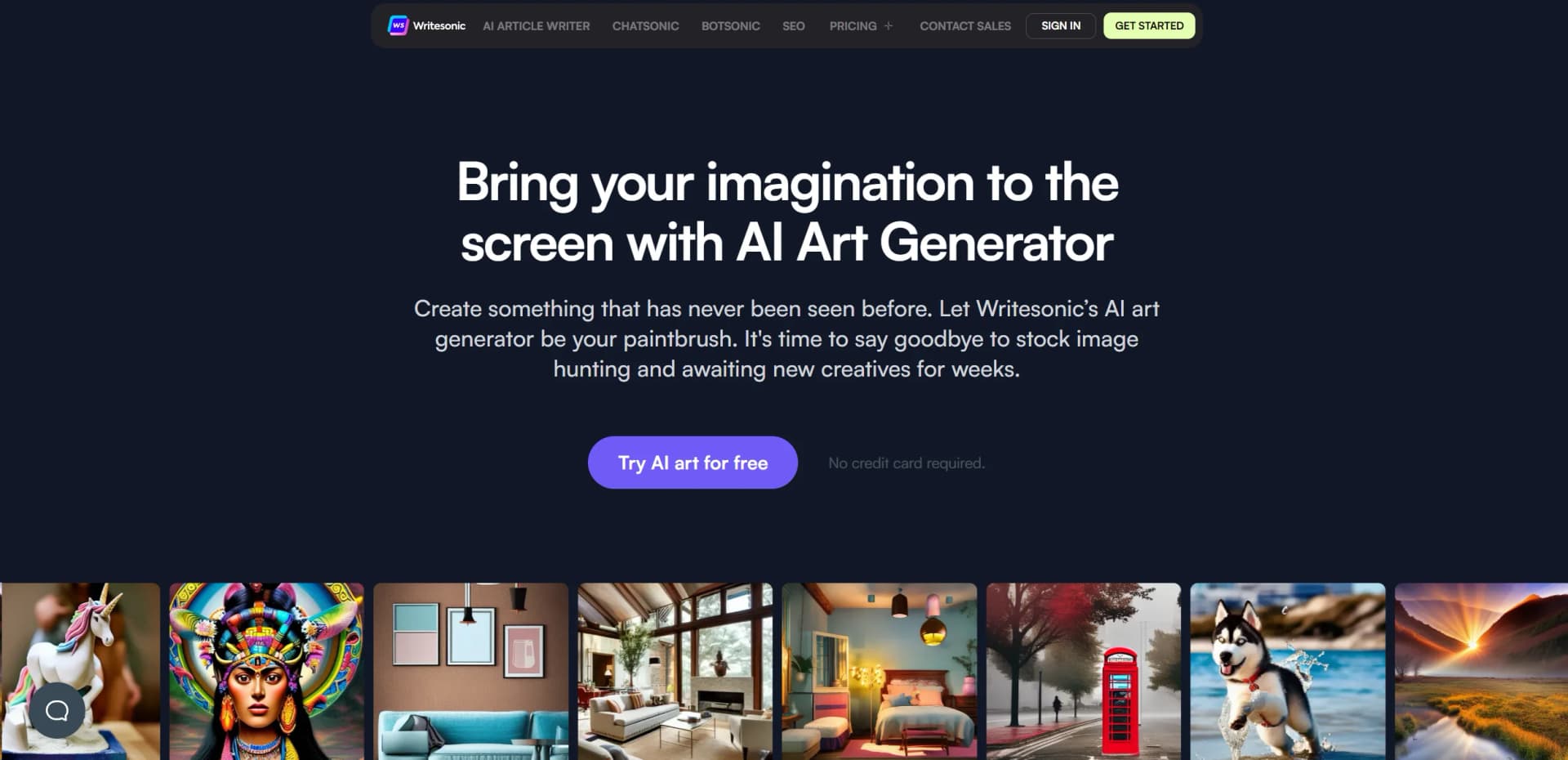
Photosonic, developed by Writesonic, is a cutting-edge AI art generator that aims to transform the way we create and conceptualize art. This tool leverages artificial intelligence to convert textual descriptions into compelling visual content, ranging from photorealistic images to abstract compositions. Designed for artists, designers, marketers, and anyone in need of high-quality images, Photosonic simplifies the creative process by eliminating the need for extensive manual input and traditional artistic skills.
Photosonic stands out by providing a seamless bridge between textual input and visual output, enabling the creation of tailored images that were previously unimaginable without professional expertise. Its ability to quickly adapt to user feedback and evolve art styles is particularly noteworthy.
Photosonic by Writesonic excels in transforming textual descriptions into high-quality, diverse art styles, making it an indispensable tool for anyone looking to enhance their visual content. Its user-friendly interface, combined with powerful AI capabilities, ensures that both novices and professionals can create stunning, unique artworks efficiently and cost-effectively. Whether for commercial use, educational purposes, or personal projects, Photosonic offers an unmatched advantage in digital art creation.
Who is Using Photosonic AI?
Digital Marketers
Creating engaging visuals for campaigns and social media.
Graphic Designers
Generating initial design concepts and elements.
Content Creators
Producing unique images for blogs, websites, and online platforms.
Educational Institutions
Utilizing in teaching digital arts and media courses.
Uncommon Use Cases
Novel applications include creating custom tattoo designs and personalizing home decor elements.
Key Features
Rating Breakdown
Pricing Plans
Free Trial
- Start with a generous trial period to explore basic features without financial commitment
Subscription Plans
- Flexible pricing tiers tailored to different usage needs and budgets
Which Photosonic AI plan should you pick?
Start with Starter for individual experimentation, move to Basic or Growth for higher usage and collaboration, and choose Enterprise for custom scale, integrations, and security.
Starter
Good for individuals who need basic AI search, content, and image-generation access.
Basic
Good for small teams who need more content capacity, collaboration, and broader SEO features.
Growth
Good for growing teams that need higher usage limits, additional users, and advanced workflows.
Enterprise
Good for organizations needing custom limits, integrations, access controls, SSO/SAML, and dedicated support.
Photosonic AI Use Cases
Social media content
Generate visual assets for Instagram, Twitter, LinkedIn, and Facebook posts.
Outcome: Eye-catching social visuals.
Blog illustrations
Create unique images relevant to written articles.
Outcome: More visually engaging blog content.
Marketing campaigns
Generate custom visuals for ads, banners, and promotional materials.
Outcome: Campaign-ready creative assets.
Product design
Design graphics for merchandise such as T-shirts, mugs, and posters.
Outcome: Custom product artwork.
Concept art
Develop initial concepts for video games, movies, and other creative projects.
Outcome: Early-stage visual concepts.
Workflow Ideas with Photosonic AI
Create and refine an image
- 1Enter a detailed text prompt
- 2Choose an image size and number of generations
- 3Generate, upscale, and download the preferred image
Create social media artwork
- 1Describe the desired social-media visual
- 2Generate up to five variations
- 3Download or share the selected image
Develop product concept art
- 1Describe the product or merchandise design
- 2Select the preferred orientation and generation count
- 3Upscale and download the chosen concept
How Photosonic AI fits into your stack
Platform Versatility
Compatible with various digital platforms, enhancing its utility across different media.
API Access
Offers API integration for developers looking to incorporate Photosonic’s capabilities into their own applications.
Enhanced Quality Options
Users can enhance the resolution and detail of generated images, suitable for professional-grade projects.
Pros
- +Cost-Effectiveness: Reduces expenses on stock images and art creation, providing a cost-efficient alternative.
- +Time-Saving: Streamlines the content creation process, allowing for rapid development of ideas and concepts.
- +Customization: Offers extensive customization options in art style and composition through user-friendly prompts.
- +Accessibility: Makes art creation accessible to non-artists, democratizing the ability to produce visually appealing content.
Cons
- −Creativity Limitations: While versatile, the AI might not fully replicate the nuance and emotion conveyed by human artists.
- −Learning Curve: New users may need time to learn how to best formulate prompts to achieve desired results.
- −Dependence on Descriptions: The output quality heavily depends on the user’s ability to provide clear and detailed descriptions.
Limitations & when to consider alternatives
Known limitations
- Maximum five images per prompt. The documented interface allows users to generate up to five images at a time.
- Limited image-size options. The documentation lists only square, horizontal, and vertical preset dimensions.
- Text-prompt workflow. The documented workflow begins with entering a text prompt and does not describe image or document input.
- API prompt length limit. The Photosonic API requires prompts between 2 and 500 characters.
Look elsewhere when
- You need image analysis or multimodal file chat.
- You need uploaded documents processed alongside prompts.
- You need a permanent free plan rather than a trial.
How to Use Photosonic AI
- 1
Access a range of tutorials from basic setup to advanced features directly on the Writesonic website, empowering users to maximize the tool’s potential.
Who is Photosonic AI For?
Artists
Artists can explore visual concepts and generate work across multiple styles.
Businesses
Businesses can create custom visuals for marketing and promotional materials.
Social media creators
Creators can produce eye-catching visuals for social platforms.
Blog publishers
Blog publishers can enhance articles with unique, relevant images.
People without advanced art expertise
The interface is designed to let users create images without high-level art expertise.
Frequently Asked Questions
What is Photosonic?
Photosonic is Writesonic's AI art generator for creating visual art from text prompts.
How many images can Photosonic generate at once?
Users can generate up to five images from a single prompt.
Which image sizes are available?
The documented options are Square 1024×1024, Horizontal 1792×1024, and Vertical 1024×1792.
Can generated images be upscaled?
Yes. The documentation includes an Upscale image action for increasing resolution.
Can generated images be downloaded or shared?
Users can download images or share links through Facebook, Twitter, LinkedIn, Pinterest, Reddit, and WhatsApp.
Can Photosonic create different visual styles?
Yes. Documented styles include photorealistic, abstract, impressionist, and modern designs.
Community reviews
Be the first to share your experience.
Sign in to leave a review for Photosonic AI.
Photosonic AI Alternatives
Looking for alternatives to Photosonic AI? Here are similar tools in the same category:
Learn to Master Photosonic AI
With Skill Leap courses
Get in-depth training on Photosonic AI and 50+ other AI tools with our expert-led video courses.
Start 7-Day Free Trial