
Photo AI
Unleash AI-powered photo generation and personalized character creation.
Watch Photo AI in Action
Key Takeaways
- What it is
- Unleash AI-powered photo generation and personalized character creation.
- Pricing
- Freemium · $60 per month
- Best for
- AI Character Creation
- AI Photography and Videography
- AI Packs and Prompts
- Rating
- 4.5/5
What is Photo AI?
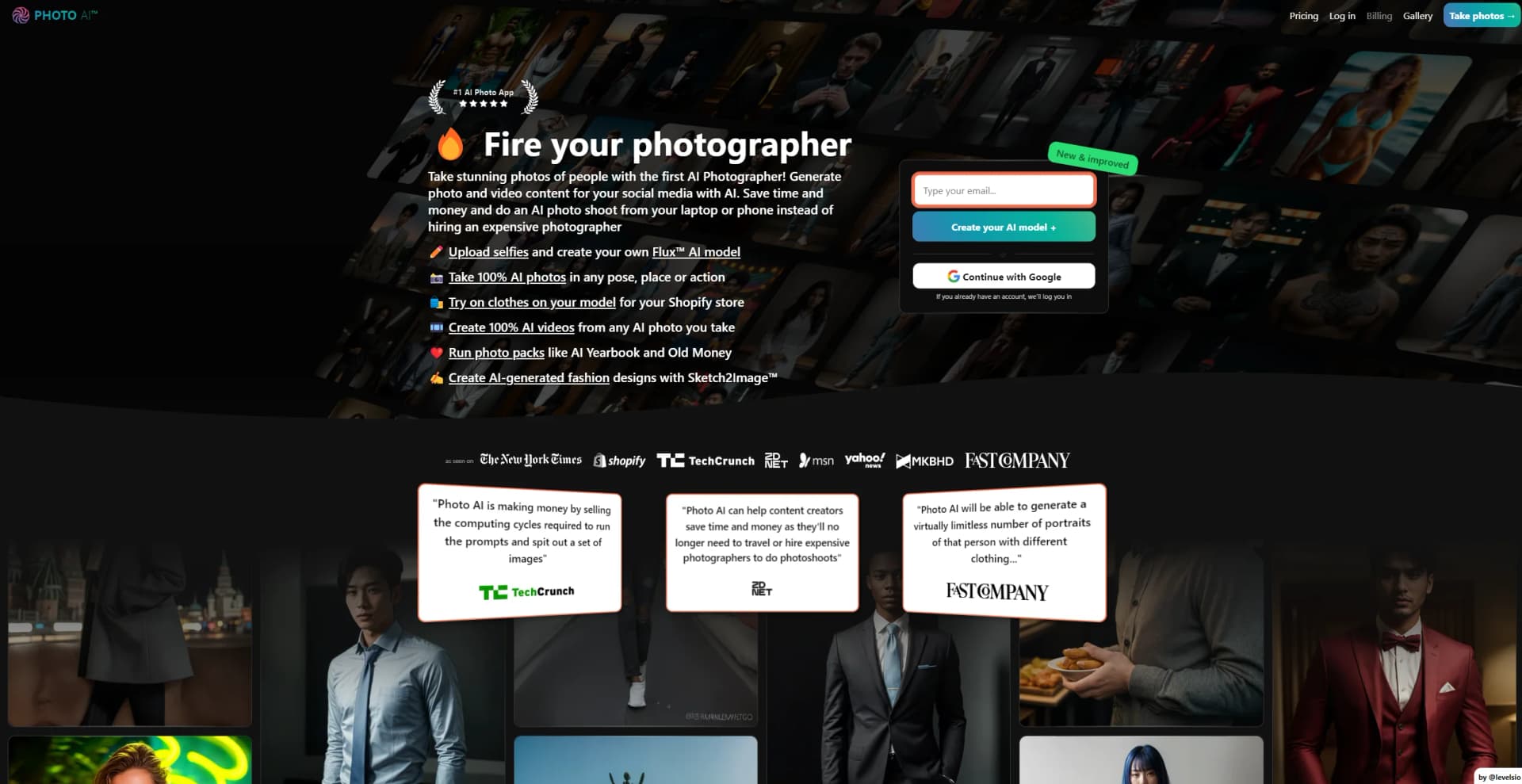
Photo AI is an innovative AI photo generator that caters to the creative needs of individuals and businesses alike. At its essence, Photo AI is designed to bypass the traditional photography process by using artificial intelligence to create realistic photos and videos without the need for a physical camera. The platform is particularly advantageous for those who wish to save on the costs associated with hiring professional photographers or organizing elaborate photo shoots. With Photo AI, users can simply upload selfies and create their own AI character, which can then be used to produce an array of images in various poses, locations, and actions. Additionally, the tool offers unique features like AI-generated fashion designs with Sketch2Image™ and the ability to create AI videos from photos.
Photo AI distinguishes itself by being the first AI Photographer in the world, enabling users to take photos that are virtually indistinguishable from those taken by a human photographer. Its Sketch2Image™ feature is a standout, allowing fashion designers to bring their sketches to life in a photorealistic manner. The tool's ability to create detailed AI characters and generate images in countless scenarios places it at the forefront of AI-generated visual content.
Photo AI excels in providing a unique solution for generating high-quality, realistic images and videos, making it an indispensable tool for a wide array of users. Its Sketch2Image™ technology and the ability to create detailed AI characters are particularly noteworthy, offering unmatched advantages in personalization and creative freedom. While there is a learning curve and potential for AI artifacts, the pros significantly outweigh the cons, establishing Photo AI as a leader in the AI photography space.
Who is Using Photo AI?
E-commerce Businesses
Using the tool to create product images and lifestyle shots for online stores.
Digital Marketing Agencies
Generating a variety of promotional content with ease.
Social Media Influencers
Producing unique and personalized content for platforms like Instagram and TikTok.
Fashion Designers
Visualizing garment designs before prototyping with Sketch2Image™.
Uncommon Use Cases
Event planners simulating venue decorations; Novelists creating character visuals for book covers.
Key Features
Rating Breakdown
Pricing Plans
Free Tier
Free
- New users can explore basic features with a limited number of photo credits
Premium Subscription
$60 per month
Which Photo AI plan should you pick?
Start with Starter for personal experimentation, upgrade to Pro for commercial use and higher-quality output, and choose Max or Ultra for more models, parallel generation, storage, and faster processing.
Starter
Good for personal users who need basic AI photos, one AI model per month, and 50 monthly credits.
Pro
Good for creators and small businesses who need commercial rights, imported photos, custom prompts, remixing, and 1,000 monthly credits.
Max
Good for heavier production users who need higher likeness, editing, videos, try-on, parallel generation, and 3,000 monthly credits.
Ultra
Good for high-volume users who need ultra quality, up to 16 parallel photos, unlimited storage, priority processing, and 10,000 monthly credits.
Photo AI Use Cases
Create a personal AI model
Upload varied selfies or other photos, train a personalized model, and generate new photos of yourself.
Outcome: Photorealistic images in different places, poses, outfits, and styles.
Generate social-media content
Run themed photo packs or write prompts to create Instagram-ready photos, videos, carousels, and thumbnails.
Outcome: A larger library of ready-to-publish visual content.
Create virtual clothing try-ons
Upload a garment photo, mockup, or sketch and apply it to a trained AI model.
Outcome: Product-page, lookbook, and social-media imagery without a physical photo shoot.
Turn images into videos
Select an AI-generated or uploaded image, write a motion prompt, and generate a short video.
Outcome: A 5–10-second cinematic clip with motion.
Create product videos
Upload a product, choose an AI model, provide a script, select an AI voice, and optionally add captions.
Outcome: Product videos for TikTok, Instagram, and e-commerce marketing.
Workflow Ideas with Photo AI
Personal AI photo shoot
- 1Upload 5–20 varied photos of yourself
- 2Create and train a personalized AI model
- 3Run a photo pack or write a prompt to generate new photos
Batch fashion try-on
- 1Create or select a trained AI model
- 2Open Try on clothes and upload multiple garment images
- 3Process the batch to create consistent try-on photos
Image-to-video campaign
- 1Generate or import a source image
- 2Select Make video and write a motion prompt
- 3Download the resulting short video
How Photo AI fits into your stack
Device Compatibility
Accessible from various devices, including laptops and smartphones.
File Format Support
Accepts multiple image formats like JPG, PNG, WebP, and AVIF for character creation.
Stable Video Diffusion
Integrates with this technology to turn static images into video clips.
Affiliate Program
Offers a commission-based referral system for users to earn by promoting Photo AI.
Pros
- +Cost Reduction: Eliminates the need to hire professional photographers, reducing expenses for content creation.
- +Creative Freedom: Offers vast possibilities for photo and video generation, breaking the limitations of location and setup.
- +User-Friendly Interface: Intuitive platform design simplifies the process of creating AI characters and generating content.
- +Innovative Features: Unique tools like Sketch2Image™ cater to specific needs such as fashion design visualization.
Cons
- −Learning Curve: New users may need time to understand how to best utilize the AI character creation and photo generation features.
- −AI Artifacts: Some generated images may exhibit imperfections or unrealistic elements, common in AI-generated content.
- −Privacy Concerns: Users may have reservations about uploading personal photos for AI model training.
Limitations & when to consider alternatives
Known limitations
- HEIC files are unsupported. AI-model training accepts JPG, PNG, WebP, and AVIF, but HEIC files must be converted before upload.
- Model training requires a photo set. Photo AI recommends roughly 5–20 varied photos and warns that low-variety, group, obscured, or cropped-face images reduce results.
- Training speed depends on the plan. Premium and Ultra training is documented at about 90 seconds, while lower plans can take 30 minutes to two hours.
- Multiple-person generations are limited. Photo AI documents support for up to four different models in one generation.
- Refund eligibility is restricted. Refunds generally require no model creation and fewer than 20 lifetime generated photos; used generative processing may be non-refundable.
Look elsewhere when
- You need a native iOS app rather than a website.
- You need commercial rights on the entry-level plan.
- You need HEIC upload support without conversion.
How to Use Photo AI
- 1
New users can find guidance through available tutorials that walk through the process of creating AI characters and generating photos, ensuring a smoother experience with the tool.
Who is Photo AI For?
Content creators
Generate social-media photos, videos, thumbnails, and lifestyle content without arranging a conventional photo shoot.
Marketers
Create product photos, advertisements, marketing campaigns, and short promotional videos with AI models.
E-commerce businesses
Produce product imagery, product videos, and virtual clothing try-ons for online stores.
Fashion designers and labels
Test clothing concepts and generate batches of consistent try-on images across a collection.
Dating-app users
Create dating profile photos for services such as Tinder, Hinge, Bumble, and Badoo.
Frequently Asked Questions
Is Photo AI free?
Photo AI is a paid subscription service. Paid plans include free automatically generated photos for each new AI model, and yearly billing provides more than six months free.
What type of photos should I upload for creating an AI model?
Use varied photos with different angles, lighting, backgrounds, clothing, and expressions. Avoid group photos, other people, sunglasses, hats, and images where the face is cut off or not visible.
What file formats of photos do you accept for creating an AI model?
Photo AI accepts JPG, PNG, WebP, and AVIF files. HEIC is not currently supported and must be converted first.
How long does it take to create my AI model?
Premium and Ultra training can take about 90 seconds, while lower plans may take 30 minutes to two hours.
Can I use Photo AI photos commercially?
Pro, Max, and Ultra plans include a commercial-use license. Starter is for personal use only.
Is there a Photo AI iOS app?
Photo AI says its former iOS app is no longer available and recommends using the Photo AI website.
Community reviews
Be the first to share your experience.
Sign in to leave a review for Photo AI.
Photo AI Alternatives
Looking for alternatives to Photo AI? Here are similar tools in the same category:
Learn to Master Photo AI
With Skill Leap courses
Get in-depth training on Photo AI and 50+ other AI tools with our expert-led video courses.
Start 7-Day Free Trial