
Perplexity
Answers questions with cited web sources.
Watch Perplexity in Action
Key Takeaways
- What it is
- Answers questions with cited web sources.
- Pricing
- Freemium · $20 per month · $40 per seat per month · $325 per seat per month
- Best for
- Cited Web Answers
- Pro Search and Deep Research
- Spaces
- Rating
- 4.3/5
What is Perplexity?
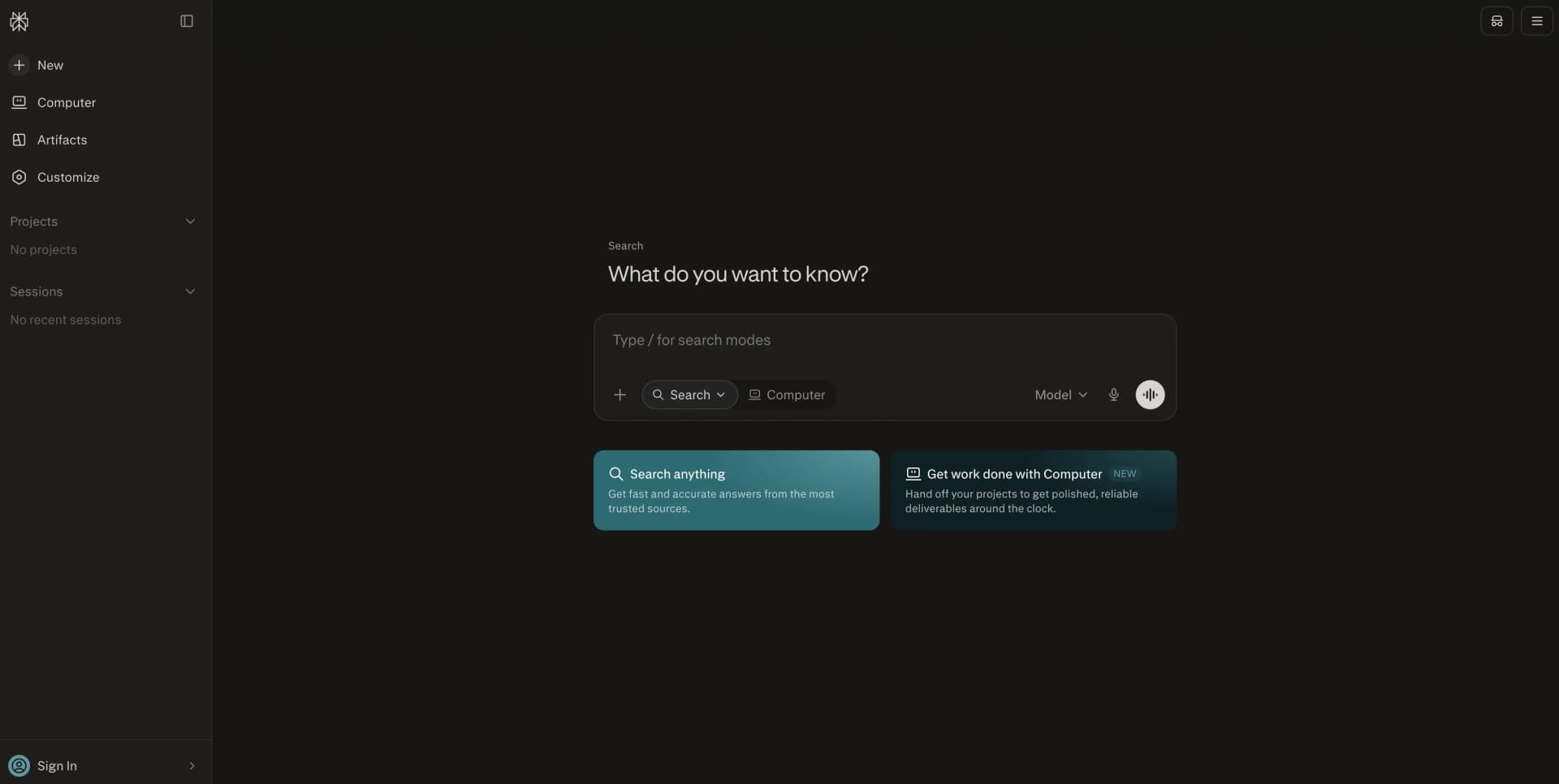
Perplexity is an AI answer engine that searches the open web in real time and returns concise answers with inline citations. It is built for students, researchers, professionals, developers, and teams that need current information without opening and comparing many search results. You can ask follow-up questions, upload files, select AI models, and organize work in Spaces.
Perplexity stands apart through its source-first response format. Each answer links claims to web sources, while its model orchestration selects among models from OpenAI, Anthropic, Google, and other providers for different queries.
Perplexity works best for research, source checking, file analysis, and current events. Pro and Max add stronger models, higher limits, file analysis, image and video generation, and Computer features, while free users have tighter limits. Use it when traceable research matters more than a plain chatbot response.
Who is Using Perplexity?
Market Researchers
Compare companies, industries, competitors, and current market signals with cited sources.
Students
Ask follow-up questions, analyze course files, and build source-backed study material.
Analysts
Upload reports and spreadsheets, then combine file findings with web research.
Product Managers
Research customer problems, competitors, product categories, and technical trends.
Developers
Use the Agent API and Search API to add web research and agent workflows to applications.
Consultants
Create cited research reports, organize client work in Spaces, and search connected business tools.
Uncommon Use Cases
Compare coverage across news outlets; use Comet to draft emails, schedule meetings, or complete browser tasks.
Key Features
Rating Breakdown
Pricing Plans
Free
Free
- Citations in every answer
- Basic AI models
- Limited Pro Search and file uploads
- No advanced AI models or image generation
Perplexity Pro
$20 per month
- Annual option: $200 per year
- Access to advanced AI models
- Extended Pro Search and Research access
- File analysis, image generation, and limited video generation
- Access to Perplexity Create files and apps
Enterprise Pro
$40 per seat per month
- Annual option: $400 per seat per year
- 500 monthly Computer credits per seat
- Search across the web, files, and apps
- SSO, seat management, and dedicated support
- SOC 2 Type II, HIPAA, GDPR, and PCI DSS compliance
Enterprise Max
$325 per seat per month
- Annual option: $3,250 per seat per year
- 15,000 monthly Computer credits per seat
- Higher limits for Research, file uploads, and Create files and apps
- Up to 10,000 personal files and 5,000 files per Project
- SCIM, audit logs, configurable data retention, and priority support
Which Perplexity plan should you pick?
Start with Free for occasional cited search, choose Pro for regular research and file analysis, and move to Enterprise Pro or Enterprise Max for managed team access and security controls.
Free
Good for light users who need basic web answers, citations, and occasional file uploads.
Perplexity Pro
Good for individuals who need advanced models, deeper research, file analysis, image generation, and higher limits.
Enterprise Pro
Good for teams that need shared research, organization billing, SSO, privacy controls, and dedicated support.
Enterprise Max
Good for organizations with heavy research workloads, large file repositories, higher Computer limits, and premium security controls.
Perplexity Use Cases
Current Topic Research
Ask a question, inspect the cited sources, and use follow-up prompts to narrow the research.
Outcome: A source-backed answer without manually opening every result.
Report and Spreadsheet Analysis
Upload PDFs, CSVs, spreadsheets, or presentations and ask targeted questions about their contents.
Outcome: Faster extraction of findings, comparisons, and key figures.
Market and Competitor Research
Research companies, markets, products, and financial topics using web sources and premium sources on eligible plans.
Outcome: A cited research brief for planning or decision-making.
Shared Project Research
Create a Space, add files and links, set instructions, and invite collaborators.
Outcome: A shared research hub with reusable context.
Browser Task Assistance
Use Comet to summarize pages, compare tabs, draft emails, fill forms, and complete browser actions.
Outcome: Less manual browsing for multi-step online tasks.
Workflow Ideas with Perplexity
Cited Research Brief
- 1Ask Perplexity a focused question with a date range and source requirements.
- 2Run Pro Search or Deep Research and review the cited sources.
- 3Export or save the answer to a Space for later review.
File and Web Review
- 1Create a Space and upload the relevant files.
- 2Ask questions across the files, links, and web sources.
- 3Share the Space with collaborators and refine the findings.
Connected Tool Research
- 1Connect Slack or another supported app through Perplexity Computer.
- 2Ask Computer to search information and prepare a result.
- 3Review the proposed action before it posts or changes connected data.
How Perplexity fits into your stack
Research and Search
Perplexity sits at the research stage of a workflow, combining web search, citations, follow-up questions, and deeper research modes.
Files and Knowledge
Spaces let users combine web sources with uploaded PDFs, spreadsheets, presentations, links, and other project material.
Team Collaboration
Shared Spaces support invited viewers and collaborators, while Enterprise adds seat management, internal file search, SSO, and administrative controls.
Automation and APIs
The Agent API supports search and agent workflows, while the Search API provides ranked results, domain filtering, multi-query search, and content extraction.
Browser and Connected Apps
Comet handles browser-based assistance, and Computer can connect to tools such as Slack, Snowflake, Salesforce, HubSpot, Notion, and Linear.
Pros
- +Source checking: Inline citations make research easier to verify.
- +Current information: Web search gives answers grounded in recent sources.
- +Model choice: Pro and Max users can select among supported AI models.
- +File analysis: Uploads let you question documents and media in the same workspace.
- +Cross-device access: Web, iOS, Android, Comet, and API access cover common workflows.
Cons
- −Usage limits: Advanced searches, file uploads, and Computer tasks depend on the plan.
- −Plan complexity: Features and limits vary across Free, Pro, Max, and Enterprise tiers.
- −Citation review: Links help with checking, but users still need to judge source quality.
Limitations & when to consider alternatives
Known limitations
- Free Search Limits. The Free plan has limited Pro Searches, one Research query per month, limited file uploads, and no advanced AI models or image generation.
- File Restrictions. Files uploaded directly to a query are temporary, while persistent Space files have plan-specific limits and supported file types.
- Separate API Billing. API usage is pay as you go and is not included with Perplexity Pro, Enterprise Pro, or Enterprise Max subscriptions.
- Personal Plan Scope. Individual Pro and Max subscriptions are intended for personal use, while shared administration and security controls are provided through Enterprise.
- Source Quality Still Varies. Citations show where claims came from, but Perplexity does not remove the need to assess whether each source is reliable and relevant.
Look elsewhere when
- You need a general chatbot that works mainly from conversation rather than live web research.
- You need model fine-tuning on your own training data.
- Your team needs API credits bundled into its subscription.
- You need a dedicated browser extension rather than the separate Comet browser.
How to Use Perplexity
- 1
Ask a Specific Question
State the task, context, important keywords, and desired output so Perplexity can focus the search.
- 2
Choose a Search Mode
Use standard search for quick answers, Pro Search for deeper research, or Research for longer multi-step investigations.
- 3
Check the Citations
Open the linked sources, compare important claims, and discard weak or outdated references.
- 4
Add Files or Images
Attach documents, media, or images when the answer needs information from your own material.
- 5
Create a Space
Keep Threads, files, links, and instructions together when a topic will need repeated research.
- 6
Use Computer or Comet
Choose Computer or Comet when the task needs browser actions, connected tools, document creation, or app building.
Who is Perplexity For?
Researchers
Find current sources and turn multi-source questions into cited answers.
Students and Educators
Study topics, analyze files, and use Learn Mode and source-backed explanations.
Business Teams
Research markets, companies, and internal files with shared Spaces and enterprise controls.
Developers
Add cited search, web retrieval, and agent workflows to products through the API Platform.
Power Users
Use Pro or Max for frequent research, advanced models, file analysis, and Computer tasks.
Frequently Asked Questions
Is Perplexity free?
Yes. The Free plan provides basic search, citations, limited Pro Search, limited file uploads, and limited Research access.
How much does Perplexity Pro cost?
Perplexity Pro costs $20 per month. The official site also lists an annual option of $200.
What is the difference between Pro and Enterprise Pro?
Pro is for individual users. Enterprise Pro adds organization billing, seat management, shared Projects, internal file search, stronger privacy controls, SSO, and dedicated support.
Does Perplexity have an API?
Yes. The API Platform includes Agent and Search APIs for adding web search, retrieval, reasoning, and agent workflows to applications.
Can Perplexity analyze uploaded files?
Yes. Eligible plans can analyze PDFs, CSVs, spreadsheets, presentations, audio, video, and images, with limits that vary by plan.
Does Perplexity have a mobile app?
Yes. Perplexity offers native iOS and Android apps, and its Comet browser is available for Mac, Windows, iOS, and Android.
Community reviews
2 reviews from people who use Perplexity.
Sign in to leave a review for Perplexity.
Hanne Birke
Barry Dahl
Perplexity Alternatives
Looking for alternatives to Perplexity? Here are similar tools in the same category:
Learn to Master Perplexity
With Skill Leap courses
Get in-depth training on Perplexity and 50+ other AI tools with our expert-led video courses.
Start 7-Day Free Trial