PDF Pals
Maximize PDF productivity on Mac with OCR, local data privacy, and chat-based AI interaction.
Key Takeaways
- What it is
- Maximize PDF productivity on Mac with OCR, local data privacy, and chat-based AI interaction.
- Best for
- Native macOS Application
- Advanced OCR Technology
- Multiple API Support
- Rating
- 4.6/5
What is PDF Pals?
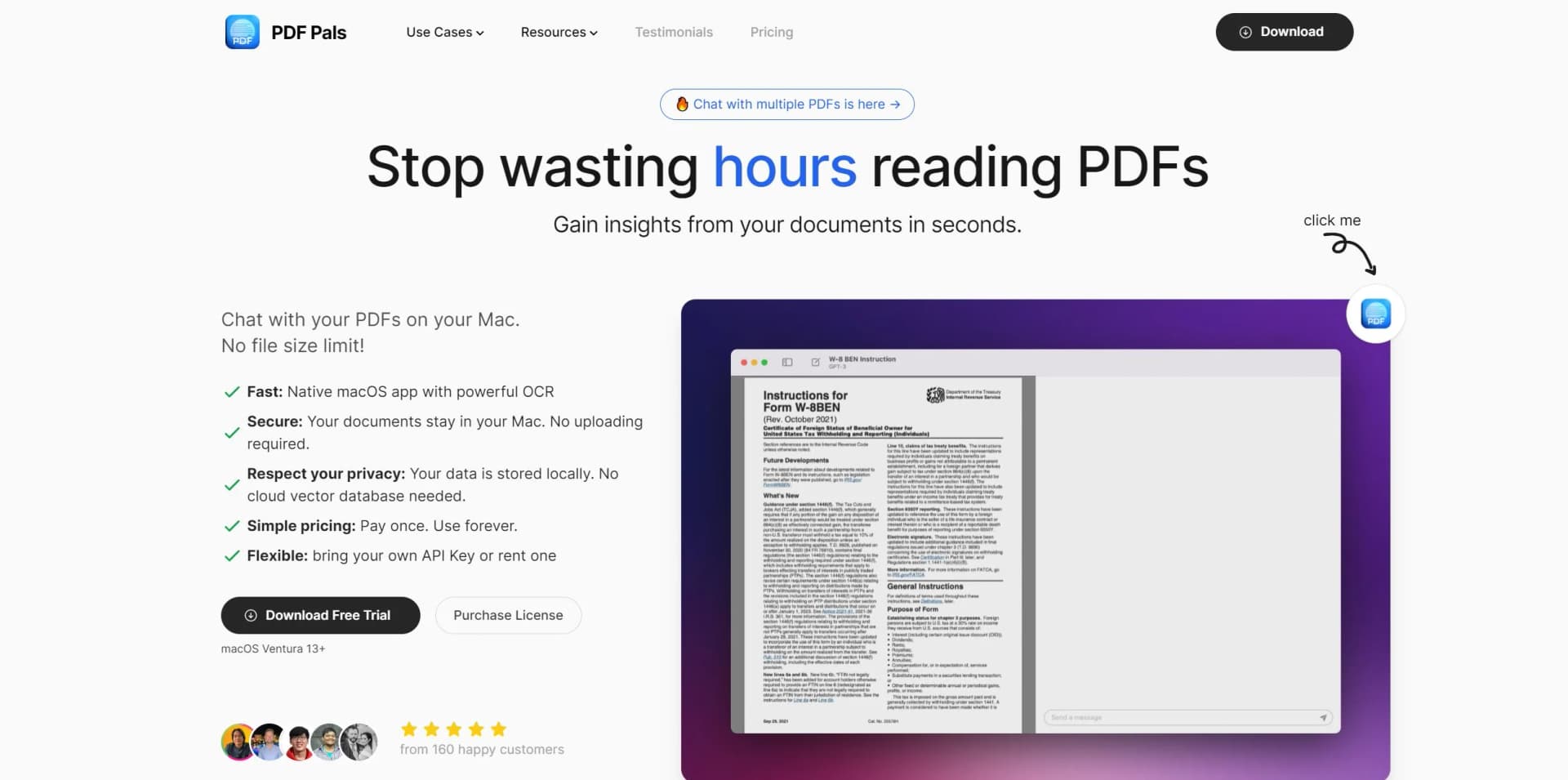
PDF Pals redefines PDF document management for macOS users, offering a chat-like interface for interacting with PDFs efficiently. With its powerful OCR technology and strict focus on user privacy, PDF Pals ensures a fast, secure, and private experience for managing PDF documents without relying on cloud storage.
PDF Pals stands out with its chat-based interaction model and dedication to privacy, offering a local storage policy and no cloud dependency.
PDF Pals offers an intuitive, secure, and private way for macOS users to manage PDF documents effectively. Despite some limitations like platform exclusivity and API key dependency, PDF Pals' innovative chat-based interface and privacy-focused design make it an essential tool for various professionals, providing substantial value in PDF document management.
Who is Using PDF Pals?
Academic Researchers
Efficiently extract data from research papers and academic texts.
Legal Professionals
Review legal documents and contracts accurately.
Software Developers
Reference and learn from technical documentation quickly.
HR Professionals
Streamline resume and employee document reviews.
Uncommon Use Cases
Financial analysts analyzing lengthy reports; Journalists researching multiple sources for stories.
Key Features
Rating Breakdown
Pricing Plans
Free Trial
- Test PDF Pals' capabilities with a free trial
License Purchase
- Full access to PDF Pals features with a paid license
Which PDF Pals plan should you pick?
Start with Basic for one Mac; choose Pro for three devices or Team 5 for five devices.
Basic
Good for one user or one Mac who needs lifetime access and all pro features.
Pro
Good for users who need the license on up to three devices.
Team 5
Good for users who need the license on up to five devices.
PDF Pals Use Cases
Research paper analysis
Open research papers, academic articles, and e-books and ask questions about their contents.
Outcome: Extract important information faster.
Legal document review
Review case files, contracts, and other legal documents through conversational questions.
Outcome: Improve productivity and accuracy.
Technical PDF research
Search technical PDFs and ask questions about relevant documentation.
Outcome: Find key technical information faster.
Financial report analysis
Extract and analyze data from financial reports and statements.
Outcome: Unlock financial insights.
Scanned document processing
Use OCR to process scanned PDFs and complex forms.
Outcome: Make scanned content searchable and analyzable.
Workflow Ideas with PDF Pals
Analyze a research paper
- 1Open the PDF with PDF Pals
- 2Ask questions about the paper's content
- 3Review answers with referenced pages
Review multiple legal documents
- 1Select multiple PDFs
- 2Open them together with PDF Pals
- 3Ask comparative questions about the documents
Use a local AI model
- 1Open Settings and select Models
- 2Add an OpenAI-compatible server
- 3Enter the chat-completions endpoint and save the configuration
How PDF Pals fits into your stack
Desktop / IDE
A native macOS application for opening PDFs, viewing referenced pages, searching documents, and chatting with their contents.
Knowledge and files
Processes local PDF files with OCR, supports scanned PDFs and complex forms, and can chat across multiple PDFs without uploading them.
Browser
An experimental Safari and Chrome workflow lets users trigger PDF Pals with a shortcut while viewing a PDF in the browser.
Automation and APIs
Connects to named AI providers including OpenAI, Azure OpenAI, OpenRouter, Mistral, Perplexity, and custom OpenAI-compatible servers.
Pros
- +Enhanced Productivity: Streamlines information extraction and summarization, saving valuable time.
- +Privacy-Centric Design: Prioritizes user privacy by keeping all operations local to the user's Mac.
- +User-Friendly Interface: The chat-like interaction simplifies document querying, making it intuitive and accessible.
- +Customizable AI Settings: Allows users to tailor AI model settings and system prompts to their specific needs.
Cons
- −Platform Limitation: Currently exclusive to macOS, leaving out Windows and Linux users.
- −API Key Dependency: Requires an API key from a supported provider for full feature utilization.
- −Cost Consideration: While offering a free trial, continued use requires purchasing a license, which may be a factor for some users.
Limitations & when to consider alternatives
Known limitations
- macOS only. PDF Pals is currently available exclusively for macOS and requires macOS Ventura 13 or later.
- PDF documents only. The FAQ says users can currently chat only with PDF documents; more document types may be supported later.
- Internet connection required. The requirements include an internet connection for communicating with AI providers.
- Provider credentials may be required. The standard setup requires an OpenAI API key or another OpenAI-compatible service, unless a supported alternative or local server is configured.
- Browser opening is experimental. The browser feature is experimental and currently supports PDF documents in Safari and Chrome.
Look elsewhere when
- You need a Windows or Linux application.
- You need a native mobile app.
- Your team needs shared workspaces or user roles.
- You need a dedicated browser extension.
How to Use PDF Pals
- 1
Install PDF Pals
Download the native macOS application and launch it on a compatible Mac.
- 2
Configure an AI provider
Add an OpenAI API key, use Azure OpenAI or OpenRouter, or configure a compatible local server.
- 3
Open a PDF
Open one or more PDF documents with PDF Pals to begin document ingestion and analysis.
- 4
Ask questions
Chat with the document and use page references to locate supporting content.
- 5
Use OCR when needed
Process scanned PDFs and complex forms using the built-in OCR capabilities.
- 6
Adjust chat settings
Configure context limits, models, temperature, system instructions, and other advanced chat parameters.
Who is PDF Pals For?
Academic researchers
Extract important information from research papers, academic articles, and e-books.
Software developers
Find and extract key information from technical PDFs to support software development.
Legal professionals
Review and analyze legal documents, case files, and contracts.
Product managers
Use PDF-based information to improve product-related research and analysis.
HR professionals
Use PDF Pals for document-focused HR research and analysis.
Frequently Asked Questions
What operating systems does PDF Pals support?
PDF Pals is currently exclusive to macOS and is compatible with macOS Ventura 13 or later.
Does PDF Pals support scanned PDFs?
Yes. It uses Optical Character Recognition to process scanned PDF documents.
Can PDF Pals chat with multiple PDFs?
Yes. Users can select multiple PDFs and open them together with PDF Pals.
Can I use PDF Pals without an OpenAI API key?
Yes. PDF Pals supports Azure OpenAI, OpenRouter, and custom OpenAI-compatible servers.
Can I communicate in languages other than English?
Yes. Users can switch the output language during a conversation, and PDF Pals responds in the language of the questions by default.
How does licensing work?
The license is perpetual. The current app version can be used indefinitely, with one year of free updates included.
Community reviews
Be the first to share your experience.
Sign in to leave a review for PDF Pals.
PDF Pals Alternatives
Looking for alternatives to PDF Pals? Here are similar tools in the same category:
Learn to Master PDF Pals
With Skill Leap courses
Get in-depth training on PDF Pals and 50+ other AI tools with our expert-led video courses.
Start 7-Day Free Trial