
Parsio
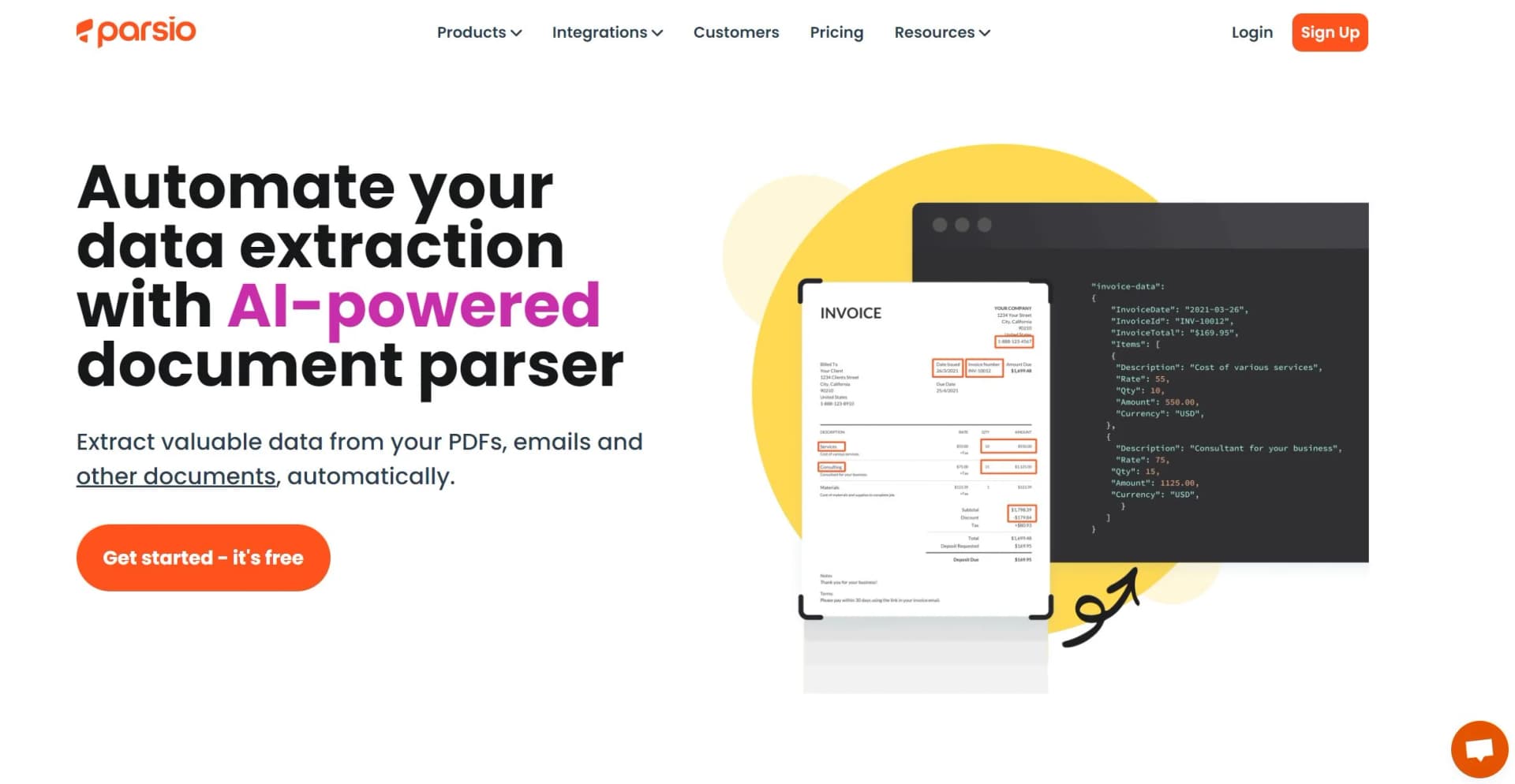
Automate data extraction from emails and documents, enhancing productivity with AI.
Key Takeaways
- What it is
- Automate data extraction from emails and documents, enhancing productivity with AI.
- Pricing
- Freemium
- Best for
- AI PDF Parser
- Invoice OCR
- Business Cards and Identity Documents Parsing
- Rating
- 4.6/5
What is Parsio?
In today's digital age, where data is king, extracting valuable information from emails and documents can be a game-changer for businesses and individuals alike. This is where Parsio steps in, a powerful AI tool designed to transform the cumbersome task of data extraction into a seamless, automated process. With its cutting-edge GPT-powered parser, Parsio revolutionizes the way we handle information, turning unstructured data from emails, PDFs, and other documents into structured, actionable insights. Aimed at enhancing productivity and efficiency, Parsio is a must-have tool for anyone looking to automate their data entry tasks and focus on what truly matters.
Parsio stands out for its innovative use of GPT-powered parsing, making it not just another data extraction tool but a smart solution capable of understanding and processing human-written text and complex documents. This capability, combined with its user-friendly interface and wide range of integrations, positions Parsio as a leader in the field of automated data extraction.
Parsio excels in streamlining the data extraction process, making it an invaluable tool for businesses and individuals seeking to enhance their productivity and efficiency. Its unique GPT-powered parsing capability ensures that even the most complex documents can be understood and processed, offering a level of accuracy and reliability that sets it apart from the competition. With its user-friendly interface, extensive integration options, and competitive pricing, Parsio is poised to transform the way we handle information, automating tasks that once consumed valuable time and resources.
Who is Using Parsio?
E-commerce Businesses
For processing order confirmations and managing inventory.
Real Estate Agencies
To capture leads from emails and organize client information.
Accounting Firms
Automating the entry of invoice data into accounting software.
Marketing Agencies
For lead generation and data collection from various campaigns.
Uncommon Use Cases
Non-profits utilizing it for donor management; Educational institutions for handling admissions emails.
Key Features
Rating Breakdown
Pricing Plans
Free Tier
Free
- Get started with Parsio for free
- Offering basic features to explore its capabilities
Pro Tier
- Advanced features and higher volume handling available at competitive rates
Which Parsio plan should you pick?
Start with Free for evaluation and low-volume parsing, then upgrade to Starter, Growth, or Business as document volume, retention, and team needs increase.
Free
Good for testing all four parser engines with 30 credits per month and 30-day data retention.
Starter
Good for individuals getting started with document parsing who need 100 to 1,000 monthly credits.
Growth
Good for growing teams that need 5,000 monthly credits, longer retention, and unlimited team members.
Business
Good for high-volume processing requiring 12,000 to 100,000 monthly credits and 180-day retention.
Parsio Use Cases
Invoice processing
Parse invoice PDFs, scanned documents, and email attachments into structured fields and line items.
Outcome: Invoice data can be exported to accounting tools, spreadsheets, or other business systems.
Receipt and expense extraction
Use AI parsing or OCR to extract information from receipts and scanned expense documents.
Outcome: Structured expense data is ready for export or automated routing.
Email lead extraction
Forward lead notifications or email signatures to Parsio and extract contact fields.
Outcome: Lead and contact data can be sent to Google Sheets, CRMs, webhooks, or automation tools.
Bank statement parsing
Process bank statements and transaction tables with AI document parsing.
Outcome: Transaction and statement data becomes available in structured formats.
Scanned document conversion
Use the OCR converter to turn scanned PDFs and images into editable text, tables, Word, Excel, CSV, JSON, HTML, or Markdown.
Outcome: Scanned content becomes searchable, editable, and exportable.
Workflow Ideas with Parsio
Automatically process emailed invoices
- 1Forward invoice emails and attachments to a Parsio mailbox
- 2Extract invoice fields and line items with the AI or GPT parser
- 3Send structured results to Google Sheets, accounting software, or a webhook
Route parsed documents through automation
- 1Import documents into Parsio by upload, email, or API
- 2Parse the documents and apply post-processing business logic
- 3Send the results through Zapier, Make, n8n, or webhooks
Convert scanned PDFs into usable data
- 1Upload scanned PDFs or images
- 2Process them with the OCR converter
- 3Export editable text or tables as Word, Excel, CSV, JSON, HTML, or Markdown
How Parsio fits into your stack
Google Sheets
Direct integration for real-time data export.
Slack
Instant notifications for new data captures.
QuickBooks
Simplifies accounting processes by automating data entry.
Google Drive
Automatic storage of processed documents and attachments.
Pros
- +Efficiency Boost: Dramatically reduces the time spent on manual data entry.
- +Accuracy: Ensures data extracted is precise, minimizing errors associated with human input.
- +Customization: Allows for personalized templates and extraction rules to meet specific needs.
- +Scalability: Adapts to the growing needs of businesses, capable of handling large volumes of data effortlessly.
Cons
- −Learning Curve: New users may need time to familiarize themselves with all features.
- −Language Limitations: Primarily focused on Latin and European languages, which might limit its utility in some regions.
- −Dependency on Document Quality: The accuracy of data extraction can vary based on the quality and clarity of the documents.
Limitations & when to consider alternatives
Known limitations
- Upload size limits. Manual uploads and synchronous API uploads have a maximum file size of 20 MB; asynchronous API uploads support up to 50 MB.
- Parser-specific format support. Supported file formats vary by parser. For example, the template parser does not support scanned PDFs or images.
- GPT extraction variability. Results may vary on highly complex layouts, and large data chunks may need to be split into multiple pieces.
- OCR is not structured extraction. The OCR converter converts documents into editable formats but does not extract structured data like the other parser types.
- Restricted post-processing Python. Post-processing uses a restricted Python version that does not support additional package imports, while loops, print, classes, or underscore-prefixed variables.
Look elsewhere when
- You need a native iOS or Android app.
- You need a dedicated desktop installer.
- You need SSO or SAML authentication.
- You need to fine-tune or train an AI model on your own data.
How to Use Parsio
- 1
Parsio offers comprehensive tutorials, guiding users from basic setup to advanced feature utilization, ensuring a smooth experience for all users regardless of their technical expertise.
Who is Parsio For?
Businesses automating email and document workflows
Parsio turns incoming emails, attachments, and documents into structured data automatically.
Teams processing invoices, receipts, and statements
Pretrained parsers and OCR extract fields from common financial and business documents.
Developers integrating document data
The REST API, webhooks, JSON exports, and integrations support internal systems and custom applications.
Anyone replacing manual copy-paste
Parsio extracts structured data and sends it to spreadsheets, databases, CRMs, accounting systems, and other apps.
Frequently Asked Questions
What parser types are available?
Parsio offers AI, GPT-powered, AI OCR, and template-based parser engines for different document types and layouts.
What documents can Parsio process?
Parsio supports emails, PDFs, scanned PDFs, images, HTML, CSV, Excel, TXT, DOCX, RTF, XML, Markdown, JSON, ZIP, and more.
Can I customize or transform extracted data?
Every plan includes post-processing with field formatters or Python code for formatting, business logic, field merging, and conditional skipping.
How can documents be imported?
Users can forward emails, upload files manually, import existing mailboxes, use the API, or connect automation platforms such as Zapier and Make.
How is extracted data exported?
Parsed data can be downloaded as CSV, Excel, or JSON, sent to Google Sheets, delivered through webhooks, or routed through integrations.
What happens when credits are used up?
The account can continue receiving emails, but documents are not parsed until the next billing period unless the plan is upgraded or renewed early.
Community reviews
Be the first to share your experience.
Sign in to leave a review for Parsio.
Parsio Alternatives
Looking for alternatives to Parsio? Here are similar tools in the same category:
Learn to Master Parsio
With Skill Leap courses
Get in-depth training on Parsio and 50+ other AI tools with our expert-led video courses.
Start 7-Day Free Trial