
Paperclips Copilot
Automatically generates flashcards from notes and web content.
Key Takeaways
- What it is
- Automatically generates flashcards from notes and web content.
- Best for
- Automatic Flashcard Generation
- Multilingual Support
- Cross-Platform Compatibility
- Rating
- 4.4/5
What is Paperclips Copilot?
Paperclips Copilot revolutionizes the creation of flashcards, offering an intelligent solution for students and professionals alike. Designed to streamline the process of flashcard generation, it simplifies studying by automatically creating flashcards from your course notes or any webpage. Whether you're a student trying to master a new subject or a professional looking to retain information efficiently, Paperclips Copilot ensures a seamless experience across various platforms.
Paperclips Copilot stands out with its ability to seamlessly integrate into your browsing experience, transforming any webpage into a potential study resource. Its unique capability to generate multilingual flashcards on the fly, combined with robust export options, makes it an invaluable tool for learners worldwide.
Paperclips Copilot offers an innovative approach to flashcard creation, making it an essential tool for anyone serious about efficient learning. Its automatic generation feature and multilingual support cater to a wide range of users, from students to professionals in various fields. With its user-friendly interface and versatile export options, Paperclips Copilot is a game-changer in the realm of study aids. Whether you're cramming for exams or looking to enhance your professional knowledge, this tool provides a streamlined, effective solution.
Who is Using Paperclips Copilot?
Students
Utilizing the tool to generate study aids from lecture notes and online resources.
Educators
Employing Paperclips Copilot to create supplemental materials for teaching.
Researchers
Leveraging the tool to organize and memorize research findings.
Language Learners
Using it to build vocabulary flashcards in multiple languages.
Uncommon Use Cases
Corporate Trainers: Creating onboarding materials for employees.; Librarians: Assisting patrons in learning new subjects through flashcards.
Key Features
Rating Breakdown
Pricing Plans
Free Version
- Access basic features with the free version available through the Chrome extension
Pro Version
- Offers enhanced features and capabilities. For detailed pricing
- Please visit the official website
Paperclips Copilot Use Cases
Turn course notes into flashcards
Highlight important concepts in online course material and generate study cards.
Outcome: Creates review material from reading.
Convert research papers into study cards
Select useful passages from research papers and convert them into flashcards.
Outcome: Makes research content easier to review.
Create cards from blog posts and news
Highlight information in online articles and generate flashcards.
Outcome: Turns web reading into study material.
Export cards to Anki or Quizlet
Send generated flashcards to supported study platforms.
Outcome: Continues studying in an existing flashcard workflow.
Workflow Ideas with Paperclips Copilot
Create cards from a web page
- 1Open course notes, an article, or another web page.
- 2Highlight a concept or passage.
- 3Click the Paperclips Copilot tooltip to create a flashcard.
Build an exportable study set
- 1Generate flashcards from selected web text.
- 2Keep cards synchronized across browser tabs.
- 3Export the cards to Anki, Quizlet, or another study platform.
How Paperclips Copilot fits into your stack
Browser
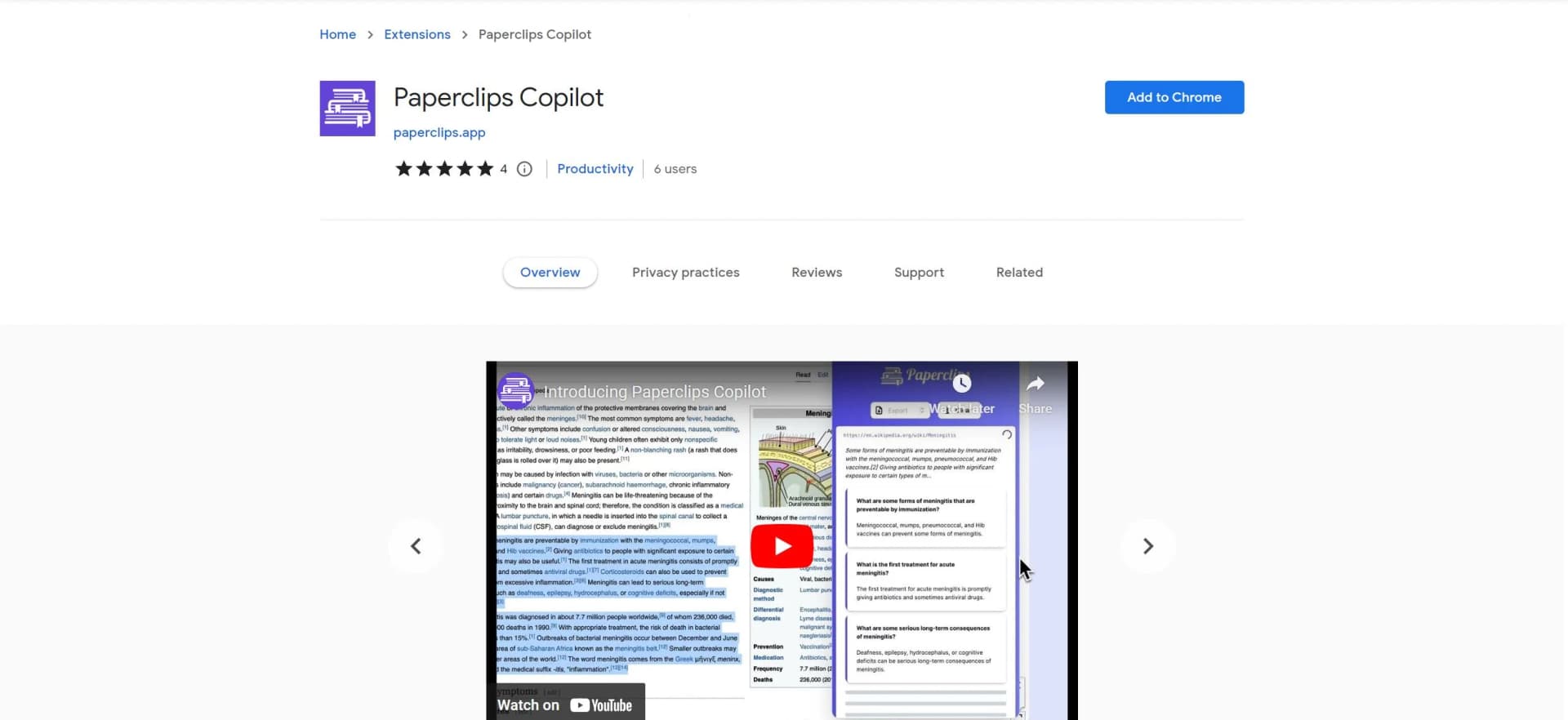
Paperclips Copilot lives in Chrome as a browser extension: highlight text on webpages and use its tooltip to generate flashcards, then export them to Anki, Quizlet, and other study platforms.
Pros
- +Intuitive and User-Friendly: The interface is designed to be straightforward, making it easy for users of all skill levels to navigate.
- +Time-Saving: Automates the flashcard creation process, significantly reducing the time needed to prepare study materials.
- +Enhanced Learning: By generating flashcards from existing notes, it reinforces learning and aids memory retention.
- +Versatile Export Options: Supports multiple file formats and platforms, catering to diverse user needs and preferences.
Cons
- −Limited Customization: While effective, the automatic generation may lack the nuanced customization some users desire.
- −Dependency on Internet Connection: Requires an active internet connection for full functionality, which might be a limitation in offline environments.
Limitations & when to consider alternatives
Known limitations
- Chrome browser requirement. The official listing provides Paperclips Copilot as a Chrome extension.
- English listing language. The Chrome Web Store listing specifies English as the extension language.
- In-app purchases. The official listing indicates that the extension offers in-app purchases.
Look elsewhere when
- You need a native mobile app.
- You need uploaded-document or image analysis.
- You need team workspaces or role-based collaboration.
How to Use Paperclips Copilot
- 1
Install the extension
Add Paperclips Copilot from the official Chrome Web Store listing.
- 2
Open study content
Navigate to course notes, research papers, articles, or other web content.
- 3
Highlight important text
Select a concept or passage that should become a flashcard.
- 4
Generate the flashcard
Use the Paperclips Copilot tooltip to convert the selected text.
- 5
Review and organize cards
Use the synchronized cards across tabs as you continue studying.
- 6
Export the cards
Send the resulting flashcards to Anki, Quizlet, or another supported study platform.
Who is Paperclips Copilot For?
Students
The product is presented as a browser-based study partner for creating flashcards while reading online.
Frequently Asked Questions
What does Paperclips Copilot do?
It converts highlighted web text into AI-generated flashcards for study.
How do I create a flashcard?
Highlight a concept or passage on a web page and click the tooltip that appears.
Where can I export flashcards?
The listing names Anki, Quizlet, and other study platforms as export destinations.
Does it work across browser tabs?
Generated flashcards remain organized and synchronized across tabs.
What content can it process?
The listing describes course notes, blog posts, research papers, news articles, and other web text.
Community reviews
2 reviews from people who use Paperclips Copilot.
Sign in to leave a review for Paperclips Copilot.
Jayaprakash Gopalakammath
Niya Prakash
Paperclips Copilot Alternatives
Looking for alternatives to Paperclips Copilot? Here are similar tools in the same category:
Learn to Master Paperclips Copilot
With Skill Leap courses
Get in-depth training on Paperclips Copilot and 50+ other AI tools with our expert-led video courses.
Start 7-Day Free Trial