
Neural Newsletters
AI-driven tool automating newsletter creation and distribution.
Key Takeaways
- What it is
- AI-driven tool automating newsletter creation and distribution.
- Pricing
- $49 per month · $497. annually
- Best for
- AI-Powered Content Discovery
- Customizable Tone and Style
- Intuitive Editing Tools
- Rating
- 4.6/5
What is Neural Newsletters?
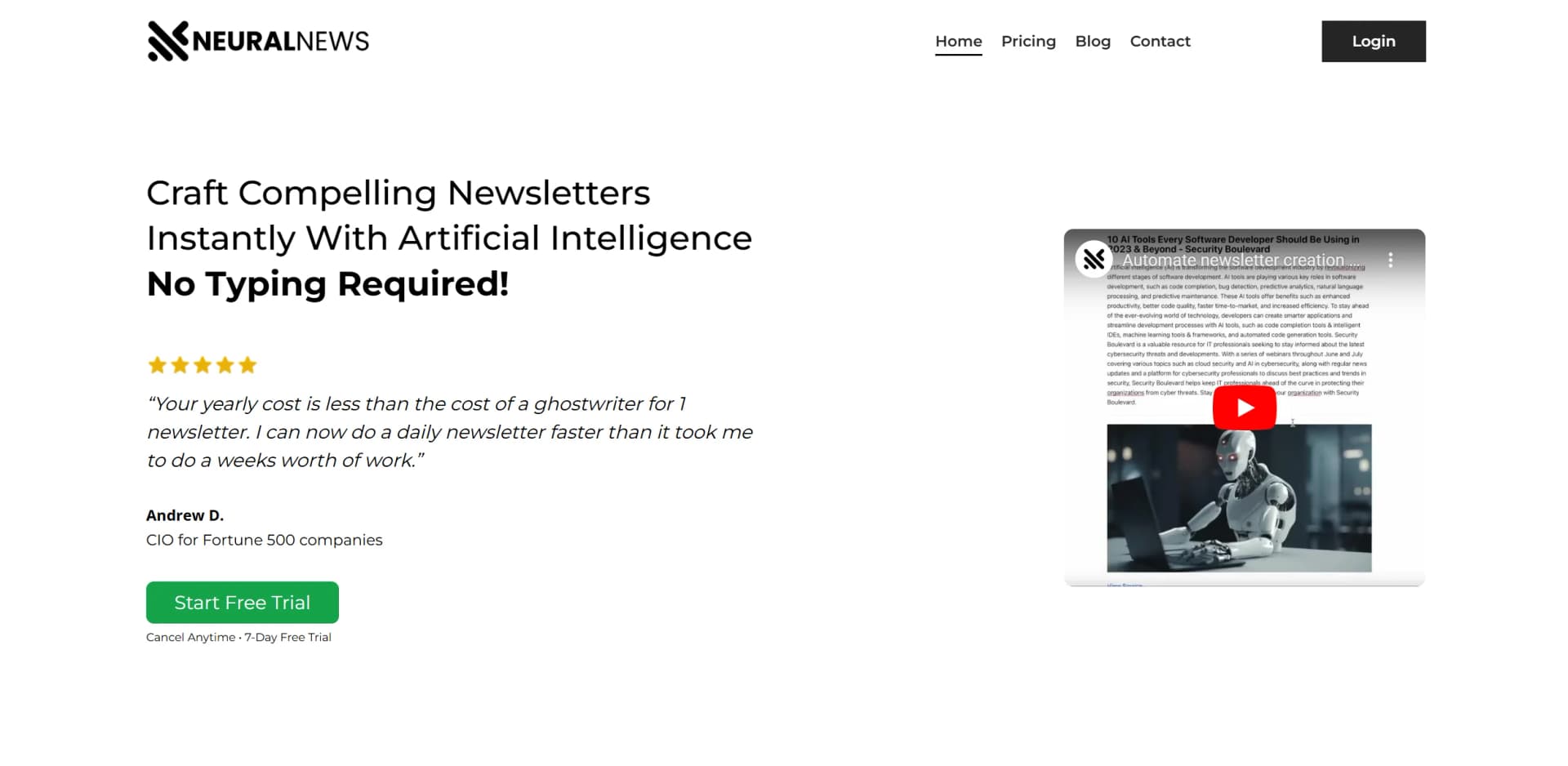
Neural Newsletters is an AI-powered tool designed to streamline the process of creating and distributing newsletters. By leveraging advanced artificial intelligence, it automates everything from content discovery to editing and publishing, making it an ideal solution for businesses and individuals seeking to enhance the efficiency of their email marketing efforts. Whether you're managing a business or a personal newsletter, Neural Newsletters saves time and reduces the complexity of content curation.
Neural Newsletters stands out with its AI-driven content generation and discovery engine, making the newsletter creation process fast and efficient. The tool ensures that users have access to the latest and most relevant content, providing a competitive advantage in delivering timely, engaging newsletters to their audience.
Neural Newsletters offers a powerful and user-friendly solution to elevate your email marketing game. By automating content discovery and curation, it allows users to focus on delivering high-quality, engaging newsletters that resonate with their audience. Whether you’re a solo entrepreneur or part of a large marketing team, this tool provides the efficiency, customization, and support needed to succeed in email marketing.
Who is Using Neural Newsletters?
E-commerce Businesses
Create personalized newsletters that nurture customer loyalty and drive sales.
Digital Marketing Agencies
Streamline the content creation process for clients across different niches.
Educators and Researchers
Distribute academic content and research findings in an engaging format.
Non-Profits
Craft compelling newsletters that raise awareness and solicit donations.
Uncommon Use Cases
Freelance journalists and online communities using it to distribute curated content to their followers.
Key Features
Rating Breakdown
Pricing Plans
NeuralNews Monthly
$49 per month
- Unlimited newsletters and full access to features
- Ideal for those who prefer monthly commitments
NeuralNews Annual
$497. annually
- Providing significant savings for long-term users
Which Neural Newsletters plan should you pick?
Start with NeuralNews Monthly for flexibility, choose NeuralNews Yearly for lower effective cost and Slack access, or use Managed Services for done-for-you newsletter production.
NeuralNews Monthly
Good for individuals or businesses needing unlimited newsletters and month-to-month flexibility.
NeuralNews Yearly
Good for users who want unlimited newsletters, export options, support, and direct access to the founding team through Slack.
NeuralNews Managed Services (Done For You!)
Good for businesses wanting prepared newsletters, templates, newsletter strategy, and guidance on growing an email list.
Neural Newsletters Use Cases
Create targeted newsfeeds
Enter a niche, topic, market, keyword, or Boolean search query.
Outcome: Find relevant and recent articles for newsletter curation.
Curate article collections
Select articles from newsfeeds or add personal URLs using the stash feature.
Outcome: Assemble the source material for a newsletter.
Generate AI newsletters
Choose a tone such as exciting, funny, or serious and generate one or more newsletters.
Outcome: Produce summarized newsletter content with less manual writing.
Edit and format newsletters
Adjust generated content in the block editor using Markdown and drag-and-drop controls.
Outcome: Prepare a final newsletter for distribution.
Export newsletter content
Download the newsletter as HTML or copy it as rich text for use with an email provider.
Outcome: Move the finished newsletter into an external sending platform.
Workflow Ideas with Neural Newsletters
Weekly industry digest
- 1Create a Boolean newsfeed for the target industry
- 2Select relevant articles from the results
- 3Generate, edit, and export the newsletter
Multi-topic newsletter production
- 1Create separate newsfeeds for each topic
- 2Select articles across multiple newsfeeds
- 3Generate multiple newsletters in the background
Curated newsletter from saved links
- 1Stash URLs collected from across the web
- 2Combine stashed links with newsfeed articles
- 3Generate and refine the newsletter in the editor
How Neural Newsletters fits into your stack
Browser
Neural Newsletters is accessed through its web application, where users create newsfeeds, select articles, generate newsletters, and export finished content.
Docs and writing
Its built-in block-style editor supports markdown, drag-and-drop editing, automatic saving, and copying content as rich text.
Pros
- +Efficiency Boost: Dramatically reduces the time spent creating newsletters, letting users produce content in minutes instead of hours.
- +Cost-Effective Solution: A more affordable option than hiring ghostwriters for newsletter creation, making it ideal for frequent newsletter creators.
- +Wide Applicability: Suitable for various industries and niches, from fashion and lifestyle to finance and technology.
- +Community Support: Access to a private Slack group for direct support, where users can share insights and receive guidance from the founders.
Cons
- −No Free Tier: While there is a free trial, there is no completely free version, which may deter some potential users.
- −Initial Learning Curve: New users, especially those unfamiliar with AI-driven applications, may take some time to master the tool's full capabilities.
- −Limited Direct Integrations: While it can export newsletters to various providers, direct integration with tools like MailChimp is currently not available.
Limitations & when to consider alternatives
Known limitations
- No free plan. The FAQ explicitly states that Neural Newsletters does not offer a free plan.
- External sending is required. The documented export workflow sends content to an email service provider rather than describing native campaign delivery.
- Planned integrations may not be available. The FAQ says integrations such as Mailchimp, ConvertKit, Klaviyo, and Substack were planned for the future, while current use is copy-and-paste or export.
- Manual article sourcing is URL-based. The site documents selecting indexed articles or manually adding URLs; it does not document file-based research imports.
- Pricing information is inconsistent. The pricing page lists $49 monthly and $400 yearly plans, while the homepage FAQ references a $97 monthly all-access plan.
Look elsewhere when
- You need a native iOS or Android application.
- You need a developer API for programmatic newsletter generation.
- You need built-in campaign sending and newsletter-platform integrations.
How to Use Neural Newsletters
- 1
Create a newsfeed
Enter a niche, topic, market, keyword, or Boolean query to find relevant articles.
- 2
Select source articles
Choose articles from one or more newsfeeds, or add your own links with the stash feature.
- 3
Choose a tone
Select the desired style, such as exciting, funny, or serious, before generation.
- 4
Generate the newsletter
Start generation and let the platform process the selected articles in the background.
- 5
Edit the draft
Use the block editor, Markdown, and drag-and-drop controls to make final changes.
- 6
Export the result
Download HTML or copy rich text into an external email service provider.
Who is Neural Newsletters For?
Newsletter businesses
Create and publish AI-generated newsletters while automating research, writing, and editing.
Solo operators and larger teams
The site positions the product for newsletter operators managing one or multiple newsletters.
Ecommerce business owners
Use personalized newsletters to nurture customer loyalty and support sales.
Researchers, nonprofits, and educators
Curate and summarize relevant articles for audiences already engaged through email lists.
Bloggers
Turn selected web content into formatted newsletters for an existing audience.
Frequently Asked Questions
What is Neural Newsletters?
Neural Newsletters is an AI-powered engine for creating and publishing engaging newsletters.
How does Neural Newsletters work?
Users search for articles, select content, generate summaries in a chosen tone, edit the newsletter, and export it.
Can I select articles from anywhere on the web?
Yes. Users can manually add article URLs, and the app retains the selected articles.
Can I edit AI-generated summaries?
Yes. The editor supports drag-and-drop elements, Markdown editing, and automatic saving.
What email service providers are supported?
Newsletters can be exported to email service providers including Beehiiv, Klaviyo, Substack, and ConvertKit.
Can I try Neural Newsletters for free?
The FAQ states that Neural Newsletters does not offer a free plan.
Community reviews
1 review from people who use Neural Newsletters.
Sign in to leave a review for Neural Newsletters.
Md Borhan
Neural Newsletters Alternatives
Looking for alternatives to Neural Newsletters? Here are similar tools in the same category:
Learn to Master Neural Newsletters
With Skill Leap courses
Get in-depth training on Neural Newsletters and 50+ other AI tools with our expert-led video courses.
Start 7-Day Free Trial