
MindStudio
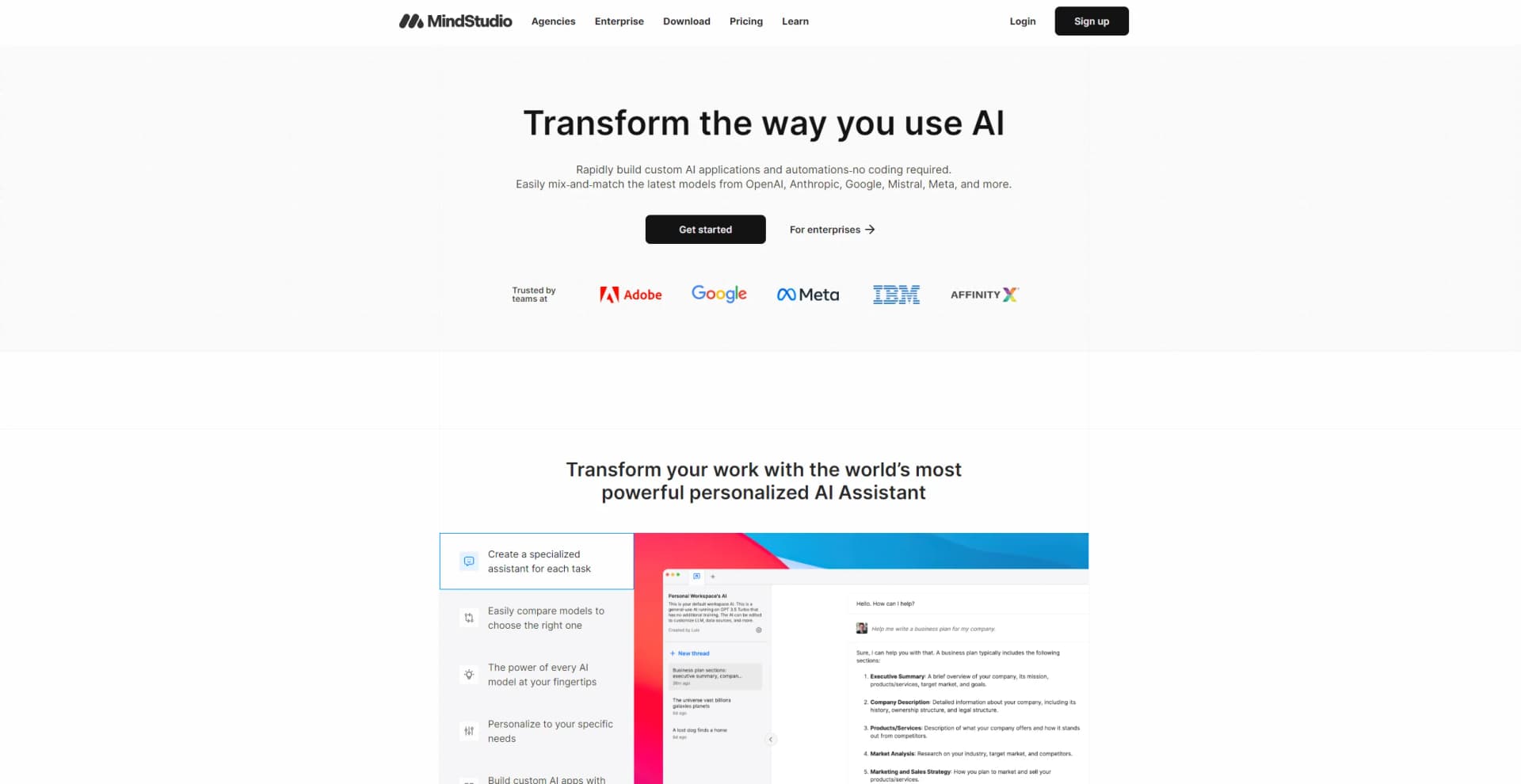
Unlock AI's potential: analytics, creativity, efficiency, in an intuitive, customizable platform.
Watch MindStudio in Action
Key Takeaways
- What it is
- Unlock AI's potential: analytics, creativity, efficiency, in an intuitive, customizable platform.
- Pricing
- $20 per month + usage · $60 per month · $500 per month
- Best for
- Advanced AI Algorithms
- User-Friendly Interface
- Customizable Solutions
- Rating
- 4.6/5
What is MindStudio?
MindStudio is an innovative AI tool designed to revolutionize the way we interact with artificial intelligence. Hosted on their intuitive platform, MindStudio provides users with a suite of powerful AI functionalities aimed at streamlining processes, enhancing creativity, and facilitating decision-making. From AI-driven analytics to creative content generation, MindStudio caters to a broad spectrum of needs, making it an indispensable tool for individuals and professionals looking to leverage AI for time-saving, cost-cutting, and efficiency enhancement.
MindStudio stands out with its unparalleled ease of use and the breadth of AI capabilities it offers. Its unique selling point lies in the tool's adaptability, able to serve a wide range of industries and applications with customizable AI solutions. The platform's real-time analytics feature is a game-changer for data-driven decision-making, setting it apart from competitors.
MindStudio excels in providing a wide array of AI-driven solutions, making it an essential tool for anyone looking to harness the power of artificial intelligence. Its standout feature of offering real-time analytics, coupled with a user-friendly interface and a strong support community, ensures that MindStudio is not just another AI platform but a comprehensive ecosystem for innovative and efficient problem-solving. Whether for business, creative projects, or analytical research, MindStudio offers unmatched advantages, solidifying its place as a leader in the AI tool space.
Who is Using MindStudio?
Business Analysts
Utilizing the tool for deep data analysis and market insights.
Content Creators
Employing the platform for generating unique and engaging content.
Software Developers
Leveraging the tool to improve coding efficiency and debug programs.
Marketing Professionals
Using MindStudio for targeted campaign strategies and customer insights.
Uncommon Use Cases
Academic researchers are adopting MindStudio for AI-driven studies; Non-profits are using it to analyze trends and improve outreach strategies.
Key Features
Rating Breakdown
Pricing Plans
Starter
$20 per month + usage
- Includes up to 5 agents, 5,000 runs per month, and solo use — ideal for individuals building and launching custom AI agents
Pro
$60 per month
- + usage. Adds 15 agents
- 25,000 runs per month
- 5 collaborators
- API and email triggers
- Scheduled runs
- MCP integration
- Embedded AI agents — best for small teams scaling workflows
Unlimited
$500 per month
- + usage. Removes all limits — unlimited agents
- Runs
- API calls
- Email triggers
- Scheduled runs — suited for advanced users with high automation needs
Custom
- Provides unlimited agents
- Runs
- Collaborators
- Bring-your-own API keys
- SLA/SSO
- Premium support
- Team training — for organizations needing full control and security
Which MindStudio plan should you pick?
Start with Free to test one agent and up to 1,000 monthly runs; upgrade to Individual for unlimited personal building, or Business for collaboration, SSO, permissions, and enterprise controls.
Free
Good for individuals testing one agent with up to 1,000 runs per month and access to basic platform features.
Individual
Good for solo builders who need unlimited agents and unlimited runs, plus premium image and video models.
Business
Good for teams and enterprises that need collaborators, permissions, SSO, support, audit controls, deployment flexibility, or self-hosting.
MindStudio Use Cases
Competitive monitoring
Scrape competitor websites, analyze pricing or product changes, and send a formatted digest.
Outcome: Recurring competitive intelligence delivered automatically.
Blog post production
Research a topic, generate written content and a hero image, then publish to a content system.
Outcome: A repeatable research-to-publication pipeline.
Lead enrichment
Find contact information, enrich company data, and push the results into a CRM.
Outcome: Enriched leads entered into downstream sales systems.
Weekly team digest
Collect project updates, generate a PDF summary, email the team, and post the update to Slack.
Outcome: A recurring multi-channel team report.
Document and contract analysis
Upload a document through a web app, extract its contents, and generate an analysis or summary.
Outcome: Faster review of contracts, reports, and other documents.
Workflow Ideas with MindStudio
Competitive intelligence digest
- 1Scrape competitor websites on a schedule
- 2Analyze pricing, product, or policy changes
- 3Generate and email a formatted digest
YouTube-to-LinkedIn publishing
- 1Extract captions from a YouTube video
- 2Generate a summary and LinkedIn post
- 3Publish the post through an integration
Lead enrichment to CRM
- 1Find contact information for a lead
- 2Enrich the person with company data
- 3Push the enriched record to HubSpot
How MindStudio fits into your stack
Browser
MindStudio runs as a web-based agent builder and can deploy agents through its Chrome extension, which uses webpage content and selections as workflow inputs. Evidence: “Chrome Extension: Trigger agents contextually while browsing.”
Automation and APIs
Agents sit in an automation layer for scheduled jobs, webhooks, API endpoints, and integrations with Zapier, Make, and n8n. Evidence: “Deploy agents as API endpoints triggered by platforms like Zapier, Make, n8n or any app.”
Knowledge and files
Agents can use uploaded files, URLs, SQL databases, vector databases, web search, and document-processing workflows as knowledge sources. Evidence: “Upload and process files during execution.”
Team chat and tickets
MindStudio supports organizational workspaces with collaborators, permissions, Slack messaging, and connections to business systems such as Salesforce and HubSpot. Evidence: “Unlimited collaborators” and “Granular collaborator permissions.”
Pros
- +Efficiency Gains: Significantly reduces the time required to complete complex tasks through automation.
- +Highly Versatile: Suitable for a wide array of applications, from business analytics to creative endeavors.
- +Ease of Use: Its user-friendly interface makes it accessible to users of all skill levels.
- +Strong Support Community: Backed by a robust support system and an active community for troubleshooting and advice.
Cons
- −Learning Curve: New users may need some time to fully exploit the platform's extensive features.
- −Limited Free Version: The most advanced features are reserved for the paid versions, which might limit access for some users.
Limitations & when to consider alternatives
Known limitations
- Data Sources are text-only for uploaded documents. MindStudio support documentation states that Data Sources extract text from uploaded files and do not include figures or images.
- Mobile use is browser-based. Agents can be accessed through a mobile browser, but the Chrome Extension is unavailable on mobile and MindStudio recommends desktop use.
- Business capabilities require a custom plan. Team workspaces, unlimited collaborators, granular permissions, SSO, audit logs, self-hosting, and related enterprise controls are listed under Business.
- Usage charges are separate from subscription pricing. Plans charge a subscription or usage amount, while model usage follows a pay-per-use model based on tokens and other multimodal inputs.
Look elsewhere when
- You need a native iOS or Android app.
- You need a downloadable Windows, Mac, or Linux desktop application.
- You need customer fine-tuning or training jobs managed inside MindStudio.
How to Use MindStudio
- 1
Choose a plan and create an agent
Start on Free or Individual, then create an agent from scratch or use a template for a faster starting point.
- 2
Build the workflow visually
Use MindStudio’s visual IDE to connect model, input, code, file, human-approval, and integration blocks.
- 3
Add data and integrations
Upload files, connect services such as Google Sheets or HubSpot, or use HTTP requests, Zapier, Make, n8n, and webhooks.
- 4
Test and debug
Run the agent in the IDE, inspect traces and logs, compare model behavior, and refine the workflow.
- 5
Choose a deployment method
Deploy the agent as a web app, browser extension, scheduled automation, email trigger, webhook, API endpoint, or MCP server.
- 6
Set controls and monitor usage
Track runs and costs, configure limits, and use Business controls such as permissions, budgets, audit logs, and SSO when needed.
Who is MindStudio For?
Individuals and AI builders
The Free and Individual plans support people building and deploying personal AI agents without requiring coding.
Small and large teams
Business provides team workspaces, collaborators, permissions, shared training, and enterprise support.
Enterprise organizations
MindStudio targets enterprises needing security, compliance, private deployment, model controls, and custom agreements.
Developers
Developers can invoke agents through REST APIs, Node.js, webhooks, and third-party automation platforms.
Marketing, sales, HR, and operations teams
MindStudio documents agents for content, lead enrichment, recruiting, onboarding, reporting, and repetitive business workflows.
Frequently Asked Questions
Does MindStudio have a free plan?
Yes. The Free plan costs $0 per month and includes one agent and 1,000 runs per month.
Do I need separate API keys for AI models?
No. MindStudio provides access to more than 200 AI models through its Service Router without requiring provider API keys. You can also bring your own keys.
Can MindStudio connect to external services?
Yes. It offers integration blocks and named integrations including Zapier, Make, n8n, Google Sheets, Salesforce, HubSpot, and Slack.
Can MindStudio process uploaded files?
Yes. Agents can upload and process files during execution, including document-processing workflows.
Does MindStudio support teams?
The Business plan provides team-enabled workspaces, unlimited collaborators, granular permissions, and SSO.
How can agents be deployed?
Agents can be deployed as web apps, browser extensions, email-triggered agents, scheduled automations, webhooks, API endpoints, and MCP servers.
Community reviews
Be the first to share your experience.
Sign in to leave a review for MindStudio.
MindStudio Alternatives
Looking for alternatives to MindStudio? Here are similar tools in the same category:
Learn to Master MindStudio
With Skill Leap courses
Get in-depth training on MindStudio and 50+ other AI tools with our expert-led video courses.
Start 7-Day Free Trial