
Maps GPT
AI-driven, swiftly creates customized, editable maps with intuitive search options.
Watch Maps GPT in Action
Key Takeaways
- What it is
- AI-driven, swiftly creates customized, editable maps with intuitive search options.
- Best for
- Custom Map Creation
- Versatile Search Options
- Editable Maps
- Rating
- 4.4/5
What is Maps GPT?
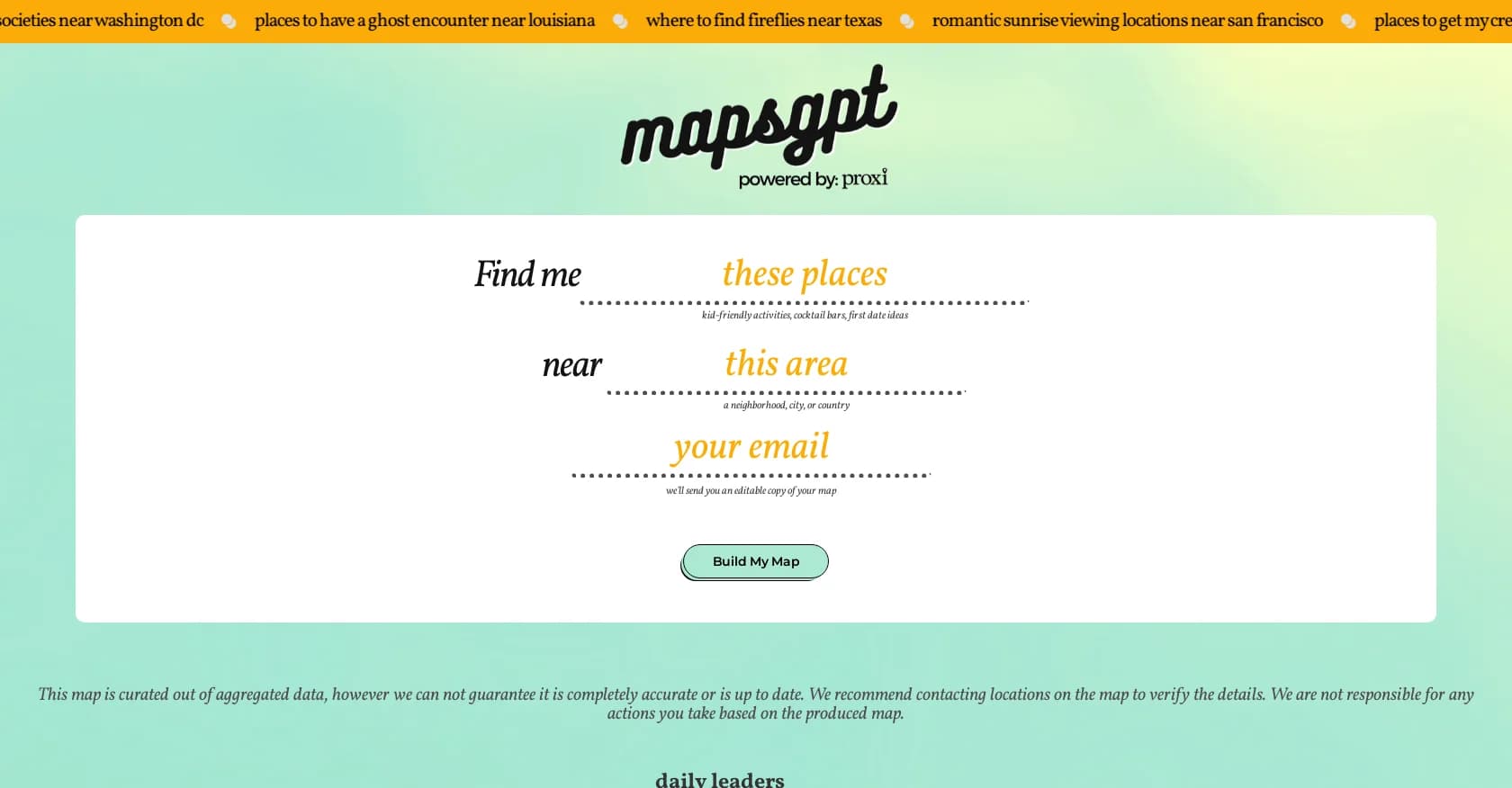
Maps GPT is a state-of-the-art tool that aims to revolutionize map creation and interaction using artificial intelligence (AI). It offers users the ability to generate custom maps with pins swiftly and effortlessly, catering to a wide range of needs from trip planning to data visualization. Maps GPT simplifies complex mapping tasks, providing a user-friendly platform for creating personalized maps for various purposes.
Maps GPT stands out with its AI-driven text-to-map conversion, allowing users to create maps based on textual descriptions and prompts. Its ability to translate moods and vibes into tangible locations sets it apart from traditional mapping tools.
Maps GPT offers an innovative and intuitive mapping solution suitable for various users and purposes. Its unique text-to-map feature makes it a valuable tool for creative exploration and visualization. Whether for trip planning or data visualization, Maps GPT provides a user-friendly platform that encourages exploration and discovery through maps.
Who is Using Maps GPT?
Travelers
Planning trips and vacations by locating attractions and accommodations.
Event Planners
Finding venues and points of interest for events and gatherings.
Educators
Mapping historical sites and cultural landmarks for educational purposes.
Marketers
Visualizing demographic data and planning marketing campaigns geographically.
Uncommon Use Cases
Authors using the tool for setting inspiration in storytelling; Urban planners mapping potential development sites.
Key Features
Rating Breakdown
Pricing Plans
Free Use
- Maps GPT offers map creation without any initial cost
Pro Features
- Additional features may be available for professional users
- Specific pricing details on the Maps GPT website
Which Maps GPT plan should you pick?
Start with Free to test AI map generation, upgrade to Proxi Pro for advanced map creation and collaboration, and choose Proxi Premium when you need the full AI suite, API key access, or audience and automation features.
Free
Good for testing Proxi and creating a limited number of AI-generated maps.
Proxi Pro
Good for organizations and small teams who need branded maps, editors, analytics, and advanced map management.
Proxi Premium
Good for users who need the complete AI mapping suite, API key access, mobile-guide experiences, messaging, and automation.
Maps GPT Use Cases
Recommendation lists
Turn a list of local spots or experiences into an interactive map.
Outcome: Readers can explore recommendations geographically.
News articles
Map places and events mentioned in written stories.
Outcome: Articles gain geographic context.
Directories
Create an interactive map of businesses, services, or resources.
Outcome: Users can find directory entries spatially.
Event schedules
Map venues and activities for conferences or festivals.
Outcome: Attendees can navigate event locations more easily.
Trip planning
Specify the number of days, destination, and traveler type or interests.
Outcome: MapsGPT generates a trip-oriented map.
Workflow Ideas with Maps GPT
Create a local discovery map
- 1Choose Places Near an Area or Vibe Search.
- 2Enter the place types, vibe, and geographic area.
- 3Generate the map and edit or share it through Proxi.
Turn an article into a map
- 1Choose Text to Map.
- 2Paste the article, list, or directory content and specify the map center.
- 3Generate, customize, and embed the resulting map.
Build a trip map
- 1Choose Trip Planning.
- 2Enter the trip length, destination, and traveler group or interests.
- 3Generate the itinerary map and refine its points in Proxi.
How Maps GPT fits into your stack
Web-Based Platform
Accessible from any internet-connected device.
Image Export
Maps can be shared as images suitable for social media.
Interactive Map Links
Share maps through generated links for collaborative viewing.
Multi-Platform Sharing
Direct sharing options for platforms like Twitter, Facebook, and email.
Pros
- +Time-Saving: Quickly creates maps without manual data input or extensive research.
- +User-Friendly: Intuitive interface simplifies the map creation process.
- +Creative Exploration: Encourages discovery of new places and experiences with unique search prompts.
- +Adaptable: Suitable for both casual users and professionals in various fields.
Cons
- −Data Accuracy: Curated data may not always be up-to-date or accurate.
- −Service Interruptions: High user traffic can lead to occasional service interruptions.
- −Learning Curve: Some users may need time to familiarize themselves with advanced features.
Limitations & when to consider alternatives
Known limitations
- Location data may be inaccurate or outdated. MapsGPT says its maps are based on aggregated data and recommends verifying details with locations.
- Free AI usage is limited. The free Proxi account includes three AI calls per month.
- MapsGPT is primarily a prompt-based map generator. Image, spreadsheet, and URL conversion are presented as separate Proxi AI tools rather than core MapsGPT inputs.
- Paid features require Proxi plans. Advanced map customization, collaboration, AI tools, and API key access depend on the applicable Proxi plan.
Look elsewhere when
- You need a native mobile app.
- You need a documented developer API.
- You need image or PDF-to-map workflows inside MapsGPT itself.
How to Use Maps GPT
- 1
While specific tutorials for Maps GPT are not mentioned, users can explore features through hands-on interaction and support resources on the website.
Who is Maps GPT For?
Casual travelers
They can generate trip ideas and itineraries from destinations, trip lengths, and interests.
Local explorers
They can discover places by category, location, or vibe without manually searching and pinning locations.
Businesses
Businesses can create interactive maps for guides, sales locations, directories, and customer-facing content.
Event planners
They can map venues, activities, and event-related locations for attendees.
Researchers and publishers
They can convert recommendation lists, articles, directories, event schedules, and research content into maps.
Frequently Asked Questions
What is MapsGPT?
MapsGPT uses natural-language prompts to generate personalized interactive maps with location pins.
What types of maps can MapsGPT create?
It supports places-near-an-area searches, text-to-map, historical exploration, vibe searches, freeform prompts, and trip planning.
Can I edit a map after generating it?
Yes. Proxi lets users edit points, add categories, update information, change styles, and add locations.
Can I share or embed a MapsGPT map?
Generated maps can be shared by link, embedded on websites, or printed.
How accurate are MapsGPT results?
MapsGPT warns that maps use aggregated data and may not be completely accurate or current; users should verify details with locations.
Is MapsGPT free?
The associated Proxi platform includes a free option with three AI calls per month; paid plans add more features and capacity.
Community reviews
Be the first to share your experience.
Sign in to leave a review for Maps GPT.
Maps GPT Alternatives
Looking for alternatives to Maps GPT? Here are similar tools in the same category:
Learn to Master Maps GPT
With Skill Leap courses
Get in-depth training on Maps GPT and 50+ other AI tools with our expert-led video courses.
Start 7-Day Free Trial