
Magicflow
Harness AI workflows with no-code ease, rapid deployment, and seamless app integration.
Key Takeaways
- What it is
- Harness AI workflows with no-code ease, rapid deployment, and seamless app integration.
- Best for
- No-Code Workflow Creation
- Step-by-Step Debugging Tool
- Performance Optimization
- Rating
- 4.3/5
What is Magicflow?
Magicflow is an innovative AI tool designed to simplify the creation and deployment of AI workflows, offering a no-code, drag-and-drop platform for rapid development. With its focus on accelerating workflow creation, optimizing performance, and providing a user-friendly interface, Magicflow aims to streamline the integration of AI capabilities into applications, freeing up time and resources for innovation.
Magicflow stands out with its user-friendly, no-code approach to AI workflow creation, emphasizing rapid development and optimization for cost and performance.
Magicflow offers a user-friendly, cost-effective solution for creating and deploying AI workflows, catering to developers, startups, and non-technical entrepreneurs. Its no-code interface and performance optimization features make complex AI integrations accessible and efficient, positioning Magicflow as a valuable asset in the realm of AI workflow management.
Who is Using Magicflow?
App Developers
Integrating AI workflows into applications to enhance functionality and user experience.
Startups
Leveraging Magicflow for rapid prototyping and deployment of AI features without extensive infrastructure investment.
Non-Technical Entrepreneurs
Creating AI workflows for digital products without coding skills.
Educators
Using Magicflow in teaching environments to demonstrate AI workflow development.
Uncommon Use Cases
Hobbyists for personal AI projects; Researchers for setting up experimental AI workflows quickly.
Key Features
Rating Breakdown
Pricing Plans
Free Account
- Offers a free account option for users to get started with building AI workflows
Custom Pricing
- Detailed pricing plans not listed
- Suggesting custom pricing based on individual use cases
Which Magicflow plan should you pick?
Start with Free for 30 days to evaluate tracking and focus features; upgrade to Pro when you need automatic tracking, full history, and recurring reports.
Free for 30 days
Good for getting started with time tracking, real-time productivity metrics, and recommended focus actions.
Pro
Good for users who need automatic time tracking, weekly and monthly reports, real-time metrics, and full history.
Magicflow Use Cases
Track productivity
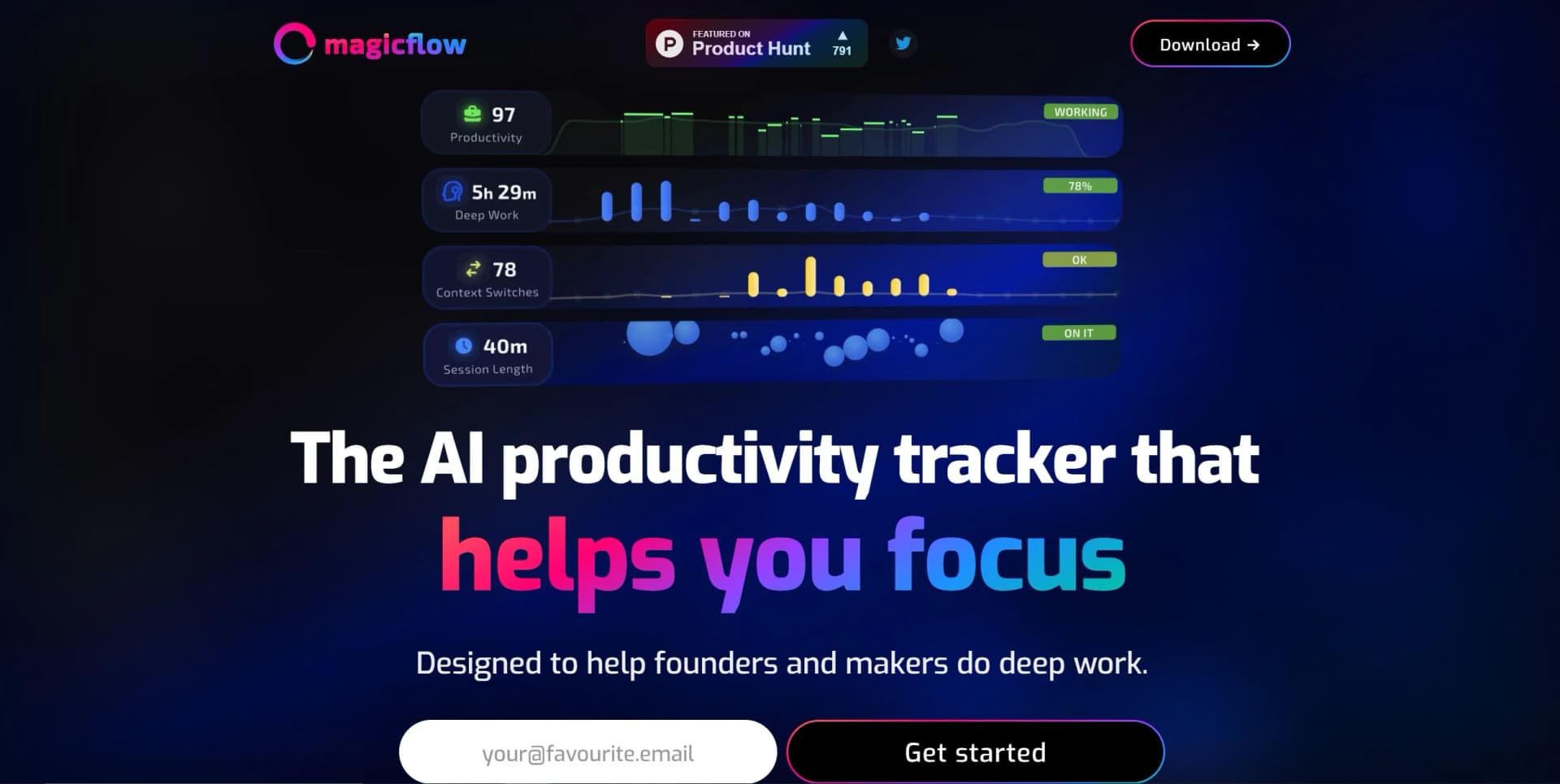
Monitor time spent in applications, work sessions, distractions, and productivity patterns.
Outcome: A clearer view of how work time is actually spent.
Improve deep work
Start focus sessions with live timers, Pomodoro support, and distraction warnings.
Outcome: More sustained periods of concentrated work.
Understand context switching
Review how frequently work shifts between applications and activities.
Outcome: Better awareness of productivity bottlenecks.
Connect productivity and wellbeing
Combine work data with Apple Health and Google Calendar information.
Outcome: A broader view of how schedules, health, sleep, and work habits relate.
Review productivity reports
Use daily, weekly, and monthly reports to examine productivity trends.
Outcome: Actionable insight for adjusting work habits and schedules.
Workflow Ideas with Magicflow
Focus-session review
- 1Start a focus session
- 2Work with the live flow timer and distraction warnings
- 3Review productivity metrics and recommended focus actions
Weekly productivity check-in
- 1Let Magicflow track work time automatically
- 2Review weekly or monthly reports
- 3Adjust work habits and schedule based on the findings
Wellbeing and work analysis
- 1Connect Apple Health and Google Calendar
- 2Compare health, sleep, calendar, and work patterns
- 3Use the combined insights to improve productivity
How Magicflow fits into your stack
Browser
Magicflow provides a web application for account access and productivity tracking through app.magicflow.com.
Desktop / IDE
The official download page provides dedicated Mac and Windows applications for automatic time tracking, focus sessions, and productivity analysis.
Knowledge and files
Magicflow acts as a hub for combining productivity, health, sleep, exercise, and calendar data into insights; Apple Health and Google Calendar are named integrations.
Pros
- +Rapid Development: Accelerates the process of building and testing AI workflows, reducing development time significantly.
- +Cost Savings: Claims to be 30% cheaper than traditional methods, optimizing workflows for economic efficiency.
- +Enhanced Speed: Improves workflow performance by up to 25%, providing faster results for users.
- +User-Friendly Interface: The intuitive drag-and-drop tool makes workflow creation accessible to users with varying technical expertise.
Cons
- −Learning Curve for Non-Technical Users: Despite being a no-code solution, non-technical users may require time to fully grasp the tool's capabilities.
- −Feature Limitations: Certain advanced features or use cases may not be supported by the platform.
- −Dependence on Platform Stability: Users rely on Magicflow's infrastructure, making them susceptible to platform updates or issues that could affect workflow functionality.
Limitations & when to consider alternatives
Known limitations
- The free option is time-limited. The $0 option is a 30-day free trial rather than an ongoing free plan.
- Desktop availability is limited to Mac and Windows. The official download page lists Mac and Windows applications, with no Linux installer documented.
- The product focuses on individual productivity. The documented plans and features center on personal time tracking, focus sessions, metrics, and reports rather than shared team workspaces.
- No documented developer API. The terms reference API usage, but the official site does not provide developer documentation, endpoints, API keys, or an API guide.
Look elsewhere when
- You need an iOS or Android app.
- You need a browser extension.
- You need an ongoing free plan.
How to Use Magicflow
- 1
Download the desktop app
Use the official download page to install Magicflow on Mac or Windows so it can track desktop work activity.
- 2
Start a focus session
Begin a focus session to use the live flow timer, Pomodoro timing, and distraction warnings.
- 3
Review productivity metrics
Examine real-time metrics to identify distractions, context switches, and patterns affecting focus.
- 4
Use recommended focus actions
Apply Magicflow's recommended actions to adjust your work habits while you are working.
- 5
Review weekly and monthly reports
Use recurring reports to assess productivity trends and decide what to change in your schedule.
- 6
Connect related data sources
Integrate Apple Health and Google Calendar when you want to compare productivity with health, sleep, and calendar patterns.
Who is Magicflow For?
Founders
Magicflow is designed for founders who want to measure focus, understand distractions, and improve deep-work habits.
Makers
Makers can use Magicflow to track work time, context switches, productivity, and focus-session performance.
Frequently Asked Questions
What is Magicflow?
Magicflow describes itself as a time and productivity tracker, coach, and hub for combining data into insights.
What does Magicflow track?
It tracks focus, deep work, context switches, productivity, and work habits.
Does Magicflow include focus sessions?
Yes. It provides live flow timers, Pomodoro timers, distraction warnings, and a flow meter.
What integrations does Magicflow support?
Magicflow says it can integrate with Apple Health and Google Calendar.
What platforms can run Magicflow?
The official download page offers dedicated downloads for Mac and Windows.
How much does Magicflow cost?
The site offers a 30-day free trial; Pro is listed at $8 monthly when billed annually or $15 billed monthly.
Community reviews
1 review from people who use Magicflow.
Sign in to leave a review for Magicflow.
Sam Miboi
Magicflow Alternatives
Looking for alternatives to Magicflow? Here are similar tools in the same category:
Learn to Master Magicflow
With Skill Leap courses
Get in-depth training on Magicflow and 50+ other AI tools with our expert-led video courses.
Start 7-Day Free Trial