
Liner.ai
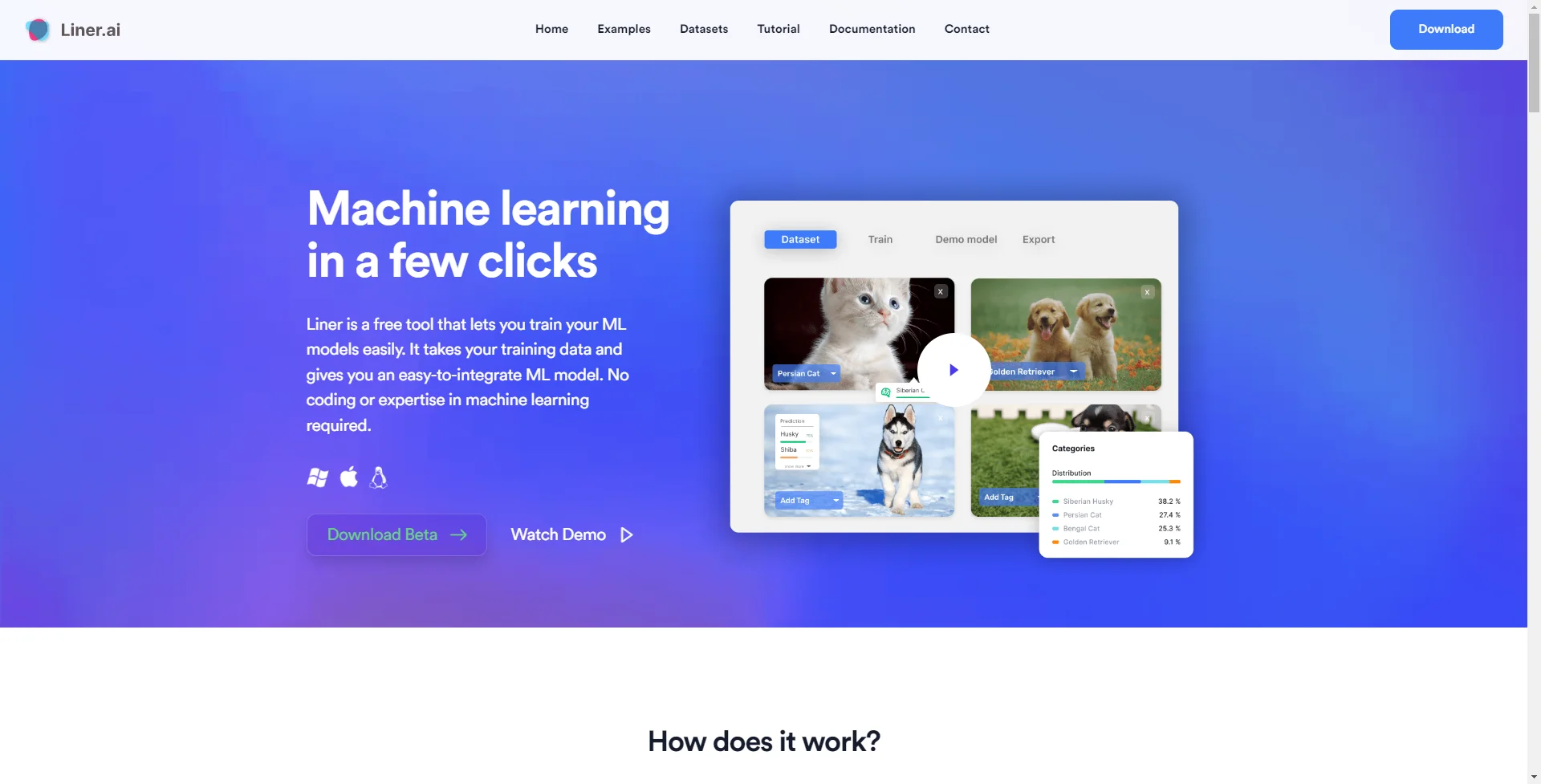
Unlock machine learning: code-free, end-to-end, fast, and accessible to all.
Watch Liner.ai in Action
Key Takeaways
- What it is
- Unlock machine learning: code-free, end-to-end, fast, and accessible to all.
- Pricing
- Freemium
- Best for
- Machine Learning without Code
- End-to-End Tool
- Multiple Model Types
- Rating
- 4.5/5
What is Liner.ai?
In the ever-evolving landscape of artificial intelligence, Liner.ai emerges as a beacon for those venturing into the realm of machine learning without the conventional barriers of coding and technical expertise. This tool is a game-changer, especially designed for individuals and professionals keen on harnessing the power of machine learning to enhance efficiency, cut costs, and save time. Liner.ai simplifies the process of training machine learning models, making it accessible to a broader audience beyond the domain of seasoned data scientists.
What sets Liner.ai apart is its commitment to breaking down the barriers to entry for machine learning. It's not just about offering a tool that makes machine learning accessible without coding; it's about providing a platform where the entire process is simplified. From importing data to deploying models, Liner.ai ensures that anyone with an interest in AI can start experimenting and integrating machine learning into their projects without the need for deep technical expertise or resources.
Liner.ai stands out as an essential tool for anyone looking to dip their toes into the vast ocean of machine learning without getting overwhelmed by the complexities of coding and technical jargon. Its user-friendly interface, coupled with the robustness of its machine learning capabilities, makes it an invaluable asset for educators, small business owners, and tech enthusiasts alike. The fact that it's free only sweetens the deal, ensuring that Liner.ai is not just a powerful tool but also an accessible one, democratizing the field of artificial intelligence for a broader audience.
Who is Using Liner.ai?
Educators and Students
For integrating machine learning projects into their curriculum.
Small Business Owners
Utilizing machine learning for enhancing customer experience or optimizing operations.
Tech Enthusiasts
Exploring machine learning without the steep learning curve of coding.
Developers
Seeking to quickly prototype AI functionalities without delving into the complexities of model training.
Uncommon Use Cases
Hobbyists using machine learning for personal projects, such as home automation or creating AI-based art.
Key Features
Rating Breakdown
Pricing Plans
Free
Free
- Liner.ai is completely free to download and use
Liner.ai Use Cases
Image classification
Train a model to classify images into different labels.
Outcome: An image-classification model.
Text classification
Train a model to classify text into different labels.
Outcome: A text-classification model.
Audio classification
Train a model to classify sounds.
Outcome: An audio-classification model.
Video classification
Train a model to classify video clips.
Outcome: A video-classification model.
Object detection
Use the object-detection project template to detect objects in images.
Outcome: An object-detection model.
Workflow Ideas with Liner.ai
Train and deploy a no-code model
- 1Import your data or select a pre-labeled dataset.
- 2Start training with one button.
- 3Export the trained model for application integration.
Build an image classifier
- 1Choose the Image Classification project template.
- 2Add labeled image data.
- 3Train and export the model.
How Liner.ai fits into your stack
Desktop / IDE
Liner is a downloadable Windows and macOS application for importing datasets, training machine-learning models locally, and exporting trained models for integration into applications.
Pros
- +Accessibility: Opens up machine learning to non-experts.
- +No GPU Required: Models are optimized for fast training on standard CPUs.
- +Edge Optimization: Trained models can be deployed on mobile and edge devices.
- +Free to Use: Liner.ai is completely free, making it accessible to everyone.
Cons
- −Limited Advanced Features: May not satisfy the needs of advanced users seeking deep customization.
- −Local Training Limitations: Performance is dependent on the user's hardware capabilities.
- −New Tool Challenges: Being relatively new, the community and support resources are still growing.
Limitations & when to consider alternatives
Known limitations
- Linux support is not available. The download page lists Linux as coming soon.
- Documentation is incomplete. The official documentation page says documentation is coming soon.
- No subscription plans. The contact page explicitly says Liner does not offer subscription services.
- Training is local. Training happens on the user's computer rather than in the cloud.
Look elsewhere when
- You need Linux support today.
- You need hosted cloud training.
How to Use Liner.ai
- 1
Download Liner
Install the Windows or macOS desktop application from the official download page.
- 2
Choose a project template
Select a template such as image, text, audio, video classification, object detection, or image segmentation.
- 3
Import training data
Import your own dataset or use one of Liner's public datasets.
- 4
Start training
Press the training button; Liner automatically selects an appropriate model.
- 5
Export the model
Export the trained model to supported platforms and integrate it into an application.
Who is Liner.ai For?
People training and deploying machine-learning applications
Liner is intended for anyone who wants to train and deploy machine-learning applications with a simple interface.
Frequently Asked Questions
Where does the training happen?
Training happens locally on your computer, and nothing is sent to the cloud.
Where do I get the data to train my model?
You can import your own data or use Liner's library of datasets.
Can I train my models without a GPU?
Yes. Liner's models are optimized for standard CPU training.
Do I need experience in machine learning?
No. Liner says its interface is intuitive for beginners.
Community reviews
Be the first to share your experience.
Sign in to leave a review for Liner.ai.
Liner.ai Alternatives
Looking for alternatives to Liner.ai? Here are similar tools in the same category:
Learn to Master Liner.ai
With Skill Leap courses
Get in-depth training on Liner.ai and 50+ other AI tools with our expert-led video courses.
Start 7-Day Free Trial