
Kittl
Empower creativity with AI, templates, and collaboration on a single platform.
Key Takeaways
- What it is
- Empower creativity with AI, templates, and collaboration on a single platform.
- Pricing
- Freemium · $10 per month
- Best for
- Template Library
- AI-Powered Tools
- Collaboration Features
- Rating
- 4.6/5
What is Kittl?
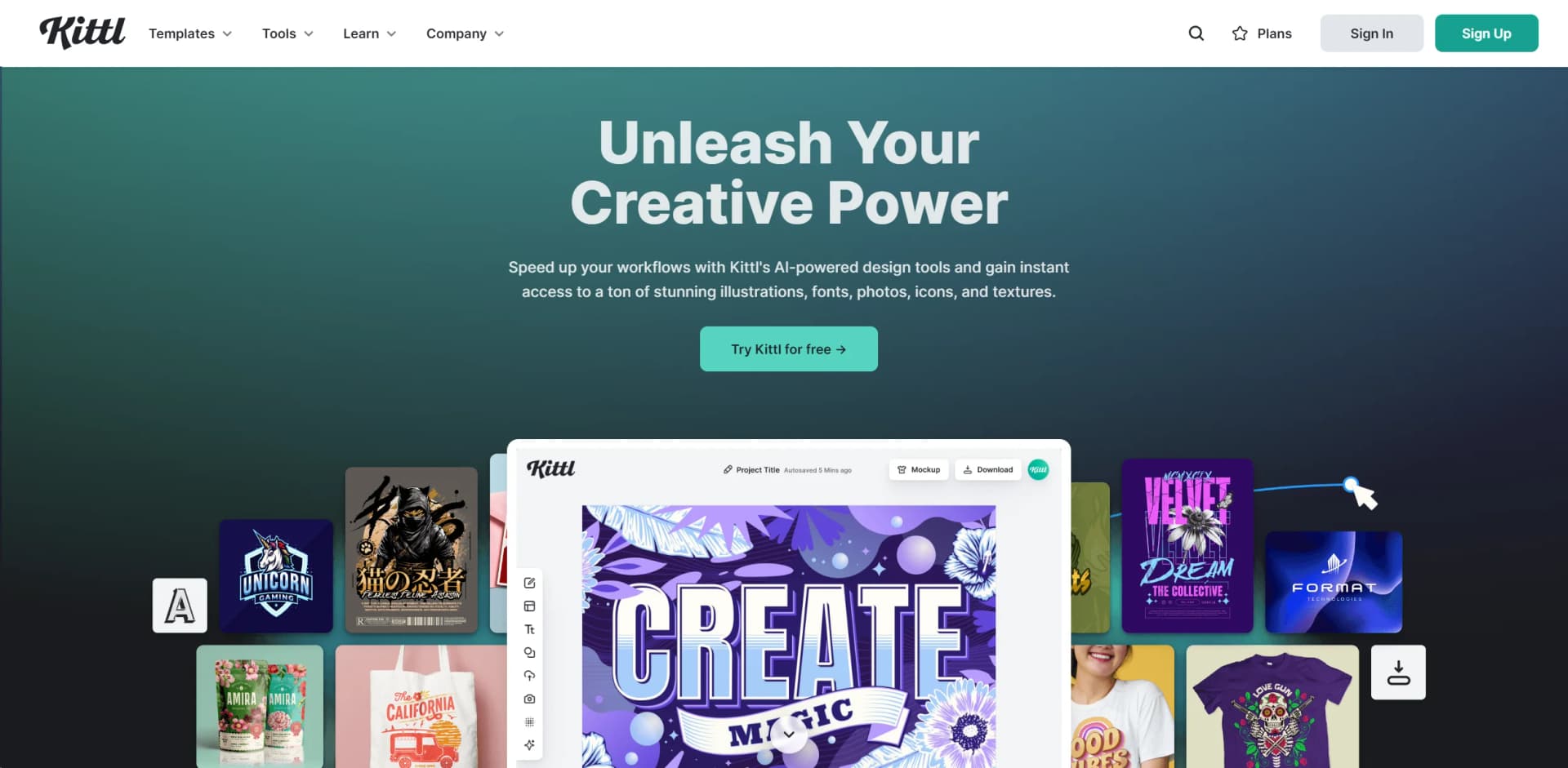
Kittl is an innovative online design platform revolutionizing the creation of stunning graphics, illustrations, and visual content. It targets both professionals and hobbyists, offering simplicity and precision in design processes. With its advanced features and intuitive interface, Kittl is reshaping design accessibility for users of all skill levels.
Kittl's blend of user-friendly interface and powerful AI-driven tools democratizes design, making professional-grade tools accessible to a wider audience. Its collaborative features enhance creative workflows, setting it apart in the design landscape.
Kittl is a comprehensive design platform catering to diverse creative needs, from professional graphic design to casual projects. Its AI-powered tools and collaborative capabilities streamline design processes, fostering creativity. For a versatile, intuitive, and powerful design tool, Kittl stands out as a top choice, blending ease of use with rich functionalities.
Who is Using Kittl?
Graphic Designers
Crafting intricate designs and visuals efficiently.
Marketing Professionals
Creating compelling marketing materials and advertisements.
Small Business Owners
Designing branding elements, from logos to business cards.
Educators and Students
Utilizing it for educational projects and presentations.
Uncommon Use Cases
Artists digitizing their artworks; Non-profits creating awareness campaign materials economically.
Key Features
Rating Breakdown
Pricing Plans
Free Tier
Free
- Basic features and templates available for free
Pro Tier
$10 per month
- Unlocking advanced features and unlimited exports
Which Kittl plan should you pick?
Start with Free to explore Kittl, upgrade to Pro for commercial and vector work, choose Expert for heavier AI usage, and use Max for the highest limits and enhanced licensing.
Free
Good for creators who want to explore templates, basic tools, and limited AI generation for personal projects.
Pro
Good for individuals who need vector exports, premium assets, higher-resolution downloads, commercial use, and more AI tokens.
Expert
Good for professionals who need more storage, more AI tokens, custom fonts, high-resolution exports, and commercial licensing.
Max
Good for high-volume users who need the largest AI allowance, additional storage, and an Enhanced License without copy limits.
Kittl Use Cases
Product and merchandise design
Create apparel graphics, product designs, mockups, labels, packaging, and print-ready files.
Outcome: Ready-to-sell product visuals and production files.
Social media and advertising
Design social posts, coordinated campaign graphics, product-launch ads, and promotional content.
Outcome: Consistent branded campaign assets.
Brand development
Store logos, colors, fonts, graphics, and visual-style references in a reusable Brand.
Outcome: More consistent designs across products and campaigns.
AI product visualization
Generate product scenes, promotional imagery, mockups, and short videos from product images or descriptions.
Outcome: Marketing visuals without a conventional photoshoot.
Marketplace listing creation
Create listing images, storefront graphics, packaging, and product mockups for Etsy, Shopify, Amazon, and other channels.
Outcome: Channel-ready ecommerce assets.
Workflow Ideas with Kittl
Design to mockup to video
- 1Create or select a design on an artboard
- 2Connect a mockup board and apply the design
- 3Connect an AI Video Board and generate a short promotional video
Branded product campaign
- 1Set up a Brand with logos, colors, fonts, and visual references
- 2Choose an AI Workflow for product visuals or ads
- 3Generate, refine, and export the branded assets
Image editing workflow
- 1Upload or generate an image
- 2Select Edit Area and paint the section to change
- 3Describe the edit and generate the revised image
How Kittl fits into your stack
Browser Compatibility
Works seamlessly across major web browsers.
Cloud Storage Integration
Enables saving and accessing projects from any device.
Social Media Integration
Directly export and share designs to social media platforms.
API Access
Likely offers API access for custom integrations.
Pros
- +Ease of Use: Intuitive design facilitates straightforward navigation and design creation for users of all levels.
- +Flexibility: Accommodates a broad spectrum of design projects with its variety of templates and design elements.
- +Innovative Features: AI-powered tools save time and boost creativity, pushing the boundaries of digital design.
- +Collaboration Efficiency: Streamlines teamwork processes, enhancing communication and workflow.
Cons
- −Learning Curve for Advanced Features: New users may require time to fully utilize AI-powered tools and advanced features.
- −Internet Dependency: Smooth operation relies on a stable internet connection due to its online nature.
- −Subscription Model: Access to all features requires a subscription, which may not fit everyone's budget.
Limitations & when to consider alternatives
Known limitations
- Free AI generations are public. On the Free plan, generated images and videos appear in Kittl’s public Explore gallery.
- Included tokens do not roll over. Monthly and daily plan tokens reset according to the billing or daily cycle. Purchased tokens do not expire.
- Free-plan commercial restrictions. The Free plan is for personal use, while commercial licensing is provided by paid plans.
- Video editing is generation-based. Kittl Video does not support timeline editing, trimming, or keyframes; pacing changes require a new prompt or duration.
- Browser-dependent access. Kittl is delivered through the browser rather than a dedicated native desktop or mobile application.
Look elsewhere when
- You need a native mobile app.
- You need an installed desktop application.
- You need timeline-based video editing.
How to Use Kittl
- 1
Explore tutorials on the Kittl website and YouTube covering basic setup to advanced design techniques.
Who is Kittl For?
Creators
Kittl provides templates, AI tools, editing features, and design workflows for creating visual content.
Small business owners
Kittl supports labels, packaging, mockups, social content, and wholesale assets without requiring professional design skills.
Online sellers
Kittl helps sellers create product designs, listing images, mockups, shop banners, promotional graphics, and packaging.
Designers
Designers can use vector tools, templates, AI generation, mockups, brand systems, and high-resolution exports.
Agencies and creative teams
Shared workspaces, role-based permissions, real-time editing, comments, and project sharing support collaborative production.
Frequently Asked Questions
Can I use Kittl for free?
Yes. Kittl offers a free plan with curated templates and tools for exploring the editor and creating personal projects.
Can I invite teammates to my Kittl workspace?
Yes. Teams can invite members to co-create, edit, review, and manage designs in a shared workspace.
Can I use Kittl designs commercially?
Paid Pro, Expert, and Max plans include commercial usage rights subject to Kittl’s licensing terms. The Free plan is for personal use.
What are Kittl Flows?
Kittl Flows connect artboards, mockups, image boards, and video boards so each step builds on the previous one.
Can I upload my own assets?
Yes. Users can upload images and vector elements, including SVG, PNG, and JPG files.
Can I use Kittl on a phone or tablet?
Kittl runs in a browser and works on tablets and phones, although the editor is optimized for desktop and tablet screens.
Community reviews
1 review from people who use Kittl.
Sign in to leave a review for Kittl.
julia Bladinieres
Kittl Alternatives
Looking for alternatives to Kittl? Here are similar tools in the same category:
Learn to Master Kittl
With Skill Leap courses
Get in-depth training on Kittl and 50+ other AI tools with our expert-led video courses.
Start 7-Day Free Trial