
Insight7
Score calls, coach teams, automate routine conversations.
Key Takeaways
- What it is
- Score calls, coach teams, automate routine conversations.
- Pricing
- Freemium · $99 per month · $299 per month
- Best for
- Automated Call Analytics & QA
- Evidence-Backed Conversation Intelligence
- AI Coaching & Roleplay
- Rating
- 4.5/5
What is Insight7?
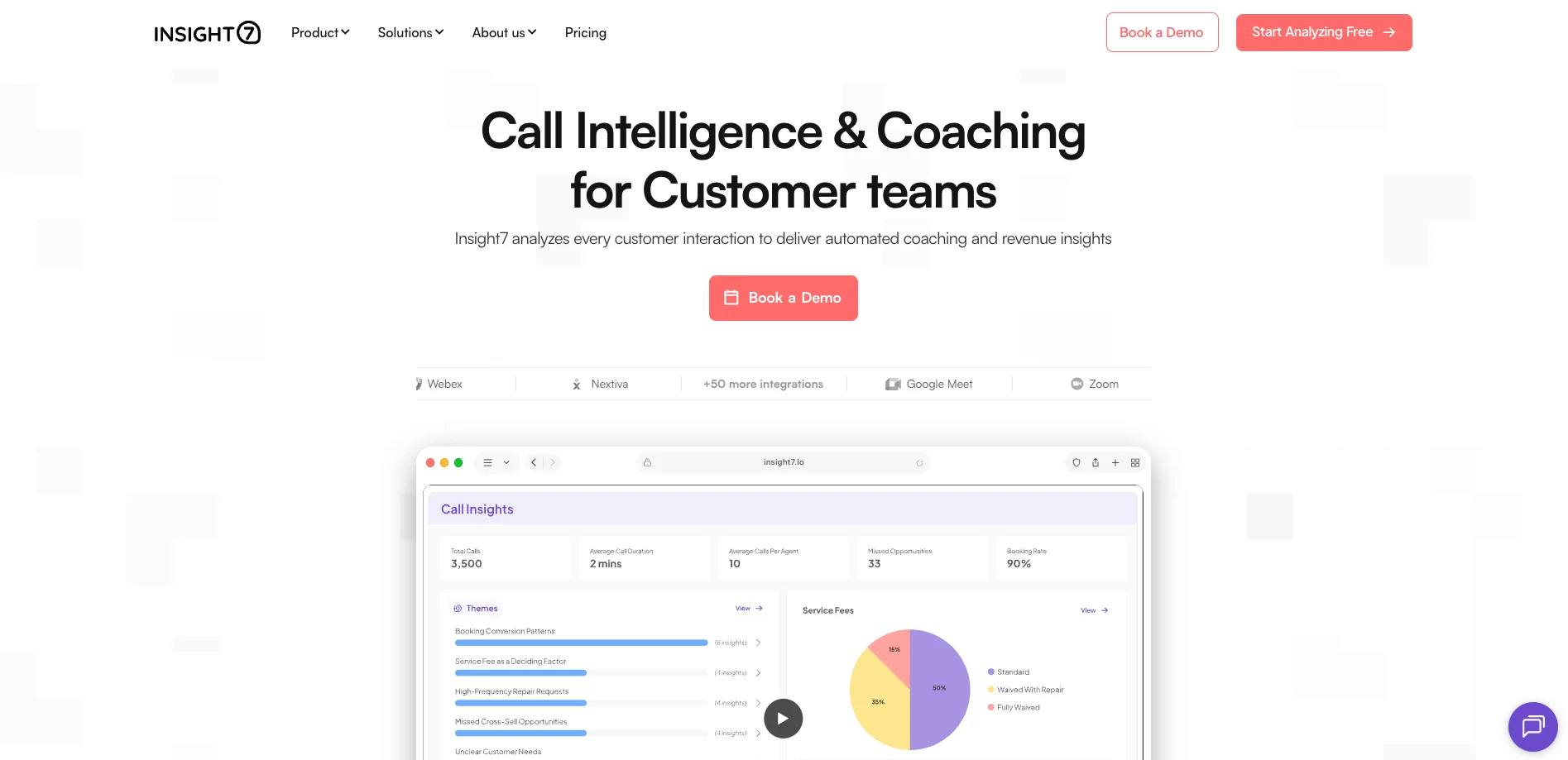
Insight7 focuses on turning customer conversations into call analytics, QA scoring, and AI-driven coaching for revenue and support teams. It listens to 100 percent of recorded calls and meetings, scores them against custom criteria, then turns performance gaps into roleplay scenarios, coaching assignments, and even AI agents that can handle routine interactions. With strong security credentials and broad integrations, it targets contact centers, sales organizations, and regulated industries that care about both call quality and coaching impact.
Insight7 stands out by tightly coupling automated QA with AI coaching in a single workflow: the same engine that scores calls auto-generates practice scenarios using real customer language and objections. Evidence-backed scoring links every criterion to transcript quotes, which reduces disputes and makes coaching highly specific. Combined with Live Assist, AI agents, and strong compliance credentials, the platform offers an unusually integrated approach for call-heavy teams that care about both quality monitoring and skill development.
Insight7 gives customer-facing organizations a practical way to move from sporadic call reviews to systematic, AI-supported coaching. By combining full-population QA, transcript-backed insights, and auto-generated practice scenarios, it helps teams actually change behavior, not just watch dashboards. For contact centers, sales orgs, and regulated industries that live on the phone, it offers a strong mix of analytics, coaching, and automation that feels purpose-built for high-volume, high-stakes conversations.
Who is Using Insight7?
Sales and Revenue Teams
Using call analytics, revenue signals, and Live Assist to improve win rates and replicate top-performer behaviors.
Customer Support & Contact Centers
Automating QA, spotting service gaps, and coaching agents before churn or complaints spike.
Financial Services Providers
Monitoring regulated conversations for compliance while providing coaching trails managers can audit.
Healthcare and Patient Experience Teams
Reviewing patient interactions at scale while staying HIPAA-compliant.
Uncommon Use Cases
Utilized by recruiting and admissions teams to score interviews and standardize soft-skill evaluation; adopted by learning and development groups to measure training impact by tracking behavior change in real calls.
Key Features
Rating Breakdown
Pricing Plans
Free
Free
- 1 user, 3 call or transcript analyses, 1 project analysis, and English transcription
Pro
$99 per month
- 1 user, 50 call or transcript analyses, 4 project analyses, transcription in 60+ languages, reports and scorecards, templates, and live chat
Business
$299 per month
- 3 users, 200 call or transcript analyses, 10 project analyses, advanced dashboards, alerts, custom vocabulary, PII and PHI redaction, automations, and live chat plus email
Which Insight7 plan should you pick?
Start with the free plan to test qualitative analysis, move to Pro for individual higher-volume use, and upgrade to Business, Plus, or Enterprise for more users, automation, coaching, or API-scale requirements.
Pro
Good for professionals who need 50 call or transcript analyses, four projects, multilingual transcription, dashboards, reports, and scorecards.
Business
Good for small teams needing three users, higher analysis limits, advanced dashboards, alerts, automations, redaction, and AI roleplay.
Plus
Good for larger datasets and teams needing 20 users, 2,500 analyses, expanded projects, AI coaching, and feedback.
Enterprise
Good for organizations needing unlimited users and analyses, Call Analysis APIs, live recording, segmentation, and the full AI coaching suite.
Insight7 Use Cases
Customer and market research
Upload interviews, focus groups, surveys, and conversations to identify themes, needs, pain points, and market trends.
Outcome: Faster qualitative insights and research reporting.
Sales and revenue intelligence
Analyze sales conversations to identify conversion drivers, objections, drop-offs, and pipeline bottlenecks.
Outcome: More targeted coaching and improved sales performance.
Call quality and compliance
Evaluate calls against criteria, detect compliance issues, and create scorecards and alerts.
Outcome: More consistent quality assurance and compliance monitoring.
Marketing intelligence
Analyze customer language, objections, campaign ideas, customer stories, and content opportunities.
Outcome: Messaging and content grounded in customer conversations.
AI coaching and roleplay
Practice sales, customer-service, and leadership scenarios with voice or chat simulations and personalized feedback.
Outcome: Improved skills and focused development based on performance gaps.
Workflow Ideas with Insight7
Analyze uploaded calls
- 1Create a project
- 2Upload audio, video, or transcript files
- 3Run transcription and extract themes, quotes, scorecards, or dashboards
Automate conversation alerts
- 1Define keywords, behaviors, or critical events to monitor
- 2Connect email or Slack notifications
- 3Receive automatic alerts when conditions are met
Turn call findings into coaching
- 1Evaluate calls with templates or custom criteria
- 2Review performance gaps and coaching recommendations
- 3Assign training scenarios to individual team members
How Insight7 fits into your stack
Browser
Insight7 is used through its web application to upload conversations, create projects, analyze calls, and review dashboards, reports, scorecards, and coaching results.
Knowledge and files
Teams upload PDF, TXT, CSV, DOC, audio, and video files, or import recordings from connected storage and conversation platforms for centralized analysis.
Automation and APIs
Insight7 supports automatic call-import rules, named telephony and meeting integrations, and an API for embedding conversational analysis and evaluation into other systems.
Mobile
The vendor offers an iPhone app focused on communication coaching, scenario practice, live voice conversations, scorecards, feedback, and progress tracking.
Pros
- +True 100% Coverage: Replaces small QA samples with full-population scoring, which uncovers patterns manual review simply misses.
- +Closed-loop Coaching: Direct path from low QA score to targeted roleplay, so coaching tasks are tied to real conversations.
- +Time Savings for Managers: Reduces hours of call hunting and spreadsheet work, freeing leaders to coach instead of just monitor.
- +Enterprise-grade Compliance: Suitable for financial services and healthcare thanks to encryption, redaction, and certified controls.
Cons
- −Calibration Period Needed: Achieving high scoring accuracy requires 4 to 6 weeks of tuning criteria and examples with the Insight7 team.
- −Best for Call-heavy Teams: Organizations without meaningful phone or video conversations will not get full value from its analytics model.
- −Mobile Gaps for Android-first Teams: Coaching is strongest on web and iOS; Android support is still catching up.
Limitations & when to consider alternatives
Known limitations
- Free-plan limits. The free plan allows up to five files and provides only basic functionality.
- File-size limits. Document files should remain under 10MB and media files under 1GB.
- Qualitative-data focus. The help center states that Insight7 does not handle quantitative data.
- Enterprise API availability. Call Analysis APIs are listed under the Enterprise plan rather than the lower-priced plans.
Look elsewhere when
- You need a native mobile app for the call-analysis product.
- You need a downloadable Windows, Mac, or Linux application.
How to Use Insight7
- 1
Create a project
Log in, open Projects, and create a workspace for related conversations so files and analyses stay organized.
- 2
Import conversations
Upload files directly or connect meeting, phone, CRM, and cloud-storage integrations to bring calls into the project.
- 3
Choose an analysis method
Use a starter template or choose Analyze to extract insights, ask structured questions, or create dashboards.
- 4
Apply evaluation criteria
Select or customize evaluation templates, define questions, and set weights or pass/fail thresholds for call scoring.
- 5
Review and share results
Inspect themes, quotes, scorecards, dashboards, and alerts, then export reports or share findings with stakeholders.
- 6
Coach and automate follow-up
Use AI coaching and roleplay for skill development, and configure email or Slack workflows for important conversation signals.
Who is Insight7 For?
Research & Insights teams
Use Insight7 to accelerate qualitative analysis and reduce the time required to turn studies into reports.
Marketing & Sales teams
Analyze prospect and customer conversations to uncover needs, friction points, objections, and opportunities.
Consultants
Use AI analysis of client data to improve workflow efficiency and support better decision-making.
Customer-facing teams
Apply call intelligence, dashboards, alerts, evaluation criteria, and coaching to conversations at scale.
Frequently Asked Questions
What does Insight7 do?
Insight7 transcribes and analyzes qualitative data, identifying themes and emotional tones and producing summaries, visualizations, and dashboards.
What file types can I upload?
Insight7 supports text documents, audio files, and videos, including PDFs, CSVs, DOCX files, MP3s, MP4s, and related formats.
Can Insight7 analyze multiple files or large datasets?
Yes. Documents should remain under 10MB and media files under 1GB; the free plan allows up to five files.
Does Insight7 support multiple languages?
Yes. Insight7 transcribes and analyzes content in more than 60 languages.
Does Insight7 integrate with other tools?
Yes. Documented integrations include Google Drive, YouTube, OneDrive, SharePoint, Gong, Zoom, Slack, and other meeting or phone platforms.
Is Insight7 free to use?
Insight7 offers a free plan with basic features and no credit card requirement; paid subscriptions provide higher limits and advanced capabilities.
Community reviews
3 reviews from people who use Insight7.
Sign in to leave a review for Insight7.
Tunde Adeleye
Odun
Sofiyat Aminu
Insight7 Alternatives
Looking for alternatives to Insight7? Here are similar tools in the same category:
Learn to Master Insight7
With Skill Leap courses
Get in-depth training on Insight7 and 50+ other AI tools with our expert-led video courses.
Start 7-Day Free Trial