
Immersive Translate
Revolutionize your web experience with seamless, customizable, bilingual translations across devices—free.
Watch Immersive Translate in Action
Key Takeaways
- What it is
- Revolutionize your web experience with seamless, customizable, bilingual translations across devices—free.
- Pricing
- Freemium
- Best for
- Bilingual Webpage Translation
- PDF and ePub Translation
- Customizable Translation Styles
- Rating
- 4.6/5
What is Immersive Translate?
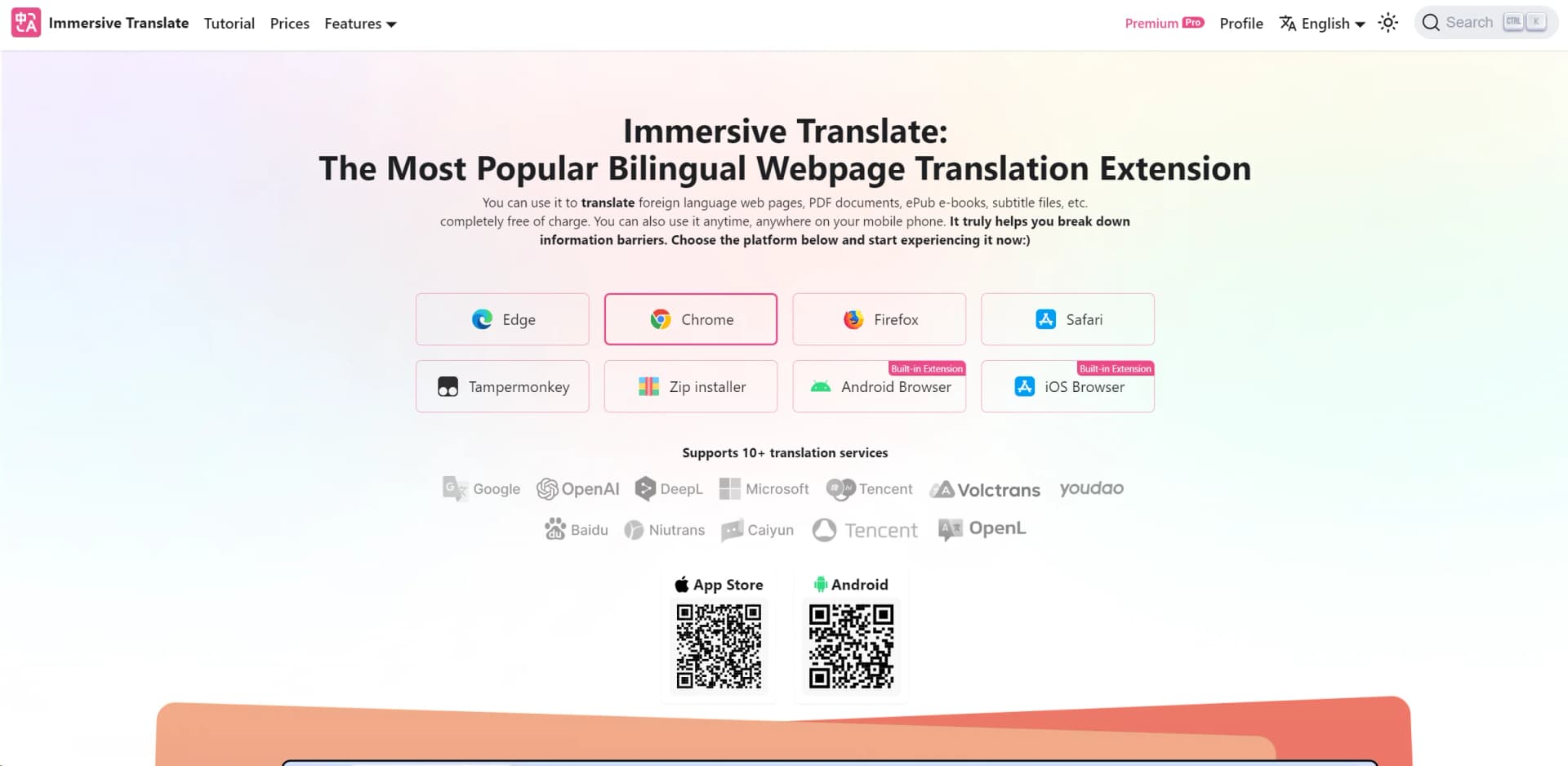
Immersive Translate is a cutting-edge bilingual webpage translation extension revolutionizing the way we interact with foreign languages online. It's a versatile tool allowing users to translate web pages, PDF documents, ePub e-books, and subtitle files, completely free of charge. Whether on a desktop or mobile device, Immersive Translate is designed to break down information barriers and provide a seamless translation experience across different platforms.
Immersive Translate stands out with its user-centric design and comprehensive translation capabilities. Its support for multiple translation services ensures that users receive the most accurate translations possible. The extension's ability to provide bilingual translations in a customizable and user-friendly interface sets it apart from other translation tools.
Immersive Translate excels at making foreign language content accessible and comprehensible, positioning itself as an indispensable tool for a wide array of users. Its standout feature of side-by-side bilingual translation offers an unmatched advantage for those seeking to overcome language barriers. With its comprehensive suite of translation features and cross-platform availability, Immersive Translate is a valuable addition to any digital toolkit.
Who is Using Immersive Translate?
Students and Academics
Utilizing the tool for researching and reading materials in foreign languages.
Travelers
Employing the extension to navigate foreign websites and services while abroad.
Language Learners
Using the tool as an aid for dual language education and practice.
Professionals
Leveraging the tool for translating business documents and communications.
Uncommon Use Cases
Used by hobbyists for translating e-books and subtitle files; Adopted by online shoppers to understand product descriptions on international websites.
Key Features
Rating Breakdown
Pricing Plans
Free Tier
Free
- Enjoy all the features of Immersive Translate without any cost
Premium Subscription
- Access to advanced features and additional support
Which Immersive Translate plan should you pick?
Start with the free tier for webpage and basic document translation; upgrade to Pro for advanced models and PDF/image features, or Max for higher quotas.
Free
Good for casual webpage translation and basic document use within daily request limits.
Pro
Good for users who need advanced translation models, higher quotas, PDF Pro, and broader image translation.
Max
Good for heavier users who need the highest documented membership quotas.
Immersive Translate Use Cases
Translate foreign webpages
Open a webpage and activate Immersive Translate from the browser extension.
Outcome: The page displays original and translated text together.
Read foreign PDFs
Open an online PDF or upload a local PDF through the extension.
Outcome: The document is rendered in bilingual format while preserving layout where supported.
Create bilingual ebooks
Upload an EPUB file and use the ebook translation feature.
Outcome: The tool creates a bilingual EPUB suitable for reading on ebook devices.
Translate subtitle files
Upload SRT or ASS subtitles and translate them line by line.
Outcome: You can edit the bilingual subtitle results and export them.
Translate text in images
Right-click an image or use the image translation control.
Outcome: Recognized text in the image is translated.
Workflow Ideas with Immersive Translate
Research foreign academic papers
- 1Install the browser extension
- 2Open the online PDF or upload a local PDF
- 3Read the original and bilingual translation side by side
Create bilingual video subtitles
- 1Open a supported video platform
- 2Enable bilingual subtitle translation or upload an SRT/ASS file
- 3Edit and export the translated subtitles when using subtitle-file translation
Build a bilingual ebook
- 1Open the ebook translation feature
- 2Upload the foreign-language EPUB
- 3Export the generated bilingual ebook for use on an ebook reader
How Immersive Translate fits into your stack
Browser
The core experience is a browser extension for bilingual webpage, subtitle, image, and input-box translation across Chrome, Edge, Firefox, and Safari.
Docs and writing
It translates Google Docs, webpages, input fields, PDFs, ePub books, subtitles, and other documents while preserving bilingual layouts where supported.
Knowledge and files
Users upload PDFs and other supported files for translation, including scanned documents through OCR and layout-preserving professional document workflows.
Team chat and tickets
The tool provides translation inside or alongside Zoom, Google Meet, Microsoft Teams, WhatsApp, Instagram, Telegram, and Discord for multilingual communication.
Pros
- +Enhanced Information Accessibility: Makes browsing information in foreign languages straightforward and efficient.
- +User-Friendly Interface: Intuitive design and single-click operation make it easy to use for anyone.
- +Cost-Free Translation: Offers a comprehensive set of translation features without any charge.
- +Mobile Accessibility: Available for use on mobile phones, providing translation on the go.
Cons
- −Potential Over-Reliance on Machine Translation: May not always capture the nuances of the original text.
- −Internet Dependency: Requires an internet connection to access translation services.
- −Limited Offline Features: Some functionalities may not be available when offline.
Limitations & when to consider alternatives
Known limitations
- Free usage has daily limits. Free users can translate without payment, but daily translation requests are subject to reasonable limits.
- Advanced PDF processing requires PDF Pro. Scanned PDFs, formula recognition, and advanced PDF comparison features are available through PDF Pro.
- Free image translation has language restrictions. Browser-side free image translation currently recognizes English and some Latin-based languages.
- Some video subtitle features are platform-dependent. AI-generated subtitles without existing captions are currently limited to YouTube in beta.
- Some translation services have rate limits. Translation providers can return rate-limit errors when too many requests occur in a short period.
Look elsewhere when
- You need scanned-PDF OCR without upgrading to PDF Pro.
- Your free image-translation workflow requires broad language recognition.
- You need automated translation workflows spanning multiple external tools.
- You need a standalone Windows, macOS, or Linux desktop installer.
How to Use Immersive Translate
- 1
Install the extension or app
Choose Chrome, Edge, Firefox, Safari, iOS, or Android from the official installation options.
- 2
Translate a webpage
Open a foreign-language webpage, then select Translate from the extension menu or right-click menu.
- 3
Translate a local document
Open More in the extension and choose PDF/ePub or Text to upload a supported local file.
- 4
Translate subtitles
Choose Subtitle File Translation, upload an SRT or ASS file, then review and export the bilingual result.
- 5
Translate an image
Right-click an image and select Translate Image, or enable the hover translation control.
- 6
Select a translation service
Open settings to choose a built-in service or configure a supported provider with your own API key.
Who is Immersive Translate For?
Academic paper readers
Translate foreign-language academic papers and preserve bilingual reading context.
Multilingual business users
Translate multilingual business documents while retaining the original document context.
Language learners
Use bilingual webpage and subtitle displays to compare original and translated content.
Online video viewers
Translate subtitles on major video platforms and generate bilingual captions for supported videos.
Frequently Asked Questions
Can I use Immersive Translate for free?
Yes. Free users receive translation access with reasonable daily limits; registered users receive higher quotas.
What file formats can Immersive Translate translate?
Supported formats include PDF, EPUB, DOCX, HTML, TXT, SRT, and ASS subtitle files.
Can Immersive Translate translate scanned PDFs?
Scanned PDFs require PDF Pro, which adds OCR, formula recognition, and more complex document support.
Does Immersive Translate translate images?
Yes. Free image translation uses browser-side recognition with limited languages; Pro image translation supports broader common-language coverage.
How many devices can use one account simultaneously?
Each account can use up to eight devices simultaneously; the documentation defines these devices as browsers.
Can it translate videos without subtitles?
AI Subtitles can recognize speech and generate bilingual captions, currently with limited YouTube availability.
Community reviews
Be the first to share your experience.
Sign in to leave a review for Immersive Translate.
Immersive Translate Alternatives
Looking for alternatives to Immersive Translate? Here are similar tools in the same category:
Learn to Master Immersive Translate
With Skill Leap courses
Get in-depth training on Immersive Translate and 50+ other AI tools with our expert-led video courses.
Start 7-Day Free Trial