
Imagecolorizer
Revitalize old photos with AI-driven colorization and restoration effortlessly.
Key Takeaways
- What it is
- Revitalize old photos with AI-driven colorization and restoration effortlessly.
- Pricing
- Freemium
- Best for
- AI-Powered Colorization
- Photo Restoration
- Image Enhancement
- Rating
- 4.5/5
What is Imagecolorizer?
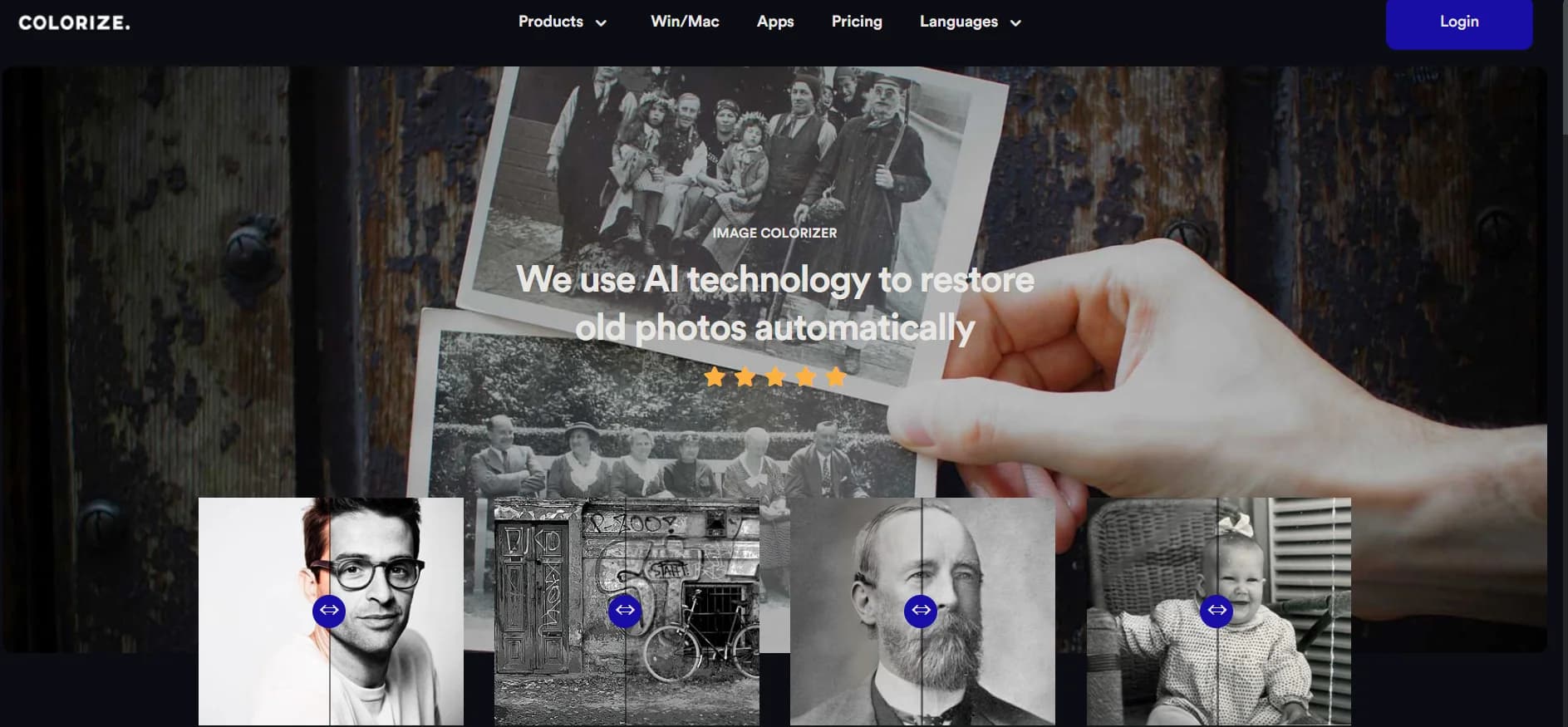
ImageColorizer is an online platform revolutionizing the restoration and colorization of black and white photos using advanced AI technology. Unlike traditional methods that require manual effort, ImageColorizer automates the process, effortlessly adding color to old photos with remarkable accuracy. As an avid explorer of image restoration tools, I've found ImageColorizer to offer a comprehensive suite of features suitable for both amateurs and professionals seeking to rejuvenate their cherished memories.
ImageColorizer stands out with its user-friendly approach to transforming monochromatic images into vibrant, colorized photos effortlessly. Its combination of restoration and enhancement tools in one platform offers a holistic solution for photo revitalization.
ImageColorizer excels at making colorization and restoration of old photos accessible and enjoyable. Its AI-powered tools provide users with the ability to transform images with a level of quality once achievable only by professionals. While there are areas for improvement, such as enhancement precision, the tool's ease of use, cost-efficiency, and quality of results make it an excellent choice for resurrecting photographic memories.
Who is Using Imagecolorizer?
Historians and Researchers
Visualize historical black and white imagery in color for research purposes.
Genealogy Enthusiasts
Restore old family photographs to enrich their family history research.
Artists and Illustrators
Add color to vintage illustrations to create unique artwork.
Educational Institutions
Engage students in history lessons by colorizing historical photos.
Uncommon Use Cases
Revitalize historical property photos for real estate purposes; Enhance imagery in publications for authors.
Key Features
Rating Breakdown
Pricing Plans
Free Tier
Free
- Provides access to basic colorization and cleanup services for free
Subscription Plans
- Offers various subscription plans tailored to usage frequency and required features
Which Imagecolorizer plan should you pick?
Start with Free for occasional single-photo restoration, then upgrade to Starter or Premium for regular credit usage and Business for high-volume access to the V2 model.
Free
Good for users who need 50 credits per month, single processing, and access to all AI features with ads.
Starter
Good for regular restorations needing 500 monthly credits, legacy batch processing, priority support, and no ads.
Premium
Good for active users needing 1000 monthly credits plus legacy batch processing, priority support, and no ads.
Business
Good for high-volume restoration workflows needing unlimited access to the V2 model, legacy batch processing, priority support, and no ads.
Imagecolorizer Use Cases
Colorize black-and-white photos
Upload a monochrome photo, choose a colorization model, and generate realistic tones for faces, clothing, scenery, and backgrounds.
Outcome: A colorized version of the original photo.
Restore damaged photographs
Use AI restoration and repair to reduce scratches, creases, spots, dust, tears, and other visible damage.
Outcome: A cleaner, more presentable photograph.
Enhance blurry portraits
Apply portrait retouching and face enhancement to improve facial clarity, brightness, and minor imperfections.
Outcome: Clearer facial details with a natural appearance.
Upscale old images
Use AI Restore to enlarge old photos, sharpen soft areas, and improve apparent resolution.
Outcome: A larger image with improved perceived detail.
Prepare photos for archiving or printing
Restore, clean, colorize, and download family or historical photographs for sharing, archiving, or print preparation.
Outcome: A cleaner digital copy suitable for preservation or printing.
Workflow Ideas with Imagecolorizer
Restore and colorize a family photo
- 1Upload a JPG, PNG, or WEBP photo
- 2Choose Restore or Colorize and select a model
- 3Preview and download the processed result
Repair a damaged vintage portrait
- 1Upload the faded or scratched portrait
- 2Apply AI Repair and portrait enhancement
- 3Review the restored face and save the image
Prepare an old photo for printing
- 1Upload a scanned family or historical photo
- 2Restore damage, improve clarity, and upscale the image
- 3Download the finished image for sharing or print preparation
How Imagecolorizer fits into your stack
Cloud-Based
Accessible from any device with an internet connection, ensuring flexibility in usage.
Win/Mac App Support
Provides dedicated applications for Windows and Mac users for a more integrated experience.
Discord Community
Offers a Discord community for users to discuss tips, tricks, and receive support.
Pros
- +Ease of Use: Intuitive interface makes it accessible for users of all skill levels to colorize and restore photos effortlessly.
- +Batch Processing: Convenient for users dealing with multiple images, saving valuable time.
- +Quality of Results: Produces high-quality colorization and restoration comparable to manual editing.
- +Free Options: Offers free basic colorization and cleanup services, making it accessible for casual users.
Cons
- −Enhancement Limitations: Some users have reported that the enhancement feature may require further refinement.
- −Dependency on AI Accuracy: The AI's interpretation of colors and details may not always align with historical accuracy or personal expectations.
- −Internet Requirement: Being cloud-based, it necessitates a stable internet connection for all functionalities.
Limitations & when to consider alternatives
Known limitations
- Plan-based credit limits. Image processing and downloads consume credits, and the number of images depends on the selected plan and available credits.
- Upload size restrictions. Paid users are limited to files under 100MB and 4000px on one side; oversized photos may be resized or compressed.
- Free plan uses single processing. The Free plan provides 50 credits per month but only supports single processing and includes ads.
- Cloud processing is temporary. For cloud processing, uploaded source images and generated results are automatically deleted within 2 hours.
- Results depend on source quality. Upscaling results vary according to the quality of the original scan, so restoration may not recover every lost detail.
Look elsewhere when
- You need a documented developer API.
- You need shared workspaces or team roles.
- You need offline processing for the web service.
- You need browser-extension workflows.
How to Use Imagecolorizer
- 1
While designed to be intuitive, ImageColorizer provides resources such as a comprehensive FAQ section and community support through Discord channels to help users maximize the tool's potential.
Who is Imagecolorizer For?
Families preserving old photos
The tool is designed for old family pictures and portraits that need restoration, colorization, or cleanup.
Vintage-photo enthusiasts
Vintage snapshots can be enhanced, repaired, sharpened, and colorized in one workspace.
Historical-photo archivists
Historical images can be restored and given realistic color while preserving recognizable details.
Users digitizing family albums
The Colorize app is positioned for people importing and restoring photos from family albums.
Frequently Asked Questions
Can I colorize old photos with free credits?
Yes. A free account includes available credits for trying the AI photo colorizer; paid plans add more credits, higher limits, batch processing, and an ad-free workflow.
What image formats are supported?
The restoration workspace supports JPG, PNG, and WEBP uploads. Pasting an image from the clipboard is also supported.
How long does restoration take?
Restoration usually takes a few minutes, depending on file size, selected model, and processing queue.
Can ImageColorizer remove creases and scratches?
Yes. AI Repair reduces creases, scratches, and surface marks from old photographs.
Is there a limit on the number of images?
The number of images depends on available credits and plan limits. Upload size, dimensions, and batch limits may vary by plan.
Does ImageColorizer work on Mac?
Yes. ImageColorizer provides web and downloadable desktop software for Windows and Mac.
Community reviews
Be the first to share your experience.
Sign in to leave a review for Imagecolorizer.
Imagecolorizer Alternatives
Looking for alternatives to Imagecolorizer? Here are similar tools in the same category:
Learn to Master Imagecolorizer
With Skill Leap courses
Get in-depth training on Imagecolorizer and 50+ other AI tools with our expert-led video courses.
Start 7-Day Free Trial