
IBM Watson Studio
Build, manage, and deploy AI models with collaborative tools.
Key Takeaways
- What it is
- Build, manage, and deploy AI models with collaborative tools.
- Pricing
- Freemium
- Best for
- Advanced Analytics
- Collaborative Platform
- Automated Machine Learning (AutoAI)
- Rating
- 4.5/5
What is IBM Watson Studio?
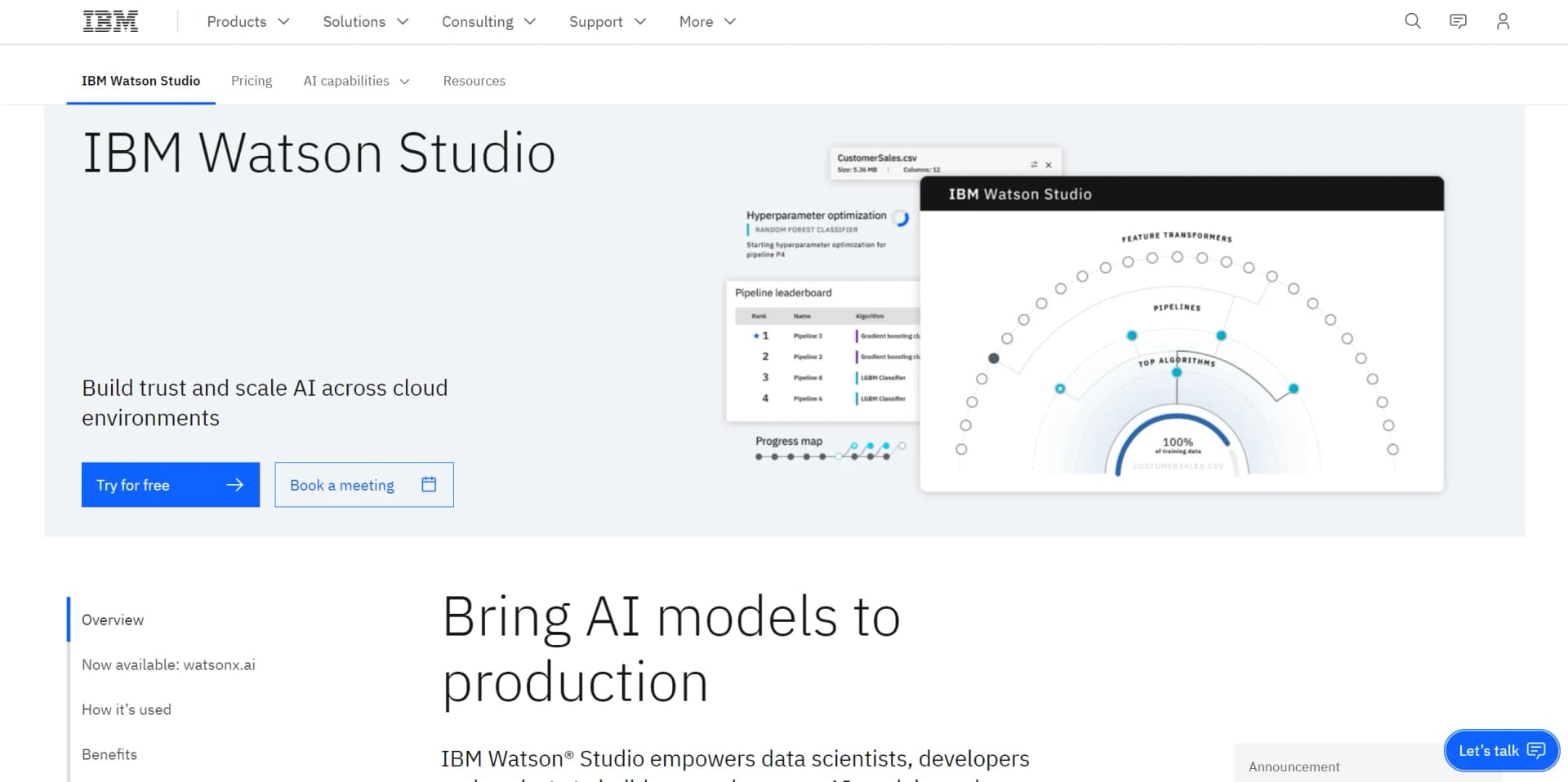
IBM Watson Studio is a comprehensive platform designed to enhance the capabilities of data scientists, developers, and analysts by offering a suite of tools to build, run, and manage AI models. Available on IBM Cloud Pak for Data, this AI tool simplifies the process of bringing AI models to production, optimizing decisions, and scaling AI across various cloud environments. It integrates open-source frameworks like PyTorch, TensorFlow, and scikit-learn, providing a robust environment for both code-based and visual data science tasks. IBM Watson Studio is particularly beneficial for teams looking to unite their efforts, automate AI lifecycles, and accelerate their time to value through an open multicloud architecture.
IBM Watson Studio stands out with its robust AI governance capabilities, ensuring that AI workflows are transparent and explainable. Its ability to seamlessly integrate open-source frameworks with IBM's proprietary tools makes it a versatile choice for a wide range of AI applications. The platform's emphasis on collaboration and automation of the AI lifecycle further distinguishes it as a leader in the AI and machine learning space.
IBM Watson Studio offers an unmatched platform for developing and deploying AI models across cloud environments. Its comprehensive suite of tools and features empowers organizations to scale AI effectively while ensuring transparency and governance. Whether you're a seasoned data scientist or a business looking to integrate AI into your operations, IBM Watson Studio provides the flexibility and robustness needed to drive impactful outcomes.
Who is Using IBM Watson Studio?
Financial Institutions
Utilizing the platform for risk management and predictive analytics to optimize financial decision-making.
Healthcare Providers
Employing Watson Studio to enhance patient care through predictive health analytics and operational efficiency improvements.
Retailers
Leveraging AI to personalize customer experiences and streamline supply chain operations.
Manufacturing Companies
Using predictive maintenance models to improve equipment efficiency and reduce downtime.
Uncommon Use Cases
Applied in environmental research for predictive modeling of climate change impacts; Adopted by urban planners for optimizing city infrastructure developments.
Key Features
Rating Breakdown
Pricing Plans
Free Tier
Free
- Offers a trial to experience IBM Watson Studio's capabilities at no cost
Standard Plan
- Details on pricing require consultation with IBM for personalized quotes based on specific organizational needs
Which IBM Watson Studio plan should you pick?
Start with Lite for evaluation and small experiments; upgrade to Professional when you need more users, compute, GPUs, project export, or customer-managed encryption keys.
Lite
Good for individuals evaluating Watson Studio with one authorized user and limited monthly compute.
Professional
Good for teams and production-oriented work that need unlimited collaborators and pay-per-use compute.
IBM Watson Studio Use Cases
Machine-learning model development
Prepare data, experiment in notebooks or AutoAI, train models, and deploy them.
Outcome: Operational machine-learning models.
Visual data science
Build predictive models with SPSS Modeler-style visual workflows.
Outcome: Models and analyses with reduced coding requirements.
Natural-language processing
Apply pretrained or custom Watson NLP models to classify, extract, and analyze text.
Outcome: Structured insights from unstructured text.
AI lifecycle automation
Create pipelines that train assets, promote them, deploy models, and score results.
Outcome: Repeatable, automated model operations.
Decision optimization
Build optimization models and dashboards to support business decisions.
Outcome: Recommended actions based on predictive and prescriptive analytics.
Workflow Ideas with IBM Watson Studio
Train and deploy a model
- 1Create a Watson Studio project and associate storage
- 2Upload or connect training data and build a model
- 3Create a pipeline to train, promote, deploy, and score the model
Collaborative notebook analysis
- 1Create a project and add collaborators with appropriate roles
- 2Upload data assets and create a Python or R notebook
- 3Run analysis and share project assets with the team
Custom NLP model development
- 1Prepare labeled examples in a notebook
- 2Train or fine-tune a Watson NLP model on the data
- 3Save the custom model as a project data asset for reuse
How IBM Watson Studio fits into your stack
Browser
Watson Studio is primarily accessed through the IBM watsonx web console, where teams create projects, notebooks, experiments, and model assets.
Desktop / IDE
The platform includes browser-based Jupyter Notebook and JupyterLab environments for Python, R, scripts, and Git-connected development. IBM also documents Watson Studio Desktop for Windows and macOS.
Knowledge and files
Projects organize uploaded files, connected data assets, notebooks, models, and other analytical resources. Users can upload local files or connect external data sources.
Automation and APIs
Watson Studio supports REST APIs, Python libraries, SDKs, AutoAI, and Orchestration Pipelines for programmatic and automated AI lifecycle work.
Pros
- +Scalability: Easily scales across cloud environments, offering flexibility and adaptability to various business needs.
- +Integration with Open Source Tools: Compatible with popular frameworks and languages, enhancing its utility for diverse AI projects.
- +Comprehensive Model Management: Offers robust features for monitoring, retraining, and optimizing AI models, ensuring sustained performance.
- +Enhanced Productivity: Streamlines AI lifecycle management, reducing model monitoring efforts and increasing model accuracy.
Cons
- −Complexity for Beginners: The extensive features and capabilities might present a steep learning curve for new users.
- −Resource Intensive: Requires significant computational resources, which might be a barrier for smaller organizations.
- −Limited Offline Capabilities: Primarily cloud-based, which may limit functionality in offline scenarios.
Limitations & when to consider alternatives
Known limitations
- Lite plan has limited capacity. The Lite plan allows one authorized user and limits usage to 10 capacity unit-hours per month.
- Lite plan limits collaboration. The Lite plan supports one collaborator, while Professional supports unlimited collaborators.
- Regional feature availability. Some services, foundation models, and features vary by IBM Cloud region.
- Free Spark limitations. The free environment is Python-only; a free Python and Apache Spark environment is not available.
- Amazon EMR notebook restrictions. Amazon EMR notebooks support Python kernels only and cannot be scheduled.
Look elsewhere when
- You need unlimited free compute.
- You need a fully self-contained mobile app.
- You need unrestricted regional access to every model.
How to Use IBM Watson Studio
- 1
Provision Watson Studio
Create a Lite or Professional watsonx.ai Studio instance in IBM Cloud and associate the required services.
- 2
Create a project
Create an empty project or start from a sample, then associate IBM Cloud Object Storage for project assets.
- 3
Add data
Upload files or create connections to IBM, third-party, cloud, or on-premises data sources.
- 4
Choose a development tool
Use notebooks, AutoAI, SPSS Modeler, Data Refinery, Decision Optimization, or Prompt Lab depending on the task.
- 5
Collaborate
Add users as Viewers, Editors, or Admins through project Access Control.
- 6
Automate and deploy
Build an orchestration pipeline to train, promote, deploy, and score models, or expose an AI service through a REST endpoint.
Who is IBM Watson Studio For?
Data scientists
They can analyze data, build models in notebooks, use AutoAI, and manage the machine-learning lifecycle.
Developers
They can use APIs, SDKs, notebooks, code models, and deployment endpoints to integrate AI into applications.
Business analysts
They can use visual modeling and SPSS Modeler workflows without relying entirely on programming.
Domain experts
They can work collaboratively with data and AI teams in shared projects and visual tools.
Enterprise AI teams
They can use governance, monitoring, deployment, collaboration, and hybrid-cloud capabilities.
Frequently Asked Questions
Is there a free plan?
Yes. The Lite plan is free, allows one authorized user, and includes a 10-capacity-unit-hour monthly limit.
What is Watson Studio used for?
Watson Studio provides tools to prepare and visualize data, write notebooks, build and train models, automate AI lifecycles, and deploy solutions.
Can teams collaborate in Watson Studio?
Yes. Projects support collaborators with Viewer, Editor, and Admin roles.
Does Watson Studio support APIs?
Yes. IBM documents REST APIs, Python libraries, project access tokens, and programmatic model inference.
What languages are supported?
Notebook environments support Python and R, while Watson NLP provides pretrained models across more than 20 human languages.
Can users train custom models?
Yes. Watson NLP supports custom models and fine-tuning the Slate foundation model with user-provided data.
Community reviews
Be the first to share your experience.
Sign in to leave a review for IBM Watson Studio.
IBM Watson Studio Alternatives
Looking for alternatives to IBM Watson Studio? Here are similar tools in the same category:
Learn to Master IBM Watson Studio
With Skill Leap courses
Get in-depth training on IBM Watson Studio and 50+ other AI tools with our expert-led video courses.
Start 7-Day Free Trial